Desert Online General Trading LLC
Dubai, United Arab Emirates
Desert Online General Trading LLC
Dubai, United Arab Emirates





🎉 Elevate Your Audio Game with the Ultimate HDMI Splitter!
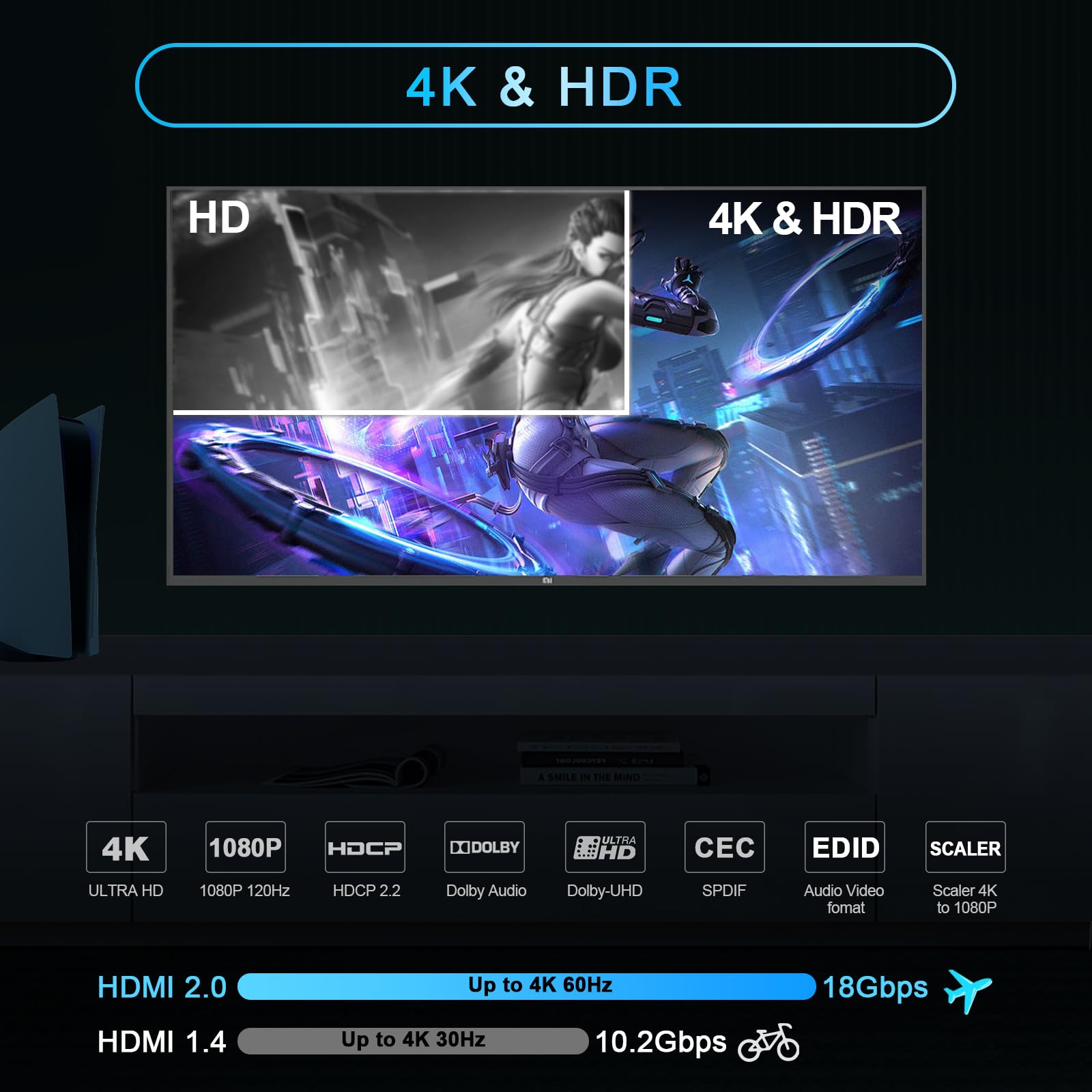
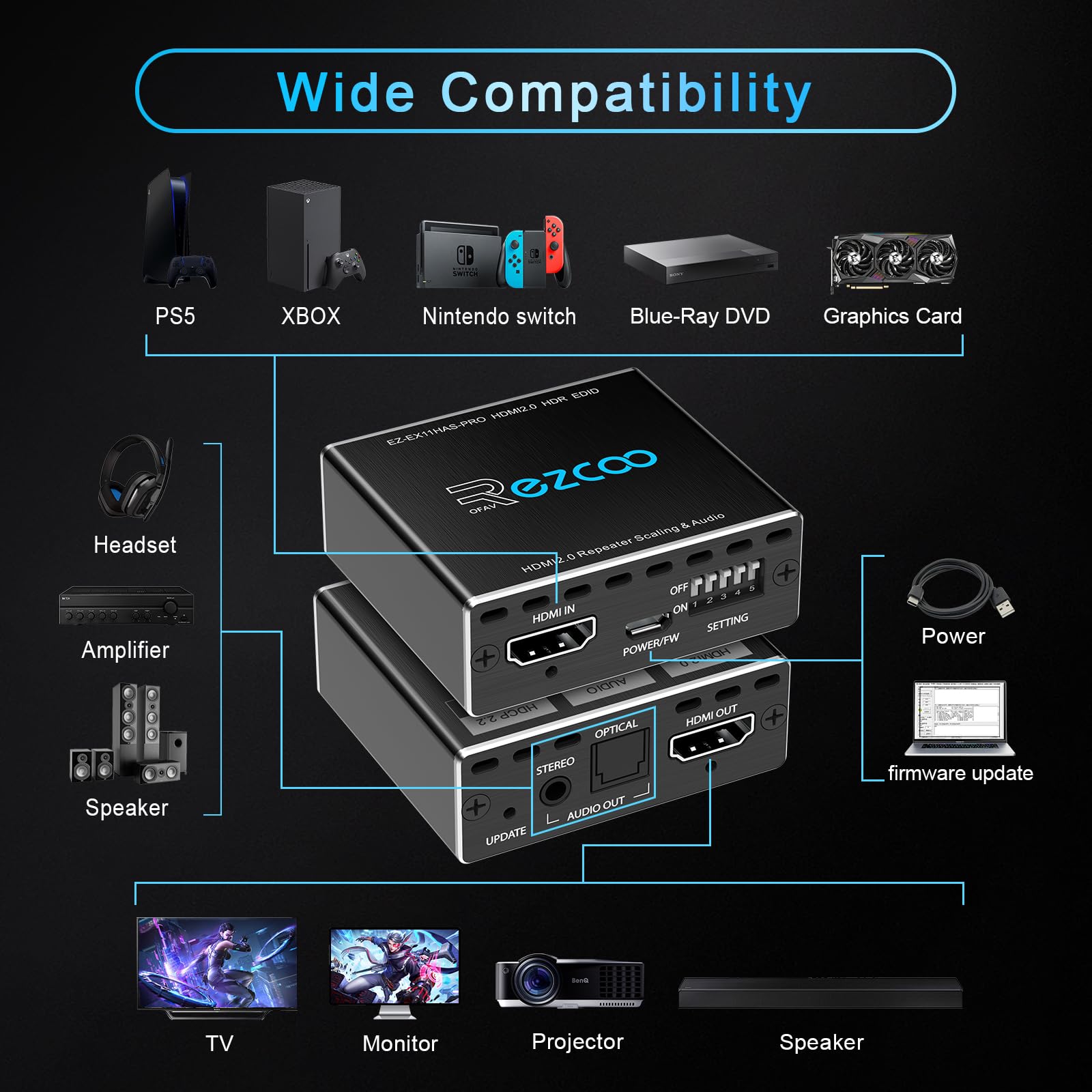
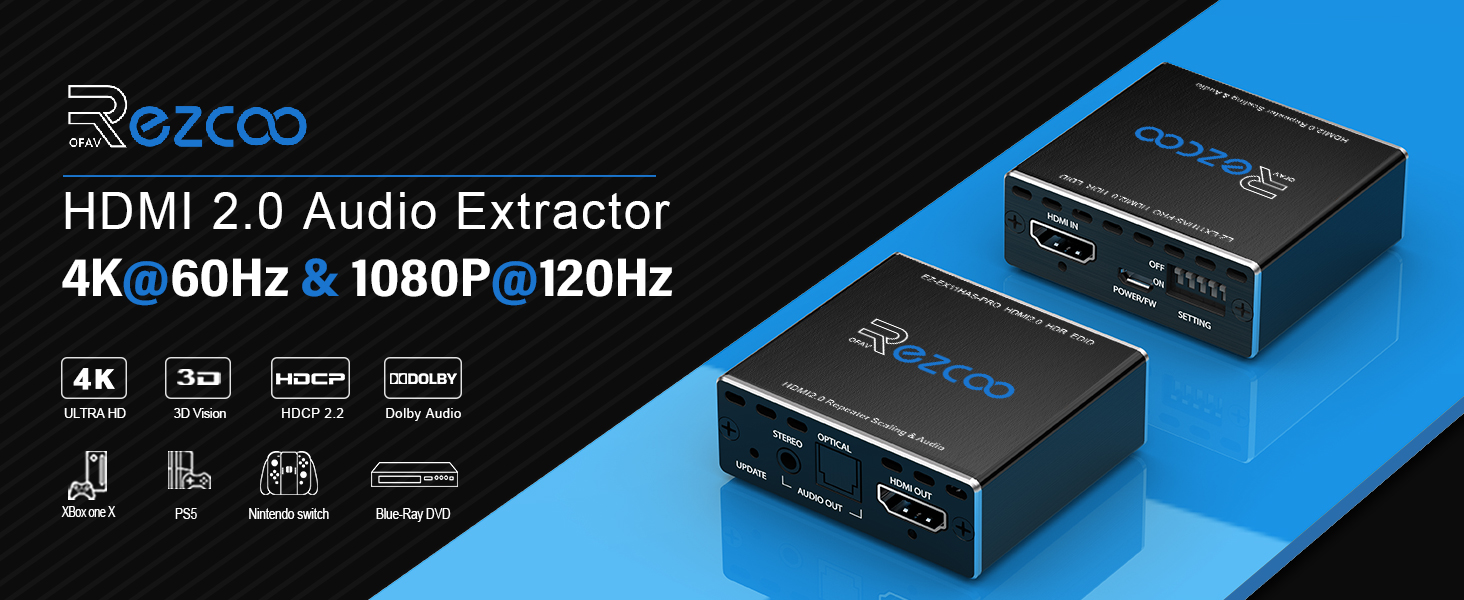
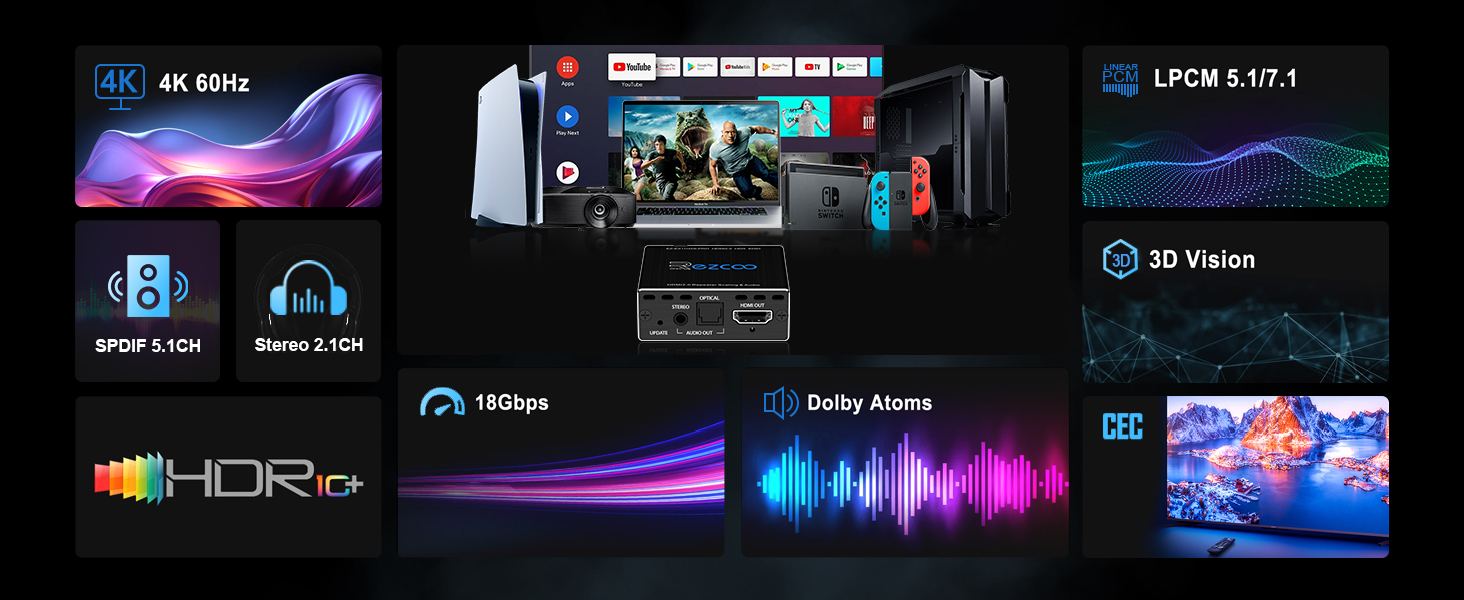
The HDMI Splitter 1x1 Audio Extractor EX11PRO delivers high-quality audio extraction and versatile compatibility for gaming and streaming. With support for 4K at 60Hz, Dolby Atmos, and a range of audio formats, this compact device is designed for seamless integration into any setup. Enjoy hassle-free installation and reliable technical support, making it the perfect choice for professionals and enthusiasts alike.
H**Y
Works with PS3
I have tried several HDCP stripping devices for the PS3 but this is the only one I found that works. I am running my PS3 through a retrotink to an EVGA hdmi capture card and this is the only device I found that works properly for game capture. I have found no noticeable lag in my testing and I would highly recommend this to someone who is looking to capture PS3 footage.
B**S
Does what it's supposed to do.
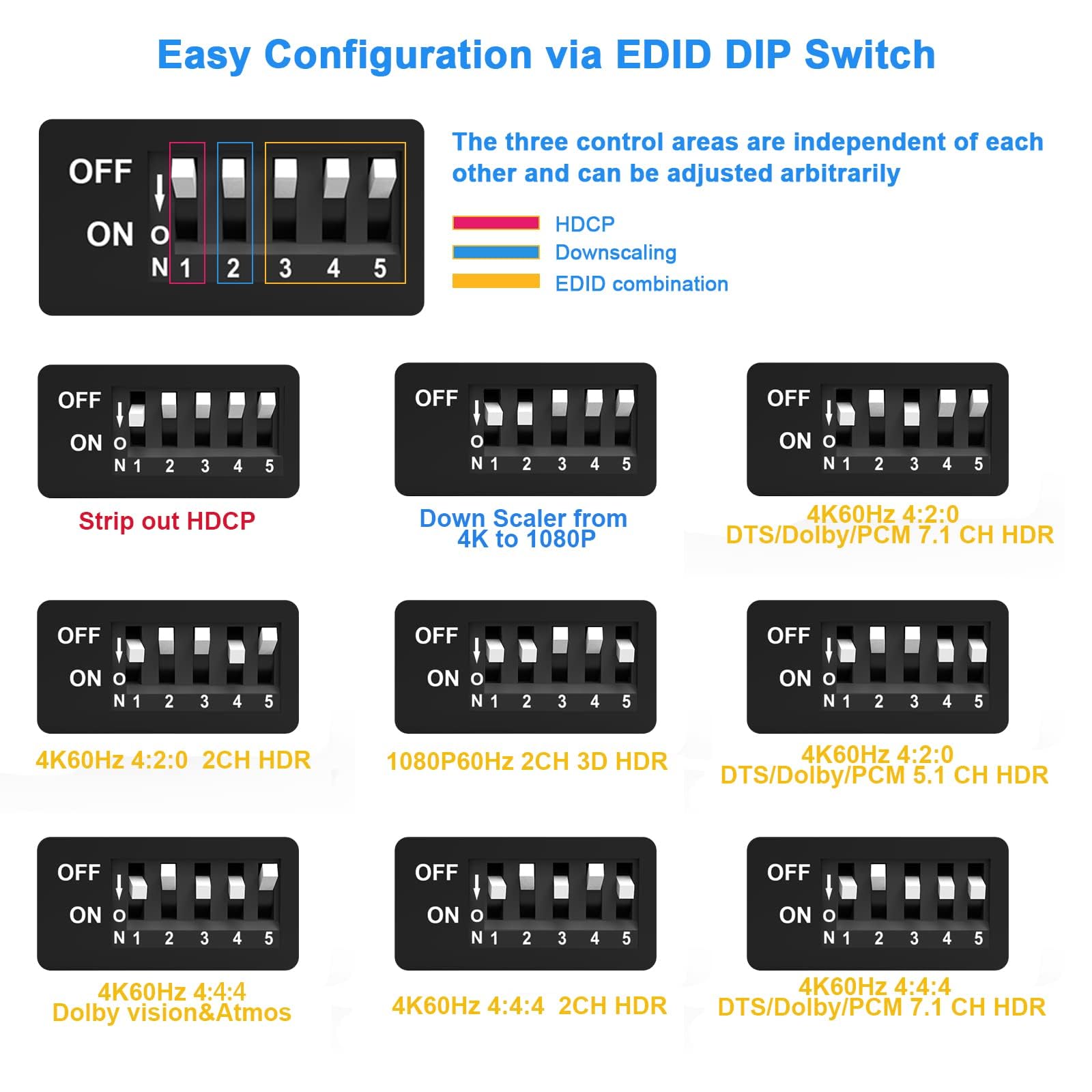
I'm using this to split the audio and video so I can send the audio to a Bluetooth transmitter for use with headphones. I have an old HDMI audio splitter, but it stopped working a long time ago when Comcast updated my cable box to require HDCP on all HDMI outputs. This one is HDCP 2.2 compliant so the Comcast STB is happy again.I haven't needed to use dip switch 1 which strips out the HDCP information. The EDID switches work as intended and are a must in my situation. I use the device on the HDMI output side of my receiver so that all of the HDMI inputs (STB, Fire Stick, etc.) can be used with the headphones. If you have the option, remember to turn on TV sound output on your receiver. The problem is that when I do this, the receiver senses that the TV is only 2 channel audio and then plays only 2 channel audio through the receiver also instead of using all the speakers attached to the receiver. Setting the EDID to my actual speaker setup fixes that problem.The EDID switch setup is nicely screen printed on the underside of the device, but it is hard to read for aging eyes. You might want to copy the EDID setting graphic from the Amazon page and print it out. Much easier to read. The EDID doesn't have Dobly Digital Plus, only more advanced or less advanced codecs. This is a shame because Dolby Digital Plus is what's current on most streaming platforms in 2023. My receiver says it is processing Dolby Digital instead of Dolby Digital Plus when connected to this device, even when set to Dolby Atmos, but the bit rate doesn't change. Not sure if that means I'm getting degraded audio or not, but so far it sounds the same. I'd have to do a lot of testing I don't have time for to determine that.The only odd thing about this setup is that the audio from the receiver is now slightly (less than 10 ms) ahead of the audio. As a musician, I notice such things. That is a rare but welcome occurrence as most A/V equipment can delay the audio, but I'm unaware of any that can delay the video. (And that is why ARC is terrible, but I digress.) The delay is way too small to even try to adjust, and it is a small advantage for the delay inherent in Bluetooth headphones.Some reviews have complained that the device fails after just a few months. I'll be downgrading the review if that happens, but for now, all is good.
A**R
Works perfectly for my (somewhat niche) use case
While this product is primarily an HDMI audio extractor, I actually bought it in an attempt to solve a rather niche issue I was having while trying to record an HDMI signal from MacOS with an external capture card.By default, MacOS outputs all display signals with HDCP protection enabled. On Windows/Linux, it is a driver setting that can be disabled but there is no such option on MacOS (a very Apple thing to do). The only way to "disable" the HDCP encryption on MacOS is for it to see a display that is non-HDCP compliant. If a non-compliant display is connected, MacOS falls back to a non-encrypted video signal and prevents any protected content from displaying (i.e. Netflix).On this device, toggling switch 1 to the down position appears to prevent the HDCP handshake from happening. This means MacOS sees it as a non-compliant device and sends the non-encrypted signal. This allows my capture card to intercept and record the signal as desired.I'll emphasize that this is not to circumvent any piracy protection. HDCP disabled means the applications themselves will refuse to display protected content. This is perfectly fine for me as I am only capturing MacOS for the rather benign purpose of recording software tutorials. It is a bit ridiculous that MacOS does not provide a driver setting for this issue like other operating systems (and consoles!) but alas it's something we have to deal with and this product worked like a charm!Also, I'm running a 1440p monitor at 144hz and this device actually seems to handle that refresh rate despite not advertising it (I thought I'd be capped at 60 or 120hz based on other reviews).
P**E
Works for hearing aid streamer UNTIL TODAY.
Today, I can’t get the voice track from streaming (hulu, netflix) and some of the channels on You tube tv. I had it set up with position 1 and all was well. I’ve tried various settings today, and it just won’t work. I switched the headphone for optical and that didn’t matter. I’ve turned everything on and off numerous times. I tried to contact ezcoo but no answer so far. Suggestions? Using to connect hearing aid streamer. Connecting hdmi from apple tv to splitter and headphone jack for streamer and hdmi to receiver. It works. You only need switch number 1 to be turned on. I can use the headphone jack and the receiver volume still works, a real plus for the hearing impaired. However, the power cord is too short and the other cords I have wouldn’t work. Also, the included cord has USB A connector and does not include a block. Most new items have usb C connectors and I didn’t have any spare A blocks. The inconvenience to find extension cord and a block for USB A decreased to 4 stars.
C**S
PS3, PlayStation 3, HDCP Bypass, WORKS!
Works great for capturing Audio and Video from my old Fat model CECHA01 PS3 with hardware HDCP encoding. The EDID settings I just left alone in the up "OFF" position, and I've had no issues with capturing my PS3 gameplay on my Elgato 4K60 Pro MK.2 capture card.If you're wanting to bypass HDCP and capture gameplay to stream to twitch, kick, youtube, facebook or where ever, this little guy will do the trick.
Trustpilot
3 weeks ago
3 weeks ago
1 week ago
2 weeks ago