Desert Online General Trading LLC
Dubai, United Arab Emirates
Desert Online General Trading LLC
Dubai, United Arab Emirates


🚀 Upgrade your iMac’s brainpower — because slow is so last year!
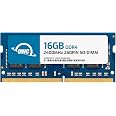
The OWC 16GB PC19200 DDR4 2400MHz SO-DIMM RAM is a precision-engineered memory upgrade designed for Mid 2017 iMac 27" Retina 5K and compatible PCs. Operating at an energy-efficient 1.2 volts, this 260-pin module delivers a significant performance boost with 16GB capacity and 2400MHz speed, all backed by OWC’s lifetime warranty and advanced replacement program for worry-free reliability.


| RAM | 16 GB DDR4 |
| Brand | OWC |
| Series | OWC2400DDR4S16G |
| Item model number | OWC2400DDR4S16G |
| Item Weight | 0.811 ounces |
| Product Dimensions | 7.09 x 4.92 x 0.39 inches |
| Item Dimensions LxWxH | 7.09 x 4.92 x 0.39 inches |
| Color | 1 x 16GB |
| Computer Memory Type | DDR4 SDRAM |
| Voltage | 1.2 Volts |
| Manufacturer | Other World Computing |
| ASIN | B071K8K8LZ |
| Is Discontinued By Manufacturer | No |
| Date First Available | June 8, 2017 |
M**E
Memory serves me iMac
Great price on a great product. iMac recognized the modules and everything works wonderfully. Highly recommended.
S**Y
Easy install and boosted iMac RAM from 8 to 40 GB
Great memory for 2017 iMac 5K with Apple configured 8 GB of RAM. I added the 32 GB to the two empty slots and rebooted. 40 GB of RAM visible and no issues discovering the RAM and total size. This memory is fully tested with Apple Mac products whereas other typical memory vendors have had compatibility issues with this version of the iMac. I typically only buy Kingston, Crucial, or Corsair memory and hesitated on this product but it worked great out of the box. No issues having to move the memory sticks around to get this to work and all 40 GB visible. If you run VMWare Virtual Machines you will need the RAM and this is the answer. Half the price of Apple RAM.
B**B
If it's what you need
Works perfect in my Precision 7520
M**N
So far so good, easy install in iMac 2017 27 inch Retina 3.4 ghz
I have a mid-2017 iMac 27 inch Retina with the 3.4 GHz Quad-Core Intel Core i5. I just upgraded the memory by replacing the OEM 8gb (2x4gb) with 32gb of OWC RAM (4x8gb). Some people have reported problems following the upgrade - e.g. not being able to reboot, etc. Just one data point, but I didn't have any problems at all. Shut down the computer, pulled out the OEM cards, plugged in the four new OWC cards, and turned the power back on. Will update later if the memory fails in the future - a problem others reported. Fingers crossed, but so far, the upgrade was simple and fast. NOTE that the computer was generally a little "slow" immediately following the reboot (when starting an application, for example), but that apparently is normal as various information is re-initialized. After a few minutes, performance was back to normal, and much better with several apps open because of the additional memory.IMPORTANT: Note that according to Apple, the 3.4 ghz processor maxes out at 32gb total. It's a little hard to find that fact online, but it is a limitation specifically for the 3.4 ghz processor. The 3.5 ghz and above can supposedly accommodate 64gb.
L**R
Mid 2017 iMac 4.2ghz with Fusion Drive - 32gb upgraded to 64gb
I have a mid-2017 iMac 27 inch Retina with the 4.2 GHz Intel i7 with 2TB Fusion DriveINITIAL PROBLEMS (All Resolved):FiIRST PROBLEM: Replacing the 32gb memory with 64gb, the Mac initially didn't boot.I had to put my old memory back, boot it up, then try different configurations where I would keep original 16gb memory and place new 32gb making a total of 48gb. First time didn't work. Put the two sticks aside, and put the other two sticks in. Success! I now had 48gb. But, the system was slow as snot and took a long time after logging in. Now, I shut it down, removed original memory and moved 32gb upgraded memory to position 1 and 2 and put the sticks that weren't working in position 3 and 4. Finally, booted up! 64gb memory!SECOND PROBLEM: As mentioned everything was slow. I now had 64gb memory, but everything was slow but not as slow. Once I had mouse movement, I immediately removed the cache files in the library folder. Then I started opening up the apps that I use the most, first. With Fusion Drive, it uses a large cache to make opening apps a lot faster. The Fusion Drive is a mix of Flash or SSD and HDD. After using it for 4 hours and rebooting once everything became quite snappy and by the second day, I can finally see the payoff of having 64gb of memory.I have experienced issues with memory not allowing computer to boot up before, even in Windows. Sometimes memory sticks just have to be put in a specific order and no one knows that until they try. Most of the time, no issue.The GOODSo far, I am no longer needing a swap file. The responsiveness of apps and loading data is noticeably faster. This is a cheap upgrade that adds immediate benefits and well worth the money. More memory gives the system more headroom to work with.I was considering buying an M4 MacMini to replace this 2017 iMac because I felt it was important to have the speed and memory to tackle whatever tasks I need to plow through. Adding the memory changed that decision and helped to extend the life of this machine for another few years. I would rather save the money and use what I have.If you are on the fence, just do the upgrade. You will notice a difference and it will give your Mac new life. I only feel bad that I didn't make this choice years ago, or when I first bought the Mac. Of course, back then, the cost was double than what it is now.
L**I
OWC has install videos on their site if needed
Got 16gb first and unfortunately 1 of the 8gb cards wasn't working. Seems like a QC failure, but I guess it happens.Went to exchange but decided to get 32gb instead, and really glad I did, since my iMac didn't want to start with the new RAM + old. Weirdly it booted up fine with the single working 8gb card + my old Apple ones, but people on reddit have reported occasionally having issues mixing the Apple memory with other brands, so I wasn't entirely surprised.Working great so far, indesign + photoshop + illustrator using up about 26/32gb so I'm no longer maxing out. The 32gb seems to be sufficient for now but I'll be back for a second set if not.
M**Z
A Necessary Upgrade
Upgraded my 2019 iMac with an internal SSD and 32GB of RAM, took me about an hour or so to put it back together and its made my iMac MUCH FASTER! If you're someone who's thinking about upgrading and someone who uses programs like Logic Pro X. I highly recommend
A**.
Compatibility is the key with old iMacs
You wont find better DDR4 Ram Modules for your Intel based iMacs or Macbooks
Trustpilot
1 week ago
3 weeks ago
2 weeks ago
3 weeks ago