🚀 Cut, engrave, and create like a pro—faster, safer, smarter!
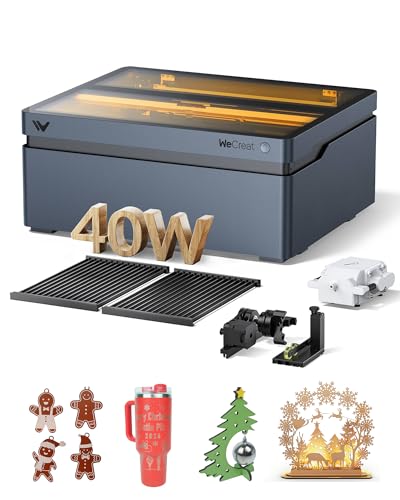
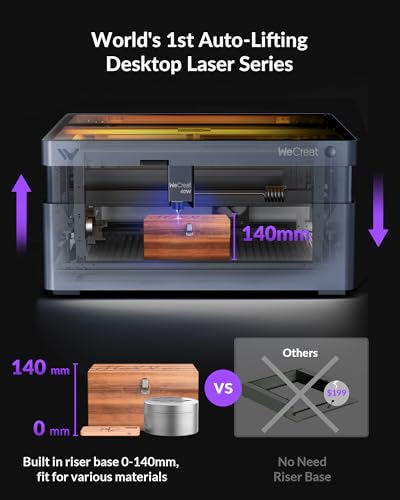
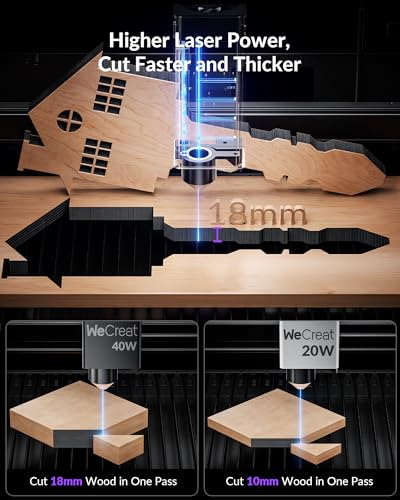
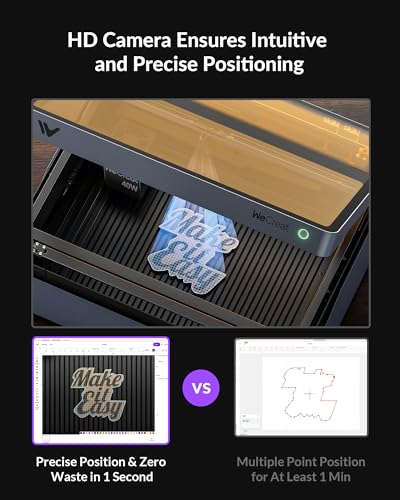
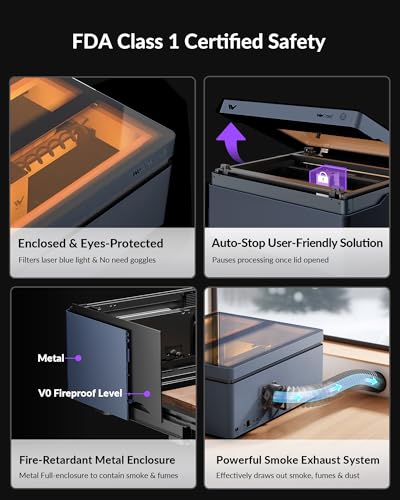
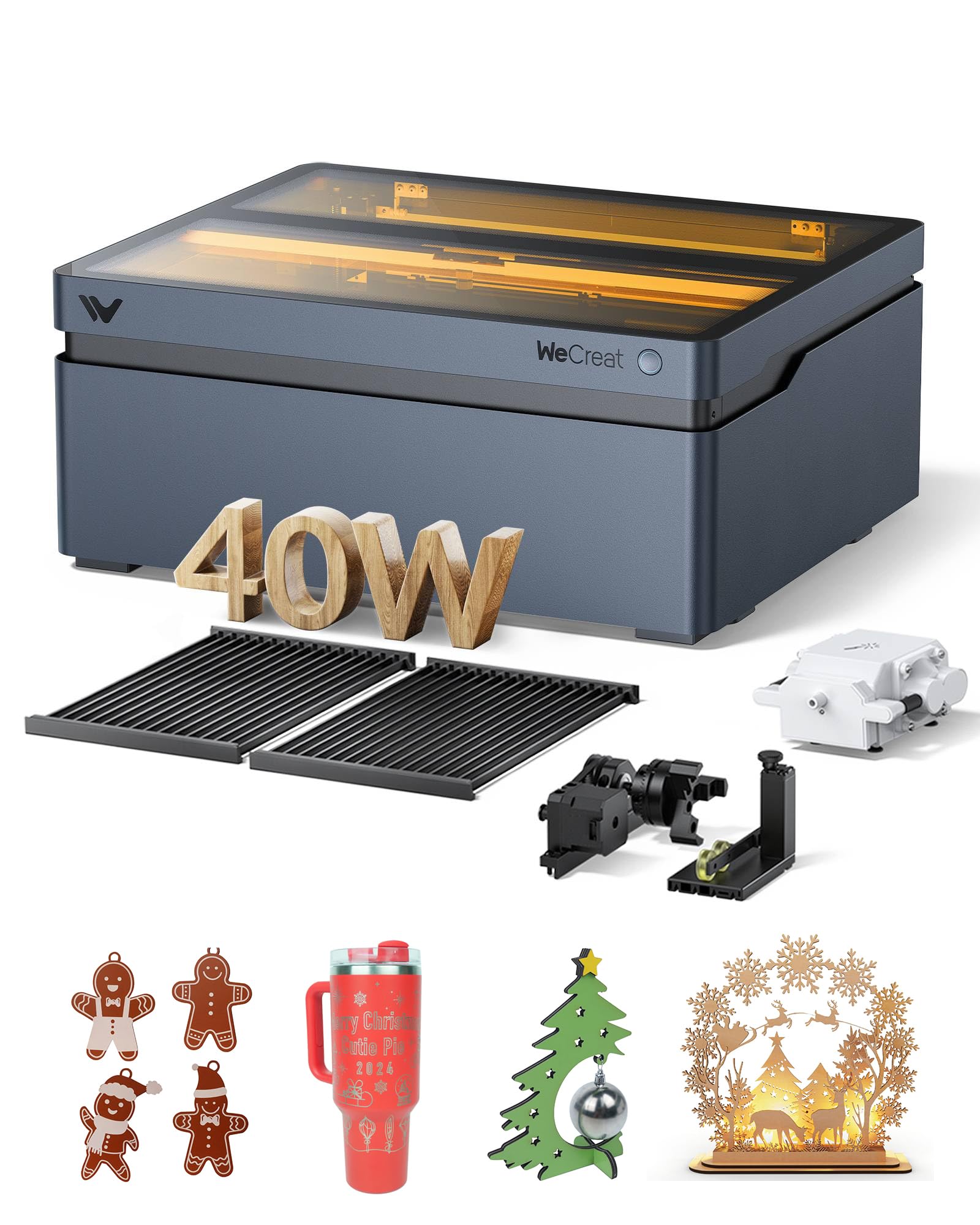
The WECREAT Vision 40W Laser Cutter and Engraver is a powerhouse tool designed for small businesses and creative pros. Featuring eight combined diode lasers delivering 40W power, it effortlessly cuts thick wood and acrylic with precision. Its built-in HD camera and auto-lifting system streamline setup and maximize accuracy, while SGS Class 1 safety certification ensures worry-free operation. Paired with intuitive software and a versatile 4-in-1 rotary, this machine transforms your creative workflow with speed, safety, and professional-grade results.












| ASIN | B0DBZHZNJG |
| Batteries Included? | No |
| Batteries Required? | No |
| Best Sellers Rank | #63,501 in Arts, Crafts & Sewing ( See Top 100 in Arts, Crafts & Sewing ) #170 in Jewelry Making Engraving Machines & Tools |
| Brand | WECREAT |
| Color | Midnight Blue |
| Customer Reviews | 4.2 4.2 out of 5 stars (135) |
| Date First Available | August 2, 2024 |
| Item Weight | 70.4 pounds |
| Item dimensions L x W x H | 28.74 x 24.8 x 16.54 inches |
| Item model number | LC2340 |
| Manufacturer | Shenzhen Miaobitiancheng Technology Co., Ltd |
| Minimum Speed | 600 RPM |
| Part Number | LC2340 |
| Power Source | Laser |
| Product Dimensions | 28.74 x 24.8 x 16.54 inches |
| Size | 40W |
| Style | Pencil |
| Wattage | 40 watts |
L**R
Excellent quality. Reasonable price!
Absolutely thrilled with this laser. Build quality is great. Setup is easy. Works without any issues. I would advise the honeycomb tray and the exhaust booster fan.
T**S
Buy it works great.
First time to use any laser engraver and this one is fantastic. I am not good with using computers, but the software is easy to use. I have made Christmas tree ornaments and even added a design on to a tumbler. Great machines buy it!!
T**M
cool laser
this laser has worked great and very versatile. I have made lots of pictures on wood tat look good. It has plenty of power. Just wish the filters last longer and fan sucked more smoke out.
T**P
Issues with Lightburn
Buyer beware if you are getting this for use with Lightburn. Although they say it supports Lightburn I have to question that. My experience was not good using Lightburn. It started with the camera alignment which does not work properly. When you run the alignment wizard in Lightburn when the machine engraves the pattern it raises to the highest z position making it way out of focus. I loaded the latest version of firmware on the laser and Lightburn and set the z offset for all layers as recommended but still it always did the same thing. Moving on from the camera I attempted to engrave a fairly simple material test card I use for all of my other lasers. The machine will engrave for about 10-20% of the job and then stop/freeze. The only thing you can do at that point is to power it off and on to reset. I opened a case with Wecreat support and they were not helpful. They only gave basic recommendations which I had already done and then recommended I go to Lightburn for support. The issue is not Lightburn as I have other lasers that work just fine with Lightburn and the file. They also suggested using Wecreat software but compared to XCS and Lightburn I find it very lacking in features and not adequate for the work I do. In the end I decided to return it for a refund.
W**E
ONLY PARTIAL Support for LightBurn but Very Easy to Setup and Get Started for a Complete Beginner
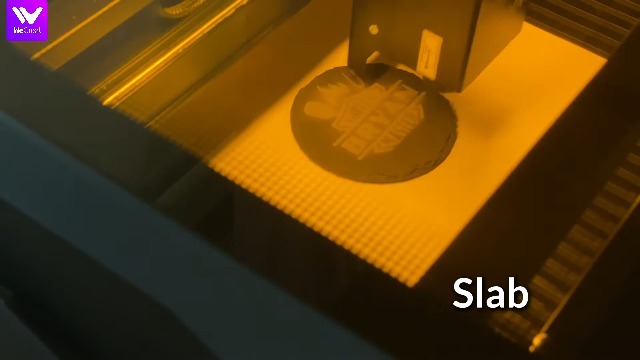
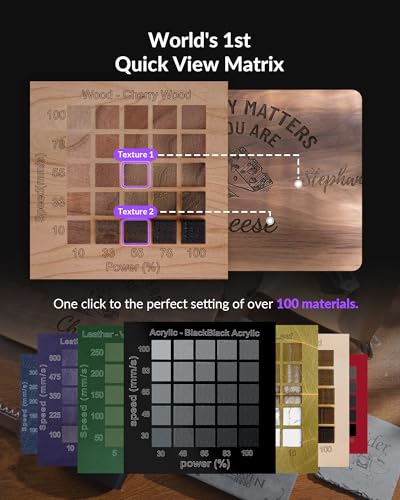
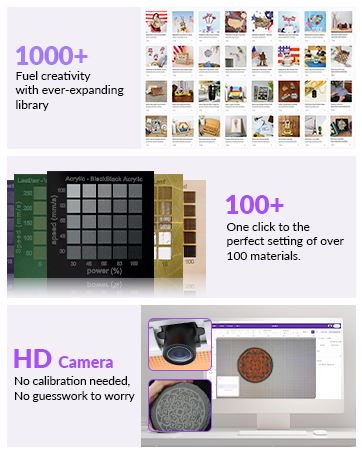
There are some Integration Issues with LightBurn but they appear to be continuing to work on that integration. There is a thread by "workabyte" on the LightBurn forum that discusses a few of the items. Overall VERY Happy and Would Buy Again though I would likely get the 20W and save some money on it # The Bullets: - Initial setup is a breeze, 10 min hardware, 5 min software and you are ready to create something - the project used does take a long time to process but also fun to watch the image realized - Auto focus and height adjustment is AMAZING and so stress reliving. - WeCreat Software processes images REALLY well and overall, very easy to use. I do have some exposure to Sign Software, so it feels a little familiar. - Material presets are VERY easy to pick from and configure with visual examples of what to expect PROPER VENTING IS IMPORTANT!!!! I have a vent connection for my window that this was running through, but my small office space did still have a fairly strong smell, may consider the air purifier if this is consistent (I have only created one item thus far) --- # Details, ### Setup: 10 min supper simple and easy to follow instructions. Nearly zero assembly, plug in air assist, plug screw on vent port and attach hose, plug in the power and you are done. ### Software Setup and Processing Initial setup takes you through it all, I am a 100% new to laser engraving and cutting. The free software they provide has a great step by step guide and when you are done you have created something using both cuts and their amazingly simple image to engraving profile (this is going to be a lot of fun). You are also exposed to their "project store" where there is a plethora of ready to go projects that you can just load and burn. ### 1st Custom Project In 30 min. I have already used this to create a wood "challenge coin" on one of the sample/test pc of wood that comes in the box. I imported an image, crated cut lines, and added text in about 15 min. The Auto Focus camera for me is a must have, this unit cost a little more than the xTool I tried out but just ease of setup and knowing exactly what the end result is going to look like is 1000% worth it. Completely removed the guess work and fear of "Fn It Up". For my challenge coin I was about to measure it and try to crate a cut circle line and then once the image loaded up all I had to do was draw the circle around it and TaDa! --- ### Considerations: - xTool S1 does have a method for capturing your material and importing it to your project, it requires a cell phone with the app and doesn't feel as accurate/safe even though it worked fairly well. just extra steps that I am happy to not take. - xTool S1 has a larger bed size as far as X,Y but to get comparable height you must use an additional attachment adding and removing could be a PITA if you change project types frequently. - this is a hobby item for me so I plan on just throwing in whatever feels like fun and customizing it --- # More to come: I have not received the IR attachment yet, looking forward to that and will update once I have received.
H**E
Great Machine
It is wonderful. Software is easy to use. Machine does everything I want it to do. Camera is a game changer.
I**H
great laser engraver easy to use
great company to deal with came as advertised so easy to set up was using it in 15 mins after receiving it. so much fun to use. great price for all of the attachments that come with it.
R**N
Very easy for beginner
This has been a very easy to use laser. Within 30 mins I engraved a pencil with my name.
A**R
An amazing machine
Trustpilot
3 weeks ago
1 day ago



