


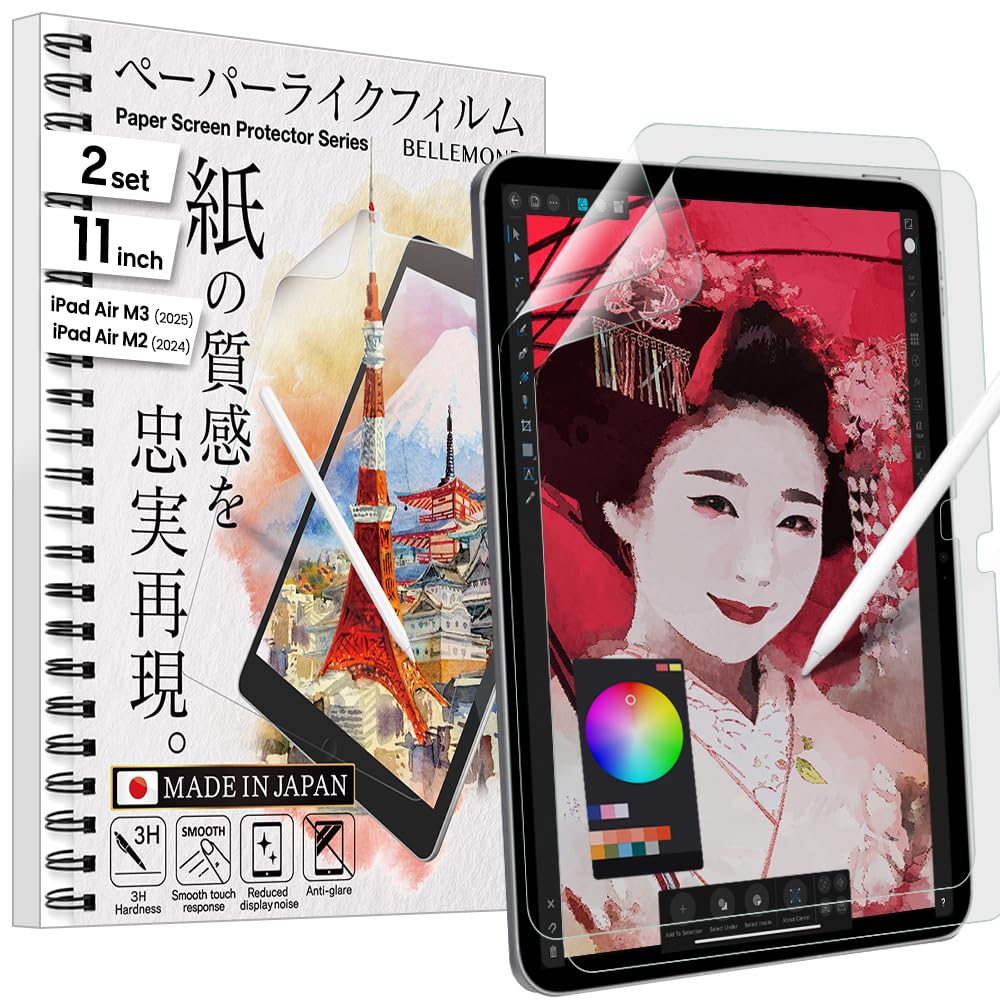

✍️ Elevate your iPad experience — where tech meets tactile artistry!
BELLEMOND’s Made in Japan Paper Screen Protector for iPad Air 11” (M3, 2025 / M2, 2024) features a premium matte PET film that delivers a true paper-like texture optimized for Apple Pencil users. Engineered for durability, it offers anti-glare, scratch resistance, and fingerprint protection while maintaining full touch sensitivity and Face ID compatibility. Each pack includes two protectors and installation tools, ensuring a bubble-free, precise fit that transforms your iPad into the ultimate creative canvas.


| ASIN | B0D4M64T95 |
| Best Sellers Rank | #101 in Tablet Screen Protectors |
| Brand | BELLEMOND |
| Brand Name | BELLEMOND |
| Clarity | 3 |
| Compatible Devices | iPad |
| Compatible Phone Models | Tablet |
| Customer Reviews | 4.3 out of 5 stars 2,075 Reviews |
| Finish Type | Matte |
| Included Components | Screen protector |
| Item Dimensions L x W | 9.76"L x 7.01"W |
| Item Hardness | 3H |
| Item Height | 1.27 centimeters |
| Manufacturer | BELLEMOND |
| Material | Polyethylene Terephthalate |
| Model Name | W24M2IPDA11PL10(2) |
| Model Number | W24M2IPDA11PL10(2) |
| Number of Items | 1 |
| Product Dimensions | 9.76"L x 7.01"W |
| Screen Size | 11 Inches |
| Screen Surface Description | Matte |
| Special Features | Anti Glare, Anti-Fingerprint, Paper Surface, Scratch Resistant |
| Unit Count | 2.0 Count |
| Warranty Description | 30 days warranty from the date of purchase. One usage per customer. Covers initial defects only. Application failure not included. |
J**4
Great 'paper like' feel for better price
This is my third time using this product, although in the beginning I choose this one merely by the good reviews. I first installed to my iPad Pro 12.9" that I use for drawing tee shirts designs and illustrations. I sketch and draw every day for a period of 3 to 6 hours, so it's imperative for me to recreate the paper feeling on my iPad screen, and after tried the Original 'Paperlike' screen protector for close to $50 I realized that it not worthy the exaggerated price. So Bellemond proved itself better texture with a very good feel like paper itself. The iPencil Pro resist like is scratching the surface of paper, the negative part of that great sensation is that the iPencil Pro tip wear off significantly faster than without this screen protector, but I rather replace more frequent the tips. The resistance on the iPencil makes the experience of drawing or writing on a glass surface very real just like you are doing it on paper. Now, I installed it to my iPad Mini where I start the sketching process before the finish piece. Great product and does it very well what it promise for a good price.
W**N
The best screen protector for artists. I'm not joking.
Actual miracle of a product. I applied this incorrectly the first time as there were no guidelines and I have a shaky hand. The second time, I thought I beefed it but managed to smooth most the bubbles out. To my surprise, the ones that remained just disappeared overnight. Just. Gone. I certainly didn't get rid of them myself, so I was baffled. Only a few remains on the edge, which I don't care about at all since the case kind of does that. There is a noise-like texture that distorts the image a little, but the trade-off of drawing on a paper-like texture that both doesn't wear down the nib quickly is worth it in spades. I use my ipad for only art and not media consumption, so it was a worthy trade. It's easy to clean, looks great, no fingerprints, no glare. Touch sensitivity is fine, the screen protector is thin enough that it doesn't really make a difference. This is the paperlike screen protector to get. The vanishing bubbles already make it worth it, but it's miles better in texture from the name brand. Fits like a dream, too, despite the awful application process. Bellemond, if you're listening, please add guide stickers to your screen protector lol.
J**Z
Great for Drawing, but Installation Needs Improvement
This screen protector works wonderfully for drawing, but the installation left much to be desired. Unlike most protectors, the protective films on either side of this one are cut larger than the screen protector itself. This made it tricky to center and apply without trimming them down first. For my second attempt, I plan to pre-trim the films to match the protector’s size—it’ll save a lot of frustration. Once installed, the performance is fantastic. The matte texture gives my iPad a satisfying paper-like feel, which has made drawing much easier and more enjoyable. I’ve been using it heavily for a week, and it’s holding up great, with no visible wear or scratches on the surface. However, my Apple Pencil nib is wearing down faster than before. Since I keep a stash of replacement nibs, it’s not a dealbreaker for me, especially because the added control while drawing is worth it. If you do a lot of digital art or note-taking, this protector is an excellent upgrade—just be ready for a bit of a headache during installation.
T**A
PaperLike Should Take Note
Like a lot of others who own an iPad Pro, I bought into the hype of the PaperLike screen protector. How could you not, right? The dang thing is everywhere. Seems like every iPad-related video is sponsored by the company. I even bought two different versions, because with all that advertising and the high cost, the product had to be the best, right? But after applying those protectors, I kept wondering what the heck everyone was raving about. They felt okay, sure, but not high-quality enough to justify their high cost. Plus they wore out really fast. After a month of grad school note taking, I found the PaperLike slick and basically useless. So, after peeling the last PaperLike off my iPad and preparing to fork over another $30, I stumbled upon this Bellemond product. I was skeptical though, because how could a product be as good as the most expensive and most hyped screen protector on the internet? But after reading the reviews for Bellemond, and seeing the cost, I figured I’d give it a shot. Besides, if the Bellemond didn’t work out I could always go back to PaperLike. Well, I’m happy to say that PaperLike will never get my money again as long as Bellemond is around. This protector is phenomenal. It finally FEELS like I’m taking notes on a legal pad. One of the other things that always bugged me about the previous protectors is that they mottled the iPad’s Retina display. It wasn’t terrible, but there was a noticeable difference in screen quality with the other guys. With the Bellemond, I can still tell there is a protector on the screen, but I’m shocked at how much better the screen looks versus the PaperLike. Now, there is one category in which I think the Bellemond is slightly lacking and that is the application process. PaperLike has a “hinge” system that uses stickers to apply the protector. Bellemond doesn’t use this process. Instead it asks you to freehand the protector on the screen, which I found to be a little more difficult than the other guys. Regardless, I was able to apply this protector with a little bit more attention to detail and as a result there are zero air bubbles or dust underneath. If you are careful then this isn’t a huge problem, but it is something to be aware of. Overall, I love this protector. It’s a little over half the cost of the PaperLike, much better quality, has a much more satisfying writing experience, and doesn’t impede the iPad’s gorgeous Retina display. All these traits make the Bellemond a better value than any of the other protectors out there—especially you know who. If you’re serious about using your Apple Pencil with your iPad then this is the screen protector to buy. Hey PaperLike, if you’re reading this review—you should be worried. I
A**E
Excellent, but tough to install.
I simply LOVE this product. This is what was missing from the iPad all along. The texture when using the Apple Pencil is just amazing and the matt finish does not diminish the truly fabulous quality of the iPad display. In fact, I think that the matt finish accentuates the colours. I use my iPad for reading, writing (handwriting), typing and sketching. I have a Magic Keyboard, but I find it cumbersome to keep pulling the tablet off when I need to handwrite, or sketch using the Apple Pencil, so I normally have a simple case and my trusty Logitech Keys-to-go bluetooth keyboard. Cons: Only one. Installation is really, really, really tough. But the product is forgiving enough that you can peel it back and keep trying to put it on carefully a few times, since the main issue is bubbles forming. I found that the best method was to peel away about one-third, stick the top and make sure that the top third has no bubbles using the cloth (not the card) - then, slowly, this time using the card, lay down the rest of the screen protector. Bubbles may form while you're laying down the last third, but you can easily get rid of them by lifting the screen protector back up, and trying to carefully lay it down again. I did that two or three times and it worked - finally! And now I have the most desirable, productive tablet since I find it very comfortable to write and sketch on, without affecting the visual beauty of the product. Kudos to BELLEMOND
F**L
Really wanted to like it, but impossible installation + rapid pencil wear = useless product
I really wanted to like it. The matte texture was easy (non-glare) to look at and the texture felt nice to my fingers, but ultimately it was useless. I had to take it off within two days. The problems I had: (1) It wore down my Apple Pencil nib immediately. I used it for less than two days before removing it and even in those few working hours it left extremely visible wear on my pencil tip. I realize pencil wear is a common issue with paper-like screen protectors (their texture is essentially very fine-grain sandpaper, I get that) but having visible wear in a matter of HOURS felt really excessive. It took weeks or months in the past for that to happen with other brands. Ultimately I think this would have been a deal-breaker for me on its own, but... (2) Even before that, installation was nearly impossible. I've done dozens and dozens of screen protectors on various people's iOS devices over the years, so it's not lack of experience, but this was one of the worst install experiences I've encountered. Even doing it with clean hands on on a clean kitchen counter to minimize dust/fibers and following all the tips on the official and unofficial videos, I could not get the thing on straight or cleanly. It's so thin (even with the liner sheet backing it until installed) that it jumped all around by static electricity no matter how carefully I aimed and little dust particles jumped onto it even when the screen below was clear. It was ridiculous and utterly infuriating. (3) Also, please note that they mean it when they say not to install it over tempered glass screen protector. I've never had a problem doing this before (i.e. putting a matte/textured/other film over the glass) with other brands, but this time it killed the responsiveness. It often didn't register my taps, or it overreacted to them with what my sibling calls "pixel barf" (spontaneous big blobs and/or random chaotic staggering lines across the screen). If the thing had been easier to install and didn't wear down my pencil nibs, I might have considered taking off the glass layer and re-applying the second Bellemond (they come in a 2-pack) directly to the screen, but because of #1 and #2 above, it honestly didn't feel like there was any point in trying. Overall, I loved the idea of a matte/paper-ish screen for drawing, and it seemed like this would be a strong alternative to the overpriced Paperlike brand (which had its own issues but was at least useful for several months), but unfortunately it was a total flop.
B**S
An amazing paper-feel screen protector, an amazing and THIS REVIEW HAS THE INSTALL SECRET FOR YOU!
I don’t like the paper feel screen protectors that attach magnetically or with static or whatever, because they get sort of loose and unkempt. The ones that stick on for a permanent install, and you know the brands, it seems to me the difference is not in the quality of the screen protector, but in the installation kit they give you. this particular item I am reviewing has no install kit to speak of, and if you read the reviews, you will see that’s the only thing people are really unhappy with. A permanent install version gives you a nice tight experience. All you have to do now is install it perfectly. Here’s what you need to do to install this one as if you spent $40 plus on one of the ones with the fancy installer. Get some washi tape or masking tape. Position the screen protector perfectly on your screen. Take your time in this step and all my steps. Sit at a table with good lighting. Have your tools around you. Take your case off if you haven’t already, and of course, you will have already cleaned the screen with the kit they gave you. Make little hinges on one side of the protector with washi or masking tape. Tape the protector to the iPad in this way. Make sure it is tight and precise. Remove the adhesive backing after you have flipped back the whole thing on the little hinges you just made, and very carefully apply it to the screen slowly rolling it down and placing it steadied by the hinge. Watch the edges not the bubbles!. It is somewhat forgiving in letting you reposition, but you don’t want to do that a lot. Once it is perfect on the sides, now get a credit card or the card they give you and start working the bubbles out. Work the bubbles out until they are gone. Totally gone. You can fix them later, but they will never be as perfect as if you fix them right now. Don’t get excited and start using it until you have done this. Be careful that the card does not dig into the plastic coating. When it starts to do this, it’s time to take that plastic coating off because you can continue somewhat with the bubbles once it is off, but you want to get as many out as you can before you remove that. The bigger bubbles can be pushed to the edge as if they are water droplets. Smaller ones can be sort of burnished down and out. Pay attention as you go, and you will get a technique. This installation will be flawless, and you can afford to change your protectors more often by not paying all that extra money for a few stickers that make up an “install kit. keeping a fresh protector on every three months or so is, in my opinion is the best way to enjoy this type of protector. This particular brand is now my personal favorite. If I had had to install it just freehand, though I may have killed myself in the process. I hope this helps! Keep drawing!
A**T
Great texture without sacrificing screen picture quality
These screen protectors are, on their own, very good. The texture is not like paper, it's more like a very fine sand paper, and it gives a the pen a good amount of traction. It might be a bit grating to some, especially if you use your fingers on the screen a lot, but, personally, I like it. Unlike other screen protectors I've used, these don't really dull the color of the screen as much, which is a huge plus if you're using these for art. My only complaint is that the installation process is really lacking. The instructions just have you stick it on with no other guides, so I decided to wet install it to reduce the chance of misaligning it. Do NOT do what I did: It created a lot of bubbles. I managed to get rid of a good amount of them, but there were still some that were impossible to get out.
Trustpilot
3 weeks ago
4 days ago



