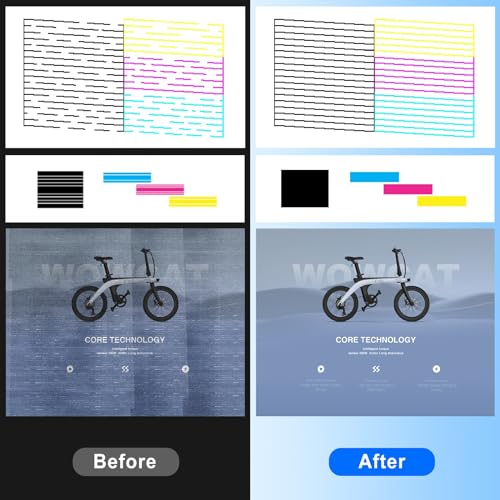

🖨️ Bring your printer back from the dead—because your workflow deserves flawless prints!
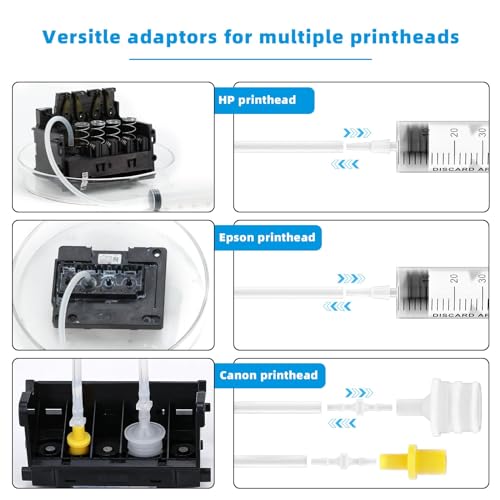
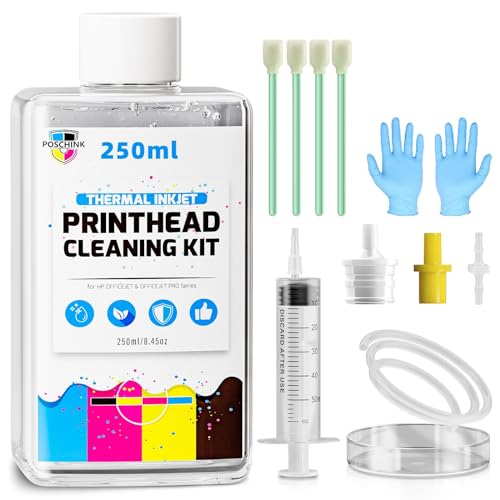
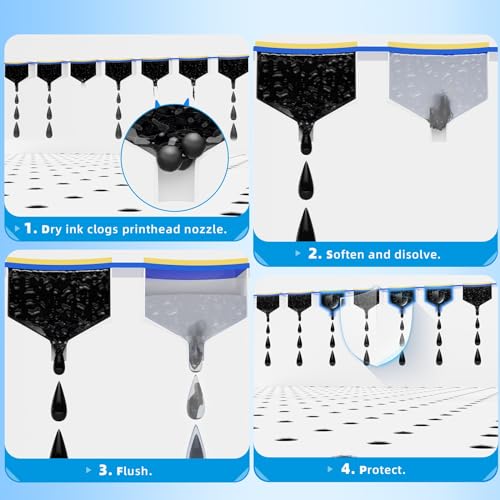
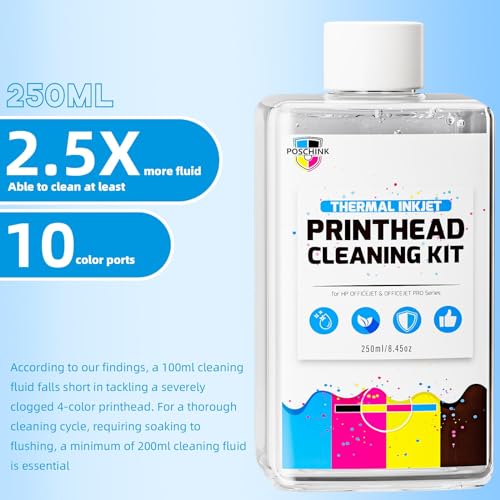
The Poschink Printhead Cleaning Kit offers a robust 250ml biodegradable cleaning solution paired with a 60ml syringe and 30cm tube, designed specifically for HP OfficeJet Pro inkjet printers. This comprehensive kit includes wipes, swabs, gloves, and cappers to ensure thorough and precise cleaning of clogged printheads, restoring printer performance and extending device life while being eco-conscious.


| ASIN | B0CCKP1222 |
| Batteries Included | No |
| Batteries Required | No |
| Brand | Poschink |
| Compatible Devices | Printer |
| Customer Reviews | 4.0 4.0 out of 5 stars (104) |
| Date First Available | 29 May 2024 |
| Does it contain liquid? | Yes |
| Generic Name | printhead cleaning kit |
| Hardware Interface | USB |
| Ink Colour | Green |
| Item Dimensions LxWxH | 12.7 x 12.7 x 5.1 Centimeters |
| Item Weight | 239 g |
| Item model number | cleaning-hp-250 |
| Manufacturer | Poschink |
| Model | cleaning-hp-250 |
| Model Name | cleaning-hp-250 |
| Net Quantity | 1.0 Count |
| Number of items | 1 |
| Printing Media Type | Paper (plain) |
| Product Dimensions | 12.7 x 12.7 x 5.08 cm; 239.55 g |
| Special Features | Printhead Cleaning Kit, Eco-friendly Materials, Comprehensive Cleaning Tools |
| Supports Dual Sided Printing | No |
J**P
My HP 8720 printer had completely stopped printing yellow, and none of the cleaning cycles or OEM tricks worked. Replacement printheads on Amazon had poor reviews and often cost more than the printer itself. I gave this cleaning kit a try because of its low price and solid reviews—and I’m glad I did. The instructions were a bit inconsistent between the online listing and what arrived in the box, but the kit came with more tools and supplies than expected. It took some time, patience, and a good mess-proof setup, but in the end, my yellow ink printed again. For the price, this was a fantastic option to try before giving up on the printer entirely. Pros: * Saved my HP 8720 from the trash—yellow ink works again * Kit included a full range of tools: wipes, gloves, screwdriver, syringe, tubing, swabs * Instructions are decent enough to follow with patience * Great value compared to the cost of a new printhead or printer Cons: * Instructions differ between the listing and the included sheet * Not enough cleaning solution for repeated attempts * Gets messy—do it outdoors or on disposable surfaces My Use Case: My 8720 printer’s yellow ink completely stopped printing. OEM cleaning didn’t help, and a generic printhead I tried was DOA. This kit was a last-ditch effort—and it worked. It got yellow flowing again, and the printer now works like new. Tips for Buyers: Do this outside or in the garage with cardboard and a lot of paper towels. Use the gloves. Use about 1/4 inch of solution in the tray. Divide the remaining solution for each ink port. Push air gently through after cleaning. Dry the printhead before reassembly. Final Verdict: Overall, this is a messy but highly effective solution for stubborn printhead clogs. If your printer is on its last legs anyway, give this a shot—it just might bring it back to life like it did for mine. Additional Help: My 8720 had absolutely no yellow coming out at all. I saw this product and figured at the cheap price, I'd give it a shot. The instructions provided in the description and those included in the package differ. Also, there is a lot more in the kit than in the pictures. This kit included all the necessary tools to disassemble the printhead. It had a lot of wet and dry wipes. It had gloves to keep your hands clean (use them!). If anything, I wish it had more of the cleaning solution. The instructions are not too clear in some parts. First, I recommend doing this outside and on a cardboard box you have no intention of ever using again. Oh, and get a lot of paper towels, you'll probably need them. At least on my 8720, you need to unscrew the top 4 screws with the supplied screwdriver. It makes it easier to get to some of the parts. Don't pour too much solution in the supplied dish, about a 1/4 inch. The paper instructions said 30 minutes. I did it for over an hour. Next, make sure you divide the remaining solution into roughly 4 equal parts, as you'll need it for squirting into the ink wells. Be careful and do this in the grass or someplace that can get messy. When filling the syringe, make sure you hold the attached tube up, or it will make a mess. Also, attach the tube to the printhead before attempting to put the plunger in, or you'll make a mess. After pushing the solution through, I wiped the bottom, removed the tube from the printhead, pulled the plunger up, reattached the tube to the printhead, and pushed air through slowly. I did this for each ink type. After I was finished, I used the included large cotton swabs to clean any residue. After it dried, I reattached the cover that had been previously taken off, and then put it back in the printer. After installing the ink, it checked the generic cartridges I had installed, did a printhead alignment, and printed a page. There it was - yellow. My printer now works like it was brand new. This may not work for everyone, but if not, I don't think it's this product's fault. I think it's time to get a new printer.
J**Z
Good stuff. But doesn't last long. One bottle is good for maybe two cleanings. But I like all the lines that hook up to the holes to flush the ink out.
D**N
I love my printer, so when the printhead started to malfunction, I decided to try to clean it instead of buying another expensive printhead. This product did the trick. It is easy to use and cleaned up that clogged printhead with ease. Now my printer works like a champ. No issues and it is fixed. There is plenty of cleaner liquid included for few cleanings.
R**N
Was unable to clean unit with product
J**R
I was prepared to toss my printer and purchase a totally new one which I hated to do as I was. It sure a new one would take the cartridges I had in stock. Well I followed the direction as well as referred to YouTube videos and all I really needed to do was clean the print heads to again restore the full functionality of the printer. The cleaning process was easy and didn't take much time to do it.
Trustpilot
2 weeks ago
4 days ago



