We remain fully operational. Our teams are working around the clock to ensure your deliveries continue safely.

DOWNLOAD THE APP


Customer Services
Copyright © 2025 Desertcart Holdings Limited
DOWNLOAD THE APP

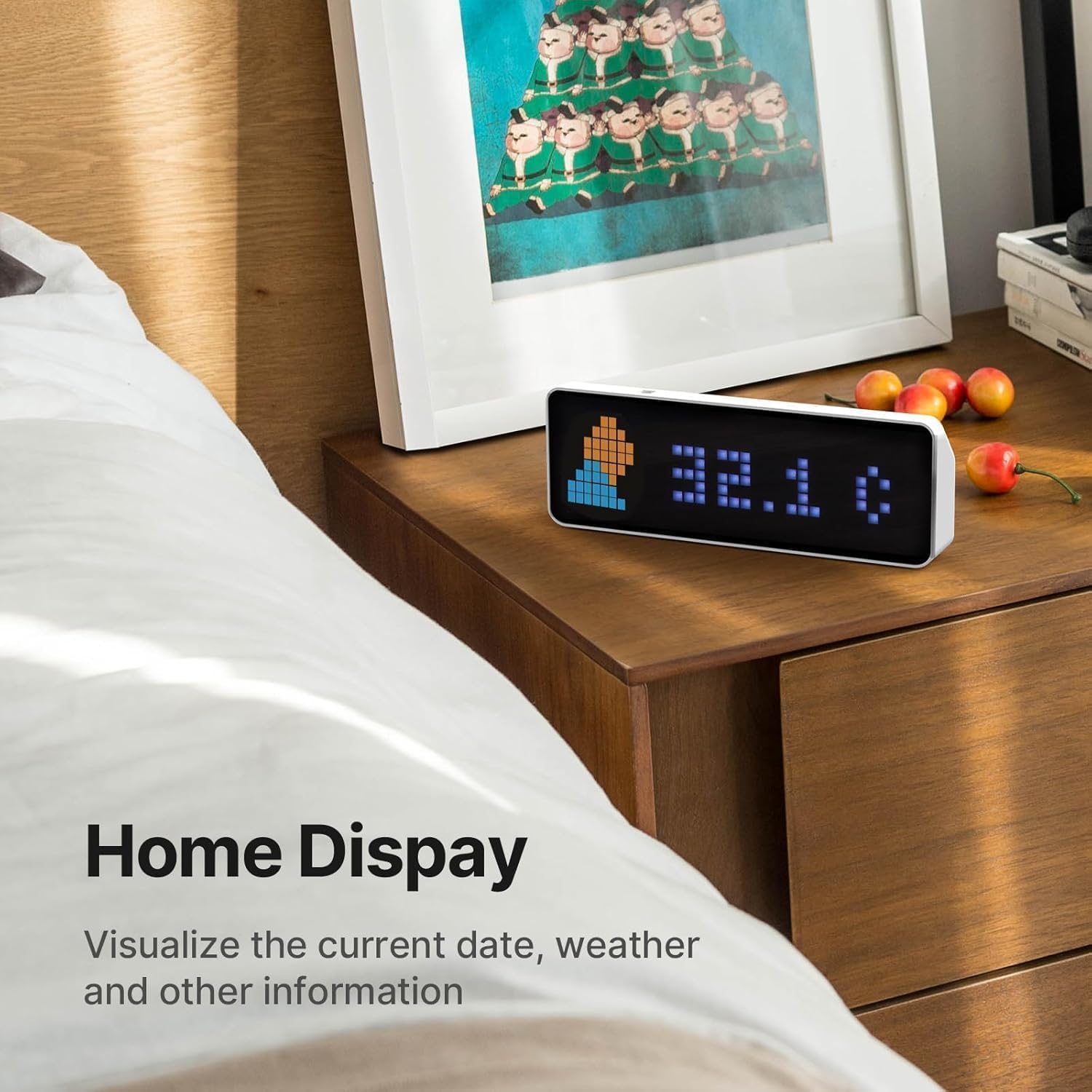


🕰️ Level up your time and social game with pixel-perfect precision!
The ULANZI TC001 Smart Pixel Clock is a versatile digital alarm clock featuring a vibrant full-color pixel display customizable with your own pixel art. It connects via WiFi to show real-time social media follower counts from platforms like YouTube and Bilibili, making it ideal for content creators. Equipped with a Pomodoro timer, calendar, temperature display, and Awtrix simulator firmware, it offers multifunctional use for gaming rooms, offices, or bedside tables. Powered by USB-C and housed in a sleek ABS frame, it blends retro style with modern tech for a unique, productivity-boosting accessory.























| ASIN | B0CXX91TY5 |
| Additional Features | Calendar Display, Temperature Display |
| Alarm Clock | Yes |
| Batteries are Included | Yes |
| Best Sellers Rank | #172,596 in Home & Kitchen ( See Top 100 in Home & Kitchen ) #419 in Alarm Clocks |
| Brand | ULANZI |
| Brand Name | ULANZI |
| Clock Form | Multi Display |
| Color | White |
| Connectivity Technology | USB |
| Customer Reviews | 4.1 out of 5 stars 401 Reviews |
| Dial Color | White |
| Display Type | Pixel |
| Frame Material | Acrylonitrile Butadiene Styrene |
| Global Trade Identification Number | 06975357307406 |
| Included Components | Cable, Clock |
| Indoor Outdoor Usage | Indoor |
| Input Voltage | 5 Volts |
| Item Dimensions W x H | 8.1"W x 1.25"H |
| Item Type Name | Smart Pixel Clock |
| Manufacturer | ULANZI |
| Manufacturer Part Number | TC001 |
| Manufacturer Warranty Description | 1 year. |
| Material Type | Acrylonitrile Butadiene Styrene (ABS) |
| Model Number | TC001 |
| Mounting Type | Tabletop |
| Number of Batteries | 1 CR5 batteries required. (included) |
| Number of Items | 1 |
| Operation Mode | Electrical |
| Power Source | Battery Powered |
| Product Dimensions | 8.1"W x 1.25"H |
| Room Type | Bedroom, Home Office, Kid's Room, Living Room, Study Room |
| Shape | Rectangular |
| Size | 7.9 x 5.9 x 3.9 inches |
| Special Feature | Calendar Display, Temperature Display |
| Style | Modern |
| Style Name | Modern |
| Theme | Retro |
| Unit Count | 1.0 Count |
| Warranty Type | Limited |
| Watch Movement | Automatic |
S**N
As advertised
Really cool product that works great as a YouTube sub counter
M**M
Bright display, easy to connect to and use, fun widgets
I bought this display to use with my Home Assistant install, to be able to flash with third party firmware and send pushes via MQTT. For this purpose it works perfectly! It was very easy to flash, and has a really bright screen. The customizability of the built in apps if you don't want to flash it are pretty decent as is, and i wouldn't hesitate to have this as a fun clock/calendar/thermometer even if i wasn't using it with my Home Assistant install. The quality of the casing is nice, it charges without issue with a USB C cable, although i think it sometimes has issues charging if you use a USB C to USB C charge cable as opposed to a traditional USB to USB C cable, but i believe it mentions that warning in the instructions, so i wouldn't knock any stars off for that.
R**R
“Because Clocks Should Also Be Weather Stations and Door Butlers
Desk Bling for the Win! Bought this as a gift for my better half (because I’m thoughtful and trying to earn extra brownie points). Out of the box, it’s not bad at all—but I’m a “next level” kind of guy. I can’t leave well enough alone. So naturally, I integrated it with Home Assistant—and let me tell you, chef’s kiss. Now it sits proudly on her desk, dishing out the time, room temp, weather updates, and even a friendly “ding dong” when someone’s at the door. She loves it. I love that she loves it. The dog is neutral but intrigued. Setup wasn’t exactly plug-and-play—it’s a “moderate difficulty” kind of deal. If you’re thinking of diving in, do yourself a favor and hit up some YouTube tutorials first. You’ll be showing off like a home automation wizard in no time. Final verdict: Cool little device + Home Assistant = Instant desk upgrade.
E**E
A nefarious clock? Who is being naive?
Garbage. Poorly designed and executed from China. Do not waste your time. Complete oversight and lack of UI. Where to begin? Did I get it to display YouTube subscriber count? Yes. You will need to know how to find your YouTube user string as well as navigate a project within the Google Cloud Console. You will need to create a project and enable a specific API service. This might be overwhelming for most users. Although not extremely complicated, it BARELY works. Everything else in the clock is basically useless. No way to change the time from 24hr to 12hr. No way to set the time unless connected to WiFi. No way to change WiFi unless you reset the clock using a push pin. Only displays Chinese city's weather in a terrible way. A matrix display? Ok, I guess someone would want that? ...in 1998. Maybe it's easier to display your weibo followers? Whatever that is. Or maybe your Billbili followers. Whatever that is. It's a VERY poorly executed device. I suspect...scratch that...I HIGHLY suspect this device is nefarious. It's connected to the internet, you give it your secret API keys for your channel, etc. Do you trust this clock? I sure don't. "A nefarious chinese clock!?! That's ridiculous. You sound so naieve!", you say? Who is being naive? Who...is...being...naive?
E**G
Glucose Monitor
Really cool. Got this for my girlfriend to monitor her glucose levels. It was pretty easy to figure out with a YouTube video. Really liking this product so far and much cheaper than the other brands.
J**N
Works great with ESPHome
I got one of these and flashed it with ESPHome. It works great and does everything I need it to do. Someone else I know used awtrix instead and say it also works well. It seems to run a little warm, and the temperature sensor is basically useless, but I don't really expect a clock to be a temperature sensor anyway. I'll probably get another one just to use as a development unit as I try new things with the ESPHome setup on it, and I'm considering another one for a kid's room. The only real complaint I have is it would be nice to be able to control the volume of the buzzer, but it's entirely possible I just missed something when setting up the ESPHome config for it.
A**C
Works well, not a simple setup
Really cool device. If you’re not in the tech industry you may struggle to get YT stats going on this if you dont know how to setup a google api endpoint. After it is setup it does work well.
J**.
Cool hardware platform if you have the infrastructure to use it well
Firstly, I had this thing powered on for about 30 seconds before I flashed AWTRIX on it, so I can't comment on the stock firmware at all. If you're considering this you should know it is not a smart device - it's not like Alexa or google assistant that can go out and find interesting and important facts about your life and give you timely updates. It shows data you push to it. If you have something like Home assistant or Node-RED or whatever, you can do a lot of fun things with it if you're willing to do a lot of messing about and programming stuff. Or even a raspberry pi running a couple of cron jobs would suffice. I have it set up to do fairly frivolous things like tell me the number of days until Christmas, the weather, the price of gold, etc. Even my family kinda likes it. It just sits and scrolls through various screens, and from time to time my wife will take 30 seconds and watch the screens go past. It's an entirely inessential toy, but it's fun to play with and pleasant to look at. And quite affordable.
Trustpilot
2 months ago
2 weeks ago