We remain fully operational. Our teams are working around the clock to ensure your deliveries continue safely.

DOWNLOAD THE APP


Customer Services
Copyright © 2025 Desertcart Holdings Limited
DOWNLOAD THE APP
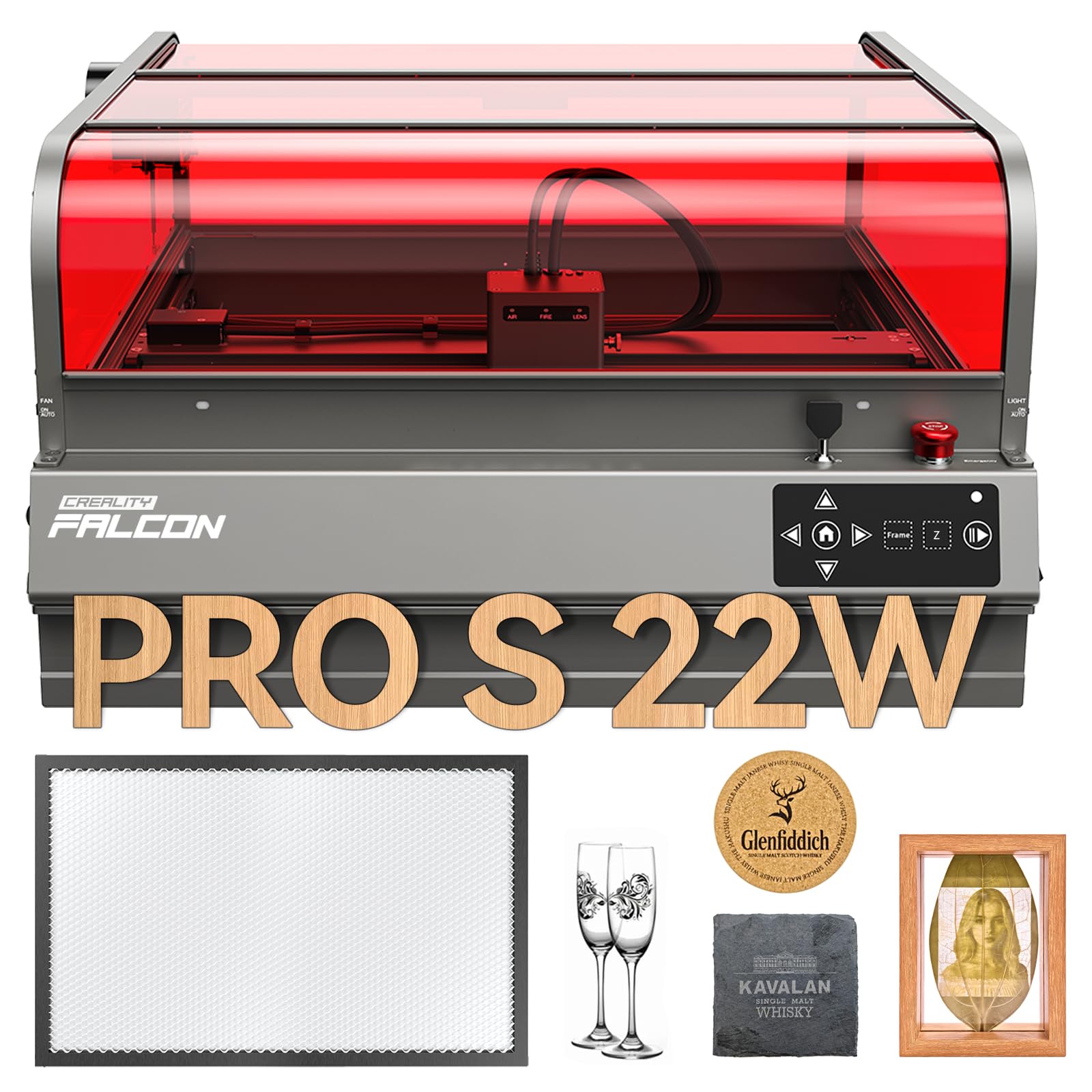
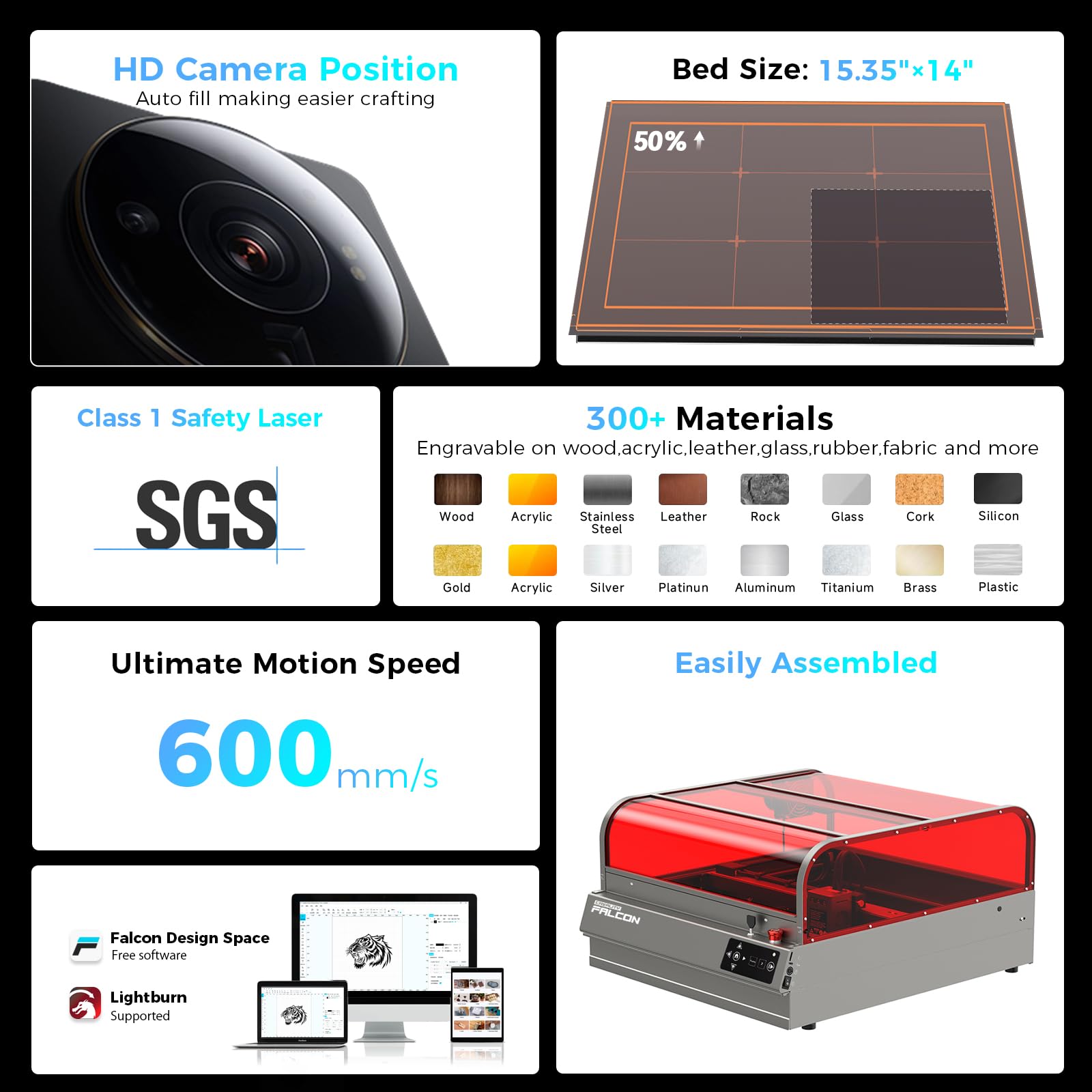
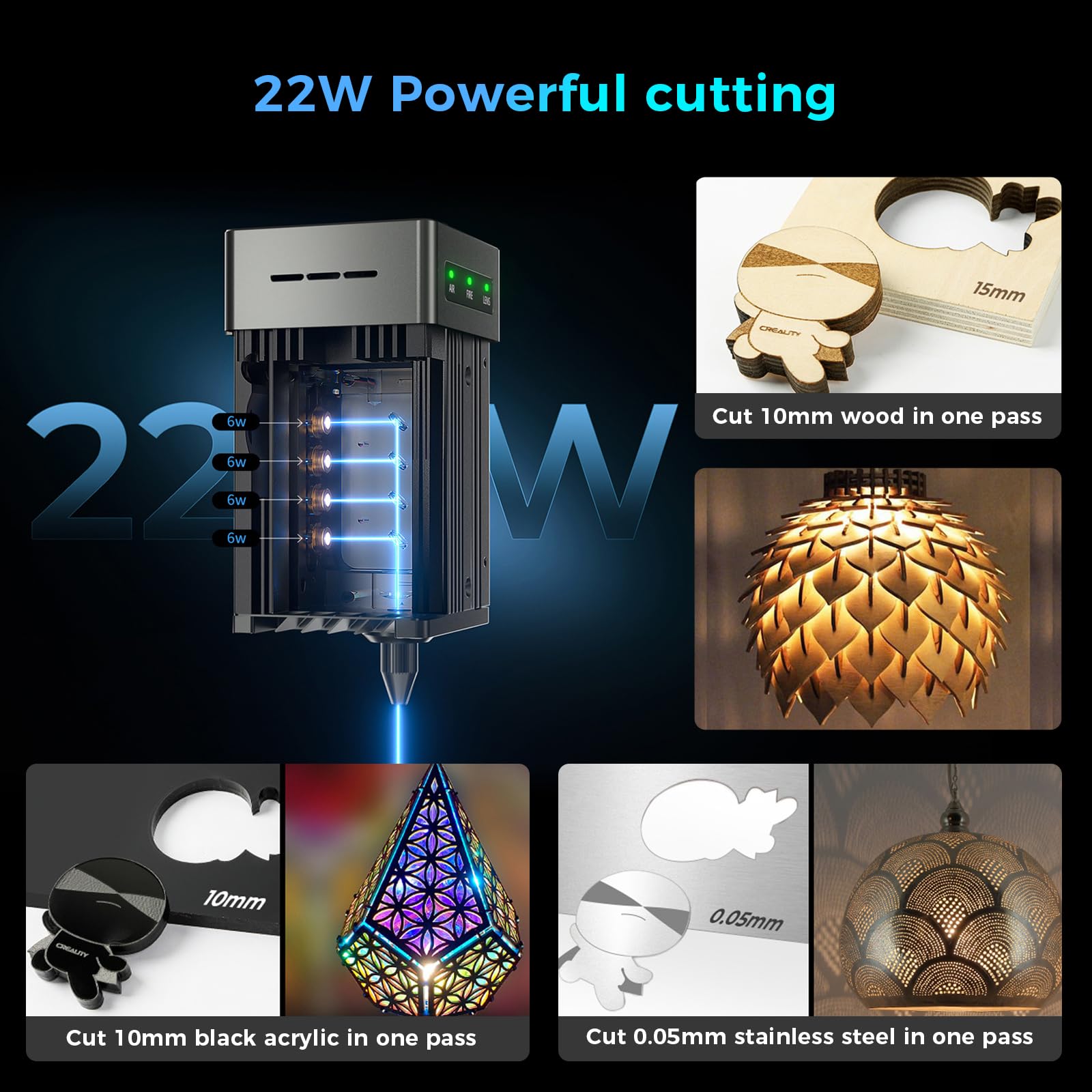
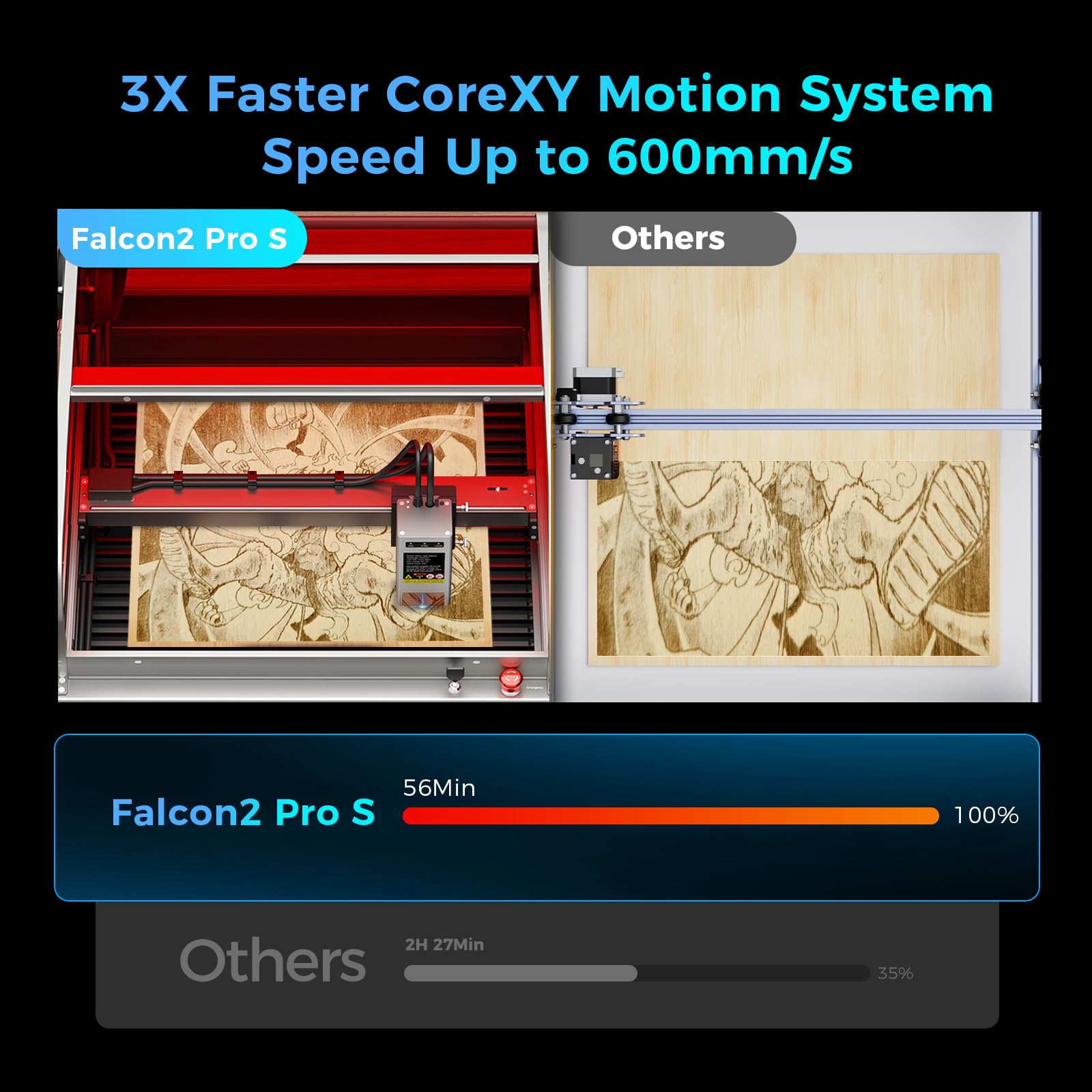
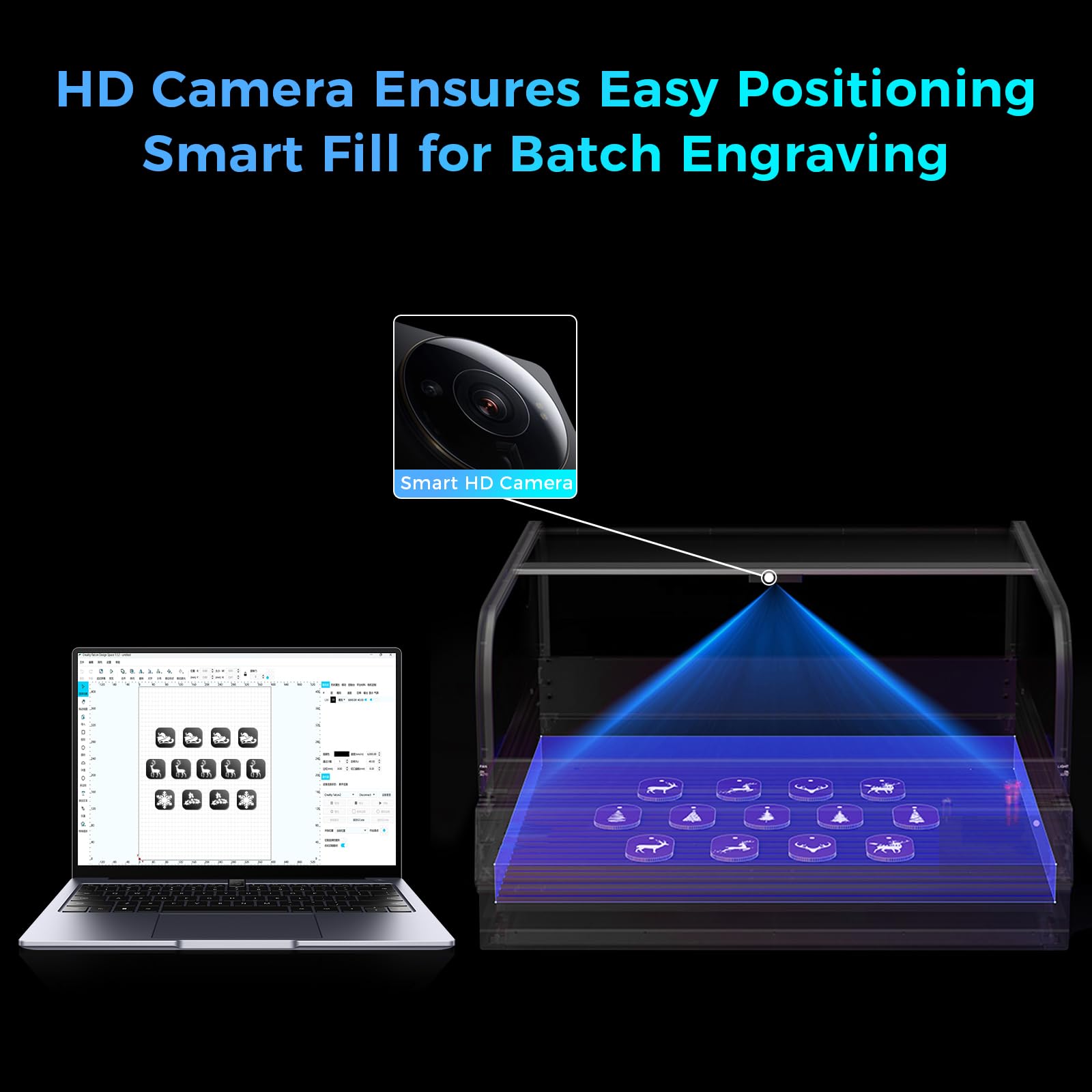
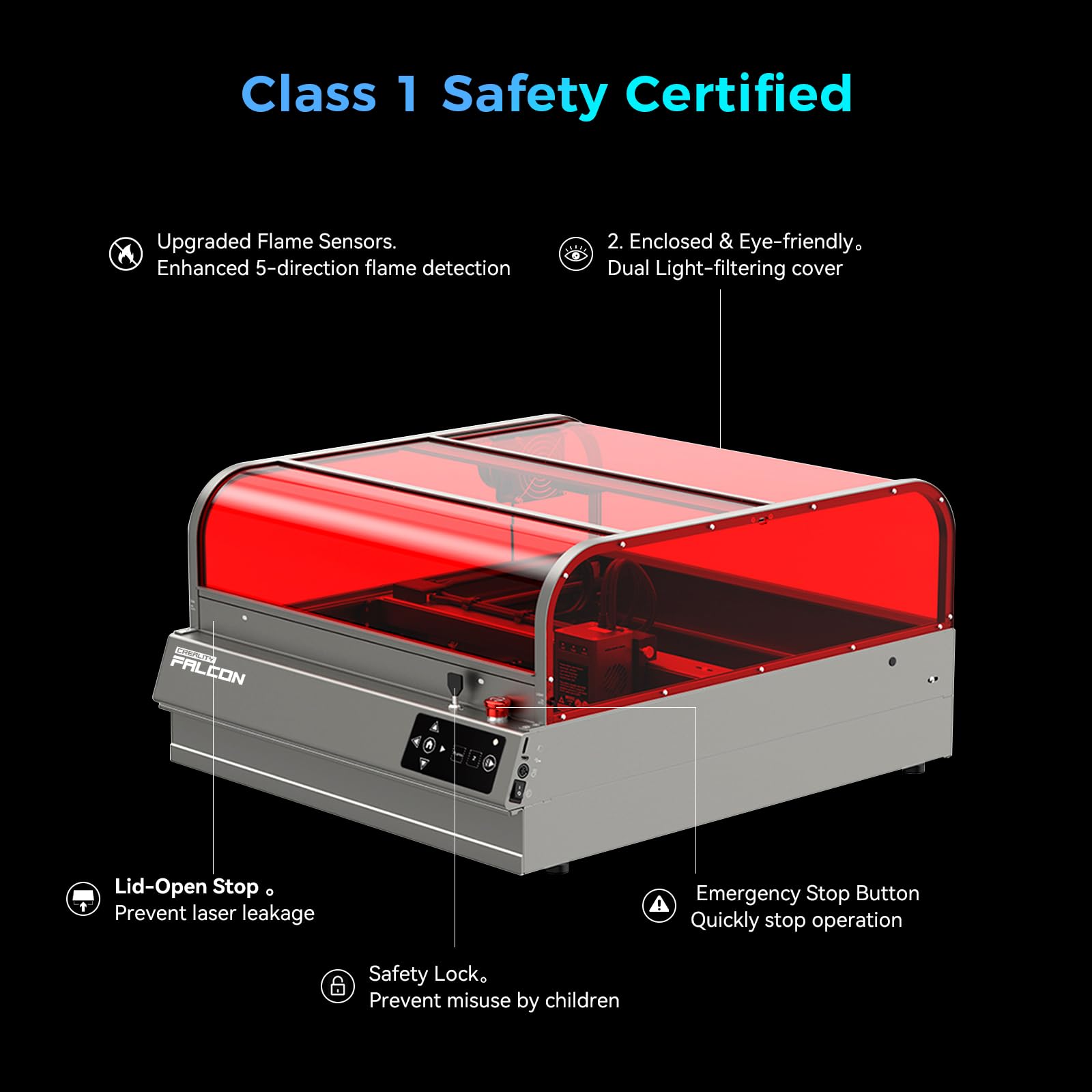
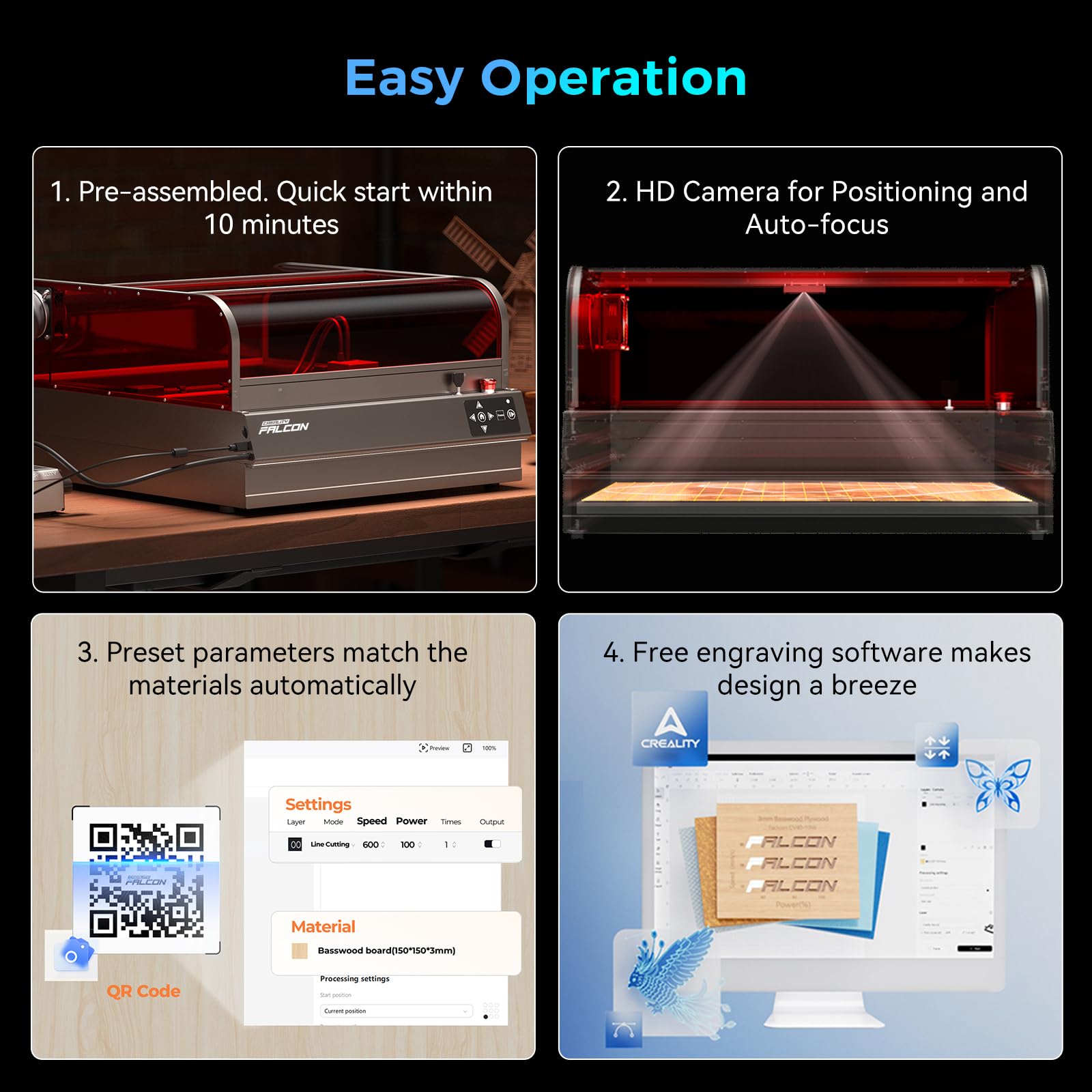

🚀 Elevate your craft with precision, power, and safety — the Falcon2 Pro S means business!
The Creality Falcon2 Pro S is a Class 1 certified 22W desktop diode laser engraver and cutter featuring a fire-resistant enclosure, built-in HD camera for visualized batch processing, and an intelligent auto-focus system. It cuts up to 12mm wood and 10mm acrylic at speeds over 600mm/s, with a high-performance exhaust system ensuring a clean, safe workspace. Compatible with Falcon Design Space and LightBurn software, it offers over 300 materials and 1,000 editable projects, making it ideal for professionals and ambitious hobbyists seeking fast, precise, and safe laser engraving.


| ASIN | B0F2ST9KN7 |
| Best Sellers Rank | #53,122 in Arts, Crafts & Sewing ( See Top 100 in Arts, Crafts & Sewing ) #129 in Jewelry Making Engraving Machines & Tools #1,278 in Craft Cutting Tools |
| Brand | Creality |
| Brand Name | Creality |
| Color | Gray |
| Contaminant Filtration Capability | dust, smoke |
| Control Method | App |
| Controller Type | Mobile app |
| Customer Reviews | 4.3 out of 5 stars 141 Reviews |
| Global Trade Identification Number | 00198549045429 |
| Manufacturer | Creality |
| Model Number | Creality Faclon2 Pro S 22W |
| Part Number | LD-LE-FALCON2-PLUS-22W-US |
| Power Source | dc |
| Special Features | Built-in HD Camera, Intelligent Focusing System, High-Performance Exhaust System, Vast Library of Ready-to-Use Projects |
| Warranty Description | 1 Year Manufacturer |
I**S
Functions well and as described.
To be clear, this review is for the Falcon A1 10W enclosed laser engraving system, with HD+ camera, air assist, ventilation, etc, new model. I am a beginner laser engraver, someone who prefers to figure it out without reading extensive manuals. I upgraded to this 10W from the 5W reality model, and that has led me to two statements; 1- If you are are first-time engraver, this is an excellent mid-range model that is delivered almost completely (~90%) set up, and performs well on the 12mm basswood boards that I use daily. I find it to be versatile with the kind of woods I can engrave, and the drag-and-drop camera+placement ensures very rapid learning and then production. 2: If you are considering upgrading to this enclosed, 10W Falcon from a smaller, weaker or unenclosed model, and you plan to engrave at least once every two weeks, I recommend doing so. The enclosed system and ventilation has made an incredible difference in where and when I can engrave, which leads to more convenient and efficient engraving. Secondly, the camera system means that the "drag-and-drop" phrase is generally true. Barring any major edits you want to do, you can drop a picture on there, set your engraving height, power and speed, and hit engrave. No more endless trial-and-error adjustments. I normally go from completed digital design to beginning engraving in about 2 minutes compared to my old 15-30 minutes when I was getting started on a camera-less model. My set-up and tear-down is now about 3 minutes ea, at a leisurely pace, compared to a good 20 minutes previously with an unenclosed model. All of that said, I would be remiss if I did not mention that at times, I worry about the stability of the USB-C connection port for computer to engraver connection and I am cautious when navigating around it, though it has not developed into an issue. More significantly, I have noticed a an issue where the laser will stop engraving in the middle of of a task. I am still isolating this somewhat uncommon (1 per ~25 engravings) occurrence and as such don't know if it's the laser engraver or a compatibility issue or what, so I'll not mark that against what is an efficient machine. Please see attached photos for results. Engravings pictured took no longer than 1 hour, and about 30 minutes on average from designing start to finished product. Note that engravings are done by an amateur.
C**S
Absolutely worth the upgrade and far exceeds Longer products and engravers!
I recently upgraded to the Creality Falcon2 Pro 22W Laser, and it has been a game-changer for my laser engraving projects. Here’s my detailed review: Pros: - Powerful Performance: The 22W laser is incredibly powerful, cutting through a variety of materials with ease. It handles wood, acrylic, leather, and even some metals without any issues, making it highly versatile for different projects. - High Precision: The precision of this laser is remarkable. It produces clean, sharp cuts and detailed engravings, allowing for intricate designs and professional-quality results. The accuracy has significantly improved the quality of my work. - User-Friendly: The setup and installation were straightforward, thanks to clear instructions and all necessary components included in the package. The user interface is intuitive, making it easy to adjust settings and control the laser. - Safety Features: I appreciate the built-in safety features, including the protective cover and emergency stop button. These features provide peace of mind, especially when working with such a powerful laser. - Sturdy Build: The build quality is excellent. The frame is solid and stable, minimizing vibrations and ensuring consistent results. The overall construction feels durable and built to last. - Software Compatibility: The Falcon2 Pro is compatible with popular software like LightBurn, which I use regularly. This compatibility enhances the workflow and allows for more creative freedom. Cons: - Price: While it is an investment, the performance and quality justify the price. However, it might be on the higher end for hobbyists or those just starting out. Conclusion: The Creality Falcon2 Pro 22W Laser is an exceptional machine that delivers powerful performance and high precision. It is user-friendly, packed with safety features, and built to last. Whether you’re a professional or an enthusiastic hobbyist, this laser engraver is a worthwhile investment that will elevate your projects to a new level. Overall, I rate this product 5 stars. It has significantly enhanced my engraving capabilities and exceeded my expectations in every aspect.
C**E
Great laser but with some annoyances
First and foremost the Falcon 2 is a great laser cutter and does everything you expect a 22w laser to be able to do. So I'm going to focus on the things you may NOT like to help make your decision... The Camera - this is a great feature, but it's fisheyed (as it needs to be to cover the surface area considering how close it is to the base) and it never seems calibrated correctly to all areas. I find myself doing a quick line outline on some cardboard, and realigning the camera based on the results whenever I need fine control. That said, it's still better than trying to make alignments without the camera and it's not like it's crazy off, just a few mm here and there. The Enclosure - whoever decided that a thin acrylic sheet on metal bars was a great idea, was not correct. You have to carefully guide the sheet each time you open and close the enclosure and you're need to listen to a metal on metal screech each time you do it. The Cutting Base - in order to raise the material for cutting, you get metal triangle rods that you slot in. Maybe this works in theory, but I removed them after a single cut. They are too easy to unseat while you're trying to get the material in place or clean the base (which is easy enough if everything falls to the slide out draw, but due to the triangle shape, things get stuck). I now have a honeycomb base which works much better imo. Safety Features - all in all, these seem great, but mine does not require the enclosure to be closed to operate (as the lights on the front would indicate). This has turned out to be a pro for me since it's so annoying to open and close the enclosure for quick cuts or framing, but something I figured I'd note. With the above said, I LOVE this laser. It is my first, so maybe I don't have much to compare it with, but it was easy to get going and I've used it for multiple projects already. Although the Mecpow x4 pro is essentially the same thing (with less of the above annoyances) and $500 cheaper, so...
S**E
Well worth It
Game stopper… started with an open laser, 10W… the camera, interfaces with Lightburn good. Would buy again and again l.
A**E
Excellent value for the money
The unit came exactly as described it was excellently packed it took a while to unpack but everything was very secure. It was very easy to assemble. The instructions were great and it worked right out of the box. I would recommend this to anyone looking to get into laser engraving or cutting
M**A
Easy to use.
Awesome product. Easy to manage.
M**R
Missing key piece
I was excited to get this. Although it wasn't too difficult to assemble (only minor cursing) the ability to troubleshoot anything is lacking. The air assist is having an apparent problem so I'm reduced to sleuthing around the internet for answers. The real problem is that the camera needs to calibrate on a calibration card. The card was missing. I cannot, therefore, get the camera to calibrate, so I cannot do a test run, so I cannot try and troubleshoot the air assist. Customer service informed me they will email me back as they need to verify my purchase. I guess they suspect a nefarious plot to get a piece of cardboard with dots printed on it for free. Also the purchase was supposed to include a couple pieces of basswood, it didn't. I don't really care about those, but since I'm airing grievances ;-)
C**R
Works great!
Excellent! Assembly was not that difficult and it works perfectly!
Trustpilot
2 weeks ago
2 weeks ago