


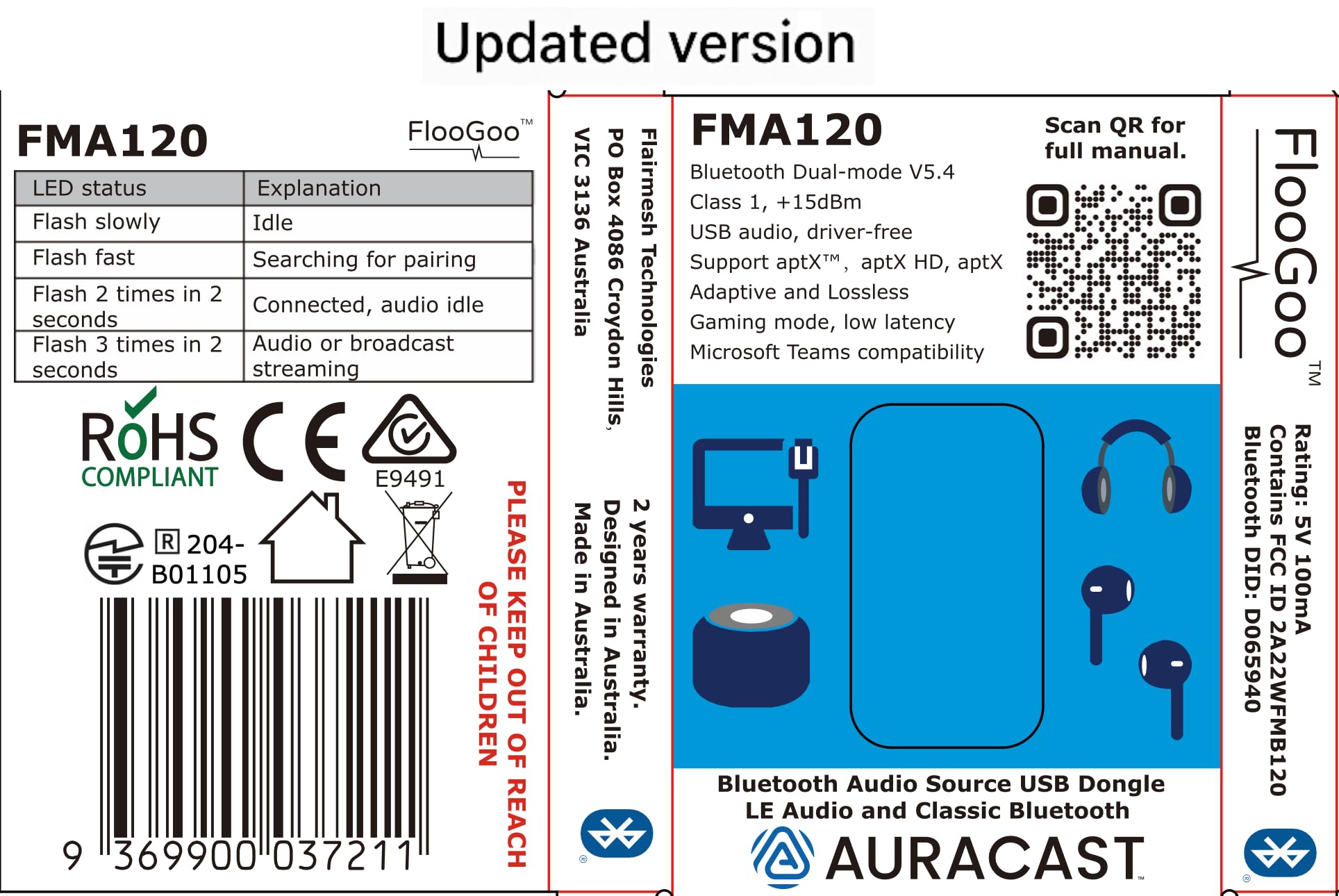
🎮 Elevate your audio game with lossless clarity and seamless multi-device streaming!
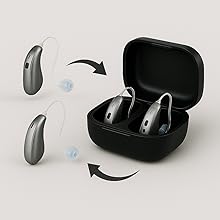
The FMA120 Bluetooth Dual-Mode Audio Adapter delivers premium aptX lossless sound and ultra-low latency for gaming and media. Featuring Auracast TX/RX/Relay capabilities and hearing aid support, it offers versatile connectivity across PCs, Macs, gaming consoles, and mobile devices—all via a simple USB plug-and-play interface.







| ASIN | B0CN71FL92 |
| Best Sellers Rank | #41 in Bluetooth Network Adapters |
| Customer Reviews | 4.1 4.1 out of 5 stars (106) |
| Date First Available | November 13, 2023 |
| Is Discontinued By Manufacturer | No |
| Item Weight | 0.176 ounces |
| Item model number | FMA120 |
| Manufacturer | Flairmesh Technologies |
| Product Dimensions | 1.52 x 0.77 x 0.27 inches |
G**H
Perfect for the Sony INZONE Buds (and other LE Audio headsets) plus excellent customer support
I bought the Sony INZONE Buds in 2023 and initially I was only plannung to use them for the PS5, knowing that compatibility will be limited. The peculiar feature of these is that they don't use any classic bluetooth connection or codec (like adptX), only LE Audio (also know als LC3 codec). The only method of connection was the bundled dongle, a rather flimsy piece of equipment and very soon I felt it a bit tiresome to always unplug it from one device and plug it into another; was almost a bit regretful over not having bought inears with broader compatibility. Nonetheless, since the headset was pretty great (good sound and very long lasting battery) I kept it while being on the lookout for a way to connect it to pc and smartphone another way. Smartphone compatibility simply rose over time, but on the pc front I went through several dongles without success. Among them the eppfun AK3040 PRO MAX, which claims to be LE Audio compatible as well as the Creative BT-W6 for which even the Creative support gave misleading feedback before the purchase, only to admit it isn't compatible after I returned the device. -.- I was about to give up when I stumbled over an Australian company, Flairmesh, producing a bluetooth LE Audio dongle, the FlooGoo FM120. Since I needed to import the dongle to Germany, again I sent a question to the customer support: "Is it compatible with the Sony INZONE Buds?" Their answer really suprised me: "No", but they promised me to buy the Sony INZONE Buds, test them and publish a compatible firmware. And...well...they did, a few weeks later. Nothing more to it other than to acknowledge and praise what is EXCELLENT customer support, dare I say a rare thing these days. I imported the dongle, and it works. If I had to dig up any kind of critique for the FM120, it'd be that the process of pairing bluetooth devices is a bit finicky. Because there is a button on their software that reads "add device" and I was expecting it to show me a list of devices to pair, as when you use a regular bluetooth dongle in Windows or when adding devices with a mobile phone. Instead it will automatically search for and pair with devices that are in close proximity to the dongle. The software is not needed for (subsequent) pairing, or at all. You just plug the dongle it, use the inears and it works. But with the software you can change modes and codecs according to your needs, be it high quality lossless audio or low latency for gaming. Especially the latter is very impressive because it really is fast, making for no perceivable audio delay for the inears I tested. There is a limitation in the hardware or software, as in that an LE Audio device will always take precedence over any classic bluetooth device. This is a limitation by the current available chipset for LE Audio and other dongles (who weren't compatible in the first place though) have these notes plastered on their description pages as well. I tested several classic bluetooth headsets / inears (before I settled to only use the Sony INZONE Buds, as they are the best I have anyway) and when only these you can easily switch between them. All in all I'm very pleased with the whole process of aquiring the FlooGoo FM120 and it finally fullfills the task I've been looking for, for almost two years. :)
W**X
Works with Oticon Intent
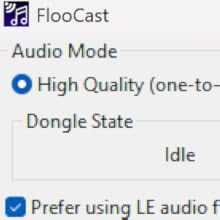
Floogoo is the only manufacturer I know that actively tests hearing aid compatibility when users report issues. With all other transmitters, you're stuck with trial and error—returning it if it doesn't work with your hearing aids. I really appreciate their effort. Good company! I can confirm that this works with Oticon Intent. Prerequisites: Oticon Intent must have the latest firmware (1.2.1 as of now—the launch firmware will not work). You can use their app, FlooCast, to fine-tune the settings. Be patient during the first pairing; it may take a few minutes. If pairing fails repeatedly, turn off AptX and ensure only LC3 is enabled. Don’t use broadcast mode. (Make sure "Prefer LE Audio" and "Public Broadcast" are checked, and leave all other options off except LED.) All other Bluetooth devices paired to your hearing aids must be turned off during pairing. Turn off your phone’s Bluetooth. If you have paired your hearing aids to iPad/Mac, don't forget them. If you have a ConnectClip or TV Adapter, turn them off as well (they likely won’t interfere, but it’s better to be safe). Once paired, you don’t need to turn off the ConnectClip or TV Adapter to use this transmitter. It’s treated as a "phone" by the hearing aids, and Oticon Intent supports multiple Bluetooth connections. You can only have one device streaming audio at a time, but multiple devices can remain connected simultaneously. However, if your iPhone is paired to the hearing aids, you must turn its Bluetooth off in order to connect the FMA120 to your hearing aids. This is because the Made for iPhone (MFi) protocol assumes exclusive use of the hearing aids (you can still use a TV Adapter concurrently, but not a second phone connection). If you connect the FMA120 first, your iPhone won’t be able to stream audio to the hearing aids. If you connect the iPhone first, the FMA120 won’t stream. This is not like the TV Adapter and iPhone combination—those can both stay connected, and the second device can stream as long as the first isn’t actively streaming. With the FMA120 and iPhone, even if the first device is idle, the second cannot stream. So you do need to switch them manually. To switch between them, simply disable Bluetooth on one of the devices. For the FMA120, unplug it. For the iPhone, use Control Center. No need to unpair, don't try it. The signal strength is just slightly better than an iPhone, perhaps because the exposed USB pins are more vulnerable to interference. Any USB 3.0 device—such as an external HDD or SSD—will interfere with it if connected to the same USB hub. This is a known limitation of Bluetooth audio streaming.
R**W
Works with hearing aids but disconnects Philips hearing aid from answering phone calls.
update Returning it. If I connect Philips 9050 hearing aid with this device on PC I can't answer phone from hearing aid connected to my Pixel phone. This might be a limitation of the hearing aids. In any case, it makes the dongle useless to me. If I reconnect to phone, then the dongle connection does not work. It works with my Philips 9050 hearing aid. But is difficult to set up on Win 11 PC. Make sure you download their app, upgrade firmware. Also down load manual. It took multiple attempts to connect before it started streaming audio. Rebooted several times. I think the hearing aids look like they are still connected to my Pixel phone. I have to check this and make sure I can still receive phone calls through the hearing aids. Another issue is that it has an unusual usb connection. It can plug in 2 different ways. Only one works. The manual does not explain this confusion.
B**.
The Bluetooth dongle to end all dongles.
Best audio over Bluetooth with mobile. Plenty of volume. Aptx and LE support. You'll need a windows PC to update the firmware first, and to change the settings. But after set up the settings are saved to the dongle so you can use it with almost anything including a Nintendo Switch. I just wish it was USB c so I didn't need to use an adapter with my phone. I can't explain to you the journey and research I've done but it lead me here: probably the best audio fidelity you can get with an android device.
M**S
Very happy with this product - highly configurable and works extremely well with my Laptop and Resound Enzo IA hearing aids. Excellent value for money
A**E
Nach ein paar Realtek-basierten Bluetooth-Antennen (Windows Bluetooth-Stack) und dem Sennheiser BTD 700 Dongle (Knack-Geräusche seit Firmware 3.11.0, Probleme mit aptX Lossless, bzw. Wechsel zu aptX Adaptive) habe ich den FlooGoo FMA120 für mich entdeckt. In Verbindung mit der FlooCast-App ist der Dongle eher ein Schweizer-Taschenmesser als ein gewöhnlicher Dongle. Ich nutze den Dongle mit einem Bose QuietComfort Ultra (Gen 1) Headset. Über die App kann ich sauber zwischen allen Codecs wechseln und das Headset macht die Wechsel (insbesondere im Vergleich zum BTD 700) problemlos mit. Die blinkende LED lässt sich per App abschalten, sehr gut. Firmware-Update (und da gab es schon diverse Upgrades) ist auch schnell eingespielt und die App lässt sich nach dem Autostart automatisch in die Systray minimieren. Zur Sprachqualität in Teams Meetings kann ich zwar noch nichts sagen, aber bisher bin ich sehr glücklich mit dem Dongle. Es lohnt sich also, ein paar Wochen (kommt aus den USA) auf das Teil zu warten.
H**M
Finally, Stable Calls and LE Audio! This little adapter is a game-changer. I paired the FlooGoo FMA120 with my Sony WH-1000XM6 headphone and my Samsung Android phone, and the performance is excellent. It delivers crisp, clear LE Audio without any issues. The most significant improvement is with Microsoft Teams calls. Before, I had constant audio dropouts, but with this adapter, the connection is perfectly stable. It has made work calls significantly less frustrating. Important Note: You must upgrade the firmware as soon as you get it for it to work properly. The only real downside is that the firmware update software is only available for Windows. Despite the initial painful setup step, I highly recommend the FMA120. It's a fantastic solution for anyone wanting to improve call stability and take full advantage of LE Audio.
J**E
Fonctionne parfaitement, la connexion avec mes aides auditives Signia à été aisée (avec l'aide d'internet). Très satisfait
N**S
What an amazing product! So easy to user and the supplier has excellent product support (answers emails and questions very quickly!) It also has excellent product information and instructions on it's website and I highly recommend this for auracast capabilities. I was so impressed this is my second purchase of the product! So easy to setup and use within minutes!
Trustpilot
3 weeks ago
3 weeks ago



