



💨 Cool your CPU, light up your rig, and silence the noise — the ultimate liquid cooler for pros.
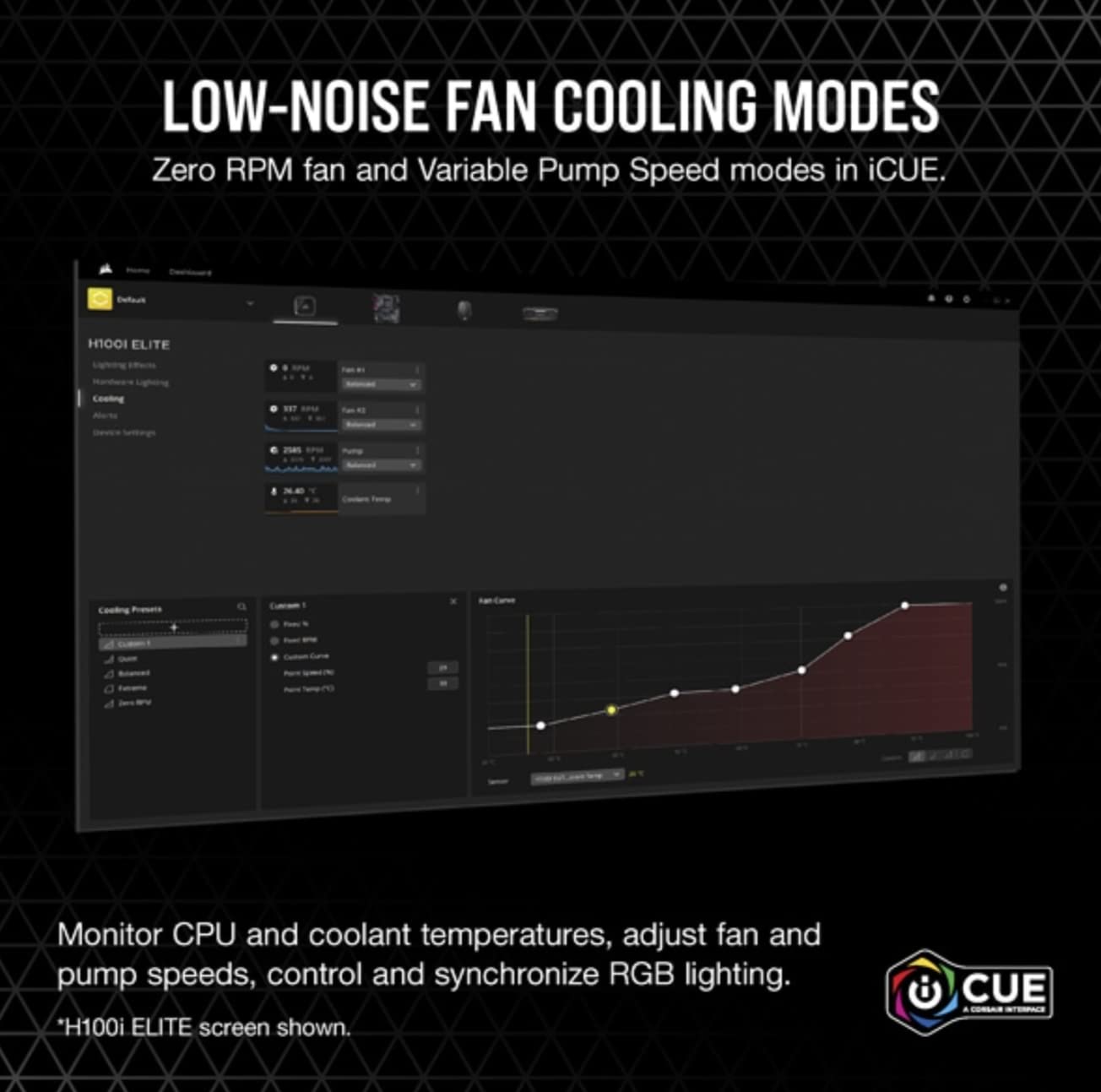
The Corsair iCUE H100i RGB Elite is a high-performance all-in-one liquid CPU cooler featuring a 240mm radiator, dual 120mm AF Elite PWM fans, and 16 customizable RGB LEDs. Compatible with the latest Intel and AMD sockets, it offers advanced cooling with quiet operation modes controlled via Corsair’s iCUE software, making it perfect for millennial professionals seeking both power and style in their PC builds.


| ASIN | B09YC9FZ8M |
| Best Sellers Rank | #194 in Water Cooling Systems |
| Brand Name | Corsair |
| Compatible Devices | Radiator |
| Cooling Method | Water |
| Customer Reviews | 4.6 out of 5 stars 11,033 Reviews |
| Global Trade Identification Number | 00840006648109 |
| Included Components | Corsair iCUE H100i RGB Elite Liquid CPU Cooler |
| Item Dimensions L x W x H | 10.91"L x 1.06"W x 4.72"H |
| Item Height | 27 millimeters |
| Item Type Name | Cooling Fan/Radiator/Pump |
| Item Weight | 0.91 Kilograms |
| Manufacturer | Corsair |
| Material Type | Copper |
| Maximum Rotational Speed | 2400 RPM |
| Noise Level | 31.5 Decibels |
| Power Connector Type | 4-Pin |
| UPC | 840006648109 |
| Unit Count | 1 Count |
| Voltage | 12 |
| Warranty Description | 5 year manufacturer |
| Wattage | 71.83 watts |
O**D
Fantastic AIO cooler
This is my second purchase of a Corsair AIO watercooler and I was not disappointed. Just as with my previous Corsair H60 purchase, the iCUE H100i Pro XT was easy to install, built very well with excellent fit-and-finish, and the cooling performance was and is excellent. I used the H100i Pro XT to cool two processors at separate times - an overclocked Core i7 2600K (2nd-gen) and a Core i7 9700 (9th-gen). When I used to run a system with the Core i7 2600K, I kept experiencing thermal throttling on a modest 4.0GHz overclock on the crappy stock Intel heatsink and fan (from 3.4GHz base/3.8GHz Turbo Boost). Once I installed the H100i Pro XT, my 4.0GHz overclock idled in the high-20's to low-30's (down from 72 C idle), and peaked around 50 C (down from 98 C). Even after I increased the 2600K's overclock to 4.5GHz (with an Offset voltage of +0.055V), I idled around the mid-30's and peaked at 61 C while gaming or running CPU stress tests. After switching over to a new motherboard and an Intel Core i7 9700, I experienced similarly low temperatures - idle in the mid-30's and peak at 57 C while playing Assassin's Creed Odyssey. Since I can't overclock the Core i7 9700, I'm instead running it at full all-core Turbo Speeds using Intel XTU and ThrottleStop. Even at an all-core core speed of 4.5GHz, both of my idle and peak temperatures are low, and I never hit the thermal throttle limit. Considering I live in very warm southern California in a house with poor ventilation, I'm even more impressed by the performance of the H100i Pro XT. The only hiccup I experienced was getting the RGB lighting to turn on. As it turns out, I had to connect the RGB SATA power cable to a 5-wire SATA power cable from my PSU. When I initially had it connected to a 4-wire SATA power cable from the PSU, the RGBs refused to light up, despite the iCUE software saying that my lights were activated. Besides that initial stumble, everything else has been peachy - cool RGB lighting control, adjustable fan speed and noise, and no concerning noises coming from the water pump. 5 stars all the way~!! 👍
N**L
Works great even on 13900ks
I got this to replace an air cooler on my 2nd PC that’s right on my desk about 2-3 feet away from me. It’s on a i7 13700k 5.4ghz all core 4.3ghz e core. Hitting 90c under full load 260watts. I added this cooler and I instantly like the quality of the radiator. The paint looks and feels good. The sleeves on the water tubes are nice and the USB connection for the power is sleek looking and not an eyesore. I like the fans they run well but are not annoying loud. They do get loud but it’s only at 300watts full load. Now my CPU is at 5.6ghz all core 4.5ghz e core and it runs great. While gaming this has dropped my gaming temps by 10-20c depending on the load and the water pump is not loud. I’ve had about 4 AIO and this is the best quality ones I have seen. Also to note the pump seems to run cooler than my older AIO’s. So I just took out the 13700kf and put in a new 13900ks. It’s enough to cool that but only for gaming and everyday use. This can cool out 300watts. Now it can’t run this KS fully, but it’s still faster than a stick 13900k They have been making quality AIO,s for over a decade now so the tech is actually a lot more advanced than it was back in 2008-2013.
N**6
great temperatures
The CORSAIR H150i RGB Elite Liquid CPU Cooler has exceeded my expectations in every way. Its 360mm AIO design, coupled with the efficient AF120 Elite PWM fans, provides outstanding cooling performance, keeping my CPU temperatures impressively low even under heavy loads. The cooler's installation was straightforward, and it seamlessly fits into my Intel® LGA 1 socket. One of the standout features is the customizable RGB lighting, which adds a vibrant and visually striking element to my build. The lighting effects are easily controlled through CORSAIR's iCUE software, allowing for endless personalization. The cooler operates quietly, even when ramped up, ensuring that my system remains cool without the distraction of fan noise. Overall, the CORSAIR H150i RGB Elite is a top-tier liquid cooler that combines high performance, sleek aesthetics, and ease of use, making it an excellent choice for gamers and PC enthusiasts alike.
R**M
Amazing cooler, easy install, great RGB/looks
Bought this cooler after trying an EVGA CLC 360 and returning it due to the fans being insanely loud (although it performed well) even under idle. This Corsair cooler was a night and day difference when it came to noise, the mag-lev fans are whisper quiet and aren't too annoying even in their extreme profile setting. The pump is not noisy either, I can't hear it unless I open the side panel and stick my ear up close to the block...even then it's almost silent. Cooling performance is great with my OC i7-8700k, maybe a couple of degrees hotter than the EVGA cooler, but I would gladly take this performance with the noise levels over that other cooler. The CPU block looks good on both coolers, but once this one turns on and lights up it adds way more to the look of your PC than the EVGA one does, and the customizability of all of the LEDs on the block is way ahead of EVGA's setting to just change the static color of their logo. On to the software, I am not sure what the complaints about Corsair's iCUE software are for, because it's ran great and is much much nicer looking with a larger variety of settings than EVGA's frankly garbage Flow Control software. In addition to being able to set the radiator fans to a "Zero RPM" profile which ramps them down to 0 at idle, you can create custom fan curves that aren't limited to 25% minimums like EVGA's software limits you to. I did not have any installation problems or trouble installing the fans as pull intakes. I know some other reviewers were having issues with the threads not being drilled out on their radiator, but my fan screws went in perfectly fine and I was able to hand tighten them most of the way. This may be because of a manufacturing change that Corsair made at some point after the launch of these coolers, but safe to say I did not have any issue at all installing it, and the pivoting tubes on the CPU block made me feel more comfortable in the angle that the tubes were mounted when compared to the tubes coming straight out of the block on the EVGA cooler. Overall, a great buy and I do not have any doubts that it will continue performing as well as it has considering the quality and build of the product.
J**E
Solid-Performing, quiet AIO, but not easy to mount on AM4
Tl;Dr: this is a solid AIO. Some issue with mounting on AM4 but patience and persistence did the trick. Cooling is on par with high end air coolers but it runs super quiet. Long version: I'm using this to cool a moderately overclocked Ryzen 5 5600x. Obviously, the 360mm is a bit overkill for this processor but why not? The good: my gaming temps are down about 2-3C compared to my old Cooler Master Hyper 212+ and the P95 temps are down about 5C. What i love most is how quiet it runs! Unless I deliberately crank the fans up, i hardly ever hear them at all because they never exceed 30% - no need. When not gaming, i leave the fans off, let the pump run on 'quiet' mode, and i see temps mostly under 30C with occasional spikes to 45C (probably due to boost). Your mileage will vary, especially if you are using a hotter chip, but this is way overkill for cooling a 5600x. I usually have to game for an hour or more for the water temp to reach 30C. The Bad: the mounting hardware "supports" AM4, but only just barely. The first time, it took me 45 minutes to mount the pump head into the AM4 bracket - very frustrating. When I did it a second time to replace the toothpaste with Thermal Grizzly, i found it much easier, but there is a trick to it: you have to tighten the screws most of the way before attempting to mount. Then, you slip one bracket on and tighten 95%. Then you have to force the pump head into place, loosen the screw you tightened, get the second bracket on and tighten both quickly before you lose your grip. It's much more difficult than it sounds. This AIO was clearly designed for Intel CPUs (insert eyeroll) The ugly: nothing, really. I did not share others' difficulties in mounting at all.
S**L
Got this to replace my old gen H100i, way better design than the old ones.
I got this to replace my aging original generation H100i. The old one lasted quite long (around 5 years now), and actually still works. However, I replaced it because I run my PC 24/7 and I dont want it to die on me randomly at night. This is a much better design in every way and costs less than my old one did (which was around $150-$200 from what I remember). Design: The USB C cable is super convenient, as my old one had a micro USB along with a 2nd non-removable cable for power. The USB C cable is the only connection point here, and splits off into separate cables later for much easier cable management. Because you can completely separate the USB C cable from the pump, this makes installation a lot easier. Also, I have an AM4 board, and its really nice to see that this one has a proper 4-point screw down mount. The old H100i design had used the stock AM4 plastic mounts and this sketchy 2-point mount system which had terrible mounting pressure and commonly would cause CPU boot errors if mounted improperly. I hated the old design but this new one is foolproof. Another thing to note is that the corsair logo on the front of the pump can actually be rotated to support different mounting orientations. Its also worth noting that I got this one over the Capellix version so I can still use my Commander Pro to control my fans. To swap the old AIO out, I didnt really have to change any of my fan cable management which was nice. My existing fans plugged right into the fan power plugs and everything works just fine in ICUE. All I had to do was remake my CPU fan curve which wasnt much of a big deal.
F**A
You won't waste your money.
The Corsair iCUE H100i RGB Pro XT has truly impressed me with its cooling capabilities. The 240mm radiator, combined with high-quality fans, effectively dissipates heat, keeping my CPU temperature consistently low even during demanding tasks and intense gaming sessions. I've noticed a significant improvement in performance, and my PC now runs quieter and cooler. Its exceptional cooling performance, ease of installation, customizable RGB lighting, and quiet operation make it a top-tier choice for both novice and experienced PC builders and enthusiasts. With Corsair's iCUE software, you have complete control over your cooling system and lighting, ensuring that your PC not only runs efficiently but also looks stunning. If you're in search of a high-quality liquid cooler that delivers on both performance and aesthetics, look no further. The Corsair iCUE H100i RGB Pro XT is a fantastic investment that will keep your PC running cool and looking cool for years to come.
G**.
This is the new 2020 Version of this AIO!
You have to specifically search for this model number in order to find it on Amazon. This is the latest iteration of their cooler providing an update to the RGB LEDs on the pump/cooling block that goes on the processor. You can individually change the color of the LEDs on the block and have other swirling patterns. You also have full control of the AIO through iCUE when it comes to fan speed and pump monitoring. Amazon might be trying to push old inventory which is why this doesn't show up if you go to the Corsair manufacturer amazon link. This cooler is awesome. I have a Ryzen R9 3900X and with all cores boosted it does not exceed 55C at full load. The configuration the manufacturer recommends is to have them pull air into the case through the radiator. Make sure that depending on if your goal is to have a positive or negative pressured case that you exhaust appropriately. I have mine mounted at the top of the case and as positively pressured since i have a husky and hair and dirt can be a problem getting into the case if i didn't have it configured this way. Lessons Learned: My LEDs were not initially working when I installed the cooler. The internal USB connection is for pump and LED control only and does not power the LEDs. The pump and fans are powered off of a single SATA power connector. For ease of installation and cable management I utilized one of the open molex connections that was available from a drive power run and used a molex to Sata power adapter. The Fans and Pump are most likely powered off of the 12V rail. With this configuration you only have 5V and 12V available and not 3.3V. I ran a direct SATA connection from my power supply and the LEDs are fully functioning now as it proved they run off the 3.3V rail. So make sure to use an actual SATA power connection and no molex to SATA power adapters to power this AIO.
Trustpilot
2 months ago
3 weeks ago



