Buy anything from 5,000+ international stores. One checkout price. No surprise fees. Join 2M+ shoppers on Desertcart.
Desertcart purchases this item on your behalf and handles shipping, customs, and support to Italy.
🔒 Unlock the future of home security with Schlage Encode Plus — where smart meets secure.
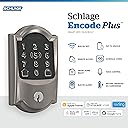
The Schlage Encode Plus Smart Wi-Fi Lock is a premium keyless deadbolt featuring built-in WiFi, Apple HomeKit compatibility, and voice control via Alexa and Google Assistant. It supports up to 100 customizable access codes, offers encrypted security with a built-in alarm, and installs easily without wiring. Designed for the modern professional, it enables remote monitoring and control through the Schlage Home app, delivering seamless, secure access with a sleek satin nickel finish.


| ASIN | B09RS1Z1ZN |
| Additional Features | Door Locks |
| Best Sellers Rank | #1,812 in Tools & Home Improvement ( See Top 100 in Tools & Home Improvement ) #9 in Deadbolts |
| Brand | SCHLAGE |
| Brand Name | SCHLAGE |
| Color | Satin Nickel |
| Connectivity Protocol | Bluetooth, Wi-Fi |
| Control Method | Voice |
| Controller Type | Amazon Alexa, Apple HomeKit, Google Assistant |
| Customer Reviews | 4.0 out of 5 stars 2,415 Reviews |
| Finish Types | satin |
| Included Components | Installation Hardware, Installation Instructions |
| Item Dimensions | 0.9 x 3 x 5 inches |
| Item Type Name | Smart Lock |
| Item Weight | 3.3 Pounds |
| Item dimensions L x W x H | 0.9 x 3 x 5 inches |
| Lock Type | Keypad |
| Manufacturer | Schlage |
| Manufacturer Part Number | BE499WB CAM 619 |
| Manufacturer Warranty Description | Backed by a limited lifetime mechanical and finish warranty, and a limited three-year electronics warranty. See Schlage warranty for full details. Warranty valid only on "Ships from and sold by Amazon or Buildcom" purchases. |
| Material | Zinc |
| Material Type | Zinc |
| Model Name | Encode Plus Camelot WiFi Deadbolt Smart Lock |
| Model Number | BE499WBCAM619 |
| Number of Pieces | 1 |
| Recommended Uses For Product | Door |
| Shape | Rectangular |
| Smart Home Compatibility | Smart Home Compatible |
| Special Feature | Door Locks |
| Style Name | Camelot |
| UPC | 194555086715 |
| Unit Count | 1.0 Count |
R**C
Super Slick and Truly Apple HomeKit Compatible (with limits)
PROS: First, I've read many, many articles, reviews and viewed twice as many videos searching for the best Apple HomeKit compatible smart lock. I did my homework. Bingo - Schlage Encode Plus kept coming up as the one to purchase. The "Plus" means it Apple HomeKit compatible. I bought two. I agree hands down I made the correct purchase. They have worked seamlessly from install to setup. It took longer to install (15 minutes changing out hardware, etc) than to connect to HomeKit (2 minutes). Neither was complicated or frustrating! The connectivity has been seamless. I had a need to set up temporary Codes for others including limits to what days and hours, expiration date, etc. and when miles away from home lock or unlock the door, all done easily and successfully through HomeKit App. Schlage has a wealth of information on install and setting up and connecting to HomeKit. Start first with downloading the Schlage App. Also, they have great interactive instructions available walking you through step by step. All this makes for a successful install and operation. CONS: As for features, the only downside is getting geofence capabilities to work seamlessly in HomeKit and this appears to be because of security protections with HomeKit. Overkill, let the user decide. There is no information out there about this. The focus seems to be tap your phone or watch to lock/unlock while you are standing there (can also use Siri inside, etc) but NOT on setting up Scenes and Automations which is the weak link. When set up in Scenes with my other items, lamps, etc. nothing worked properly with Automation automatically due to the "alert" that pops up on iPhone screen asking if you want to execute the Automation. For example, pulling into or out of the garage and driveway "Scene" for lock or unlock Schlage locks, turn on or off lights, etc. I have to confirm execution of Scene on my iPhone pop up notification! Bummer. I had to remove the locks from the "Scene" and all was back to normal. An alert still pops up for the locks asking to confirm. This needs improvement holistically. I'm still seeking solutions and I'm sticking with my purchases. Also, Schlage only includes one key with the lock. At this price point, two keys would be appropriate. UPDATE: 08-10-2025: Through a Siri command on my phone or watch and also via CarPlay, I'm able to lock and unlock the door(s) upon leaving and/or returning home, pulling into or out of the driveway, etc. Though I don't consider this HomeKit Automation, it's a work around. I'm still satisfied with my purchase.
B**B
Works well. Super easy to install. Great HomeKit features.
Got it installed and it's working well. Download the Schlage App first and it will give you step by video guidance on how to install it. Give it a day or two for Thread to start working if you are using it in HomeKit. You can check the status in the Eve App by the way. I'm using both the Schlage App (which users WiFi) and the HomeKit App (which uses Thread), but mainly because the Schlage App has easier Access Management tools and is needed for Firmware updates. If you can get by with HomeKit only the batteries will last a lot longer, but I'd rather have the convenience of both Apps. The HomeKit integration is my main App though. Love the "one touch" unlocking with my Apple Watch and being able to use Siri to operate it. It's really intuitive to use and my Wife and Kids clued in on it easily. You press the Home Icon on the keypad to bring up the display and then enter your code to unlock it, and you press the Lock Icon when you leave to lock it. You've probably used similar if you've ever stayed at an Air BnB. I love how it tells you who used what code (or if they used their phone or watch) and when too. It even pops up on my Apple TV 4k (which you need if you want Thread to work). There's a ton of features I don't use like auto lock because I can envision the cleaners leaving the door open and then closing it with the deadbolt open and marring the doorjamb. So you gotta think a lot of this stuff though. I mainly got it to get rid of having to carry the key and to get our Cleaners and Kids in when they come. It's also nice when I go for a walk. I'm tending to use the Front door more now that it's so easy. As smart locks go, this one looks great and is the smallest one I've seen that actually still looks like a lock. I bought the Schlage Camelot Door Handles that match it and they are super high quality. It latches SO smoothly. I guess I didn't realize there was much difference between name brand locks, but there are definitely levels to this game and Schage is a cut above. One thing to keep in mind. Strike plate alignment is critical on these. The bolt has to hit the hole without any obstruction. If you have any drag on the motor, it will fail prematurely. I ended up buying new oversized strike plates and redid them both just to give it plenty of room in case the house shifts a bit. That took longer to do than installing the lock did, but man it looks so professional now. The old Strike Plates were trashed. So well worth the effort. Time will tell on the reliability, but so far a week in and everything's working perfectly. I love having it. It's the gift that keeps on giving.
J**N
Defective Schlage Encode Plus Smart Locks - DO NOT BUY
These are truly terrible locks. Do not purchase them. I've had two of these locks for one and a half years. They're plagued with problems. First, the battery holder does not fit securely inside the lock's housing. So if a door is slammed, the batteries will come slightly loose just long enough for the lock to need to reboot. To solve this problem, I've resorted to duct tape. I literally have to tape the battery casing to the lock itself. Second, I've had to replace both of these locks in just that year and a half. Quite often the motor that engages the lock or, correction, the motor that opens and closes the lock gets stuck on. It won't deactivate. So when you're manually locking and unlocking, you're fighting against the motor. This causes battery drain and overheating. Removing the batteries and putting them back in sometimes solves this problem, but not always. Third, after a period of time with the engaged gear issue, the lock will start to overheat. It will get so hot that it can be dangerous to touch where the QR code label is. This will cause the battery to drain in 15 minutes or less. Replacing the old batteries with new ones does not help. Again, there's some thermal overload issue where the battery is consumed again within 15 minutes. After that, the locks are 100% dead. Placing new batteries into them will not help. The lock is completely unresponsive with no lights or control on the touchpad.
J**Y
Perfect lock for Apple HomeKit
Very well built lock, incredibly simple to set up. Works great with Apple Watch and iPhone. Suggestion for improvement are I don't really need a key lock so would be nice if they offered this without a key lock, also this key lock only comes with one key, should be 2 if you are going to have a key lock. Also would be nice to see a rechargeable battery option. Those are my only suggestions, otherwise the lock is perfect. Integrates perfectly with apple HomeKit. My family loves they can just tap their phone or watch to unlock.
2**S
Schlage Encode Plus Smart Wi-Fi Lock
My Schlage Sense lock ceased to work after 4 years of use. I looked at the Aqara lock U400 for the UWB feature but it's made with a lot of plastic and not a Grade # 1 security level. So it was a no brainer to go with Schlage again because of the Highest security rating Grade # 1. Luckily it was on sale, and I had a gift card, so I got it at a great price $160.00. Easy to install, I took of the key cylinder from the old sense lock and installed it on the new lock perfect fit so my old key will work on the new lock. Home key worked perfectly on my iPhone but not with my wife's iPhone. It took me a day to figure it out, it was not a defect with the lock but, a setting on my wife's iPhone. In her iPhone setting go to Face ID & Passcode and scroll down till you see wallet, turn on Wallet. Worked perfectly after that. The main reason to go with Schlage lock is it has the Highest security rating Grade #1. One thing, a lot of the reviews state the batteries doesn't last long. I have this on my front door but, we use the back door more so I'm not to worried about the battery life, just got to be diligent and change the batteries every 6 months.
D**N
Quality lock with great fatures, though Home Key setup is buggy
I wanted a smart lock for my Mom who has lost some finger dexterity and has difficulty with keys. I was particularly interested in the Apple Home Key tap to unlock feature - which only the Enclode Plus from the Schlage smart lock family has. The mechanical install, as advertised, is very easy. All you need is a Philips screw driver and a ruler or tape measure though it goes more quickly with an electric screw driver Activating the lock with the Schlage Home app was straight forward as well. After the lock was connected to the home wifi via the Schlage home app we could easiily add access codes and connect it to Alexa, which allows you to check the status or lock the door by voice command. I like the fact that the lock has a "normal" Schlage deadbolt cylinder and key (can be rekeyed or copied just as with a non smart lock) The Home Key setup was another matter, this is rather buggy. You first need to setup the Apple Home app on your phone. Once that's done according to the Schlage instructions you can add the lock to the Apple home using the home app directly by pressing the pairing button and tapping the phone to the lock or scanning the QR code on the installation booklet. I tried this many times - but the phone would not detect the lock. Power on reset didn't help same result. The only way I was able to get the Home Key setup to work was removing the lock from the Schlage app (equivalent to a factory reset) and start the paring process over with one key difference: adding to Apple Home BEFORE adding the lock to the Schlage app. This worked! If this is a known issue Schlage aught to do a better job documenting this -- this lock has been out for many years time enough to get the kinks out. Tap to unlock is a very nice -- as you would expect you just need to tap the phone to the lock to unlock or lock it (without having to unlock your ohone) - but you give up a bit of security for that convenience, considering if your phone is stolen the thief could get into your home assuming they knew where it was. Home key works by adding a credential to your Apple wallet. I thought my Mom would be able to share Apply keys home key with a trusted guest or family, however this doesn't work unless you have an Apple Hub (that's an Apple limitation, not due to Schlage) Also battery life in our experience is about 3 months
J**Q
Convenient, Secure, and Worth the Upgrade
The Schlage Encode Plus has been an amazing upgrade for my front door. Setup was easy, the app works great, and I love being able to lock/unlock the door from anywhere. The keypad is responsive, and the build quality feels very solid and secure. Super convenient for family members and deliveries without needing spare keys. I already recommended my neighbors to purchase one.
W**.
Perfect in my HomeKit Household
Edit: 6 month update. Still working flawlessly. Not a single hiccup or connection problem. Both locks are still using the original batteries with 85% life remaining. Keep in mind that I have them configured using Thread only, not WiFi, and have never bothered installing the Schlage app since it is completely superfluous when you are using Apple HomeKit. Original Review: I purchased two of these (one black and one nickel) for my front and back doors. Installation was a breeze once I repaired the strike plate misalignment on my back door — it was always a difficult lock and this forced me to fix it. 😇 NOTE: don’t try to reuse the bolt from your old lock. It won’t work. It took me an hour to figure out why I was having a problem. For HomeKit, the Schlage app is not needed as long as you have a HomePod/HomePod Mini/Apple TV with Thread support. Once I installed the locks, all I had to do was press the set up button and hold my iPhone up against the inside part of the lock and then my iPhone walked me through the rest. Within an hour there was a firmware update that HomeKit notified me of and I installed it — again with no need to install the manufacturer’s app! Warning — after the firmware installation I had to remove both locks from HomeKit, reset them and do the setup again. A minor inconvenience that was easily accomplished in just a few minutes per lock. So, when you do a firmware update make sure you leave time to reset things. In addition to working seamlessly with HomeKit, my local hardware store was able to rekey them to match my existing Schlage locks for $15 each. In everyday use these things are very responsive. They unlock immediately using Apple Home Key from my iPhone or Apple Watch. Using the Apple Home App, they lock and unlock as soon as I press the button. Siri will NOT unlock without confirmation on your phone which is a great security feature. Other automations (turn on porch light when I unlock, lock all doors when I say “goodnight” etc) are flawless. However, you do need to confirm on your phone or watch for location based automations (lock when last person leaves). A reasonable feature to prevent security breaches or locking someone out by accident. Bonus feature — my cat is fascinated by it!
A**.
Fácil de usar
La instalación es sencilla (si ya tienes el agujero en la puerta ) y la configuración también es muy simple. Requiere homepod para que varios miembros de la familia entren con su iPhone, sin este sólo se puede configurar 1 iPhone
S**D
The only smart lock that works via Thread with Apple HomeKit and Home Key
The lock looks elegant and feels premium quality. It uses NFC to set up on the iPhone Home App, making the setup process easy and error-free. I thought the lock uses WiFi for connection but my router-connected device list doesn't list the lock, making me feel the lock is offline. However, everything still works well. So I searched it up online and realized that it uses Thread for HomeKit integration YAY! I have Eve products for home automation and the Eve app shows the lock under the Thread network. Additionally, the Home Key express mode works like a charm!
S**H
Smart lock
Smart lock with good app, easy to install and secure. Really pleased.
S**I
The app is poor and need improvements
I was using the old model since 10 years and it was amazing Unfortunately the software is so poor and need alot of improvement
J**H
DO NOT BUY. NOT WORKING AFTER 6 MONTHS
It worked for 6 months - bought it in Feb 2025. Now the touchscreen will randomly not work and i have to remove the battery pack and reinsert to get it working. No warning as to when it will fail. My previous Schalge touchscreen lasted more than 10 years. Total disappointment as the return period is over and no warranty from Amazon. I just saw other 1 star reviews who have the same problem. AMAZON should respond to this.
Trustpilot
1 month ago
2 weeks ago