


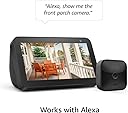

Blink Outdoor (3rd Gen) - wireless, weather-resistant HD security camera, two-year battery life, motion detection, set up in minutes – 2 camera system
Product ID: 224148304
📱customizable motion alerts
🔋2-year battery life
🌧️weather-resistant design
🔒 Secure your space, effortlessly and endlessly.
The Blink Outdoor (3rd Gen) is a wireless, weather-resistant HD security camera system featuring a two-year battery life, 1080p video with infrared night vision, and customizable motion detection alerts. Designed for easy DIY installation, it includes two cameras and a Sync Module 2, integrates with Alexa, and stores footage securely via cloud or local USB storage options.
| Field of view | 110° diagonal |
| Video resolution | Record and view in 1080p HD video during the day and with infrared HD night vision after dark. |
| Photo resolution | View captured images in 640 x 360 nHD |
| Camera frame rate | Up to 30 fps |
| Size | 71 x 71 x 31 mm |
| Weight | 48 grams |
| CPU | Immedia Proprietary – AC1002B, 4 cores / 200 MHz |
| Power | Camera battery: 2 AA 1.5V lithium metal (non-rechargeable) batteries Sync Module 2 power: 100-220V AC to 5V DC converter included. Battery life of up to 2 years, based on 5,882 seconds of live view, 43,200 seconds of motion-activated recording and 4,788 seconds of two-way talk. Battery life will vary based on device settings, use, and environmental factors. |
| Requirements | Always-on high-speed internet connection (such as broadband, fiber, or DSL). Wifi network: 2.4 GHz 802.11b/g/n. |
| Connection | Power adapter |
| Available colors | Black |
| Minimum smartphone requirements | iOS 15.0, Android 9.0, or Fire 9.0 |
| Blink app | Blink Home Monitor |
| Included in the box | Blink Outdoor camera (dependent on quantity selected), Sync Module 2, 2 1.5V non-rechargeable AA lithium metal batteries (per camera), mounting kit (per camera), USB cable, and power adapter. |
| Audio | Speaker output and 2-way audio recording. |
| LEDs | 1 blue LED to help you know when it’s active (optional). 1 red LED when recording in night vision. |
| Warranty and service | 1-year limited warranty and service included. Use of Blink cameras is subject to the terms found here. |
| Support | Click here to view more information on the Blink Outdoor support page. Click here to see the setup guide. |
| Generation | 3rd Generation |
| Operating temperature | -4 to 113° F |
| Software Security Updates | Learn more about software security updates. If you already own a Ring device, visit Software Security Updates in Ring Control Center for information specific to your device. |
Y**B
Never Been Used - Over 3yrs Later!
I bought these camera's back in 2020 and I've never used them! Recently, I decided to get them set up, but the Sync Module 2 just won't connect! I've disabled everything connected to the internet, I have no VPN, I disabled virus protection even uninstalled it, uninstalled/reinstalled the Blink app. I've unplugged and restarted the mod, the router, my phone, tried using 2 other phones, turned mobile data off using WiFi only. Phone, mod and router within inches of each other! Nothing works! I spent all of this money for 5 camera's I can't use because the little module won't connect! I've had them too long to send back. I called Blink for help and after going through everything I'd already done, they decided to send me a new module (very kind of them) and the situation is still the same. I have Cox Gigablast and the router is split 2.4GHZ/5GHZ. There has to be something blocking it. What that it is, I haven't a clue. What should have been a simple process has been anything but that for me! I'm pretty tech savvy! I'm no novice! This should have been child's play! I have 2 laptops using 5GHZ Band so i switched to 2.4GHZ on both of them. No problem connecting or surfing the web or watching videos. If anyone reads this and has a suggestion, I'd surely appreciate it! Well my cameras all work now. I shut down the entire network. Took everything off of it. Factory reset the network then set up split network again. Now the module works as well as the camera's as they should have over 3 years ago. I still don't know exactly what blocked the module. That's useful information. I've never felt so inept. Anyway, that was my work around. I'd get frustrated and come back to it if I was thinking about it which, as you might guess, was once or twice a year. They're not a necessity but are nice as added security. I did get my cameras working. They see everything in day or night. No problem there. The only problem I have is with the me being able to hear someone over the camera using the app. It cuts off frequently. It's nothing to do with enough power nor signal strength. Sometimes it works very well and other times it's just muted. They can hear me but I can't hear them! It is frustrating. I bought the upgraded cameras but I haven't tested them out for this issue.
J**V
Already Caught a Creeper
I got these two cameras and sync module, on sale before Christmas. I do not regret this purchase. For years I debated whether to get a security camera system because I felt it invades people's privacy somewhat. I have blocked out any areas that were invasive onto other people's properties. Setting the privacy zones is fairly easy in the App. The cameras and sync module are easy to set up, and the Blink App is pretty easy to use. Actually, we housed the outdoor cameras inside metal, yes metal receptacles. I used heavy duty clear tape to hold them in place inside the metal receptacles, then the front plate gets screwed on. We then mounted them with metal strips, high enough where we could get good views. I wouldn't say they are completely theft proof as we have them, but better than being able to be popped out of the socket and stolen, as with the mounting hardware they come with. The cameras are unusable if reported stolen. The metal boxes we put them in have not interfered with the wireless signals to my surprise. I did buy a tiny 64 GB usb flash drive to keep in the sync module. It's a little cloudy about the cost of the monthly subscription from Blink. I read some reviews about people having issues with the microphone. So far, ours is working really well - scared a family member, they didn't know where the voice was coming from. That's always fun. I am generally happy with these cameras. So far have had no issues. The placement can be tricky. If you want the best view, you have to try different locations. Caught someone on camera, snooping around the front (in the small-medium city we live in) so these cameras are worth it, in my opinion. I am skeptical of the 2 year battery life, unless maybe the camera settings are set to the absolute minimal so it doesn't use much battery power. Also have used the Blink app while far away from home. Great view even while away.
S**N
Works like a champ, but 2 years on the battery??
I have these at my house and my mom's. So far, they work pretty good. But they're not without issues here and there. Camera off-line is one of them. Battery needs to be replaced and then I replace them and it won't reset itself. When I call Blink I have always been able to figure out what the solution is with them. The fact that they back their product is why I kept buying these. I even bought one as a gift. I have the plug-in ones too. All are still working. I'm not sure how long I've had them but it has been over a year and all are still working. They are easy to set up. I have had some issues with birds either checking themselves out in it or attacking them. I have spikes now on 2 of them because of that. The bird spikes really helped keep the birds away. The gutter camera holders have sort of a cheap closure on it and it can be knocked out by an aggressive bird or a basketball. I think I purchased close to 20 of these already. I had my first one not work and not connect after I didn't change the battery for 3 weeks after it died. There were actually 2 of my cameras that didn't want to connect again. I finally got one to connect with help from Blink. The other one was also 3 years old just wouldn't connect no matter what I tried. Blink offered a $50 coupon and I got 20% off. So, I got a new blink. The Blink 4th generation was on sale so I got that one. It has a bigger field of view than 3rd generation Blink. But I found out that it is deeper than the 3rd generation and won't fit into the protective boxes I bought for Blink 3rd generation.
S**H
Blink out door cameras work but need improvement
I have been having problems with packages disappearing from my front porch. I decided to get a security system. My son installed 2 cameras outside and 2 in the house. I have an entry door downstairs in my den that faces a dark backyard. Now I can see in the den if I hear an outside noise. I ordered 2 more outdoor cameras during the black Friday sale and they will be installed this weekend. What I like about them: I can go to live view and check to see if I have packages. I can also see if someone walks up to my front door from another angle. I like that I can view clips that have been saved. ( I am still on the trial cloud option) My son said it was simple to install. To add a camera he told me just open the back and take the picture and the system adds the new camera. What I don't like about the cameras: It has a delay, in other words, a person can walk up and grab a package and walk away before it alerts me. True I have the clip, but I would like for it to alert me as soon as it detects motion. I have a clip of someone removing a package from my front door, but I was not alerted that this was happening. It's nice that I can speak through the camera, but after the theft has happened it's not useful to them talk. When the mail is delivered, I get a notice but when I check the mailman is already halfway into my yard leaving. My son and I both played with the settings. At first, it was alerting me on motion, but the clip was a few seconds and stopped. My son asked which I prefer, instant notification and useless video or to have slow notification and a longer video clip. I chose the longer clip and that is how I saw someone walk up and take a large package and turn to walk away. This happened after dark so the night vision is not good. I will be buying the cloud package when my trial runs out. From what I am reading, the cameras will not work the same without the cloud. Yes, there is a module you can buy and a storage drive that is not included, To me, it's just easier to have it go to the cloud. I am hoping the settings just need tweaking to alert and record right away. Still, I am glad to have the cameras.
K**J
Clear, customizable, budget friendly
These are awesome. We had a wired security system with a DVR. It was good for a couple of years, but we were never able to connect that system to our wifi, so all of the on-line features were never operational. These are much better in every way. Ease of use. These little cameras, along with their sync module, are so easy to set up and use. Just download the app onto your phone, put batteries in, connect the sync module to your wifi and connect each camera to the sync module. It may take a minute to "find" each camera, but if I can do it anyone can. Even mounting them is easy. All you need is an impact or drill with a Phillips head bit, and screws that are long enough. I mounted two on trees in the front yard with ease, and bought another type of mount that is wound around the back of my mailbox post. Clarity. This system offer a much clearer picture than the wired system and with amazing motion detection. It even picks up a small dark gray cat using night vision and motion detection. That's amazing because I have a hard time detecting the cat at night. It blends in with the grass. Zooming in does not really help because it makes nothing clearer. I suppose that has something to do with the pixels, but that's above my pay grade. Placement. You are only limited by two things: the signal strength of your wifi, and where you can reach. No wires or heavy cameras to handle while climbing a ladder. I have one of these at least 100 feet from the sync module and it's never offered to not work. Value. Pair the cost of the system and the yearly fee of $100 ($109 including tax) and it's hard to beat, plus Amazon give a 10% discount on Blink products with the package. And the yearly fee for the package is not maditory. I chose to go with it because I am 150 miles away from the location where I have these and it just made more sense to be able to see and hear whatever is going on at any time. One downfall. The only downfall I have found has to do with the audio. Do not expect to be able to communicate clearly with anyone through this system. First, there is a lag between letting off the microphone and when the other person's voice can be detected. It results in a lot of talking over each other and missing the first few words of the other person. Helpful functions. You can easily set up and turn off and on notifications, recording schedules, motion detection and it's sensitivity, quality and length of recordings and night vision, and you can block out certain areas of the view so repetitive & expected movement (like traffic on a busy road) can be ignored. I am extremely happy with the Blink system and products and I will recommend them to anyone who is interested in keeping their family and/or property safe. Especially those who want to protect their budget.
R**I
Had to change my review... Blink made right by me!
UPDATE: Initially I gave this product a single star, and my initial review is below, but BLINK contacted me and made things right! Blink customer service tried very hard to get my cameras to work, and spent time working through each potential issue, including the possibility that the cameras were defective. They sent new cameras and that didn't work. Eventually we figured out that for some reason there is a dead spot in my WiFi and moving my cameras 6" lower than where I initially mounted them fixed the issues. Now my cameras connect and the motion detection works brilliantly. The night vision is good enough to see who is at my door. I can now check in on my home when ever I need to. BLINK is a good company and my experience with customer service was amazing! Thank you Mr. Weiss. Initial review: When this system works, it is amazing and surpasses my expectations. Problem is, it's not consistent. My front door camera (the most important one of the two) worked great for a day or two but since about 6pm yesterday has failed live views, and not recorded any of the activities in it's range. In-fact 16 hours later, I'm still not able to live view nor get any motion detection. It did notify me that the temperature rose above 40°, thanks camera! What good is a security camera that doesn't work when you need it too? I'm waiting to see if customer service is any help, will update as appropriate. I really want to live this but..... On a side note, the blink mini works great and has good night vision, love that little camera. To bad it's indoor only!
C**S
Will not detect the best wifi signal (REVIEW UPDATE)
REVIEW UPDATE We recently lost our internet connection due to updates our ISP had to make. What we didn't know is that Blink cameras are solely dependent on an Internet connection (not just a wifi connection) even if you don't have a subscription or just have the trial. None of the outdoor cameras will remain active when you lose Internet connectivity. My wrongful assumption was that ONLY your local area network was needed since it relies on a wifi signal. Nope. That is wrong. The Sync Modules will flash the green LED and no camera will work. Great job Blink/Amazon for putting customers at risk to thieves and other criminals. We have 4 of the outdoor cameras on two separate Sync2 Modules due to the distance from the main router. We have an extender (set as a repeater) which handles the furthest cameras. As I said I never considered these would go offline if the Internet connection went down. I figured if my LAN went down then it would make total sense the cameras would go offline, yet I was foolish in my thinking. Again this is shameful of Blink/Amazon to have this even as a feature. I get that you need an account to pay for the service, but why in the world would these be designed to FAIL if your Internet connection goes down? It is not only misleading to consumers to not EXPLICITLY state that these cameras will fail to operate without an Internet connection. This IS one of the WORST investments my family ever made in a product. Would have been better to purchase a CCTV camera system and just hardwired everything on the network. For what we've now paid for 4 cameras + the sales tax we could have gotten a 4 camera CCTV setup instead from a local box store. As I have said in my original review, the cameras do work, and will suffice. Keep in mind that an Internet connection is REQUIRED and not just your local area network connection. I had to lower my rating to just one star because nothing is lower than that on Amazon's site. I'd give this camera system negative stars it it were possible just based on our experience over the past few months. Also I think I was far too generous with parts of my original review, but experience will change your mind when the experience becomes bad. I no will longer recommend ANY of the Blink cameras. Until they are no longer dependent on an Internet connection and will fully function on just your local networks wifi signal. I will be researching a true CCTV camera system to replace the Blink cameras. If I could get a refund I'd do it in a heartbeat, but that window has closed. The price of this education is high! --------- Original review Recently purchased the Blink Outdoor 2 Camera system, and it's a very hit or miss system. I have several things to say about the security cameras and the Blink app that goes with it. The base: The friction fit mounting bases are not easy to snap into place. I had to use a long and think flat headed screw driver to aid in connecting it. Also I worried about crushing the sensor on the camera because of how much force it takes and where my hands are pressing on the camera itself (holding from the edges while mounting under a roof eave is moderately annoying). Once it is finally snapped to the base it moves freely and the camera stays in place. The Sync 2 Module This is the brains of the system. Each module controls up to 10 cameras and utilizes your 2.4GHz Wifi connection. Now I mistakenly assumed that my 2 camera system didn't include the Sync 2 Module (I didn't notices a "what's in the box" on Blinks Amazon page. So I ended up buying one which was a waste of money considering it's included. The setup takes a while after you power it on you'll need the app to discover the device. Initially the blue LED flashes and the green LED is steady. Once it is discovered then then both LEDs are steady. The app (Android) At first the app to control this camera system seems simple, but there are some annoyances I've discovered. The system will NOT discover the best WiFi connection on your network. I have an detached garage with the camera approximately 75 feet from the Sync 2 Module, and my router is close to 10 feet from the Sync 2 Module. So I picked up a WiFi extender and set it as a Repeater (firewall, DNS, DHCP etc. is controlled by my primary router) in order for the signal strength to be at a maximum. It is recommended that you use the existing WiFi names (SSIDs) on your network (for 2.4GHz only) and append _EXT so Blink can see it if using a Wifi extender. Also keep your password keys for your wifi extender the exact same that are on your main wifi router. Now in theory (and based on Blink's own guidelines) the system should pick the best Wifi signal based on your setup. Well it doesn't, and there is NO option in the Blink app for me to place my garage camera on the extender Wifi (again it's on the same network as all my devices are) while keeping the door camera on the primary router (same network once again). This is not about changing networks, this is about discovering the extender on my main network (which I repeat Blink claims it will chose the best signal automatically). Yes I could add the second Sync 2 Module in the garage, but then I'd have to create a second system for the garage camera. Not entirely what you should have to do. Batteries: These cameras require the more expensive Lithium AAs you do get the batteries with the cameras (mine were Energizer Lithium AAs. The cameras are equipped with a USB B mini connection which you can use to connect to a powered USB source as to not run off batteries. In my case I picked up a motion detector LED flood light that offers a USB connection (this unit https://www.amazon.com/gp/product/B08F9CNPVW). I would remove the batteries from the cameras because I do not know if connected will it try to charge the batteries (these are NON chargeable lithium batteries) or it will it bypass the batteries? I would err on the side of caution and remove them. Local Storage (USB thumb drive) vs Blink Subscriptions This is an Amazon product and you'd think that the Blink camera systems would provide free service to Amazon Prime members. Nope. You are nickled and dimed on a per camera basis at $6 monthly, and it's $100 annually (if I read it right) for one full system). Again why is this NOT part of Prime Membership? So to avoid saving to the cloud I bought a 256GB thumb drive to insert into the Sync 2 Module. What I have discovered is ONLY clips are saved locally. You are NOT able to save live recordings to the local storage. Really? Why? What's the point of only having the clips (maxed at 60 seconds) on a local drive? To me this is a rip off and not mentioned anywhere in the product details. Yes you do get a "free" trial which unlocks all features. If you; however, cancel that trial early or let it expire without buying a subscription than certain features are locked. So again you pay a lot for the camera system and you are locked out of many features IF you don't buy their subscription to the cloud. Talk about ripping folks off. Sure you can look at live feeds, but you can't same them locally. You can take a snapshot from the cameras, but it will NOT take a photo every hour UNLESS you BUY a Blink subscription. Again this all goes back to Blink subscriptions. Tell me what's the point of local storage if all you can save are clips? Loading issues with clips and thumbnails. So I've run into issues where loading a clip from the connected USB drive fails to load 95% of the time. Again these are short clips and should pull faster than from the Cloud. Nope. Thumbnails are hit or miss. These are generated when you press the camera icon on the home screen of the app. I call them snaps, but I've noticed if I am sitting near the Sync 2 Module it can still fail. Full wifi bars too and it still fails. Alexa: It is claimed by Blink that the newest generation of their cameras will work with Alexa. I used the app from my phone, but she can't do anything with the cameras (even when trained to use them). In this case you may have to buy an Alexa enabled device (like Show). You technically don't need one they are NOT required for these cameras, but the Alexa app alone on a smartphone is limited. Finally the recommend having minimum Internet speeds of 2Mb up and down for these cameras, but I believe that is ONLY if you are saving and storing to the cloud along with accessing from the cloud. Locally your access to the Blink cameras will depend on your network speeds along with wifi. The more stuff you have connected the slower it can be. Conclusion. The Blink Camera System isn't terrible, and they are affordable. There are quirks as I mentioned and annoyances I have dealt with. These are not high end systems but on a tight budget you can get a good start.
C**S
I've been using Blink cameras for about 3 years, and can't live without them now.
I have a total of six Blink outdoor cameras. One of them is the XT2 model, and the other five are the 3rd generation that this review is posted on. I also have four of the optional Blink floodlights hooked up to my cameras. I also use two of the 15-inch Alexa displays to view all of my cameras with my voice. I used to have the other eight-inch and five-inch Alexa displays that I've used with them as well. I can also view them on my Amazon FireTV Sticks, but I rarely use that function. All of the ways to view the cameras work really great, and the cameras rarely ever give me any trouble. If one does give me trouble, I will just leave it alone for a little while, and it usually just kind of works itself out. The value is great, because the monthly cost to monitor your home is a lot these days. The Blink cameras seems to me to be a more economical option because there are no monthly monitoring fees because I use an optional flash drive. I loved my Blink cameras even before they came out with the optional floodlight, but when I started adding them to my cameras, they just took on new life. It made my cameras dual-purpose. I also can't wait to order my first 4th generation camera and try it out. I also recommend a bigger display to view your cameras with. Over the years I kept upgrading my Alexa displays to larger and larger displays. And, each time I moved up in size it seemed that I enjoyed my cameras more and more. I happily give them 5 stars. I would recommend Blink cameras to anyone. I have been extremely pleased with mine, and I think you'll be pleased with yours as well. The photo attached to this review is at night with the optional floodlight on and the night vision off. I also have the image quality on the medium setting. Thank You for reading my review, and have a great day.
Trustpilot
2 months ago
1 month ago