We remain fully operational. Our teams are working around the clock to ensure your deliveries continue safely.

DOWNLOAD THE APP


Customer Services
Copyright © 2025 Desertcart Holdings Limited
DOWNLOAD THE APP

🚀 Upgrade your workflow with Windows 7 Home Premium — speed, security, and style in one sleek package!
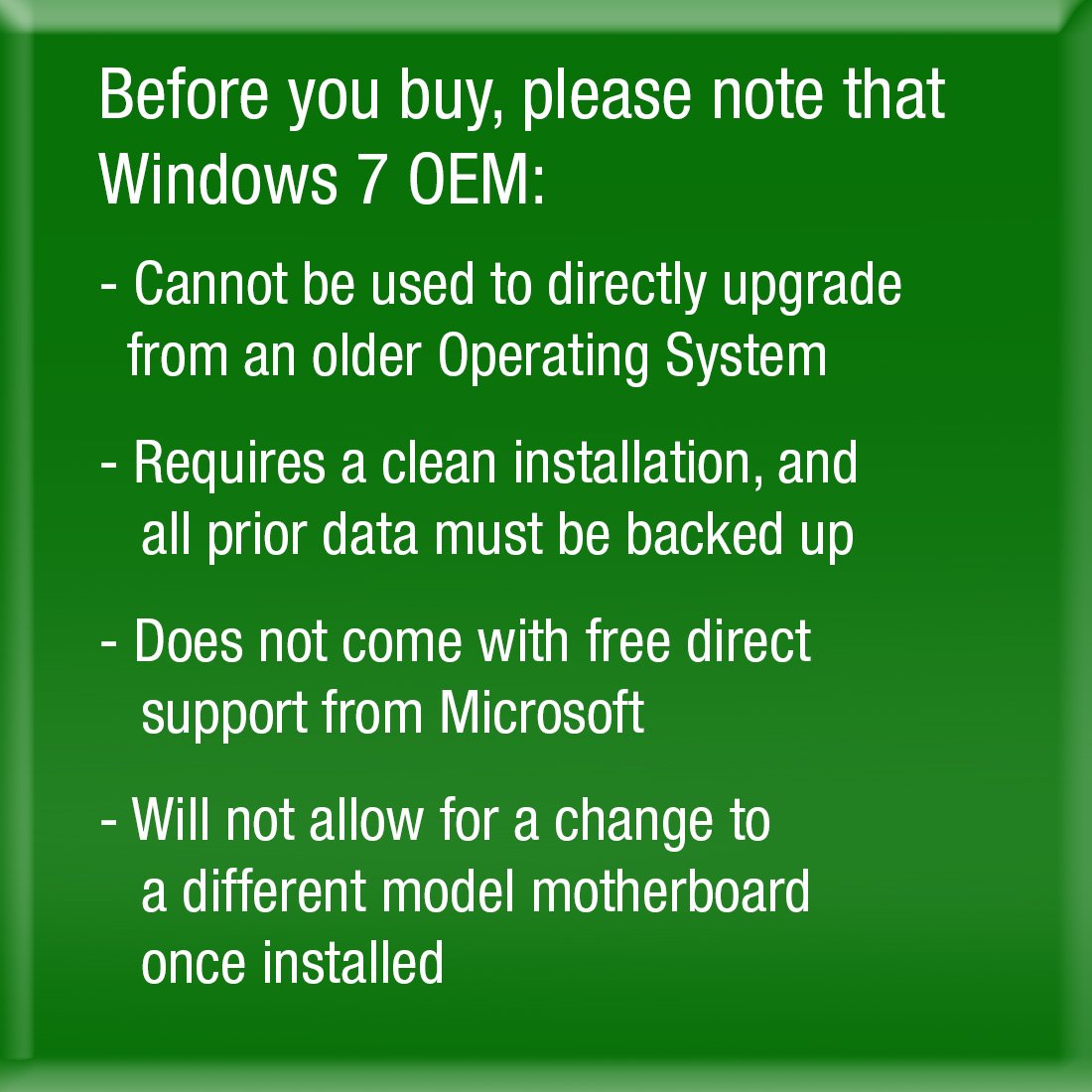
Microsoft Windows 7 Home Premium SP1 64bit OEM DVD offers a robust, 64-bit operating system designed for fast startup and smooth multitasking. This OEM version includes a unique 25-digit product key for secure activation and comes in eco-friendly, frustration-free packaging. While it requires a clean install and lacks direct Microsoft support, it provides a reliable foundation with eligibility for a free Windows 10 upgrade, making it a smart choice for professionals seeking performance and future-proofing.
| ASIN | B00H09BB16 |
| Customer Reviews | 4.4 4.4 out of 5 stars (2,772) |
| Date First Available | May 18, 2012 |
| Is Discontinued By Manufacturer | No |
| Item model number | GFC-02733 |
| Language | English |
| Manufacturer | Microsoft |
| Product Dimensions | 1 x 1 x 1 inches; 1.6 ounces |
W**Z
Quality Gaming PC!
Finally finished piecing together my new PC and gave it some time to test it out. Most of my decision making was the result of reviews from here (Amazon) and forums on tomshardware.com. -NZXT Guardian 921 RB ATX Mid Tower Case, Black 921RB-001-BL -Intel Core i5-3570K -Windows 7 Home Premium 64bit -EVGA GeForce GTX760 SuperClocked w/ACX Cooler (02G-P4-2765-KR) -Corsair Vengeance Blue 8GB (2x4 GB) (CMZ8GX3M2A1600C9B) -Gigabyte Intel Z77 LGA 1155 (GA-Z77X-UD3H) -OCZ Technology Fatal1ty 750W (OCZ-FTY750W) -Intel RTS2011LC Liquid-Cooling Kit -Samsung 840 SSD 500GB (MZ-7TD500BW) -D-Link AirPlus DWL-G520 Wireless PCI Adapter(rev.B) Boot up is less than 10 seconds from power button to login. At resolution 1920x1200 with most settings on high (using NVidia GeForce Experience recommendations) gameplay is smooth and pretty with Assassins Creed IV, League of Legends, Rage, Path of Exile, Diablo 3, StarCraft 2, & Heroes of the Storm. All the fans are not loud at all and go unnoticed with the box under my desk. The lights look awesome from the fans, psu, & Intel CPU cooler. The case has 3 thermometers labeled for CPU, HDD, and SYS. They make for a nice LED display on the front but placing them in the case is a little tricky. I use HWMonitor to watch temps and so far nothing has gone over 55 Celcius. Gigabyte has some proprietary software w/ their motherboard. I have attempted the auto overclocking program labeled EasyTune but have not had much luck with it. Ended up keeping CPU at it's original 3.4 GHz since there isn't really a need to push it more than that currently. In the future I may try manually overclocking in the BIOS. The BIOS is extremely easy to navigate and has a plethora of configuration options and adjustable parameters. Overall, system works flawlessly and is everything I wanted with the potential for easy upgrading in the future. Hope this helps if anyone is shopping around and doing some research.
P**1
Fantastic Upgrade from Vista......
......but you already knew that. I loaded this Windows 7 version onto a Corsair 90 GB SSD in an almost 5 year old HP DV7-1200US laptop. It runs very well, restarting (from clicking restart to being back at the desktop) in 60 seconds and booting from a completely powered down state to the desktop in about 40 (although I can't necessarily say how much of that speed is due the the SSD and how much is due to the OS itself). Regardless, I've been very pleased with its performance, in terms of both speed and smoothness of operation. Menus load almost instantaneously and programs run without the frequent hitches and hiccups of Vista. I cannot speak of nor recommend this OS highly enough. Another reviewer (user EvilOzzness who posted on the "Old Standard Packing" edition of this page for this version) seems to believe that since this is the OEM version of Win 7, once you install it onto a computer, you can never change any hardware components of the computer without breaking/locking the OS. He cites an excerpt from the EULA provided by Microsoft for OEM or "System Builder" versions of Win 7 as well as personal experience trying to replace a broken HDD as his reasoning. However, reassured by the advice of friends and other reviewers, I installed my copy and then added both a new 500 GB Western Digital HDD and 2x4GB of Samsung DDR2 RAM to my rig. This didn't seem to cause any problems. The new hardware installs occurred after official Windows activation of the OS and I never had any issues with it booting or running on any level. The review I'm referencing was written in late 2011, so maybe Microsoft altered that section of the EULA since then, or maybe EvilOzzness just interpreted the text incorrectly and his plight was due to some other unseen issue. So, if you were afraid this might happen to you, don't be (unless you need to change motherboards - OEM software should lock to motherboards, but only motherboards, not other hardware). In my experience, the fear is unwarranted.
G**E
Turned an old XP computer into a new one!
With Microsoft ending its support of XP on April 8th, I knew I had to do something about one of our older Dell computers that's been running XP for the last -- wow maybe 8 years? A little voice told me I should just spend $400 on a new computer instead of $100 on a new OS but the old computer works fine and was pretty fast on XP, and the Windows Upgrade Advisor (free download, google it) told me that the unit would have no problems with Windows 7. So I copied all of my picture and document files off of the computer onto an external hard drive and booted this DVD. It only took about 10 minutes to install Windows 7 and yes, the hardest part is reading the micro type on the password key to unlock the copy of Windows. I took a picture with my iPhone and then zoomed in to read the numbers but even with that one number was VERY hard to read. After activation I spent the next hour or so configuring the computer, and I used Windows Easy Transfer (another free program from Microsoft) to move all the files over. Windows 7 is a great OS -- I didn't want to mess around with Windows 8.1 .... this disk is only usable on ONE computer and once you use the key there, it is forever locked to that computer's motherboard, so don't think you can install this on all the computers in your house. For me this was easier than going through the hassle of ordering a new computer but I might regret that decision down the road since I just dropped $100 onto a pretty old computer.... but for now I'm very happy with how Windows 7 is performing and how easy it was to install on my old computer.
C**N
Cumplió en su día con la misión que tenia cuando lo adquirí. ¡Es un buen producto!
M**O
Super alles wie beschrieben Key klappte sofort und für Leute die Hilfe brauchen um Windows zu installieren gibt es dazu eine präzise Anleitung
R**F
Not much to say. The product is exactly what it says. A genuine copy of Windows 7 home edition premium. Very simple and easy to use. Being an OEM copy this means that you don't get the CD on a pretty box, also you don't get an instruction manual but 1) you really don't need one, and 2) just write "windows 7 manual pdf" on Google and you'r done. Another (irrelevant) problem of buying an OEM copy is that you don't have access to the free support services from Microsoft. Finally, as OEM, this software will be tied to the computer of its first install. In other words, this mean that you can change all the hardware on your PC except for the motherboard. Once you change your motherboard you wont be able to reinstall. Some say that if you make a phone call to Microsoft, on some cases, they'll give you a new key but keep in mind that might not happen. But keep in mind also that, as we stand now, buy buying an OEM copy you will be saving around 100£+. So, basically, even if anything goes horribly wrong with your PC, you can buy yourself another OEM copy and still save money. Unless you are completely unfamiliar with PCs, I advise you 100% on getting one OEM copy of windows. The install is pretty straight forward and you have YouTube videos (and the whole internet) that will clarify most of your doubts batter than any support line. As for the product it self. In my opinion, Win7 is the best system since Windows XP. So go for it.
P**R
Habe Microsoft Windows 7 Home Premium bestellt und nach einem Tag erhalten. Software installiert und key eingegeben, Windows läuft problemlos. Bin total zufrieden!
J**V
I've been using Vista 64 since it came out. While it had some problems, none where as bad as those we had with XP on release. Since then, Vista has become more stable and faster at start-up and shut-down. In fact, in the last 3 years, I've only had 2 crashes. Both caused by software, rather than OS, problems. Win 7, contrary to most opinion, isn't faster at starting up than Vista. It just gets to the desktop quicker. I need a network monitor running before I can start working, and that takes almost the same time to start as vista (both from cold start.) Unfortunately, there are now several pieces of software that I have that "need" Win 7. So I had to update. With the exception of the graphics card driver (I generally beta test graphics drivers) this was fairly painless. No new install, just a straight upgrade option. Install the latest graphics driver (the beta had problems) and everything was fine. Except the network drivers, which were fine up until the reboot. I had to use my wife's pc to download the drivers from the website, installed them on mine and they were soon up and running too. I have to admit that I had exactly the same problem with Vista. Any way, in the short time I've been running the system, I've had no blue screens, a couple of random crashes but I was expecting something like this. Bug fixing is always something to expect. There is one nice thing: I'm getting higher frame rates on some games, and higher through put on my network. Should you upgrade? If all your current software works on Vista, then I'd stick with it. If, like me, you need to use software that's only available for Win 7 and 8, then get this. Anything is better than the glorified phone OS that's Win 8.
Trustpilot
3 weeks ago
3 weeks ago