


🚀 Upgrade Your PC’s WiFi Game to Ultra-Speed & Zero Lag!
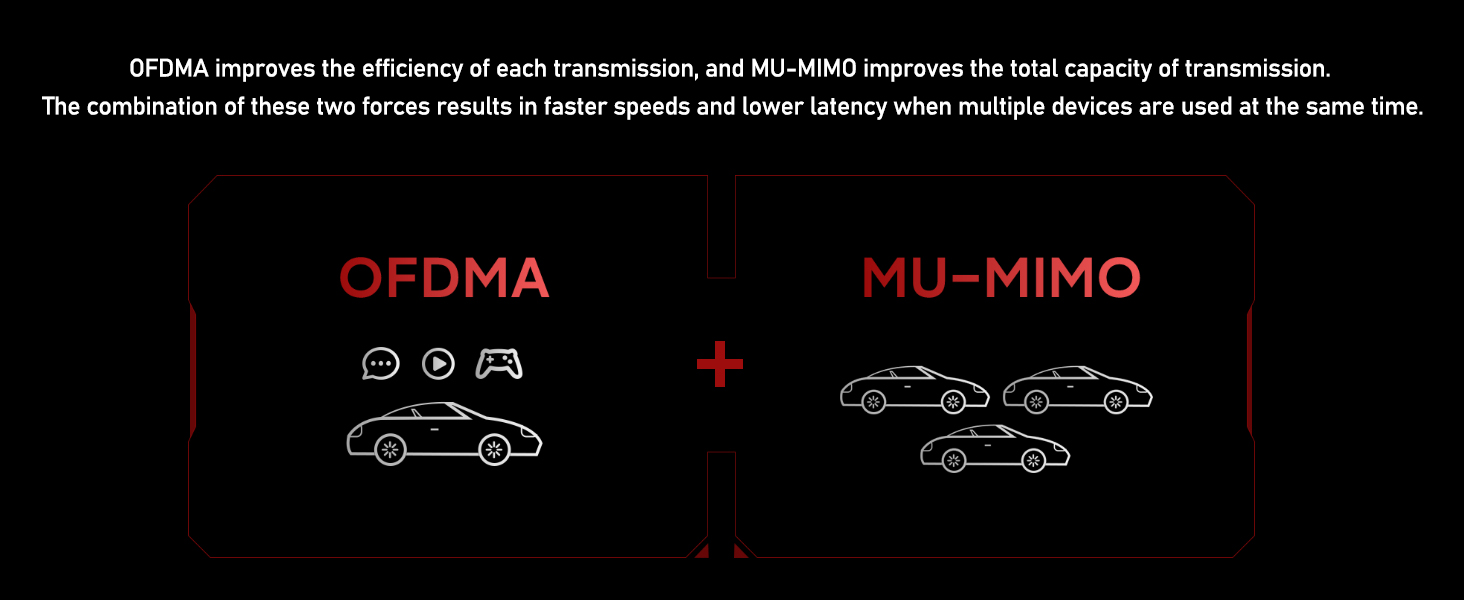
The Ubit WiFi Card 6E delivers tri-band WiFi 6E speeds up to 5400Mbps across 2.4GHz, 5GHz, and the new 6GHz spectrum, dramatically reducing congestion and boosting bandwidth. Featuring Intel’s AX210 chipset, OFDMA for ultra-low latency, and Bluetooth 5.2 for enhanced device connectivity, this PCIe card is optimized for Windows 10/11 (64-bit). Ideal for gamers, streamers, and professionals craving seamless, high-speed wireless performance with easy installation and premium build quality.



| ASIN | B07XM6XZ1F |
| Best Sellers Rank | #32 in Internal Computer Networking Cards |
| Customer Reviews | 4.5 4.5 out of 5 stars (12,196) |
| Date First Available | September 16, 2019 |
| Item Weight | 1.55 ounces |
| Item model number | AX200 |
| Manufacturer | Ubit |
| Package Dimensions | 7.4 x 4.96 x 1.18 inches |
A**E
Ubit? Ubetcha!
I can't give this thing enough compliments. This wifi adapter saved my PC from being locked forever to 2.4Ghz, due to my built-in wifi card's 5Ghz failing this year. The Ubit 6E wifi card uses the Intel AX210 Chipset, which is standard across the board for WiFi 6E adapters, so know going in you are getting the best of the best chip. The rest of the card is built well, and have a premium look to it, thanks to the generously sized heatsink built on top of the intel chip. Also included in the card is a bluetooth 5.2 transmitter, which is a generous and great addition I didn't think I needed at first. The bluetooth portion does require an open USB 2.0 9Pin header, however, so know that going in. But if you don't need the bluetooth part, the wifi portion works just fine off the PCI-E connection. The wifi radio symbol on the card itself lights up red, which is a fun addition. The 2 antenna's that attach to the card feel very premium, and actually do leagues better than a separate antenna I bought last year that was meant for longer reach. Installation of the Wi-Fi and Bluetooth drivers was easy. There is a disk included with drivers, however I would recommend you just download the updated intel AX210 drivers from the internet right away. If you can't, then install off the disk first. Then run a windows update, and it should automatically grab the current drivers. If not, after Windows checks for updates, see if there is an "Optional Updates" button underneath the option to check for Windows Updates. There you should find the Wi-Fi and Bluetooth drivers that you can select. And the best part about all of this is the price. This is a literal steal at this price, considering just buying the intel AX210 chip outright costs about the same. This card is a no brainer. The screenshot of my speed is on 5Ghz, and I'm about 3 rooms (and across the house) over from my router. I get full strength signal as well, according to Windows. Something to note about the Bluetooth module. Like previously mentioned, it needs a free USB 2.0 9pin header to use. From my own experience, it will not work if you attached a splitter for the USB 2.0 9pin header. There isn't enough power when that header is split, so you'll get constant connect/disconnects on the Bluetooth. If you need a splitter, try and get a POWERED splitter. They aren't common (or cheap) but they do exist.
T**J
The best wifi ever
Short story: Words can't describe how happy I am with this product. It was super easy to install, has been reliable from the go, and insane results. Long story: I decided to do my first PC build. It is an AMD build, so, yes this card works with AMD. Well I didn't realize that wifi was a stand alone thing. I just took wifi for granted and thought it would work somehow. Yeah kind of dumb in hindsight. Well I couldn't get an ethernet to run all the way to the office so I went to best buy for their only solution. A wifi extender with ethernet slot. Well that doesn't work because the extender changes the IP address. So for 4 days I am trying to get the my computer to recognize the ethernet (it wouldn't). It was super frustrating. So it had been a week since I started my build and I haven't even got to use it on the internet. This wifi card finally comes in the mail and it is super easy to install. Plug in the bluetooth to usb wire, remove the PCIE mount, plug it in, screw it in and close her up. At first my computer didn't recognize it. I opened up the device manager and saw two "other devices" with little exclamation points. I figured this was just a driver issue and it was. Included CD into laptop, drivers onto usb drive, drive into computer. Got those drivers installed on new build and voila, perfect internet connection. I say perfect because it is the fastest I have experienced. I pay for spectrum's lowest plan which they say is 60mbs but I usually get like 20mbs on all my other devices. So to see over 100mbs was real exciting. And now I am having fun just opening random pages because it is so fast. Serious props to ubit. One consideration for others. The bluetooth to usb is a little short. Definitely workable for most builds but if you have an open slot on the opposite side of your motherboard you may need a longer wire for this or to reroute another device. I wont down star for this because I did not run into any problems myself.
F**N
Eingebaut, Angeschlossen, Treiber installiert, Läuft! Der Versand ging zügig und sie läuft ohne Probleme. Verbindungsabbrüche habe ich in der Zeit die ich sie jetzt Verwende auch noch keine gehabt. Kann man definitiv mit zufrieden sein
A**A
Parfait
L**I
Parfait , mis en place facilement et fonctionne parfaitement … parfait
A**I
Ho installato la scheda sul mio PC desktop e sono rimasto davvero soddisfatto. L’installazione è stata semplice e veloce, senza problemi di compatibilità, e il driver si è configurato automaticamente, garantendo l'accesso anche durante l'installazione di windows, il che è comodissimo. La connessione Wi-Fi è stabile e veloce. Anche la portata del segnale è buona, senza perdite significative anche in stanze più lontane dal router. Un adattatore affidabile, performante e dal buon rapporto qualità/prezzo, ideale per chi vuole aggiornare il PC senza sostituire la scheda madre.
C**N
The guide was easy to follow, make sure to optimize the connection speed in your Device Manager once the card and the drivers are installed. Works well so far (30 min in ;) )
Trustpilot
3 weeks ago
2 months ago



