We remain fully operational. Our teams are working around the clock to ensure your deliveries continue safely.

DOWNLOAD THE APP


Customer Services
Copyright © 2025 Desertcart Holdings Limited
DOWNLOAD THE APP

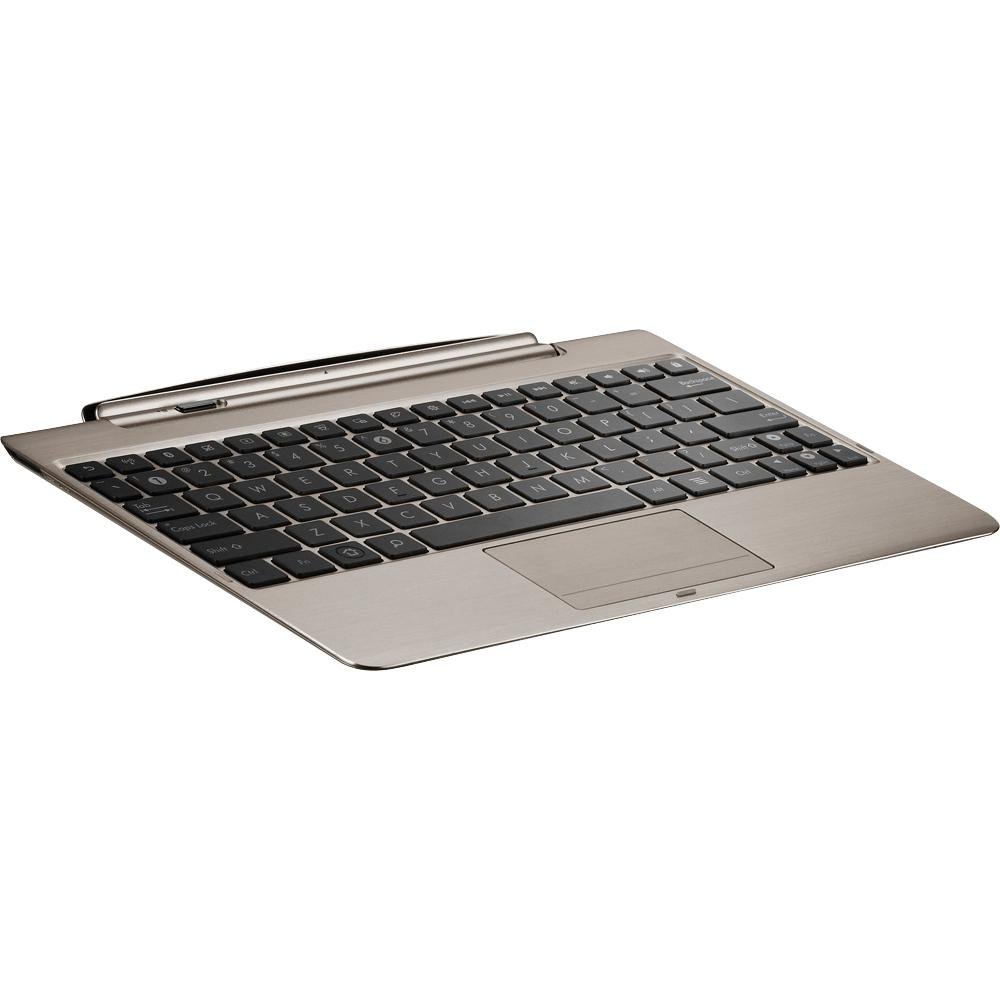
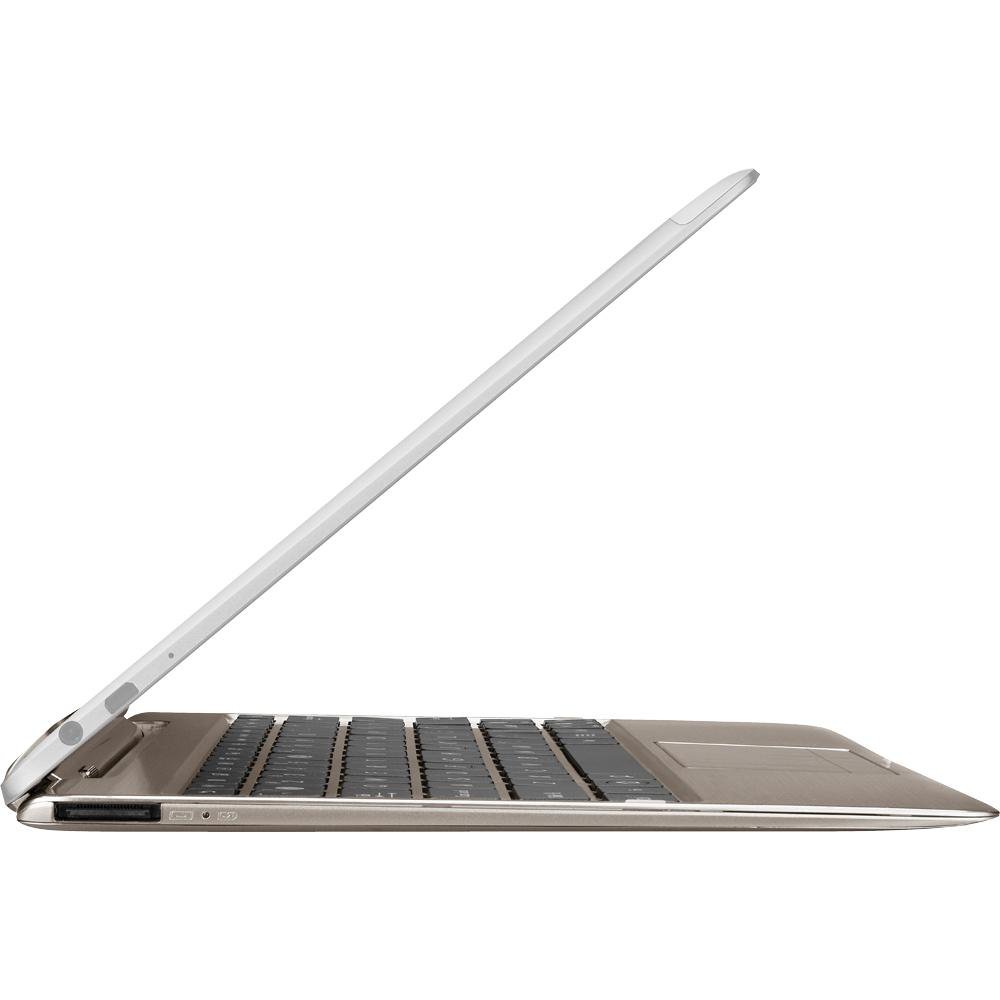
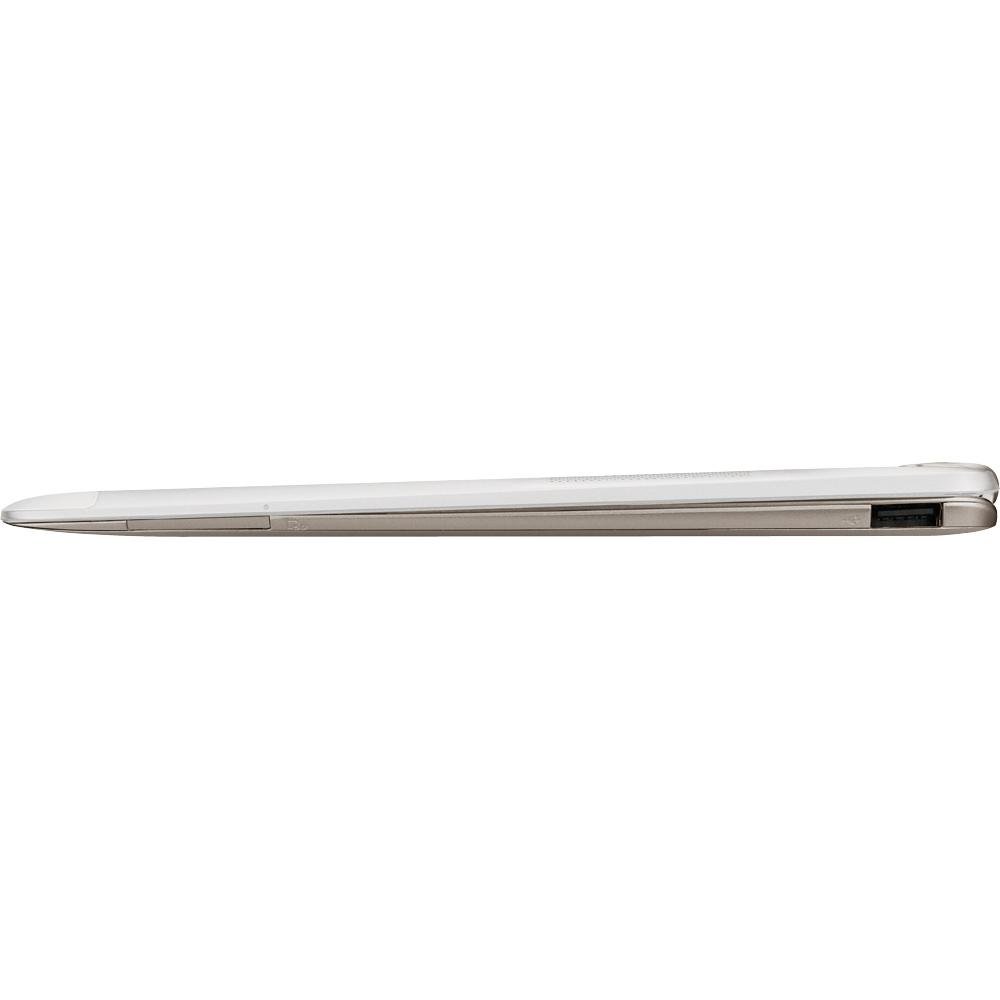
⌨️🔋 Power, style, and productivity—docked and unstoppable!
The ASUS Transformer Infinity TF700T Mobile Docking Station in Champagne extends your tablet’s battery life by 4.5 hours, features a fully functional keyboard with multi-touchpad, and offers versatile connectivity through a USB 2.0 port and SD card reader. Designed exclusively for the TF700 and TF201 series, it combines sleek aesthetics with practical enhancements to keep professionals productive and stylish on the move.
| Standing screen display size | 10.1 Inches |
| Wireless Type | 802.11bgn |
| Number of USB 2.0 Ports | 1 |
| Average Battery Life (in hours) | 4.5 Hours |
| Brand | ASUS |
| Item model number | TF700T-DOCK-CG |
| Item Weight | 1.19 pounds |
| Product Dimensions | 10.35 x 0.31 x 7.12 inches |
| Item Dimensions LxWxH | 10.35 x 0.31 x 7.12 inches |
| Color | Champagne |
| Batteries | 1 Lithium Ion batteries required. (included) |
| Manufacturer | ASUS |
| ASIN | B008FH1R0M |
| Is Discontinued By Manufacturer | No |
| Date First Available | July 2, 2012 |
S**D
New TF700T keyboard dock exceeds my expectations.
First off, I just wanted to clear up the confusion. There are a lot of people giving negative feedback on this device thinking they got an older TF201 (Transformer Prime) keyboard dock that was simply repackaged as a TF700T (Transformer Infinity) keyboard dock. That's understandable. Even I was confused by the writing on the box which has "TF201 dock" in the title in various places.But here's the deal: According to ASUS, these are in fact newly designed TF700T keyboard docks. So long as the P/N says "TF700T-DOCK-GR", it definitely is a TF700T Infinity dock. No question about it. And yes, it is definitely different from the TF201 dock.How does it differ with the original TF201 dock? According to everything ASUS has written, the answer is that the new TF700T dock 1) has better weight distribution to prevent tipping over, 2) has a slightly smaller battery with slightly less charge, and 3) costs up to $50 more (but I see they're lowering the prices on these as I type this).I've exhaustively gone through the XDA forums on this, and people are saying that the Infinity tablet does in fact work with the old TF201 keyboard dock, but that some people were complaining that it wasn't a perfect fit, and some were actually saying that it was scratching the metal case or maybe even slightly chipping the edge of the glass. Others said that their TF201 dock was fine.So, based on the possibility that the original TF201 dock might not fit as well as the new TF700T dock, and based on the fact that the TF700T dock should have better weighting to prevent it from tipping over more often, I decided to purchase this new TF700T dock instead of the old dock for my new Infinity tablet.Yes, it's up to $50 more. And you do get about 10-15% less battery life from the new dock. But, I still think it's probably the better combination to use with the new Infinity tablet.Here's what I suggest doing if you want to know for sure. I've actually not done this yet. You may want to just bring your Infinity tablet to Best Buy and try inserting it into an original TF201 Prime keyboard dock. Compare it with the new Infinity dock if they also have it on display there. See if there are any noticeable differences in fit and weight distribution. If not, then go ahead and buy the original TF201 Prime dock instead, because it has slightly more battery life.Now, as for the keyboard's feel and function... I have to say, this keyboard feels wonderful, despite the fact that it's so small. I expected it would be terrible. But that's just not the case. It is so easy to type on. The keys themselves provide a good amount of tactile feedback. I can very easily bang out emails and type in web page addresses. I type at over 80 words per minute, and it keeps up just fine. I can't say enough good things about it. It's a much better experience than using an on-screen keyboard, let me tell you.There are just a few nitpicky things I'll say about it. First, I noticed the right-shift key was smaller than what I'm used to, and I had to adjust my typing style slightly to accommodate that. Second, there is no "DELETE" (rub-out) key. There's a "Backspace" key, of course. I later found out that you can do a DELETE by pressing shift-backspace. No big deal there. And lastly, it is a smaller keyboard than your desktop keyboard. But in my case, it seemed pretty easy to adjust to it. I find myself looking down at it every now and then to make sure I'm on target, but usually I can just type away without looking at what I'm doing on it.EDIT: One other key that appears to be missing that I would really like to have is the ESCAPE key. Most people probably have little use for that key, but it is a requirement if you use certain editors like VIM which we unix geeks like (but note: the "Vi Improved Touch" app remaps the Android return key to ESCAPE for you, so you're fine). It can also come in handy if you're using the web browser and want to escape out of full screen mode or something. Or if you're using your tablet as a way to remotely control your PC desktop. Usually there's some work-around like bringing up the virtual keyboard instead, but having a dedicated ESCAPE key on the dock would be a lot better. There are some online docs on how to remap the Caps Lock key to become the ESCAPE key, but it appears you need to have root access to achieve this. I'm not sure if there's any other way to achieve it at this moment. Not a big deal, but I did want to mention it.EDIT 2: Someone in the comments section noted that you can always just press CTRL-[, and it's the same as ESCAPE. So you actually don't need a dedicated ESCAPE key. Very useful tidbit of information! (Thanks, Jordan!)As for the positives, there are a lot more than negatives. For starters, those Android keys at the very top-most row are a welcome addition. You can easily toggle wifi on and off, as well as bluetooth, to allow you to get better battery life on the road. There's the volume control keys to raise/lower/mute volume. There's the screen brightness raise/lower keys. The standard Android "return" key is on the top-left, very easy to use. I probably use that key the most. There's also the screen lock button on the top-right, which I use second most frequently. There's also a button to toggle the keyboard's trackpad on/off, which is very welcome as it prevents accidental mouse pointer control and clicking while you're trying to type something.Another thing that's nice about it is how well the Infinity tablet actually fits into the dock. It fits very snugly and doesn't wobble at all while it's in there.I mention fit, because I've heard others online complaining that their Infinity tablet didn't fit as snugly into the original TF201 Prime dock (not this Infinity dock). Some actually bought some little pieces of rubber with sticky adhesive on the backs to stick into the dock interface to make it was a perfect fit. I'm not sure if it really hurts not having a perfect fit, but I guess some people worry about it. Mind you, a lot of people with original Prime docks are reporting that theirs fit just fine, so I don't know what to make of that.Anyway just to reiterate, this new TF700T dock does not have this problem. The fit is very snug. It's snug while completely closed and open. The whole unit just feels very solid.As for the weight balance and the risk of having it tip over... This was a worry of mine, because I heard some reviewers actually broke theirs because they opened them all the way, and they left it on the edge of a table or something. Then someone comes along and accidentally brushes up against it, and down it goes. Not smart.My experience is that the weight balance is fine. I don't think it will tip over very easily up to about 120 degrees. Past that, yes, it's definitely unstable. But actually, that's as far as you can physically open it anyway. So long as you're on an even surface, no problem. But if you're like me, you might want to sit down and use it on your lap. That's where you might have to be a bit more careful about it. Suddenly shifting your legs might tip it over. It's not a big deal, though. You'll be able to feel its balance before it ever tips over.Ports... There's a full SD card slot and a full USB 2.0 slot as well as a 40 pin pass-through connector. These are very welcome additions. Some people may not be aware of this, but the USB slot is a "host-mode" slot. That means you can actually plug in things like keyboards, mice, cell-phone modems, wireless keyboard dongles, ethernet-over-USB adapters, or even the Playstation controller, and it will just automatically recognize it and knows what to do with it. That's just such a nice feature. A lot of tablets just have a micro-USB port without the host-mode capability.The only thing I'd like to see added to the keyboard dock is maybe one more USB port so that it can power external CD ROM drives and such - they typically use one USB connection for data and another one for power at the same time. And maybe I'd like to see the next generation of these keyboards use the newer, faster USB 3.0 standard instead.The level of "integration" with the tablet was a pleasant surprise to me. They really thought about it and gave it the feel of an actual laptop. When the tablet is docked with the keyboard, you can close it (physically), and just like a laptop, it will cause the screen to turn off automatically. That puts it into power saving sleep mode also. Open it back up, and the screen turns on again, and it comes out of sleep mode, instantly. Also, you can connect the power cord to the dock's 40 pin connector, and that will charge the tablet and the keyboard at the same time. In other words, you don't need to take the tablet out of the dock and charge it separately. Pretty nice features. It really does feel like a laptop. They did a great job with it.One more thing I wanted to mention before I wrap things up. The actual dock part of the keyboard dock is pretty stiff. It takes effort to rotate the dock at first, manually. When I first got this keyboard dock, it was in the closed position, and so I tried to just grab the dock and rotate it into the open position using just my fingers. But it wouldn't budge. I was scared to use more force to open it, thinking I was going to break it or something. So I looked it up on the web and found that others had the same question. As it turns out, it's supposed to be this stiff. And yes you just need to add more muscle to move it initially. And then you can put your tablet into it and move it just fine from that point on. But initially it is a little scary and confusing.Alright, that just about covers it. I'm pretty happy with this purchase. But I do think they ought to lower the price to match the original Prime dock's price, and I think they will eventually. For $100, it's perfectly reasonable. Some people may still question that price, but keep in mind you're getting a decent battery boost in addition to the solidly designed keyboard and full "laptop-like" integration with the tablet. I think it's totally worth it. For $150, it does make it harder to justify getting this instead of the original TF201 Prime dock. But like I said in my review, I still think it's the best dock to use with the Infinity tablet.Hope that helps!
O**T
Almost the same just not quite.
To those wondering, I'm currently typing on a tf201 at this moment on my tf700. I recently purchased the infinity dock(tf700) off of amazon thinking maybe I should have stuck with going for the proper dock instead of one where rumors are flying that the prime dock causes more wear and tear. Also, in regards to it being a repackaged prime, it is not. There are several differences that you can see when lined together which I'll explain in this review. This is also my first review so be easy on me.First off, the box. Many have seen, I as well, that the box reads as a prime dock. The manual also says prime as well which is a huge misleading factor. I called ASUS as well and it seems that it was a misprint and the only way to tell is by either opening it or looking at the customer P/N which should read as the tf700.Looking at the two here in front of me, the difference is easy to tell in regards to color matching. The prime is a darker shade of that purple-gray while the infinity is the lighter shade. For those caring, like me, I'd rather have matching colors which led me to try out this dock.In terms of dimensions both are the same. The infinity will stick out like a front lip on both docks which is a little irritating but most of the time the pad would not be closed at least in my case. It also seems like on the infinity dock, the lip at the bottom of the dock has a smooth grade. In the case of memory, it does come with a downgraded battery compared to the prime so you'll have to deal with a shorter span of life. The weight distribution is also slightly different where the infinity dock weighs slightly more at the bottom although in total both are about the same or the same. It is still top heavy so don't be attempting a featwith it on your lap. I'd say hold on for dear life if possible. On a table, it can be at a good angle for viewing.Typing on the infinity feels absolutely the same. It functions as it should and regardless of the firmware both work.The biggest issue I feel is sliding it into the locking position. They are both acted the SAME! I wanted it to feel different but they both had the same feel when pushing the infinity into the slot. It took some force, not too much, and on both the locks wouldn't fully lock. The locking mechanism or switch would go about a little more than halfway and then it requires the person to slide it over that last few centimeters. That was a big peeve for me as it is supposed to be different. By different I imagined that it would just slide in. As a factor, I'm also using a screen protector so that could be one of the issues but it happened on both and I wasn't as satisfied. So in regards to earlier about the wear and tear, it seemed that both would do the same thing if that was indeed the cause. Although, breaking gorilla glass is a feat.-As a note, having this issue is not necessarily a bad thing as it feels that it actively locks in. It makes it feel solid and strong, not wimpy and loose. However, as a personal preference it's disappointing that it isn't as smooth as it should be.Another peeve is the fact that it doesn't come with its own charger. While it may not seem like a big deal it's a convenience factor. Trying to charge both at the same time is well, difficult. For me, I like to charge things separately. When the dock runs out of power, I disconnect and then charge it. However, if the pad comes to the same level, it becomes which one do I charge now? My priority is to charge something to 100% and then do the next one. I hate having to disconnect at mid-charge to charge something else.It has some well deserved features for a keyboard. A USB port and a SD card reader comes to mind. I had to buy myself an SD adapter when I was only using the infinity so it got a little annoying so this is a welcomed addition. Both have these so I wouldn't be worried about either.As a dock, it works just as well as any keyboard. It's a tad small for some hands, including mine, but I'm dealing with it as I'm typing this up. I feel at the end though, that I'll end up keeping the infinity dock mainly because of the color fit and well, personal preference to have items match up. The prime isn't inferior and while it may say they're incompatible, I haven't seen a reason that it isn't yet. So if you don't mind the color, you may go with the prime. I'm charging my infinity dock as I type so I plan to return this prime dock(sadly). I'll be using it from now on so I'll update on use compared to my time with the prime. ASUS did us a big shenanigan with this item and it's very disappointing the few differences and similarities are not noteworthy.Pros:-Battery life is good just not as good as the prime dock-Slots for USB and SD cards-Typing I think is nice and not hard to get used toCons:-the lip, it sticks out-it "recommends" the purchaser to grab another charger-typing as well, for big hands-putting it into the dock (#1 peeve)
Trustpilot
1 month ago
3 days ago