📺 Elevate your living room vibes—stream smarter, not harder!
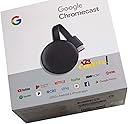
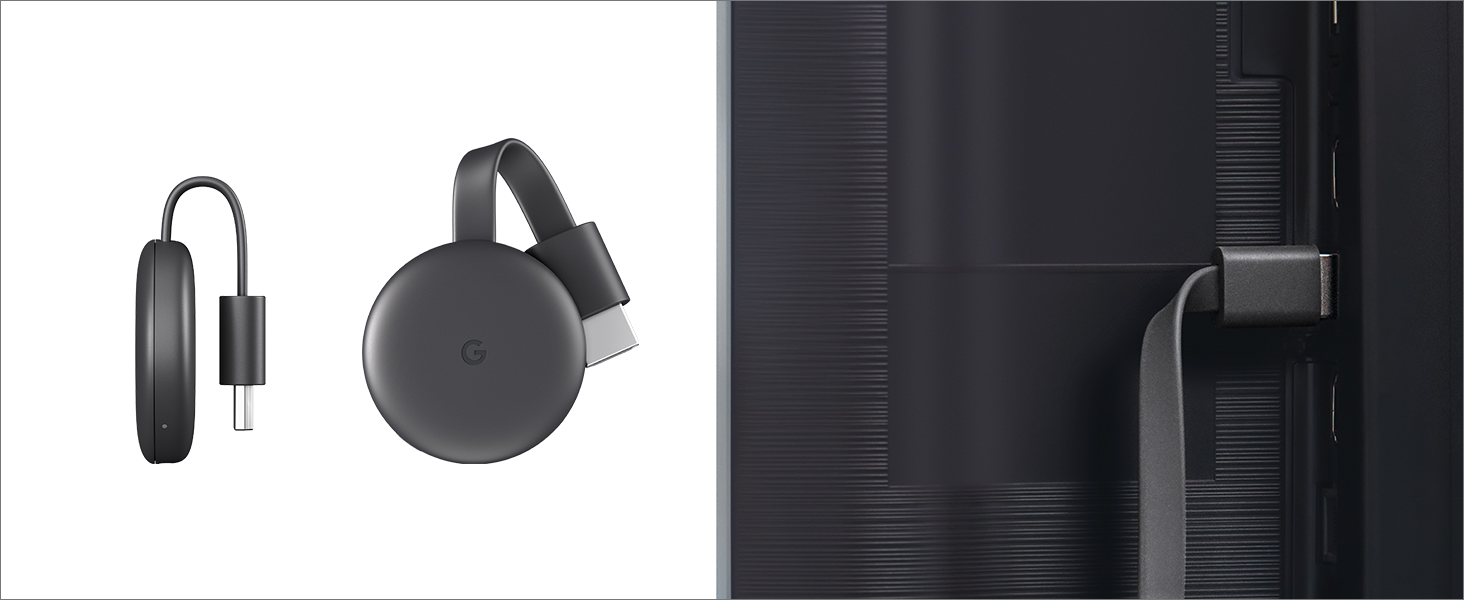
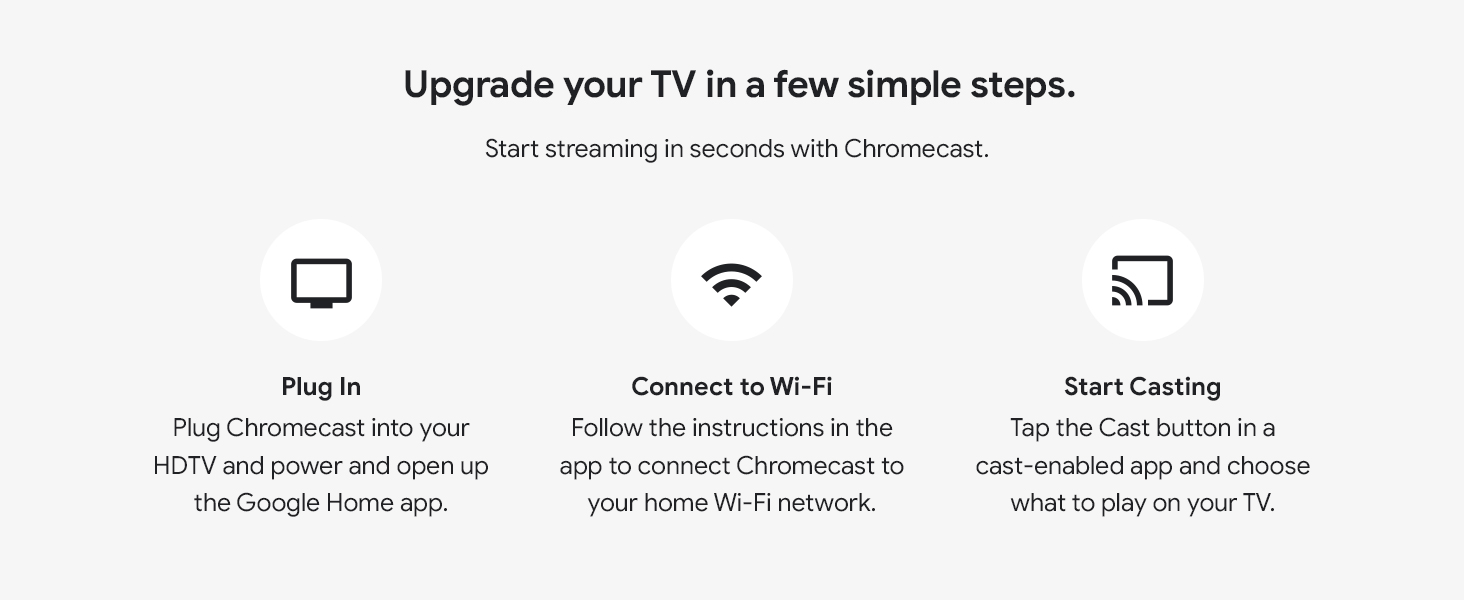
Google Chromecast is a compact streaming device that plugs into any HDMI-enabled TV, enabling Full HD 1080p streaming from over 2,000 apps via Wi-Fi 802.11ac. It requires no remote, letting you control playback directly from your smartphone or laptop, and seamlessly integrates with Google Home and Nest for a connected smart home experience.


| ASIN | B015UKRNGS |
| Brand | |
| Built-In Media | Google Chromecast |
| Color | Black |
| Compatible Devices | Television |
| Connectivity Technology | Wi-Fi |
| Connector Type | HDMI |
| Controller Type | android |
| Customer Reviews | 4.6 out of 5 stars 88,403 Reviews |
| Form Factor | TV Stick |
| Global Trade Identification Number | 00811571016587, 00842776106131, 10842776106138 |
| Item Dimensions L x W x H | 2.04"L x 0.54"W x 2.04"H |
| Item Weight | 1.41 Ounces |
| Manufacturer | Google Inc. |
| Memory Storage Capacity | 16 GB |
| Mfr Part Number | NC2-6A5 |
| Model Name | chromecast |
| Model Number | GA00439-US |
| Other Special Features of the Product | Alcohol-Free |
| Resolution | 1080p |
| Smart Home Compatibility | Smart Home Compatible |
| Special Feature | Alcohol-Free |
| Supported Internet Services | YouTube, Pandora, Netflix, Amazon Prime Video |
| UPC | 842776106131 811571016587 |
| Unit Count | 41.6 Ounce |
| Video Codec | H.264, H.265/HEVC |
| Video Output Resolution | 1920x1080 Pixels |
| Warranty Description | Chromecast limited warranty |
D**D
It's the perfect device to stream everything from my phone to my TV
UPDATE: I now have an LG V40 ThinQ with Android 10.0 and the Chromecast is still great. I can send almost anything on my phone to the Chromecast and my TV. It is wonderful. I was looking for a way to send videos from my Android phone to my 2013 Samsung Smart TV. I use Netflix and my TV has an old, outdated version. I also use Prime Video and Kodi which my TV doesn't have. This Chromcast allows me to watch both of these and more on my TV. It was simple to install. I plugged it into my TV's HDMI socket and the power into my home's AC outlet. Then installed Google Home on my phone and followed the instructions. It took some fiddling with the programs but it works great. I read in one of the other reviews that it didn't work plugging the power cable into the TV's USB port. They were right and wrong. The Chromecast uses a 1 amp power supply. My TV has 2 USB ports; a 1 amp and a 0.5 amp. When I used the 1 amp port, it worked the same as plugging it in to an outlet. Now Netflix works simply as per the instructions. However, to get the others to work needs a little ingenuity. I have an HTC 10 phone, but this should work with others. I start Google Home first. Then go into my phone's settings to where the VPN and data exchange settings are. My phone calls the setting "HTC Connect". It tells the phone where to play the media. When you choose it, it lists the Phone, DNLA devices and the Chromecast. When you pick Chromecast, the phone's screen gets played, in real time, on the TV along with the phone. Now, anything you see on your phone gets played on your TV also. It's like using a phone with a 40 inch screen. Along with movies, you can stream music, photos, games, etc. I will be getting a new phone in a few days and will update these instructions when it arrives. UPDATE: I purchased a new LG V40 ThinQ cell phone. And it works with Chromecast just like my HTC phone did. You can stream with supported apps like Netflix or share using settings. The setting is under "Connected Devices". It is called "Screen Sharing" and Chromecast is listed like it was on my HTC. Obviously, I cannot promise that it will work with all phones, but it seems likely that it will.
G**T
This works out exactly as I hoped! A lot of instructions and tutorials to go through, but worth it!
I was having trouble trying to get my HDMI to VGA adapter working properly to connect my TV to the Internet, so instead I opted for this Chromecast purchase. I plug it into the HDMI on my TV and then install the Chromecast app and Google Home app on my iPhone to connect. Your TV has to be directly connected to the internet of course for this to work properly and your phone must be connected to the same WiFi in your house. Once you have those all updated, you then download the apps to your phone: Netflix, Hulu, Disney+, Peacock etc. to properly cast them to your TV. Your apps all need to be also updated on your TV Cast app (The app needs to know about your streaming apps... I know, all lays it on a bit thick). Once you have downloaded all that properly, you should be able to cast whatever your phone is about to play (instead of it playing on your cell phone) and then hit the cast button in the top right corner of the Netflix app, Hulu app, Disney+app, Peacock and etc apps to send the stream to your TV instead. Voila! Your TV is streaming! This works especially well for older smart TVs that work just fine, but don't quite have Disney+ because that service is too new to show up in your TV's app store. The Chromecast is like an additional gadget to get an upgrade. Hope this all made sense and your Chromecast works as well as mine does on all my streaming services. -G
A**S
Easy streaming, great quality
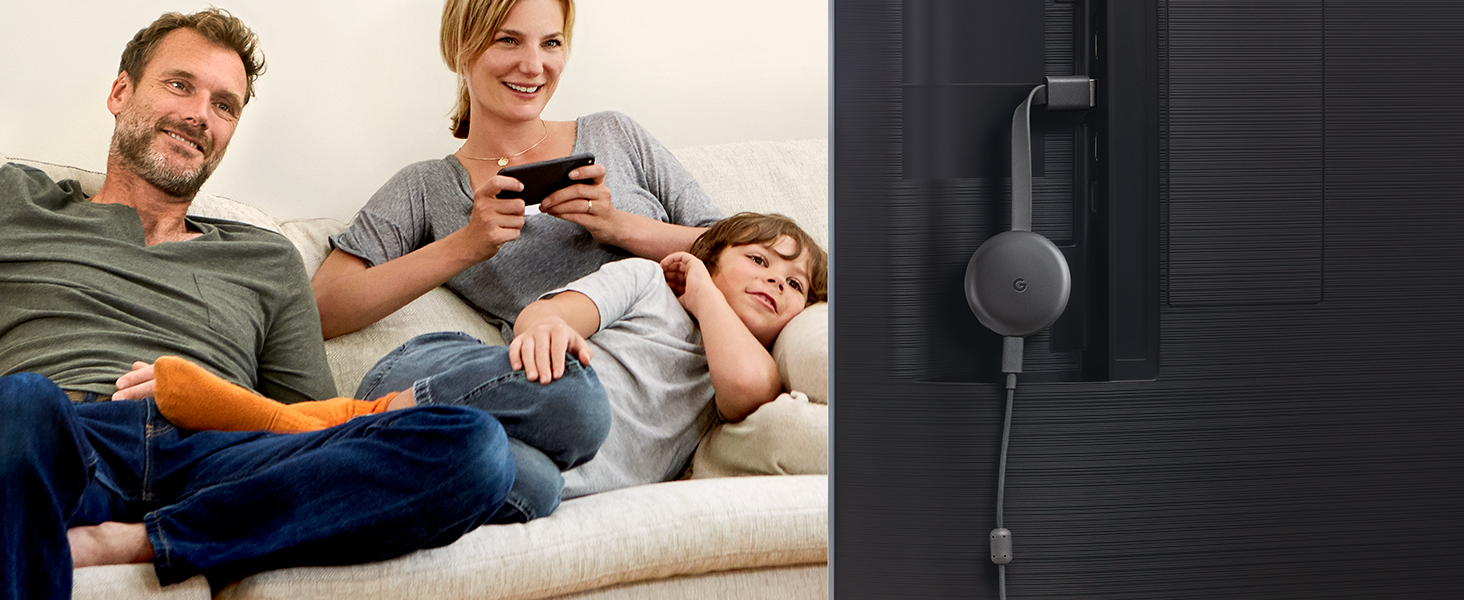
This is my third Chromecast. The first two were 1st gen units, one of which I still use. On the other 1st gen unit the HDMI port became bent and unusable. This new design seems much more durable. The HDMI port is on a cable, not built directly into the dongle. I decided to buy another Chromecast when I read Amazon Prime Video would no longer be supported on our old Wii U. Streaming with the Chromecast is extremely simple if you have an Android phone. I don't have any Apple devices, so I can't attest to how it works with iPhone. Start out by plugging the Chromecast into the HDMI port on your TV and hook up the USB power cable either to a wall plug using the included wall-wart adapter, or to the USB port on the TV. I used the port on the TV to reduce cable clutter. Turn on the TV and switch the appropriate HDMI port, and you should see the Chromecast startup screen. Download the Google Home app on your phone and have it search for devices. Tell the Chromecast which network to connect to and give it the password. Once it's connected to the network, you can select the cast icon in programs that support it, such as Prime Video, Youtube, Netflix, and many others. Video quality probably depends on your network. On mine, I have no problem with 1080p HD video. This version of the Chromecast doesn't support 4K, you need the Chromecast Ultra for that, but my TV doesn't support it either, so I just went with the non-Ultra unit. If an app doesn't support streaming, you can always share your phone's screen using the Home app, then run your app and it will be mirrored to the Chromecast. The quality isn't as good as an app that natively supports casting, but it works. I believe Chrome on a PC can cast as well, but I haven't tried that.
A**R
If Your On A Budget Get This! If You Can Afford More, Buy The Ultra!
I truly have mixed feelings about this device... These new notebooks and tablets, are made with such a thin bezel design, that they engineer themselves out from having any HDMI ports! We live in a new age of wireless, I guess everybody hates cords now days. This forces us to buy products like this one, so that we can screencast. Again, tell me whats so wrong with an HDMI cable? My old tablet had one, worked fine, is wireless casting really that much better? Lets find out! So I got a new Dragon Touch Max 10 tablet, naturally it don't come with an HDMI port, figures. So I hooked up this Google Chromecast device to my 1080P IPS 24" monitor. The device tells you on screen to download the Google Home app on your device and to follow the instructions to set it up. While it was technically easy to setup, following the instructions, the process took way longer then I expected. If you took one look at that little device, you would think its not a computer, but you would be wrong. There is a little computer in there, and what is a common thing that all computers like to do? Thats right, install updates. So guess why the process took twice as long as it should? Yep, cause it needed updated. So once that was all done, took me a little bit to learn how to screencast this thing. I was able to screencast Youtube, and Netflix with much success, it loads up to full resolution on screen, looks awesome on my IPS display! Occasionally however, I would notice a slight framerate issue from time to time. More on that later. And then I went into the Google Home app in order to mirror cast my tablet so that everything casts. Well, there is first real bit where I am disappointed. When mirror casting, it does not fill up my 1080P monitor. Its more then likely serving the tablet display's resolution, which is a 1920 *1200 16/10 ratio. Using Droid Info, I discovered the tablet is operating at a refresh rate of 48-herts frequency for display, instead of the typical 60-herts that is used in the US. Since there is no display options to change for screen casting resolutions and refresh rate, I am not able to fix that issue. When playing games, I noticed that the occasional framerate issue I talked about, became total lag, and the bitrate dropped terribly, but this was not the Chromcast devices fault. Turns out, this was my tablets fault! I was connected to my WIFI using the 2.4GHZ frequency, the best signal performance I was getting about 8 feet from my router in direct line of sight, was -30DB. Turns out, that is not enough performance to screencast properly! The good news however, is my tablet is also capable of connecting to my routers 5GHZ protocal. What a game changer that was, switching over to 5GHZ! All the sudden my tablets WIFI performance increased exponentially, and my WIFI performance went off the scale. As soon as I switched over to 5GHZ, all the sudden the Chromecast device was operating better with smooth as glass framerate in video casting, and smoother framerate in gaming as well. The amount of horse power in your device matters too. The more better your mobile device can perform, the better the Chromecast will perform. My new tablet runs a 1.6GHZ Octa core CPU with 3GB RAM, so its no slouch. However, higher end Samsung models and Apple model devices, will more then likely perform better with the Chromecast device, due to more horse power in performance, and in higher resolution and refresh rates. When your not screen casting to the Chromecast, then the Chromecast goes into slideshow mode, where it rotates to images from Google, at a time interval that you can set. And without a doubt, I have seen some of the most incredible images displayed, over the Google Chromecast, as a standbye screensaver solution! However, another bad thing about this device, is it will restart without warning, by its own choosing, for reasons unknown. I figured that I would spend less money and get the 3rd generation model, as the monitor is only 1080P to begin with. But, I can't help but to think, that I would have probably gotten a better experience with screencasting, if I had bought the Ultra model, even though my screen is not 4K. If your on a budget, this 3rd generation model is most certainly an option. However, if you can afford to spend more, go for the Ultra. The Chromecast device also gets very warm, even when not actively screencasting. If your not interested in the slideshow standbye mode when not in use, I would just disconnect the power to the device, to save on your power bill. Also, if your device has less then my devices SPECS for performance, you can forget about wireless screencasting. But you will be better off with a device that exceeds mines SPECS. 4 out of 5 stars!
M**S
VERY NICE!
Very Nice. Can be used with Google Home and a hotspot on your phone to watch what you wish while at hotels. Plug into the HMDI outlet and watch your own stuff. Have been doing this for 10 years. I use a tablet as the source.
E**S
La calidad
Excelente
I**A
Ve todos los video que quieras 😎
Excelente producto si tú tv es viejita y necesitas un receptor para que trabaje como una Smart tv y puedas transmitir tus series y movies desde tu phone 📱 a tu tv 📺 un chromocast es ideal para ti ☺️ como lo a sido para mí. Tengo dos que compré acá y hasta puedo transmitir videos de facebook sin ningún problema. Son muy duraderos, la trasmisión es estable fácil de controlar. Buen calidad de video y volumen la velocidad para conectar excelente todo. Muy recomendado.
I**P
A useless gift
Got this for my brother, who doesn't have internet besides his phone and spends much of his time immersed in youtube. Was hoping he'd get on board with hooking his phone to it so everyone could be entertained with whatever nonsense he was watching. Connecting his phone to it was simple, and it stayed connected for all of one evening proving that OK quality streaming was possible. The Google Home app made for a decent remote control with all the features you'd need, so I figured maybe he'd be happy with it. Left it there, and he just ignored it until it was almost forgotten. A year or more later another pal messed with it and got it working, and that lasted all of maybe a day. More years passed, and I have no clue what happened to the device. All I can tell ya is that he now uses a USB C to HDMI adapter to share signal to his TV, and whatever he has on is usually just as boring as watching him have thumb relations with his phone in silence. Don't let my bad experience turn you away from this awesome device that makes your dumb TV smart. Perhaps you, your relative or your friend will actually care enough to use it.
N**R
Remote not work or google app remote also not work.
Only slideshow.
A**H
very handy gadget
A handy gadget when you don’t have a smart TV Works with iphone
G**Y
جوجل كروم كاست أصلي
جهاز محترم الصراحة وسهل التعامل معاه
A**L
Genial
Schnell geliefert. Qualität wie gedacht sehr gut. Funktioniert einwandfrei.
U**U
ممتاز جدا
ممتازة تشغل يوتيوب ونتفلكس مباشر من الجوال حتي لوخرجت من المنزل يظل يعمل
Trustpilot
2 weeks ago
2 weeks ago