Buy anything from 5,000+ international stores. One checkout price. No surprise fees. Join 2M+ shoppers on Desertcart.
Desertcart purchases this item on your behalf and handles shipping, customs, and support to Italy.
📸 Elevate your Canon game—capture moments without limits!
The AODELAN BR-E1A Wireless Remote Shutter Release offers professional-grade Bluetooth control for select Canon EOS R, Rebel, and PowerShot cameras. With a 10-meter operating range, lightweight design, and dual photo/video functionality, it replaces the Canon BR-E1 to deliver precise, shake-free shooting. Perfect for tripod setups and creative remote captures, it supports autofocus and zoom features when paired with compatible Canon accessories.


| ASIN | B07KGC258H |
| Additional Features | Lightweight |
| Battery Type | 1 CR2 batteries |
| Best Sellers Rank | #52 in Camera & Camcorder Remote Controls |
| Brand | AODELAN |
| Button Quantity | 1 |
| Color | For Canon BR-E1A Remote Control |
| Compatible Devices | JUST Compatible with Canon EOS R5 C, R3, R7, R10, RP, EOS R, EOS R5, EOS R6, 6D Mark II, 77D, 800D(EOS Rebel T7i), T8i, 200D(EOS Rebel SL2), 200D II, 250D(EOS Rebel SL3), 850D, M200, M50, M50 Mark II, PowerShot SX70 HS, 90D, M6 Mark II, PowerShot G7 X Mark III, PowerShot G5 X Mark II. |
| Connectivity Technology | Bluetooth |
| Controller Type | Button Control |
| Customer Reviews | 4.1 4.1 out of 5 stars (712) |
| Item Weight | 13.6 Grams |
| Manufacturer | AODELAN |
| Maximum Number of Supported Devices | 1 |
| Maximum Range | 10 Meters |
| Mfr Part Number | Remote control - 1 |
| Model Name | BR-E1A |
| Model Number | For Canon |
| Number of Batteries | 1 CR2 batteries required. (included) |
| UPC | 653846094247 |
| Warranty Description | 1 |
S**W
Works perfectly with my Canon R5 cameras
I use this with the Canon R5 and R5 Mark II and it works perfectly. It pairs quickly and does exactly what you want it to do, making it easy to trigger photos without touching the camera. It’s especially useful for tripod shots or avoiding camera shake. The buttons are responsive, the range is solid, and it feels well made for the price. A simple, reliable tool that has earned a permanent spot in my camera bag.
J**B
Works fine.
Works fine with the Canon R5 camera.
M**O
Works with V1 perfectly. The zoom and mode slider works also.
Works with the Canon V1 perfectly. The power zoom T-W button works. The side mode works for both video,camera, 2 secs delay. It's pretty sick! I am using it with a godox trigger and speedlight. Wish it was white so when you drop it, you can find it. Just buy it.
S**N
I love this thing!
I've used cable releases in the past, and I've also used the Camera Connect app on my phone as a remote release. I much prefer this to any of the others. The phone app has its place - it can do things this can't, like provide a remote view of whatever the sensor is seeing, allowing you to make adjustments as if you were doing them right in the camera, etc., but for just focusing and taking the shot without introducing camera movement, this is the best. I can slip it in my pocket, or attach the loop to my tripod or camera. It doesn't throw any light, so it doesn't interfere with astrophotography. It's so simple, I can find the button without looking. I've had no problems with the bluetooth connection, and I've used it with both my R7 and my R6II. If I lose mine, I'll be replacing it immediately.
T**S
Its okay
Works fine if youre close. Not reliable past 20 feet, won't trigger accurately
J**S
Love it !
Better price than the Cannon remote and it does the exact same thing
N**Z
Shows ‘connected’ but does not flash or function
Canon 6D Markii It shows connected on 2 different screens but will not flash on the trigger itself when the button is pushed. No photos are taken. It’s like it’s not recognizing anything is there. Waste of money. I will be returning immediately.
P**A
I got this for the Canon RP. Here is what you need to know for it to work
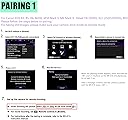
I got this for a Canon RP. Pairing was easy. Just hold "W" and "T" together and it will go into pairing mode. if it flashes like 10 times, then it errored out. Do it again. On the camera is the most important part. Go into bluetooth and get it to where it will ask you to check bluetooth connection. Mine is paired with my phone but this won't get in the way of that. But you can only have one bluetooth connection at a time, so can't use your phone as a screen and take a photo at the same time using the remote. Once you have it searching for a remote, put the remote in pairing mode like listed above. Once it connects, the camera will confirm it. Now it will work. Easy Peasy. ****Now for the important part**** For my Canon, you have the put the camera in 2 second delay mode for the remote to work. If you read the manual or call Canon, you will eventually learn this but it's not obvious. I returned another brand remote because it worked once and then never again because I had it in burst mode. Can't do that with the remote. The remote will take one photo at a time and if you switch the mode, 2 second delay. Anyway, this w
F**O
Perfettamente funzionante piccolo è leggero
6**S
Très facile d'établir la connexion avec le boîtier, (Canon EOS 6D Mark II), après il ne faut pas oublier dans les paramètres du boîtier de revenir sur la connexion télécommande si on est parti entre deux sur la connexion avec un smartphone par exemple. Mais une fois que c'est initialisé, l'appareil reconnaît systématiquement la télécommande. La qualité est parfaite, le rapport qui a été pris par rapport à la commande d'origine canon est très bien ! Achat validé.
B**.
Camera remote works very well in picture mode on my R5C, but not in video mode. However, I knew that was the case before I bought it so no problem. I think it works in both modes in the cameras, R5C is the odd system.
P**A
Lo uso para mi Canon M50 Mark II y funciona excelente. La primera vez que se usa, ya enlazado, activa perfectamente la grabación de video pero la de foto no, pero gracias a otra reseña que por aquí leí me di cuenta qué hay que poner la cámara en “espera de tiempo de dos segundos” es decir el relojito para que la cámara espere unos segundos antes de sacar la foto, en dos segundos y ya!! saca la foto con el control remoto. El enlace es muy fácil poniendo la cámara en modo enlace y seleccionar “control remoto” y en el control remoto oprimir simultáneamente los botones W y T hasta que parpadé el foquito rojo, seguir instrucciones de pantalla y ya!! muy recomendable!!
R**N
seems really good, I've paired it with my Canon 6d Mark ii and its working fine. seems to be sturdy enough.
Trustpilot
3 days ago
2 months ago