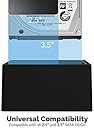
💼 Elevate your data game with the 4-bay dock that means business.
The SABRENT 4-Bay USB 3.0 Docking Station supports up to four 2.5” or 3.5” SATA HDDs/SSDs with trayless slots for easy drive insertion. Featuring USB 3.0 speeds up to 5Gbps and an offline clone function, it enables fast data transfers and direct drive-to-drive cloning without a PC. Plug-and-play compatible with major OS platforms, it’s designed for professionals seeking efficient multi-drive management and reliable backups.


| ASIN | B07H11KXCL |
| Best Sellers Rank | #2 in Hard Drive Docking Stations |
| Brand | SABRENT |
| Built-In Media | Docking Station |
| Color | Black |
| Compatible Devices | Desktops, Laptops |
| Customer Reviews | 4.0 out of 5 stars 1,390 Reviews |
| Data Transfer Rate | 5000 Megabytes Per Second |
| Enclosure Material | Plastic |
| Global Trade Identification Number | 00819921016225 |
| Hard Disk Form Factor | 3.5 Inches |
| Hardware Interface | USB 3.0 |
| Hardware Platform | Mac |
| Item Dimensions L x W x H | 6.3"L x 4.72"W x 2.76"H |
| Item Type Name | Hard disk docking stations |
| Item Weight | 1 Pounds |
| Manufacturer | SABRENT |
| Material | Plastic |
| Memory Storage Capacity | 88 TB |
| Product Dimensions | 6.3"L x 4.72"W x 2.76"H |
| Supported Devices Quantity | 4 |
| UPC | 819921016225 |
| Unit Count | 1.0 Count |
| Warranty Description | 1 Year Limited |
D**N
Works well, with one minor reservation.
This item was delivered on time and was not packaged in an Amazon box, which was surprising. Nonetheless, the Sabrent package is as sturdy and professional as I have come to expect from the brand. Short version: This docking station worked just as I expected. The 4 HDDs I inserted into it were recognized immediately by the OS (Windows 11 Home) exactly as they were when they were installed in the PC the docking station is now connected to. My only complaint is that the slots that the drives sit in are not suited for slim profile drives. I had to insert a small piece of cardboard into the slot along with the one slim profile HDD (first drive on the right in the photo) to help it stay upright. Other than that, I am satisfied and will continue to use Sabrent equipment for my PC and network needs. Long version: I have been building my own PCs for years with great success. The current iteration uses a Gigabyte motherboard mounted in an Antec gaming tower enclosure with three SATA drives installed in addition to two M.2 drives, one of which hosts the OS. When I decided that I needed more drive space and there were not enough power plugs on the existing power supply to accommodate an additional HDD, I decided that a docking station was the way to go. Since I have been using Sabrent networking accessories for years, it was the logical choice. I currently use a Sabrent USB hub attached to my TP-Link router to share 4 "My Passport" drives on my home network and it works well. When this docking station arrived, I removed the 3 HDDs from the PC, mounted them in the dock along with the fourth drive, and powered the system back up. The drives were recognized in the same configuration as they were when mounted in the PC. I did make sure the drives were mounted in the dock's slots (A, B, C, and D) in the same order as they were connected to the PC's SATA slots (0, 1, 2, and 3). I'm not sure that was necessary, but it seemed reasonable to me. Subsequently, the drive shares show up on the other PCs on the home network just as they were before the installation of the dock. That is exactly what I was expecting. As a bonus, my PC now seems to run cooler without having to contend with powering the HDDs and dealing with the heat they generate, which is now dissipated into the air. Highly recommended.
R**N
Sabrent 4-Bay USB 3.0 SATA 2.5"/3.5" SSD/HDD Docking Station (DS-U3B4)
Sabrent 4-Bay USB 3.0 SATA 2.5"/3.5" SSD/HDD Docking Station (DS-U3B4) My original intent in purchasing this docking station was for the ability to create identical drives for BU purposes. This is a simple operation and I like that the switch to start cloning is in the front. The ability to make MULTIPLE clones (up to 3) was just a big plus. But be aware that if it takes one HHD to clone in an hour, to clone 3 HDD's will take an hour each (total 3 hours)... I have also used this docking station to run HHD's as additional storage for my computers. Very easy and both my Ubuntu and WinXP / Win7 / Win8.1 / Linux machines all see the drive as a normal USB drive and is addressed as such with very easy accessibility. This in itself gives you the great advantage to make your backups on any HHD you need to very easy to perform. It is as easy as making a clone of your HDD, actually, making the clone is easier after you remove the HDD from the computer and place it in the Docking station with the target HDD. Just push the button to start process. You can add up to 4 additional HDD drives to your computer with this docking station and being it is branded with the SABRENT name, its reliability holds to the company standard. Realize that all products have a failure rate, it's not a perfect world, but I have had crazy good performance from SABRENT products and very little failure rate that I do recommend SABRENT products. In the box comes the docking station, power supply and cable to connect to the computer. The LED indication for each drive bay is on the front of the docking station so you won't have the problem of seeing the LED like some of the other clone/docking stations have. The Clone button is also on the front panel, the power switch is on the rear panel. This is good or bad depending on how you look at it. Good if you want some assurance the Power button won't be pressed in error while a save or clone is in process. May be a little inconvenient if you have the habit to turn everything off every time you shut down the computer on a daily basis but it is not a deal breaker. I do not know this seller nor did I receive any merchandise or monies for my independent reviews. 181122 1113
P**T
Good Value For The Money Fan, Clone & 2 Types of Drives
Update: 10-25-2023 I formatted my one of the drives in my new Sabrent Docking system and the speed more than doubled with the exact same file I used yesterday. Yesterday I was getting max 50MB/s on a 1.6TB File Today I am getting 164MB/s on the same 1.6TB File Transfer both NTSF. So, great improvement. Excellent Indeed. 10-24-2023 I got this because I have 4 OLD HDD's THAT I still want to use to back things up to. The reasons I picked this were 1. Low Cost 2. Has a Fan so no overheating, 3. Can fit both HDD 3.5 Inch and SDD 2.5 inch Hard Drives 4. It also has a cloning option built in. It was very simple to install. Literally just plug and play. My New PC recognized the Drives Straight Away. They simply act as a large volume flash drive for those wondering. I have a 2 TB, 8 TB, 4 TB and 6 TB My New computer uses the latest technology and was rather spendy so I didn't want to purchase any more hard drives just to fit inside the computer. So, for $88 plus tax it was a good deal. I am copying all of my documents, photos and personal videos about 1.6TB over from one of the HDD to another HDD in the Sabrent Dock and I am getting about 50 MB/s. Rather slow but I didn't format the old drive prior to the copy and I regret that now. I think I would have gotten better speeds had I reformatted prior to the copy. Overall I am very pleased with the Dock and Highly recommend it for anyone so long and you don't have a dog or say children that may accidentally knock it over. The drives themselves won't take much of a jostle but the dock although plastic works very well and as intended. CHEERS!
H**.
Ruined my new drives and lost terabytes of data!!!
I purchased this device and put four new Hitachi 4TB 3.5" hard drives in it. The drive bay is definitely not hot swappable because if you insert or eject any one of the drives properly through the Finder then the other ones unmount without first ejecting which is terrible for the drives and for your data if they are reading/writing at that moment, exactly like ours were. While copying multiple terabytes of data from one drive to the next the drive bay corrupted three of the drives and I can't repair them or recover my data from them. Disk utility throws up a bunch of errors with each of the drives no matter what I try. I got one of these bad drive to show up on my Mac by actually plugging the drive inside the computer via the SATA cable and I can access some of the data but even this one can't be repaired by Disk utility. My 1.3TB Apple Photos library is corrupted and I cannot open it at all. There were over 130,000 photos in this library which I can no longer access! I am considering taking action against Sabrent if this is actionable. The point of buying this drive bay and the four new drives was to backup our data and this Sabrent product ruined most of our data. There is now only one good drive out of the four that we put into this product. This has been truly disastrous for us. Stay away from the their products!
K**Y
Extremely useful and fast
If you want to have the flexibility to add up to 4 drives to your computer without the hassle of opening up your computer and dealing with wiring it up, this is your baby. The beauty of this docking station is that you can physically insert and remove 3.5" drives and 2.5" SSD with ease. This lets you keep a stack of hard drives in your storage library at a much more cheaper cost by eliminating having to buy the enclosure for every storage unit. Just label them and organize to a file type (images, audio, documents, etc.) and keep a master list. When it comes time to getting them online, just remove drives you don't need access to and insert new one's into the docking station. This is JBOD but with transfer done over a USB 3.0 port. Its not enclosed which is great because you can hot swap with ease. Installation is fast. Just plug into a USB 3.0 port on your computer and the USB B into the Sabrent. Then, attach the power supply. Less than 5 minutes and it just works with no special drivers. You can use this as a mobile storage device to attach to a fixed computer or mobile laptop. Unfortunately, it is not a USB 3.1 Gen 2 connection. I really wish Sabrent would have created one because this would allow even faster data transfer. Still, this is USB 3.0 fast at up to 5Gbps. I like this solution over NAS storage as it requires very little setup and administration. The best $80 I've spent.
I**N
Smooth Sailing, Slightly Scary Start
This docking station works flawlessly, transferring data at solid speeds and keeping drives cool with its built-in fan. The biggest scare was removing drives from the housing, but once you get past that, it’s ridiculously easy to use. The tool-free design is a win, and the individual power switches make managing multiple drives simple. If you need a reliable way to swap and access storage, this one delivers.
W**5
Allowed me to fully recover 370,000+ files from my 15-year old 4TB WD Sharespace RAID 5 server!
I had a 15-year old WD Sharespace RAID 5 server composed of (4) 1TB drives which failed to rebuild itself after a power outage despite giving it 672 straight hours of rebuild time! To save the drives, I finally shut it down and purchased this Sabrent docking bay (I had tried another brand but it didn't work reliably). I put the 4 3.5 SATA drives in no particular order in the dock and used ReClaime to determine the RAID parameters and proper disk sequence then used DMDE to fully recover the data on those drives. I could NOT have saved my data if I didn't have a reliable method to host these 4 SATA drives simultaneously. After recovering my data, I reformatted these 4 WD drives as NTFS and am using them for temporary storage and file downloads so I'm still getting good use out of this Sabrent dock. Performance is excellent, I HIGHLY recommend this product!
J**T
Functionally works. SLOW DATA TRANSFER.
It's works fine. 3 stars because it is SLOW. The maximum speed the of the entire dock (all four bays added together) is around 120 MB/s which is roughly 1 gbps, or 1/5 the speed of USB 3.0. Doesn't matter what drives get put in it - the speed remains the same. The same drives would each be able to saturate 5gbps when directly connected to a SATA interface, hit 200MB/s each when connected to other brands adapters. Drives are also "loose" and hard to line up correctly with the docking connectors. Occasionally they refuse to connect and have to be removed and plugged back in several times. Not to mention this product is $100! I had high expectations because of the price, and it is disappointing.
Trustpilot
2 weeks ago
3 weeks ago