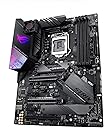
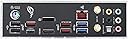
🎮 Power your next-gen rig with ASUS ROG Strix Z390-E — where speed meets style!
The ASUS ROG Strix Z390-E is a high-performance ATX motherboard designed for Intel 8th and 9th Gen processors, featuring dual M.2 slots, advanced 5-Way Optimization for overclocking and cooling, and customizable AURA Sync RGB lighting. It supports DDR4 memory up to 4266 MHz, offers robust connectivity with 802.11ac Wi-Fi, Gigabit LAN, and USB 3.1 Gen2, making it an ideal choice for gamers and professionals seeking a powerful, stylish, and versatile platform.


| ASIN | B07HS7C63T |
| Are Batteries Included | No |
| Audio Details | Headphones |
| Best Sellers Rank | 22,448 in Computers & Accessories ( See Top 100 in Computers & Accessories ) 140 in Motherboards |
| Brand | ASUS |
| Colour | Black |
| Computer Memory Type | DDR4 SDRAM |
| Connectivity Type | Wi-Fi |
| Customer Reviews | 4.4 4.4 out of 5 stars (3,813) |
| Date First Available | 8 Oct. 2018 |
| Form Factor | Extended ATX |
| Graphics Card Interface | PCI-Express x16 |
| Guaranteed software updates until | unknown |
| Item Weight | 1 kg |
| Item model number | 90MB0YF0-M0EAY1 |
| Lithium Battery Packaging | Batteries contained in equipment |
| Manufacturer | ASUS |
| Maximum Memory Supported | 64 GB |
| Memory Clock Speed | 4266 MHz |
| Memory Technology | DDR3L |
| Number of Ethernet Ports | 1 |
| Number of USB 2.0 Ports | 6 |
| Processor Brand | Intel |
| Processor Count | 1 |
| Processor Socket | 1 x M.2 Socket 3, with M key, type 2242/2260/2280 storage devices support (both SATA & PCIE mode)*1, 1 x M.2 Socket 3, with M key, type 2242/2260/2280/22110 storage devices support (PCIE 3.0 x 4 mode) 6 x SATA 6Gb/s port(s), Support Raid 0, 1, 5, 10 |
| Processor Type | Intel Core i9-11900 |
| Product Dimensions | 1 x 24.4 x 30.5 cm; 1 kg |
| RAM Size | 16 |
| Screen Resolution | 1920 x 1080 pixel |
| Series | ASUS ROG Strix Z390-E Gaming |
| Standing screen display size | 6.4 Inches |
| Voltage | 12 Volts |
| Wattage | 60 |
| Wireless Type | 802.11a/b/g/n/ac |
H**4
Great
Really good Asus motherboard. I always tend to stick with Asus and they havent let me down. This is a fantastic mid range gaming motherboard. it has 2 fan headers plus 2 for the CPU, i would have liked to have seen a few more but ive had more expensive boards before. it also comes with 2 RGB headers and an addressable RGB header meaning you can use 12v rgb strips then have individual leds controlled such as on fans. again would love more and i know the board cant be covered in headers! on RGB, the back IO panel uses asus aura software and has cool RGB effects too. the thing i really like about this is that there are two M2 slots, one under a heat sync and one near the middle of the board. having the option to have 2 along with 6 SATA ports is really handy for lots of storage. one of the reasons i always stick with asus is that i love the software, including the bios software, its really easy to navigate and tweak every aspect if you want to. there is an EZ mode if you are not confident in the bios then an advanced move for changing every voltage and timing ever! overall this is a great looking board with a lot of functionality for the price. I always like to get the best for price and i feel like ive done this with this board.
I**N
A great motherboard with good features
Having waited a good while for stock and matching components this finally arrived and got commissioned. Was it worth the wait? Yes. Is it a good motherboard? Yes Main pointers to note, so this is a the new 590 chipset, so fully supports PCIe V4, but make sure you have a processor that also supports PCIe V4. If you've a 10th gen it will only work at V3 speeds. Which although not slow, are now a little behind what you can get with V4. So for best results you need to pair this with an 11th generation chip. Memory support was great, and my RAM is running comfortably at 3200Mhz without any issue of heat or stability. The M.2 slots are easy to get to, but again read the manual as you can't just put drives in, in any configuration. If you want a V4 drive you need to use the first slot, if you populate the second slot with another drive you need to go into BIOS and tell it that's what you've done. To avoid potential speed issues I would recommend you use the first slot for your V4 disk, then use one of the 3rd or 4th slots at the bottom of the board for a V3 drive. If you're planning on using two V4 drives then you must use the top two slots and you must tell BIOS that's what you're doing. There is also a known issue with the Digital Audio off the board, out the box it most probably won't have the update, and you might experience a loud static sound coming out at random. This has been fixed with a firmware update available from the ASUS website, make sure you apply this and the problem goes away. So is this a good upgrade? Well I think that really depends on what you want. If you've a 400 or 300 series motherboard and only have V3 PCI devices then I don't think it's worth the money to upgrade. If you have an older version and are in the market to upgrade both your storage, GPU and processor then this motherboard is a great buy. But do make sure you get the latest 11th gen stuff to make the most from it's potential.
J**G
Stealthy Appearance, Solid Motherboard!
The Asus Z390-F Motherboard is a great choice for PC builds! I've recently built a system for use with Adobe's Premiere Pro and to play some of the latest PC game titles, and what can I say? This board offers an array of features ranging from support for the latest Intel i9 Processors, to supporting 4000mhz+ DDR4 memory. Not to mention support for the latest and greatest Nvidia and AMD graphics cards including SLI. The board has plenty of Sata3 ports for storage, and two M.2 NVME PCI-E ports for flash storage. The board comes well packaged with a fully comprehensive installation guide, and I love the ROG STRIX RGB heatsink/backplate. The system I've built features the Intel i9 9900KS processor, NZXT H510 Elite case and NZXT Kraken x62 AIO Cooler, 32GB of DDR4 4000MHZ memory, an Nvidia RTX 2070, 2x Samsung 970 NVME drives, 2x Sata3 Samsung 960 SSD drives, and 2x 4TB Seagate Storage volumes, and finally Corsair's 750w Modular PSU. One great thing to mention about this motherboard, it has plenty of headers for Chassis Fans! I found all of the external headers to be logically placed on this board, enabling me to keep my system super clean. The board features some really easy to use Overclocking tools and I really like how you can update the board's firmware over the LAN. Overall great quality product for a great price. Would purchase again! - Jake
B**R
Nice motherboard
A powerful LGA1700 mobo supporting my 128Gb DDR4 and several storage devices repurposed from a previous build, saving some money. On board 4x M.2 NVMe slots and 4x SATA for ample storage. Excellent CPU support too. Check that it has sufficient PCIe slots for your needs. A couple of years old now, but rock solid.
M**R
Absolutely rubbish !
This mobo is a nightmare ! When you open Task Manager your mouse starts to choppy. When you connect/disconnect some USB, sometimes the screen starts to blink 'til you got a BSOD. And when you are playing some game, sometimes the USB disconnect and reconnect. So, I decided to contact ASUS that's suggested me to update my firmware. But who said that I am capable to ? I made a VIDEO to asus telling the firmware extract tool has issue (it's executes, then extract, then delete the extract files then exist) and I received a "Your procedure is correct"..In fact It's obvious that the ASUS support team hired a bunch of cheap people that's only used canned response. Very Very Very poor service ! But bear in mind that looks like the big issue is the PCI-E 5.0 . I've a RTX 3080 and before buy this Mobo, I bought the Orus and I returned due many crashes caused by PCI5 and Gigabyte was aware and announced a recall for the AORUS. In other words: Looks like PCI5 with 12th Intel Gen is not yet a mature combo and we are kinda beta testers. So, do a lot of research when creating your new setup. The 2 big brands are not ready for this.
P**.
Habe das Board gestern bekommen, und mich direkt an die Montage gemacht. Ich habe das Corsair Carbide 540 Gehäuse, es passt wunderbar, und alle Schraub-Gewinde sitzen bereits an der richtigen Stelle. Die Kühl-Platte für die M2-SSDs (Achtung, nur einer der beiden Slots ist gekühlt), sieht etwas wackelig aus, hält aber gut. Am Anfang konnte ich einfach kein Bild bekommen, obwohl ich es ohne Grafikkarte direkt mit dem Onboard-Display-Port versucht habe. Die LEDs auf dem Board blieben immer mit leuchtenden VGA und Boot stehen. Ich habe dann meine Nvidia 1080 eingebaut, und auch hier das gleiche Spiel. VGA und Boot leuchten, nichts passiert. Ich habe dann einen Win10 Boot-Stick eingesteckt, und auf Reset gedrückt... schon läuft alles. Danach kurzes Bios-Update über die UEFI-Funktion, dabei wird das System noch einmal komplett zurück gesetzt und wieder bleibt er bei VGA und Boot stehen. Nach Reset geht er wieder :-) Ich habe keine Ahnung warum das so ist, aber es scheint immer nur nach einem UEFI-Reset aufzutreten. Abgesehen von dieser kleinen Schikane ist das Board großartig, und alle eingesetzten Komponenten (Samsung 970 Evo Plus, Palit Gamerock 1080, Corsair 32GB Vengeance Speicher und Intel Core i9-9900k) erbringen gemäß Benchmarks die erwarteten Leistungswerte. Die Software ist großartig, die Treiber für Windows 10 werden nach Installation direkt vom Board installiert. Meldung von Windows 10 nach der Installation, dass automatisch der Netzwerk-Treiber installiert wird. Sobald das läuft (30 Sekunden), wird eine Software "Armoury Crate" installiert, mit der man alle benötigten Treiber installieren kann. Noch die Nvidia-Treiber von der Homepage nachgezogen, und alles läuft stabil und schnell. Ich habe selten einen PC innerhalb von 10 Minuten nach dem Einschalten komplett installiert und eingerichtet gehabt. Mit der Asus AI-Suite 3 lässt sich das Board komplett nach den eigenen Wünschen konfigurieren. Die Software ist zu Anfang etwas gewöhnungsbedürftig, da sehr umfassend und aus meiner Sicht schon etwas überladen. Tuner werden die ganzen Funktionen natürlich lieben, vor allem die automatischen Overclocking-Einstellungen sowie die automatische Lüfter-Justierung. Ich kann das Board also insgesamt nur empfehlen. Es ist für Einsteiger absolut geeignet, und bietet für den Profi trotzdem alle Möglichkeiten zum Fein-Tuning. Zur Qualität kann ich jetzt nach ca. 10 Stunden Betrieb noch nichts sagen, aber bisher kam es zu keinerlei Abstürzen, und die Platine wird selten über 35 Grad warm. Für etwas über 200 Euro erhält man hier also eine perfekte Basis für einen PC, die hoffentlich sehr lange ihren Dienst verrichten wird. Sollte sich daran etwas ändern werde ich berichten.
B**O
Gerçekten çok güzel bir anakart yazılımları olsun wifi olsun 9. nesil cpu desteği olsun ancak gel görki realtek ses sürücüleri sağ olsun seslerde sorunlar var. - Cızırtı patlamaları - Seslerde dinamik farkedilebilir gecikme. Usb kulaklığımın ses sürücüsünü kullanarak bu sorunu çözsemde forumlarda insanlar toplanıp Asus'a nefret kusmaya devam ediyor. Bir daha olsa almam.
P**R
Simplesmente incrível, a placa tem muitas opções pra tudo(usb, entradas, conectores), é bonita e tem wifi e bluetooth, por sinal bem melhor do que esperava.
J**R
Perfect
L**A
ok td como o combinado
Trustpilot
2 weeks ago
1 month ago