Buy anything from 5,000+ international stores. One checkout price. No surprise fees. Join 2M+ shoppers on Desertcart.
Desertcart purchases this item on your behalf and handles shipping, customs, and support to Italy.
🔥 Turn your wardrobe into a canvas—customize with confidence!
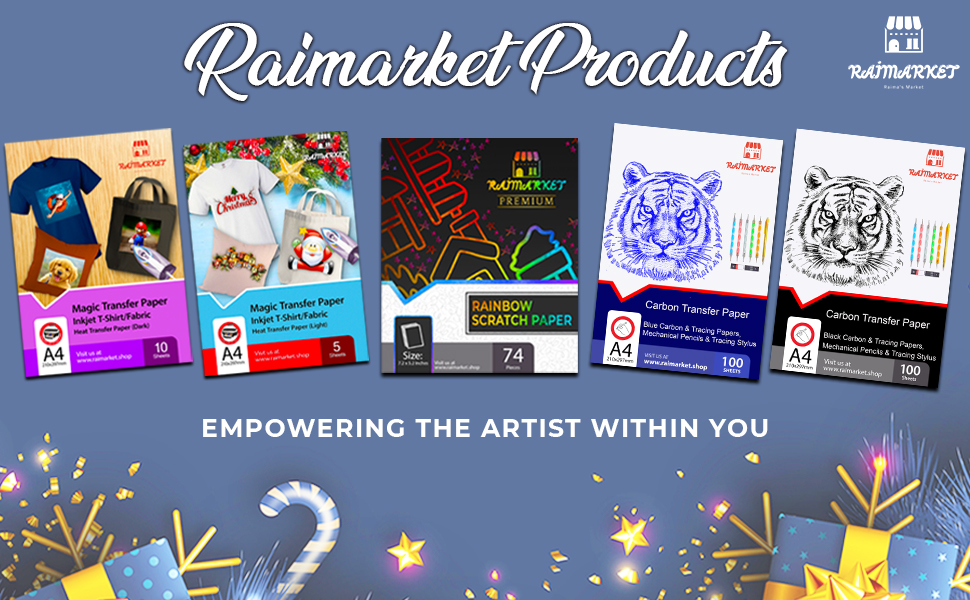
Raimarket Premium Iron-On Transfer Paper is a 200 gsm matte-finish A4 sheet set designed for inkjet printers and light cotton fabrics. With quick application under 10 minutes, multilingual instructions, and easy cutting and weeding, it empowers creative professionals and DIY enthusiasts to produce vibrant, personalized apparel and accessories effortlessly.


| ASIN | B07D1VRRF8 |
| Best Sellers Rank | 10,079 in Home & Kitchen ( See Top 100 in Home & Kitchen ) 5 in Heat Transfer Paper |
| Brand Name | Raimarket |
| Colour | blue |
| Country Of Origin | China |
| Customer Reviews | 4.1 4.1 out of 5 stars (4,888) |
| Item Dimensions L x W | 21L x 30W centimetres |
| Item Weight | 140 Grams |
| Luminanax Lux | 95 |
| Manufacturer | Raimarket |
| Material Features | Easy-to-use and versatile with vibrant image transfer |
| Paper Finish | Matte |
| Paper Size | A4 Millimetres |
| Paper Weight | 80 |
| Sheet Count | 10 |
| UPC | 692456371676 |
| Unit Count | 10.0 count |
A**R
Good item
Just Brilliant.
B**L
Easy to use
This is the first time I have used this type of thing and was a bit nervous, but it was easy to use with good instructions. Project went well. Very pleased with the outcome.
M**L
Easier than thought............
Ironing takes a bit of time to ensure image is transferred properly but quality so far seems good. It's best to cut the image to size once printed onto the paper and before ironing onto t-shirt/item otherwise a white border will be noticeable. Transfer sheets with a transparent background would be best so may be something I look at for the future..
G**H
A transfer that doesn't transfer????
Terrible, didn't work. Read the instructions and reread. Watched the instruction video online to be sure as only had one t-shirt. Didn't work, left a faint image of part of picture. Eventually bought textile pens using a light pad to trace the picture. Nearly destroyed a world book day costume.
J**A
Worth the money
Problem: my nephew wanted to do a piano/singing tribute to Micheal Jackson at school and asked me for help. I didn’t want to spend a fortune on it. Then I discovered the transfer paper and this new brand had very good rating so I bought both the dark and the light colour transfer papers not knowing which the little one prefer at the end. Here is my take on it, working with both the light and dark paper: • Wash and dryer dry your t shirt/fabric first. A shrunk fabric works best • the more time you spend prepping and the closer you follow the instructions the better your end product • don't be afraid of force (pushing down) and heat • Trimming the extra paper on the light paper minimizing areas that will be clear but somewhat glossy • Trimming the extra areas on the dark paper avoids transferring the colour white to the fabric • Through trial and error I figured out it is better to avoid sharp corners to make them round, reducing the risk of corners peeling off • The side of the paper you print on is the white side for both dark and light paper, so make sure you know how to load the paper in your inkjet printer. There is logo printed on the back side. • Your final print area can be larger than a sheet as you can cut images/words from the paper and space them or use them elsewhere on the shirt (for instance, arm badges can be printed in a corner of the same sheet) Trick: • To avoid damage to the reverse side graphics, if you do a front/back design, use a large cutting board or a piece of flat wood slide it in the t-shirt that way the wood sits between the front and back. This also solves the issue of both sides of the t-shirt not being perfectly flat/ironed before you start Light Colour Paper • You need to print in reverse as the image is reflected back on the fabric. I used word and flipped the images and writing. You can simply flip it by selecting an image > format > Rotate > Flip Horizontally. No need to change anything in printer settings. • As mentioned before, you don't have to cut very precisely as you only leave behind gloss/clear where you don't trim Dark Colour Paper: • You DO NOT need to print in reverse. No need for flipping the image. • You need peel of the printed paper BEFORE initiating transfer with an iron -I wasted one sheet not being careful • The portion you don't trim transfer as white and you can create a border, rough or smooth, as I did with the front of the dark t shirt • Peeling the transfer portion from the t shirt before ironing is difficult....I used tweezers and eventually I managed to peel off the backing • You use an included sublimation paper over the peeled paper to press the image onto the fabric Final Impressions: • Don't expect professional grade printing and very long lasting. • Recognize these are not permanent and are intended for fun and event needs • I expect them to last 3-6 months, so it should survive few careful washes. • Mistakes and rough edges on my work is my own haste getting in the way This met my needs, to have a front/back t-shirt design on both dark and white t-shirts, using the appropriate paper for each colour.
J**P
Decent but not perfect
The paper itself seems good quality, but I had some issues with the transfer. It didn’t fully copy over to the fabric, even though I followed the instructions carefully. It might work better with some trial and error, but based on my experience I can only give it three stars.
J**E
Transfer paper.
Brilliant item. Thanks
A**Y
Great product
I have previously used vinyl transfer paper which transferred only one colour to the fabric. This differs in that the ink from the printer is held in a thin plastic film, which is melted on to the t-shirt when heat is applied to the backing sheet. The resulting transfer sits on the fabric and has a flexible, plastic feel. I am happy that the colours come out very well. I found that I had to remove the backing paper quickly from the t-shirt while still hot, otherwise the backing paper would re-bond to the plastic film and pull it off the t-shirt. Small transfers were very easy to apply but, with a large transfer, I had to remove the backing paper from the top, while still applying heat to the lower part, heating and peeling at the same time. Don’t peel off the whole of it at once, so if there is any slight ink on the backing paper, then put it back and iron again with pressure on the paper. With a little practice, these transfer sheets worked very well and I was very pleased with the results. If you haven't used these sheets before, I would suggest a practice on some scrap fabric before committing to your best t-shirt. See the Simpsons t shirt I created, now that I got the hang of it, I am going make a few more creations.
D**A
Normal HP 585 inkjetimle mükemmel çıktı aldım. Baskı talimatlarını harfiyen uygulayarak mükemmel baskı yaptım. Tek yıldız kırma sebebimse, fix leme dedikleri, işlem bittikten sonra ürünün ömrünü uzatmak için yapın dedikleri, baskı üzerine silikon kağıdı koyarak son kez ütüleme yaptıktan sonra bir kısmı silikon kağıda yapışıp kalktı. Ben mi hata yaptım, kağıt mı kalitesizdi bilemedim. Henüz yeterince yıkanmadığı için dayanıklılık konusunda bilgi sahibi değilim.
S**E
TOP ! - schnelle Lieferung - sehr gute Ware inkl toller Beschreibung inkl. QR Code für Videobeschreibung DER KINDERGEBURTSTAG KANN KOMMEN :-) *** Beschreibung zur Nummerierung meiner Bilder*** - DruckVorlage im Internet raus suchen - Bild in ein Worddokument einfügen und in den Einstellungen "Horizontal" spiegeln - Folienpapier in den Drucker einlegen & drucken - Ausdruck zuschneiden - Tisch vorbereiten (Bügeln auf dem Tisch) 1. Ein Untergrund Tshirt auslegen und darauf dann das zu bebügelnde Tshirt drauf legen Tshirt vorbügeln 2. Aufdruck auflegen 3. 2 minuten Bügeln 4. 1 Minute abkühlen lassen und danach die Folie abziehen 5. Transparente Folie (ist dabei) auflegen und für 40 sek. drüber Bügeln 6. Fertig Es ist total einfach & macht gleich was her. Die Kinder können die Tshirts dann bemalen oder sonstiges... Habe die Folien gleich nochmals bestellt um mehr Eigenkreationen zu gestalten 😀😀😀
J**.
Malísimo en comparación con pdd, han sido para tirarlos, no salen bien
D**A
Mooi papier heb er leuke T-shirt meegemaakt
A**E
Absolutely awful. Ruined a t-shirt and a canvas tote, even though I followed every instruction strictly. Very disappointed.
Trustpilot
1 week ago
2 weeks ago