Desertcart purchases this item on your behalf and handles shipping, customs, and support to Italy.
👕 Transform your wardrobe in minutes—because your style deserves to stand out!
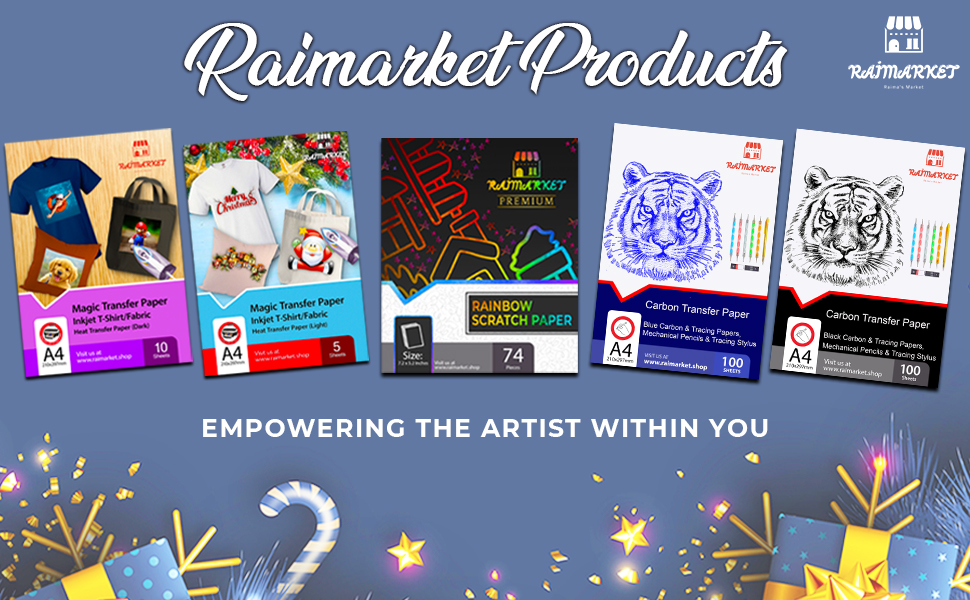
Raimarket Premium Iron-On Transfer Paper offers 10 A4 sheets of 200 gsm matte-finish paper designed for inkjet printers. Ideal for light cotton fabrics, it enables quick, vibrant, and professional-quality custom t-shirt printing with easy-to-follow multilingual instructions. Perfect for creative professionals and DIY enthusiasts aiming to personalize apparel effortlessly.


| ASIN | B07D1VRRF8 |
| Best Sellers Rank | 13,692 in Home & Kitchen ( See Top 100 in Home & Kitchen ) 6 in Heat Transfer Paper |
| Brand | Raimarket |
| Brand Name | Raimarket |
| Colour | blue |
| Country Of Origin | China |
| Customer Reviews | 4.1 out of 5 stars 4,963 Reviews |
| Item Dimensions L x W | 21L x 30W centimetres |
| Item Weight | 140 Grams |
| Item weight | 140 Grams |
| Luminanax Lux | 95 |
| Manufacturer | Raimarket |
| Material Features | Easy-to-use and versatile with vibrant image transfer |
| Paper Finish | Matte |
| Paper Size | A4 Millimetres |
| Paper Weight | 80 |
| Paper finish | Matte |
| Sheet Count | 10 |
| Sheet count | 10 |
| Sheet size | A4 Millimetres |
| UPC | 692456371676 |
| Unit Count | 10.0 count |
L**A
Amazing and easy to use, with full instructions.
First time ordering this paper, would definitely order again, the T-shirt looked amazing, easier to follow instructions, and if needed a number you could ring for further assistance if required. Will definitely be ordering this product again, customer happy with the picture on the T-shirt.
T**N
Great
Really great
J**N
Glarac tee shirt
Only issue I had is that I wanted to print on both sides of a Tee shirt with names of the lost crew of 3 ships lost in June 8th 1940 and being that there was 1531 lives lost on board HMS Glorious Ardent and Acasta that takes up a lot of tee shirt, paper, and ink. This caused me to ruin the first one and for future reference to me and others I used a piece of wood to combat the issue and it worked like a dream so now I have a test version and a good version 😅...
J**A
Worth the money
Problem: my nephew wanted to do a piano/singing tribute to Micheal Jackson at school and asked me for help. I didn’t want to spend a fortune on it. Then I discovered the transfer paper and this new brand had very good rating so I bought both the dark and the light colour transfer papers not knowing which the little one prefer at the end. Here is my take on it, working with both the light and dark paper: • Wash and dryer dry your t shirt/fabric first. A shrunk fabric works best • the more time you spend prepping and the closer you follow the instructions the better your end product • don't be afraid of force (pushing down) and heat • Trimming the extra paper on the light paper minimizing areas that will be clear but somewhat glossy • Trimming the extra areas on the dark paper avoids transferring the colour white to the fabric • Through trial and error I figured out it is better to avoid sharp corners to make them round, reducing the risk of corners peeling off • The side of the paper you print on is the white side for both dark and light paper, so make sure you know how to load the paper in your inkjet printer. There is logo printed on the back side. • Your final print area can be larger than a sheet as you can cut images/words from the paper and space them or use them elsewhere on the shirt (for instance, arm badges can be printed in a corner of the same sheet) Trick: • To avoid damage to the reverse side graphics, if you do a front/back design, use a large cutting board or a piece of flat wood slide it in the t-shirt that way the wood sits between the front and back. This also solves the issue of both sides of the t-shirt not being perfectly flat/ironed before you start Light Colour Paper • You need to print in reverse as the image is reflected back on the fabric. I used word and flipped the images and writing. You can simply flip it by selecting an image > format > Rotate > Flip Horizontally. No need to change anything in printer settings. • As mentioned before, you don't have to cut very precisely as you only leave behind gloss/clear where you don't trim Dark Colour Paper: • You DO NOT need to print in reverse. No need for flipping the image. • You need peel of the printed paper BEFORE initiating transfer with an iron -I wasted one sheet not being careful • The portion you don't trim transfer as white and you can create a border, rough or smooth, as I did with the front of the dark t shirt • Peeling the transfer portion from the t shirt before ironing is difficult....I used tweezers and eventually I managed to peel off the backing • You use an included sublimation paper over the peeled paper to press the image onto the fabric Final Impressions: • Don't expect professional grade printing and very long lasting. • Recognize these are not permanent and are intended for fun and event needs • I expect them to last 3-6 months, so it should survive few careful washes. • Mistakes and rough edges on my work is my own haste getting in the way This met my needs, to have a front/back t-shirt design on both dark and white t-shirts, using the appropriate paper for each colour.
D**E
Do not buy
Would not attach image to canvas tote bag at all. Complete waste of money and I needed them before an event
S**0
Disappointing
I used this as per instruction and was disappointed with the results, grainy and unclear transfer
A**C
Very easy to use!
I purchased this item to make a customised tshirt for a charity walk. I wasn't sure how well the transfer would come out, but I was very impressed with the end result! The transfer was very easy to do, following the instructions were straightforward. The hardest part was getting my printer to flip the design I was printing! There were one or two parts that didn't quite adhere, but I placed the backing paper back over the design and reheated and it worked perfect. I only needed my tshirt for 1 day, so not sure how the design will wash or stand up to multiple wears but was perfect for what I needed!
B**L
Easy to use
This is the first time I have used this type of thing and was a bit nervous, but it was easy to use with good instructions. Project went well. Very pleased with the outcome.
F**I
ottimi
ottimi fogli, la stampa è venuta perfetta e anche sulla maglia il risultato è bellissimo! Io uso la cricut per ritagliare l'eccesso della stampa così viene perfetto, il foglio va capovolto con la stampa direttamente sul tessuto, quindi se avete una scritta dovete SPECCHIARE la stampa, una volta fatto questo nella confezione trovate 2 fogli (sembrano carta forno) da applicare sul retro del foglio stampato , si passa il ferro da stiro SENZA VAPORE e si lascia agire, una volta raffreddato potete ''spellicolare'' e avrete la vostra maglietta :D io poi lascio raffreddare/asciugare tutto per bene, ancora non ho testato il lavaggio ma laverò tutto a mano sicuramente ;)
D**A
Güzel
Normal HP 585 inkjetimle mükemmel çıktı aldım. Baskı talimatlarını harfiyen uygulayarak mükemmel baskı yaptım. Tek yıldız kırma sebebimse, fix leme dedikleri, işlem bittikten sonra ürünün ömrünü uzatmak için yapın dedikleri, baskı üzerine silikon kağıdı koyarak son kez ütüleme yaptıktan sonra bir kısmı silikon kağıda yapışıp kalktı. Ben mi hata yaptım, kağıt mı kalitesizdi bilemedim. Henüz yeterince yıkanmadığı için dayanıklılık konusunda bilgi sahibi değilim.
J**.
Este papel es de mala calidad
Malísimo en comparación con pdd, han sido para tirarlos, no salen bien
D**A
Mooi papier
Mooi papier heb er leuke T-shirt meegemaakt
A**E
Do not recommend
Absolutely awful. Ruined a t-shirt and a canvas tote, even though I followed every instruction strictly. Very disappointed.
Trustpilot
2 weeks ago
1 month ago