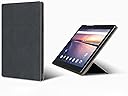
I have had it for about a month, bought at a discount from the price listed here, from a well known auction site. [Updated after about six months ownership, later impressions in square brackets] First of all, the build quality is generally outstanding. Metal back, fairly substantial but not too heavy. Screen (which was my own main buying motive) is superb. Battery life depends a bit on the level of illumination. I had expected it to be a bit better. That said, you will manage most of a full day as long as its not too processor intensive and as long as backlight is not full on. Speed, for my own not very demanding uses, is outstanding. i have not tried games or video, but reading pdfs or ebooks or the web there is almost no lag. Wifi works fine, no issues. The version of Android supplied seems to be plain vanilla, as it comes from Google. No attempt to customize or load it with bloatware. This is a strong plus. My three reservations are as follows. The first may not be Chuwi's fault, but the fault of Android. I have installed a 128G flash card, loaded. After transferring books and music to the 64G internal memory, I am unable to delete any files from the flash card. No idea why. Something like this seems from Google to be a common problem with Android, so maybe that is what it is. [Now discovered the answer to this and to the point below. What you do is connect to your desktop or laptop using USB lead. Then go to the 'connected devices' tab in settings. There you will see usb devices. You set this to 'transfer files'. At that point it will appear in your other machine as a usb device. This is a very simple way to copy files in either direction. But it has another bonus. You can now, from the computer, delete any files on the flash card! This is very odd, that what you cannot do from the tablet itself you can do with no problems from a PC that it is connected to, but it makes life a lot simpler. All you do is connect up as above and then you can do whatever you want to the files on the add-in card. I have however not been able to use it in OTG mode with a usb flash stick. Don't know why, but its not important given the ability to move files around as above. i am using a 128G card which seems to work fine. And I have also got a Verbatim usb card reader with WIFI, into which I have placed a 256G card. It was a bit over £15 and is a very simple solution to the OTG issue.] The second reservation is that I can't seem to access it to transfer files from a desktop. Its running in MTP mode, and in Linux it appears in the file manager, but no files are visible and it refuses to mount, and yes, mtptools are installed, but I can't see any of the files. And yes, I have not managed to make it work in Windows 10 either. But see the end of this for how I am working around it. So this leads to the third reservation. The natural solution to these problems is to take out the flash card and load or clear it from the desktop. Yes, but there is a niggling hardware issue. The ports for the card or SIM are behind a snap in plastic flap on one side of the tablet. You pry it off to get at them and insert or remove a card. Well, its decidedly flimsy and I find it hard to believe it will survive doing this repeatedly. This is a real reservation about build quality., and its the only one. If like me you expect to be using the machine mainly to load media onto it and then use it offline, you have to find a solution to this, and there is one. Just install the card of your choice, and then run SSHelper on it. Setting up SSHelper is not trivial, but the author has detailed instructions on his site, so most computer literate people should be able to do it. Then you don't have to keep taking the card out to add and remove media, its a networked remote access. There is probably a solution in software for Windows but I have not researched that as yet. SSHelper is available from the playstore, though not from F-Droid, (which I use in preference to the playstore) or you can get it by direct download. [I did use this, and it works fine, but the simplest solution is the one given above. This solution really solves all the issues about the cover. There is no longer any need to take the flash card in and out, just put a big enough one in there at the start and then manage it from the computer.] These are niggles rather than serious disadvantages. I would still very strongly recommend it if you are going to be comfortable either with working around the card issue or if your usage is not so storage dependent as my own is. You can pay double and get something less well built and less performant. And whatever you get is probably going to have some other irritations at the same level. I n terms of overall value for money, its superb. It is a pity about the plastic flap. This is the only real flaw, not a fatal one, but one it would have been very easy to correct. I think the other matters are almost certainly down to Android.