📲 Control your entire IR universe with a single tap—smart living made effortless!
The MOES WiFi Smart IR Remote Controller is a universal infrared blaster that connects via 2.4GHz WiFi to control multiple IR devices like air conditioners, TVs, and DVD players. Compatible with Alexa and Google Assistant, it offers voice control and remote access through the Smart Life app. Featuring a 15-meter IR range and DIY learning for unsupported devices, it requires no hub and includes a UL-certified power adapter and USB cable for easy setup.
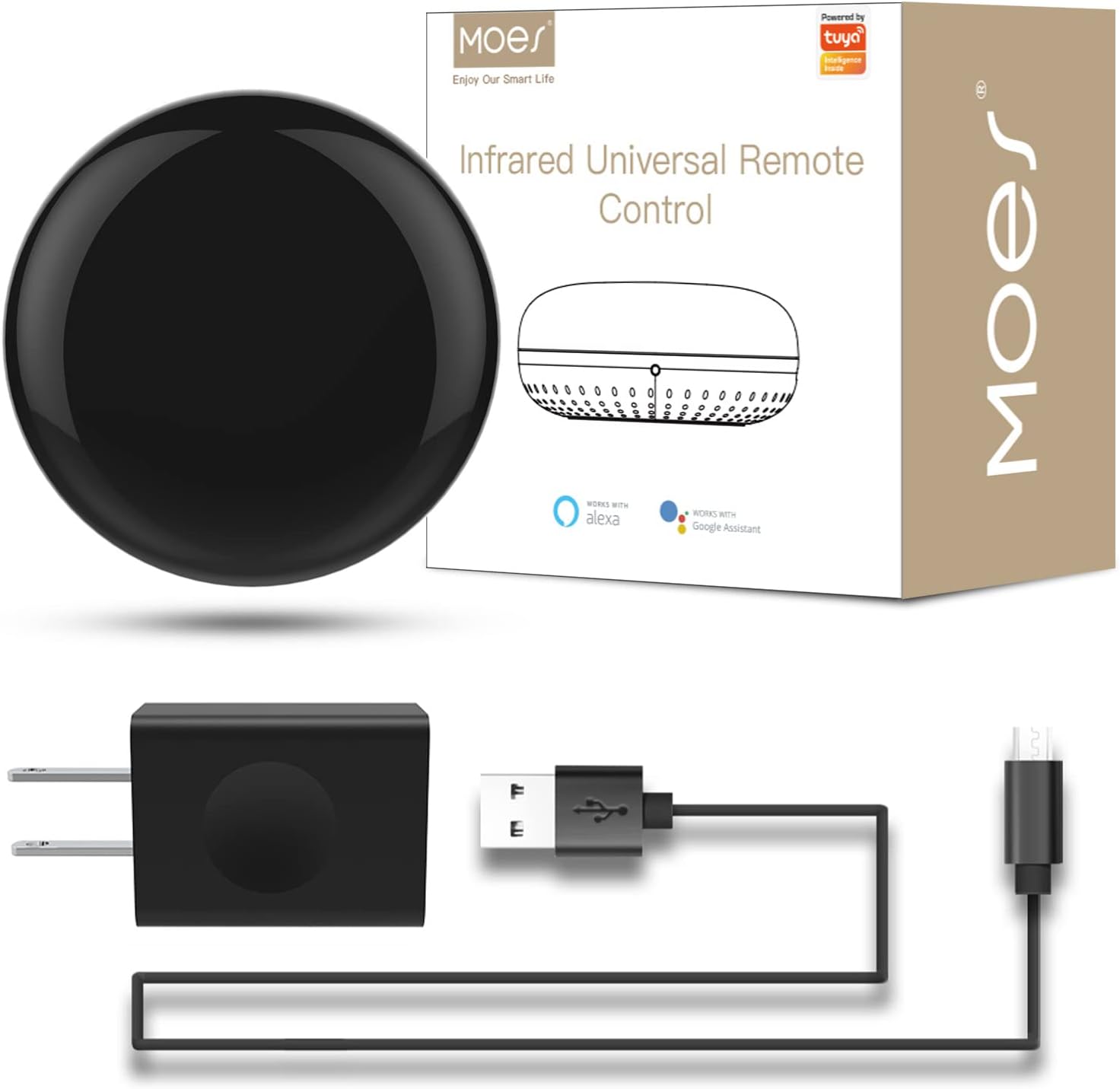


| ASIN | B07QH1X7PX |
| Additional Features | Universal |
| Battery Type | Lithium |
| Brand | MOES |
| Button Quantity | 12 |
| Color | IR+USB+Cable |
| Colour | IR+USB+Cable |
| Compatible Devices | Television |
| Compatible devices | Television |
| Connectivity Technology | Infrared |
| Connectivity technology | Infrared |
| Controller Type | Google Assistant |
| Customer Reviews | 4.2 out of 5 stars 1,162 Reviews |
| Item Weight | 100 g |
| Manufacturer | WENZHOU NOVA NEW ENERGY CO., LTD-Hangzhou Tuya Information Technology Co.,Ltd |
| Max number of supported devices | 1 |
| Maximum Number of Supported Devices | 1 |
| Maximum Range | 15 Meters |
| Mfr Part Number | UFO-R1 |
| Model Name | WR-TY-THR-BK-MS |
| Model Number | UFO-R1 |
| Number of Items | 1 |
| Number of Packs | 1 |
| Special features | Universal |
| UPC | 703931915244 |
A**R
Perfecto producto
Funciona totalmente con alexa, hace la vida más fácil. Ya tenemos 4 en nuestra casa, controlamos la televisión y los mini splits.
L**N
Works with no-name off brands!
So I installed two of these for two different no-name mini-split systems. In both cases, the unit had already failed on a couple other systems, and it was failing on Moes the same way... Moes did not have the brand listed, and with a new battery, it barely detected the on/off switch, it took many tries. In both cases it didn't seem to be working for the other buttons, but I decided turning it on and off was good enough... but then when I accepted the 1 button, it wanted me to try it, and at that point all of the button functions seem to work. One of my units was made in Mexico, the other China. One of my AC's added wifi right after I bought mine... the other is 10 years old. Both are in the cloud now!!
A**K
Good IR blaster but DOES NOT WORK NATIVELY AND LOCALLY with Home Assistant
I bought the Moes Wifi IR blaster after Home Assistant (HA) came out with the latest IR updates. Overall good product (and I've bought Moes switches before as well), but unfortunately this is NOT the model that works natively and locally with Home Assistant. From what I have read, the only way to connect to HA either through Tuya app (the cloud version, not the local version). The correct Moes IR blaster to get would be the Zigbee one. I have to return it unfortunately, but there is not thing wrong with the blaster itself - it looks sturdy and is able to connect easily, just not compatible with my system.
M**B
Muy útil y mas si no encuentro los controles rápido y hacer mi casa inteligente
Dispositivo muy útil para controlar mis dispositivos inalámbricamente solo con mi voz con mi dispositivo Alexa fue muy rápido la configuración y funcionan al 100
K**H
Does what it's supposed to. Good for the price.
Overall review: It works pretty good. You don't need the manufacturer's app - you can just use Smart Life, etc. In my case I got this in hopes of controlling some LED puck lights I have mounted under my kitchen cabinets. I wanted to be able to use a motion sensor and voice commands with Alexa. Before this device, I always had to use an IR remote or turn each one on individually - which was annoying. Initial Installation and Setup: So, I got this unknown brand (to me), inexpensive IR blaster device and set it up in the Smart Life app with no real issue. This didn't come up in the list of brands and devices so I chose Other and then universal remote to do the DIY set-up. I programmed just the On and Off buttons from the original remote, and that all worked just fine. I could now control all of the puck lights at once with just On and Off buttons in the app. Now, onto my real plan to automate them with Alexa... Integration with Alexa: The main issue I ran into was that, no matter what, I couldn't get this to load into the Alexa app under Devices. After some reading online I decided to try setting each button up as its own Scene in Smart Life first - in this case it was just On and Off - so, no big deal. Well, sure enough, the Scenes I set up in Smart Life were immediately discovered and useable in Alexa - so it was a good workaround. From there, I added a motion sensor and now the kitchen cabinet lights turn on and off automatically when someone enters and leaves the kitchen. Perfect home automation. Final Thoughts: I imagine if you were using a device that was in the large list of brands and not a DIY setup the device would be easily discovered in Alexa without the Scenes workaround. This wasn't what I needed it for, so I haven't tried that part. Again, overall I think this device works fine and suited my needs of getting LED lights smart enabled with Alexa. At any rate, I hope this may help someone who may be thinking this IR blaster device is not useable or broken for their needs and didn't know about the Scenes workaround. When it doubt - first try setting up Scenes for each remote button and see if that works in Alexa.
Trustpilot
3 days ago
5 days ago