Desertcart purchases this item on your behalf and handles shipping, customs, and support to Italy.
🚀 Elevate your mobile workspace with Fusion5’s sleek power and vibrant clarity!
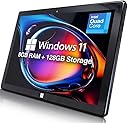
The Fusion5 10" Windows 11 Tablet combines a powerful Intel 13th Gen N100 processor with 8GB LPDDR5 RAM and a 128GB SSD, delivering smooth multitasking and fast boot times. Its 10.1" Full HD IPS display offers sharp, vibrant visuals ideal for both work and entertainment. Featuring versatile connectivity options including USB 3.0, Micro HDMI, and expandable storage up to 512GB, this ultra-slim 636g tablet is designed for professionals seeking portability without compromise. Preloaded with Windows 11 Home, it seamlessly blends productivity and creativity in a compact form factor.


| ASIN | B0F2GBPNW8 |
| Age Range Description | Adult |
| Aspect Ratio | 16:10 |
| Battery Average Life | 8 Hours |
| Battery Capacity | 6000 Milliamp Hours |
| Battery Cell Type | Lithium Ion |
| Battery Power | 18.0 |
| Best Sellers Rank | 12,018 in Computers & Accessories ( See Top 100 in Computers & Accessories ) 197 in Tablets |
| Brand | Fusion5 |
| Brand Name | Fusion5 |
| CPU Model Number | N100 |
| CPU Model Speed Maximum | 3.4 GHz |
| Camera Description | Front, Rear |
| Cellular Technology | 5G |
| Compatible Devices | Keyboard |
| Compatible Flash Memory Type | microSD |
| Configuration | 10" Fusion5 Windows 11 Tablet - FWIN232 PLUS S1 Ultra Slim Tablet PC - Intel 13th Gen - 8GB RAM, USB 3.0, Micro HDMI, Full HD Display, 5MP & 2MP Cameras, Expandable Storage |
| Country of Origin | China |
| Customer Reviews | 4.3 out of 5 stars 1,858 Reviews |
| Display Refresh Rate in Hertz | 60 |
| Display Type | LCD |
| Display resolution maximum | 1920x1200 Pixels |
| Flash Memory Supported Size Maximum | 256 GB |
| Front Photo Sensor Resolution | 2 MP |
| Generation | 1st Generation |
| Graphics Coprocessor | Intel UHD Graphics 600 |
| Graphics Description | Integrated |
| Hard-Drive Size | 128 GB |
| Hardware Interface | 802.11 ac/b/g/n |
| Human Interface Types | Touchscreen |
| Included Components | USB 3.0 cable, Micro HDMI cable, 12-month warranty |
| Item Dimensions L x W x Thickness | 25.5L x 1.1W x 17Th centimetres |
| Item Weight | 636 Grams |
| Lithium Battery Energy Content | 18 Watt Hours |
| Manufacturer | Fusion5 |
| Maximum Display Resolution | 1920x1200 Pixels |
| Memory Slots Available | 1 |
| Memory Storage Capacity | 128 GB |
| Memory storage capacity | 128 GB |
| Model Name | FWIN232 PLUS FHD N5 |
| Model Number | FWIN232 PLUS FHD N5 |
| Model Year | 2025 |
| Model name | FWIN232 PLUS FHD N5 |
| Native Resolution | 1920 x 1200 pixels |
| Network Connectivity Technology | Bluetooth, HDMI, USB |
| Number of Items | 1 |
| Number of Rear Facing Cameras | 1 |
| Operating System Family | Windows |
| Operating Systems | Windows 11 Home |
| Operating system | Windows 11 Home |
| Other Special Features of the Product | Lightweight |
| Processor Brand | Intel |
| Processor Description | Intel Alder Lake 13th Gen N100 |
| Processor Speed | 3.4 GHz |
| Product Warranty | 12 Month |
| RAM Memory Installed | 8 GB |
| RAM Size | 8 GB |
| Rear Facing Camera Photo Sensor Resolution | 5 MP |
| Rear Webcam Resolution | 5 MP |
| Screen Size | 10 Inches |
| Screen size | 10 Inches |
| Size | 128GB SSD |
| Specific Uses For Product | General use, such as web browsing, document editing and multimedia consumption. |
| Total USB Ports | 1 |
| Unit Count | 1.0 count |
| Video Capture Resolution | HD 720p |
| Video Processor | Intel |
| Warranty Type | Limited |
| Wireless Compability | Bluetooth |
| Wireless Technology Type | Bluetooth |
A**A
I’m genuinely impressed with this tablet!
I’m genuinely impressed with this tablet. The 12” 2K display looks sharp and vibrant, making it great for watching videos, browsing, and even light work tasks. The touchscreen is responsive, and the stylus is a really nice bonus for notes and casual drawing. Windows 11 runs smoothly, and with 12GB RAM + 512GB SSD, multitasking feels fast and reliable. I also like how lightweight and portable it is — easy to hold and carry around. Battery life has been good so far for everyday use. Overall, this is an excellent value device if you want a compact Windows tablet for entertainment, productivity, and travel. Highly recommend!
L**U
Fantastic alternative to a Windows PC laptop
I use the tablet with a docking keyboard for work. As I needed something mobile but compatible with our network, I was looking for a tablet with a Windows system, good ram and large memory. This ticked all the boxes and after using it both in work and at home for the past two months I have no complaints. I homeschool my children and find it extremely helpful for getting their worksheets and resources printed, watching slideshows and using educational apps. Before purchasing, I had read reviews that mentioned the sound wasn't great, but I didn't need it for watching or streaming programmes so this didn't put me off. To be honest, what sound I have played on it hasn't been terrible. To be certain I was getting what I needed and there wasn't anything else in the market that I had missed, I asked for a comparison in my local Curry's PC World and the advisor couldn't offer anything with the same package, and certainly not in the same price range. He advised me to stick with my initial choice of the Fusion5 as they had nothing to compete and was seemingly impressed with my find. Battery life is great for what I need, I always have my charger with me but I rarely need it during the day and can usually just charge the tablet when I get home in the evening. I have had no problems with the touchscreen, usually a fast and accurate response. Downside would be that I can have difficulty getting the screen to come back on but that may just be teething problems of me learning how it works. The docking keyboard can be a tad oversensitive when using the mouse pad, but that has nothing to do with the tablet itself. If I had a proper mouse I'm sure that would remove the issue. I would suggest one thing for the tablet; it would be great to get some kind of protective cover that would hold the tablet and be functional with or without the keyboard attached, as I always worry about damage when I have it out of the docking keyboard casing. Other than that, I can honestly say I have no regrets about making this purchase, it has made my work life much more time efficient and manageable, as well as giving me a portable device that I can use easily with my children for their education and studies.
R**G
Great little tablet with some caveats
We bought this to use as a data collector tablet for field surveying, along with a waterproof cover. The unit is perfect for our purposes with decent battery life and a reasonably bright screen for daylight viewing. We have it paired with an old Apple wireless keyboard and Magic Mouse (we used the Apple Boot Camp drivers for the mouse and Magic Keyboard drivers for the keyboard) for use in the office, both work very well however the mouse occasionally has to be manually connected. The touch screen is responsive, not anywhere as good as, say an iPad, but good enough. The 128GB built in storage is adequate for our needs, however we have installed a 128GB MicroSD card as a data volume. Someone said that it doesn't work with external drives, well it works fine with our G-Tech 1TB G-Drive SSD, maybe it doesn't have enough power for old spinning drives? First thing we did is took it out of S mode and upgraded to Windows 10 Pro 1909 update. This enabled us to install the surveying and GIS software that we need on the tablet. It boots up fast, and even with Win 10 Pro there's still 87GB free on the C drive. It's neat that it automatically syncs your documents, photos, etc., to OneDrive. OK, the caveats... for some reason the WiFi is not great. One would have expected a relatively recently released device to have AC connectivity but it just has low data rate N. In the house we have two access points both broadcasting the same SSID, without fail it picks up the furthest away access point even if it's right beside the downstairs Netgear unit. Even if you force it to connect to the nearest one the performance is pretty poor, barely OK for internet browsing but syncing files takes ages, a 300MB (yes, MB not GB) took nearly two hours! This could be a driver issue as it is a Broadcom NIC, something we'll likely have a look at... The cameras are pretty rubbish by todays standard but we're unlikely to use them anyway. The front facing unit would be OK for Skype, however given the abysmal network performance it's something we'd leave to the iPads instead! All in all, for the money it's good value and a nice little Windows 10 tablet. Don't expect Microsoft Surface or any of the big name tablets performance, but you pay for what you get and this could suit many peoples needs.
K**M
Impressed by quality and service
This was the first time I tried a Fusion5 product. It was on offer and had good reviews, but I hadn't heard of them before. It ticked all boxes for what I was looking for though and I especially liked that it came with a pen as well. I've now had it for a few weeks. It arrived quickly and there was even a spare pen tip in the box. Set up and registering the warrant were easy and battery lasts well. It's quick both when using it for business including video calls and the screen quality is brilliant. It charges quickly as well and I like that it uses usb C, which makes it flexible. It feels study and runs very stable with no issues at all. I'm sure it would also be great for gaming. Can't fault it at all and would order it again and recommend it.
K**R
Lovely windows 11 tablet / computer
Once I remembered my Microsoft account password easy set up mirrored my home computer set up. Aside from work stuff loaded Disney and netflix. Both run smoothly lovely quality picture. Sound off the laptop pretty weak connect headphones though and cracking. The keyboard separate purchase also functions as a carry / protection case
T**F
Fusion5 Better than you think!
I am a working DJ and I travel around Europe quite a bit. My old tablet had just died so I needed a tablet quickly, as I was off to play in Ibiza in a couple of days’ time. I used my tablet to create my DJ sets and edit tracks to make them mix better when I'm in the club. I'd never heard of Fusion5 before and so was really surprised by the product when it arrived. It felt well-made and sturdy with all the ports being labelled clearly. I love the fact that it has a flap on the reverse side which gives you access to either replace the hard drive or swop it over for a larger one. I'm glad to say that it survived me using it on the plane and in taxis’s and in hotel rooms. The battery lasted just long enough to get from the airport in the UK to Ibiza which allowed me to prep my sets and edit certain tracks. I always had enough battery power to get the job done even though I was maxing out the CPU but it coped really well. I expected the sound to be a bit tinny but to my surprise it had enough bass and quality for me to be able to create my sets which sounded good on a club speaker system. Normally, I would have bought a tablet from a better know brand, but I’m glad I didn't, as I would have wasted my money, as this tablet is as good as any in it’s range, but when you add in the price then this Tablet is a no brainer. It’s not supposed to be used for creating DJ sets or track edits as it is at the top end of it’s capabilities. I took a chance and it worked. I’m back from Ibiza and I have been to a couple more locations and I am still using the Fustion5 without any issues. I would have no issues about buying another Fustion5 for using on my travels.
M**B
Great value Win11 tablet...but some room for improvement
I bought this tablet (Fuson5 FWIN232 Plus FHD) to replace an 8 year old Asus Transformer Win10 tablet, which is still going great but can't be upgraded to Win11. So that is my reference point. Overall Im pretty impressed by the Fusion5: it's a good deal for the price, and very good vfm compared with say the Surface Pro models. There are not a lot of viable alternatives out there. It peforms well, the spec says it all really. I appreciate the 256GB SSD, the USB 3.0 a welcome addition alongside the USB-C, it's responsive and does what I need it to do. A few areas for improvement whihc I miss from my Asus: - The docking keyboard really should come as standard, not an option - My biggest gripe is the lack of charging via the USB-C port (it is NOT USB PD). It only charges via the dedicated Charging port. This is a big deal as I need to use my Fusion5 on the move and dont want to carry around a massive/expensive 12v power bank. So my solution is a PD to DC Adapter Cable I recommend this one: https://www.amazon.co.uk/dp/B0CHJM3GC4 > i Can now run the Fusion5 off a standard powerbank with a USB PD output, the adapter upconverts to 12V. - I also miss an LED that will show battery charging status (ie charging or charged) - If you buy one of these cases (https://www.amazon.co.uk/dp/B0865WFN1V) and despite the claims, it won't quite fit and you'll need to hack out your own cutouts to get access to the USB ports. Overall though I'm impressed, well done Fusion !!
J**S
Excellent build quality - Amazing price - Just the job for me!
I've been wanting a tablet with a Windows OS, but I can't justify the outlay for a Surface. Browsing, I came across the Fusion5 10 inch Windows 11 Tablet PC on Amazon last Sunday evening. The spec looked suitable for my requirements, and the price suitable for my pocket, so I took the plunge and bought it there and then. On Monday morning, I couldn't believe it - the Amazon courier was ringing the doorbell before I'd finished my breakfast! Opening the box I discovered a really good quality, solid tablet, that doesn't look or feel like it comes from the "bargain basement" of the market and, as I'm finding out daily, represents excellent value for money. I've been retired a long time now, but most of my experience with computers has been with Windows systems, and so it suits me to a tee. I've only had it for three days, but I'm already completely at home with it. It's quite quick enough for me and the screen is clean and bright. I've downloaded and installed all my familiar software and files, so it's business as usual, but in a tremendously useful, compact and mobile form, which feels like it’s built to last and withstand the rigours of travel. So, I'll definitely be using it to display music on my gigs, instead of humping around a library on paper! I’ve already decided to get the keyboard to complete the set.
A**R
Don't waste your time or money
What a wste of money. It doesn't come with a stylus and fingers don't work without multiple pokes and swipes.. Useless piece of junk. I'll be returning mine.
E**N
Good Value for the Money
I purchased this tablet as my Windows computer when travelling. (Rather than carrying a 17" HP on the plane.) It is taking the place of an older NextBook. The Fusioin5 has a good screen with good color correction. The tablet's overall speed is as expected and the internal "drive" has a good access time. The "Pro" version's C drive has adequate space. (I'm using about 35 GB with what came on the tablet plus Excel, Word and eM Client. I added a 64GB card as the drive for One Drive, music and photos.) I have also added a Bluetooth keyboard that I had lying around. I've used the tablet on both Zoom and WebEx over fairly slow connections (10 Mps) with no issues. (Inadequate performance when using WebEx is the main reason for replacing the NextBook.) It was also fun to have the British Cortana walking me through setup (until I turned her off). However, this tablet is not perfect. The "instruction" manual is pretty much worthless if you have used a tablet before. It seems very generic and doesn't even show where the various connections are on the tablet. Yes, they are labeled on the tablet, but some descriptions would be helpful, like what size cable is needed for HMDI (the answer is Mini HDMI (HDMI C TYPE), NOT Micro HDMI (HDMI D TYPE)) or is the headphone jack a combined microphone/headphone jack. And just what is the largest memory that can be put into the micro SD slot. (64GB worked, 256GB did not.) The biggest shortfall is sound...mono and muffled. I'll probably use an external speaker (I already use a conference style microphone.) Listening to music is very poor. Would it really have been so hard to add stereo speakers under grills? Also, there is only one USB port plus a mini. I'm using a powered USB multiplier with a USB mouse, conference microphone, Passport drive and cell phone with no issues but one full-size USB would be useful. Bottom line, this tablet is a Cooper MIni, not an Aston Martin Vantage. It is capable of doing what I need at a very attractive price.
J**É
VA BIEN
FUNCIOINA BIEN
T**Y
satisfaction
satisfaction
J**S
Tablet para uso ligero
Buena calidad de video, fácil de usar, buen diseño, tiene bajo el sonido de las bocinas y si es un poco lenta para abrir internet o aplicaciónes muy pesadas pero estoy satisfecho con el uso general.
Trustpilot
5 days ago
4 days ago