We remain fully operational. Our teams are working around the clock to ensure your deliveries continue safely.

DOWNLOAD THE APP


Customer Services
Copyright © 2025 Desertcart Holdings Limited
DOWNLOAD THE APP

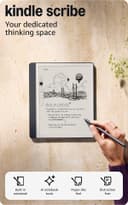
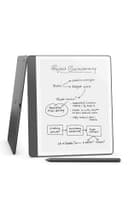



🖋️ Kindle Scribe: Where your ideas meet the future of note-taking.
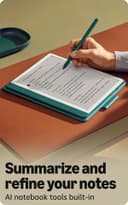
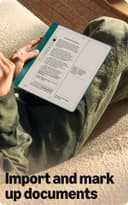
The Amazon Kindle Scribe (16GB) is a cutting-edge digital notebook and e-reader featuring a 10.2” 300 ppi Paperwhite display, a premium pen with no charging required, and AI-powered tools that convert handwriting to text and summarize notes. Designed for professionals who crave distraction-free productivity, it supports seamless document import and markup, offers up to 12 weeks of reading battery life, and includes 3 months of Kindle Unlimited to fuel your knowledge journey.
| Display | Amazon's 10.2” Paperwhite display technology with built-in light, 300 ppi, optimized font technology, 16-level gray scale. |
| Size | Device: 7.7” x 9.0 x .22 (196 x 230 x 5.7mm excluding feet) Premium Pen: 6.4” x .35” x .33” (162 x 8.8 x 8.4 mm) |
| On-Device Storage | 16 GB, 32 GB, or 64 GB |
| Weight | Device: 15.3oz (433g device only) Premium Pen: .60 oz (17g) Actual size and weight may vary by configuration and manufacturing process. |
| Wi-Fi Connectivity | Supports 2.4 GHz and 5.0 GHz networks with support for WEP, WPA, WPA2 and WPA3 security using password authentication or Wi-Fi Protected Setup (WPS). Does not support connecting to ad-hoc (or peer-to-peer) Wi-Fi networks. |
| Content Formats Supported | Kindle Format 8 (AZW3), Kindle (AZW), TXT, PDF, unprotected MOBI, PRC natively; PDF, DOCX, DOC, HTML, EPUB, TXT, RTF, JPEG, GIF, PNG, BMP through conversion; Audible audio format (AAX). Learn more about supported file types for personal documents. |
| Accessibility Features | VoiceView screen reader, available over Bluetooth audio, provides spoken feedback allowing you to navigate your device and read books with text-to-speech (available in English only). Kindle Scribe also includes the ability to invert black and white, adjust font size, font face, line spacing and margins. Learn more about Accessibility for Kindle. |
| Warranty and Service | 1-year limited warranty and service included. Optional 1year extended warranty available for U.S. customers sold separately. This device receives the same limited warranty as a new device. Learn more about Like-New Amazon devices. Use of Fire HD 10 tablet is subject to Amazon's Conditions of Use and these terms. |
| Setup Technology | Amazon Wi-Fi simple setup automatically connects to your home Wi-Fi network. Learn more about Wi-Fi simple setup. |
| System Requirements | None; fully wireless and doesn't require a computer to download content. |
| Included in the Box | Includes wifi-enabled Kindle Scribe, Premium Pen, USB-C charging cable, 5 replacement tips, tip replacement tool, and built-in rechargeable battery. |
| Generation | Kindle Scribe 1st generation - 2024 release |
| Battery Life | For reading, a single charge lasts up to 12 weeks based on a half hour of reading per day, with wireless off and the light setting at 13. For writing, a single charge lasts up to 3 weeks based on a half hour period of writing per day, with wireless off and the light setting at 13. Battery life will vary and may be reduced based on usage and other factors such as Audible audiobook streaming and annotating content. |
| Charge Time | Fully charges in approximately 7 hours from a computer via USB-C cable; or fully charges in approximately 2.5 hours with a 9W USB-C power adapter. |
| Documentation | Learn more about Kindle devices with our Quick Start Guide and Kindle User Guide. |
| Available Color | Tungsten and Metallic Jade |
| Software Updates | Learn more about these software security updates. If you already own a Kindle, visit Manage Your Content and Devices for information specific to your device. |
R**W
Perfect for taking notes at work — bright, easy-to-use, and a game changer
I’m really impressed with the Kindle Scribe. I mainly bought it for taking notes at work, and it’s quickly become one of my favorite tools. The writing experience feels natural, the pen is responsive, and the screen is incredibly easy to see — even under bright office lighting. What I love: Super easy to use — the interface is simple and feels natural right away. Great for work notes — organizing notebooks, jotting down ideas, and reviewing documents has never been easier. Clear, paper-like screen — comfortable on the eyes and crisp to read, whether I’m viewing PDFs, emails, or meeting notes. Premium pen included — writes smoothly with no lag and feels great in the hand. Battery life is excellent… I’m not constantly having to recharge it. Bottom line: If you want a distraction-free tool for notes, documents, and reading — especially for work — the Kindle Scribe is fantastic. It’s simple, fast, and honestly makes me more productive. I’m really glad I upgraded.
V**M
Exactly the device I didn’t know I needed
I was looking for a device that could help me read more, sketch out ideas, and replace my long-standing habit of taking copious notes on paper—notes I almost never revisit. I wanted something that could bring all of this together in a more intentional way. I seriously considered the iPad, especially with apps like Procreate and various note-taking tools. A couple of friends, however, strongly recommended the Kindle Scribe. I happened to be in the U.S. over Thanksgiving when this version was discounted by about 30%, and on an impulse, I decided to give it a try. I’m very glad I did. The Scribe itself is superb. The writing experience feels natural and satisfying, and the plant-based cover Amazon offers is excellent—simple, sturdy, and thoughtfully designed. Writing on the Scribe feels close enough to paper that it immediately felt familiar. I’ve only had it for about a month, but in that time I’ve been reading a lot more than usual. I enjoy underlining and annotating as I read, and I can easily see this becoming a replacement for physical books for me. The note-taking experience has been equally strong—I’ve already used it extensively in a couple of workshops, and it’s been genuinely pleasant and fulfilling. There are several features I haven’t explored yet, including the cloud and AI capabilities around notes, and I haven’t fully leaned into sketching and drawing just yet. Even so, based on my experience so far, this has been a fantastic purchase. If you’re someone who reads a lot, takes handwritten notes, or wants a focused, distraction-free alternative to paper or tablets, I’d strongly recommend the Kindle Scribe.
D**M
I Use This Far More Than My iPad Pro
My use case maybe different than most, I'm a professor at a university and I am constantly taking notes for committee meetings, research, and class prep. I got fatigued at constantly carrying around notebooks and I am particular on my taste in notebooks (Moleskine). Add years of those and it costs as much as a Scribe. A couple of my colleagues have adopted either the Kindle Scribe or the Remarkable Paper Pro. I purchased the Scribe because I'm already bought into the Kindle library pretty heavily and it was super easy to setup my account on the Scribe since I already was an Amazon user. The writing experience I feel like is more comfortable on the Scribe than the Remarkable Pro. It has just enough friction so that it feels like I'm writing on paper. I've tried and have not liked writing with a stylus on the iPad, even with the Paperlike screen protector. It's just too slippery and inaccurate. In my opinion, the Scribe does the most superior job compared to anything else out there. The legibility, e-ink refresh rate, and brightness are top notch. They look good and after erasing, it doesn't leave any e-ink "residue". Writing notes instead of typing has helped me remember and work through my creative process better. I just don't want gobs of physical notebooks. The Scribe has solved this for me and has everything at the ready. In class, I have my Scribe propped up and I can see my notes right there in front of me. I even export them and add them to our course modules so students can get my lecture notes. I even add a last page with the AI summary and a few of my doodles so the students can get a condensed version-- which the AI does a good job summarizing! I've used an iPad Pro for years and I chucked that to the side and found myself using the Scribe daily. I'm excited about the upcoming updates since the September 2025 announcement. I may even jump the Kindle Scribe Colorsoft just for the features plus color. I think the Remarkable has a little better note taking file structure and folder organization. But if the announcement delivers on this next update, that will solve the folder organization and add some awesome integration with cloud storage!
Trustpilot
2 weeks ago
1 month ago