🤖 Elevate your clean game—because your home deserves a robot that works as hard as you do!
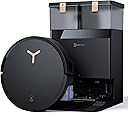
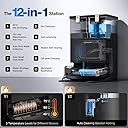
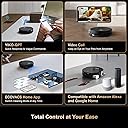
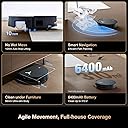
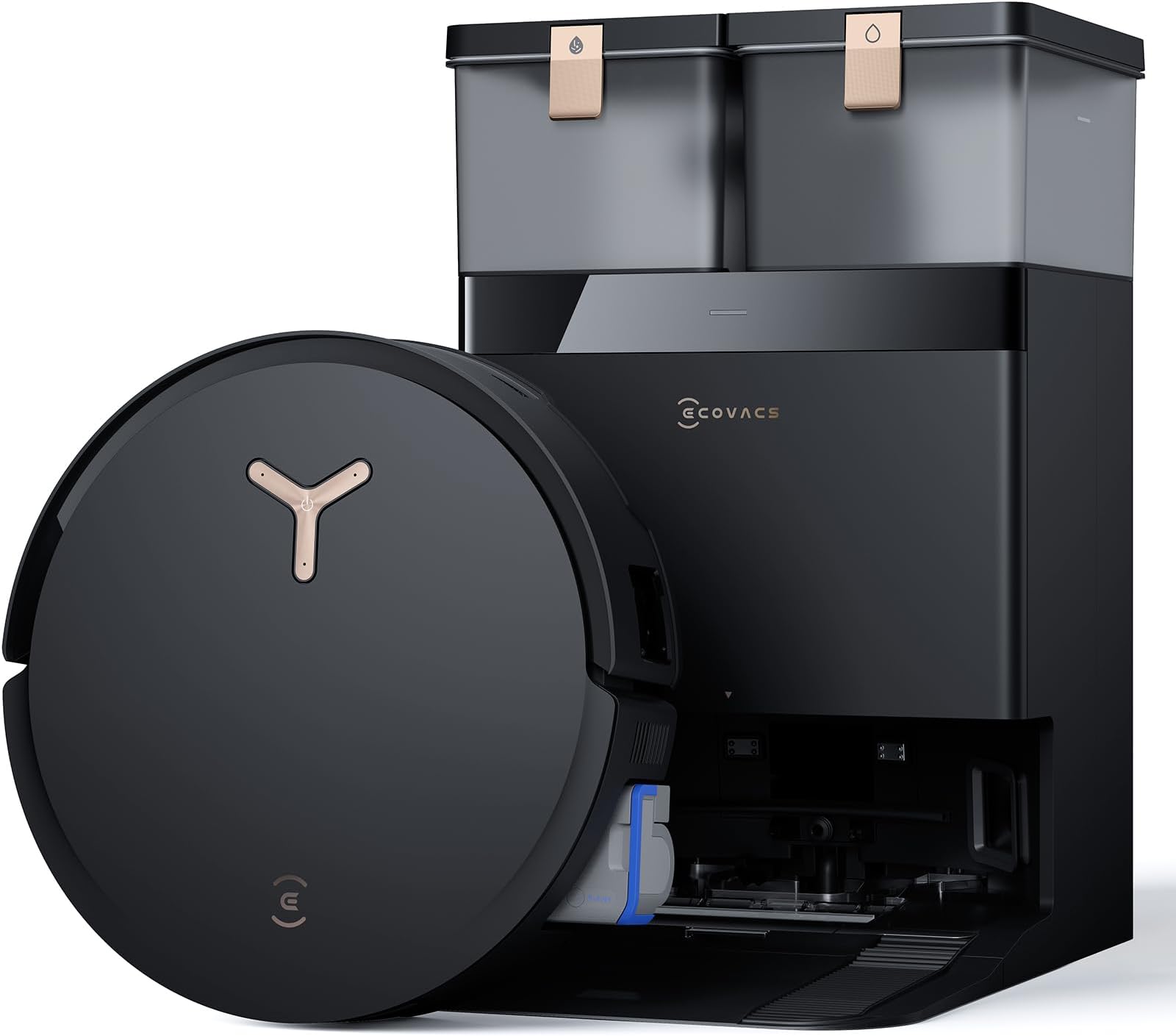
The ECOVACS DEEBOT X8 Pro Omni is a premium AI-powered robot vacuum and mop featuring 18,000Pa suction, instant self-cleaning OZMO roller mop, and a 12-in-1 hands-free Omni Station. Designed for professional millennials seeking effortless, edge-to-edge cleaning, it combines smart LIDAR navigation, ZeroTangle technology, and smart home voice control compatibility to deliver a thorough, streak-free clean with minimal intervention.


| ASIN | B0DR8NJMCJ |
| Brand | ECOVACS |
| Capacity | 110 Millilitres |
| Colour | Black/White |
| Compatible Models | Amazon Echo, Google Home, Smartphones |
| Customer Reviews | 3.9 3.9 out of 5 stars (318) |
| Date First Available | 20 Mar. 2025 |
| Delivery information | We cannot deliver certain products outside mainland UK ( Details ). We will only be able to confirm if this product can be delivered to your chosen address when you enter your delivery address at checkout. |
| Item Weight | 17.7 kg |
| Model Number | DEEBOT X8 PRO OMNI |
| Product Dimensions | 35 x 53.29 x 40.49 cm; 17.69 kg |
| Runtime | 3 hours and 20 minutes |
| Special Features | OZMO ROLLER, TruEdge 2.0 Adaptive Edge Cleaning |
| Voltage | 110 Volts |
K**S
Updated to five stars on April 8, 2025. Ecovacs sent me another unit and this one is amazing. It seems the units I had to return may have been a part of a bad batch. The new unit has triggered zero error messages for the past few weeks, cleans and mops amazingly well after quickly scanning and mapping my rather large house in less than 30 min. The AI is responsive and well implemented. The best part, and the ultimate reason I stuck with Ecovacs, is the level of support I received, and the commitment to resolve my issues, which is super rare these days. A bit of constructive feedback on the Ecovacs app: - The cleaning log currently only reports each session as "Rooms Cleaning", along with duration of sq footage of each job. It would be substantially more useful if the log included which room(s) were cleaned in each job and what type of cleaning was done (i.e. Vac, Vac and Mop or Mop after Vac). - The bugs I reported in my original review are still yet to be fixed. Overall, I am impressed with the X8 Pro Omni and would highly recommended. Original review: I really wanted the Ecovacs Deebot X8 Pro Omni to work. Unfortunately, it turned out to be a disappointment and I would not recommend it. I saw the Deebot X8 Pro Omni at CES in January and bought it as soon as it became available on Amazon in February. Out of the box, the unpacking and setup experience was seamless and I was very impressed. The bot very quickly scanned and mapped my rather large house with little corrections. The app is pretty intuitive and I very quickly figured it out. The problems started on Day 2 of using the Deebot. It started throwing a "Bumper Stuck" error for no reason. It would do that 8 or 9 times per run regardless of whether it was vacuuming or mopping. Each time the bot was not actually stuck under furniture in any way, just sitting there waiting to be reset. To get it to continue, I would need to bump the bumper as instructed in the app, and then push the button on the bot to continue. For a modern top-of-the-line Ai-enabled bot that is supposed to vacuum and clean the house without intervention, this was a terrible experience. It is virtually impossible to leave this machine to finish the job on its own without having to bump it and reset it every few minutes. In fairness, Ecovacs email support was pretty responsive. I contacted them and they asked me to reset the bot to factory settings, then start over. That didn't help, unfortunately, as the bot kept throwing the same "Bumper Stuck" error every few minutes after reset. At some point, a piece of plastic fell out of the machine. I sent a picture to Ecovacs support and they determined that the broken piece could be causing the "Bumper Stuck" problem. Ecovacs offered to send me a replacement unit, but would not specify timeline and I decided to return it to Amazon instead as it was faster and more convenient. I immediately purchased another Deebot X8 Pro Omni as I thought the first one was just bad luck getting a defective unit. On Day 2 of running the new unit, the same exact issue started happening. "Bumper Stuck" error every few minutes without the bot actually being stuck in any way. I contacted support again and they offered to send me another replacement, without committing to a timeline again. I decided I'd had enough of unpacking, packing and repacking Deebots, so I returned it through Amazon again and have since purchased a different brand, which should be delivered in the next few days. I do like Ecovacs as a brand, but it seems they may have released the X8 Pro Omni a bit prematurely. The product needs a lot more testing to deliver to expectations. In addition to the issues described above, I discovered a few more bugs while going through the process of troubleshooting. - The app has a couple of areas that reach a dead-end blank screen, forcing you to completely kill and restart the app to get out. - When the station's dirty water tank is full, instead of showing a message to empty it, the app throws a "Robot dirty water box error" with instructions to pull the box from the bot and "clean it". Well, the dirty water box on the bot is full simply because the station's dirty water tank is full, not because it has malfunctioned, and you need to find that out by trial and error. Bottom line, not ready for prime time. I'd wait for this product to mature a bit before purchasing.
N**K
**Update after 6 months of using it, I'm downgrading it from 4 stars to 1 star** It's still an amazing vacuum cleaner. It deeps cleans the carpet and does a good job of vacuuming on the tile floors. BUT! the auto-empty doesn't empty itself, I have to manually clean it out every single time it returns to the base. The cleaning solution holder still has the same amount as when I first filled it, so evidently that is not being used. I have yet to figure out how to make the mop not leave streaks on the tile floors - I've set it at high water, medium water, and low water usage and all of the settings leave streaks. These are especially bad on the places where the robot rotates around table legs leaving circular streaks. The robot gets stuck a lot, sometimes over and over in the same place even when I move it to a different spot (it will just return to the same spot.) All of this means I can't leave the house if the robot is running because I will come home to a stuck robot and a vacuum dust bin that is overflowing. And it still takes forever to do any of the jobs I ask - vacuuming the two bedrooms and one closet that have carpet (400 sq. ft.) takes an hour. That's if it doesn't have to be unstuck from something. I'd throw it away tomorrow except I paid $1000 for this robot, what a dope. Original Review - Here's what's good about the vacuum part of it - it is a awesome vacuum, getting actual dirt out of my carpets. Here's what's not good - it's so good at vacuuming the carpet that the dustbin fills up, clogs up, and then doesn't empty. I have to manually clean out the dustbin after each carpeted room. Kind of defeats the purpose of an "automatic" vacuum. Here's what's good about the mop part - I'm not having to mop the floor myself. But I had to set the water "level" at 40 (high) to keep it from streaking. And it took a little bit of figuring out to set it to mop up and down the same direction as the tile planks instead of going across them so you can't see the lines of where it mops. But my main dissatisfaction with this is that it is SLOW! I have about 1200 sq ft of tile floors and it takes almost 3 hours for it to vacuum and mop. Again, not having to do it myself is worth a lot, but trying to keep the dogs off the floor for that long is a chore too.
S**M
This is truly the upper echelon of robot vacuums. Ecovacs has done an immaculate job of improving on the T30 version of the vacuum. There are so many small things changes and configurations that set this vacuum apart from others. I have three dogs, hardwood floors, tile, and carpet rugs so I run this vacuum every single day. I'll break down my thoughts below. SETUP Setup is extremely easy - only needing to attach the base piece to the station and plug it in. For the vacuum just snap the small brush on. The app setup is really easy as well - scan the QR code on the vacuum and follow the steps in the Ecovacs app. VACUUM The most important question for any robot vacuum is does it do what it should, and how well. The vacuum delivers on all levels. This is one of the few vacuums that I feel does a great job on standard suction and you don't have to use turbo suction (which saves battery). I primarily have tile and hardwood floors with a few small rugs, so I can't speak to carpet too much. This vacuum has a small extender for the corner brush that does a great job of getting hard to reach areas. MOP This is another area where they have done a lot of improvement. There is a roller brush that does a great job of mopping hardwood floors. The mop extends out to get all the way to the end of walls really well. PITCREW (Station) The docking station makes everything a breeze. The dust bag is larger, the water tanks are bigger, and they have added a cleaning solution tank to automatically add floor cleaner to the water. I haven't had any issues at all and love everything about it! The water tank lasts about 2 weeks using it frequently. The dust bag lasts about a month for me. I have 2 dogs that shed so that is pretty good. APP / MAPPING Not to be repetitive, but this is another area where they have made a lot of improvements. The app does everything you expect, but I'll highlight a few things: If the robot ever gets stuck the robot will mark the map and recommend where to add barriers to prevent getting stuck again. After a few runs it no longer gets stuck. The app has some great settings like the option to force the robot to go vacuum if the water tank is empty (when it is supposed to mop and vac). There is an option in the app to vacuum carpet/rugs first, then vac and mop everything else. This is nice since sometimes the mop will get rugs damp. You can also set rug suction boost OR reduce sensitivity so it doesn't suck up thin rugs and drag them due to strong suction. There are also nice option to reduce noise like have the vacuum sit lower to the floor, and even reduce dust collection power at the station so it isn't too loud. FINAL THOUGHTS This review is already really long so I'll end it there, but I am so impressed by so many small things about this vacuum that I can't list everything. It really goes above and beyond in adding so many small customizations that are provide a solution to small complaints about other vacuums. Although expensive it is absolutely worth every penny.
K**R
Carpet cleaning is good, hard floors are okay. Mopping is also good. But everything else is a big letdown. It gets stuck sometimes in the dark (it doesn’t have a light in the front). It can’t seem to dock properly in the dark and wanders about the whole house until it shuts down at some random location in your home. Battery run time is bad and charging it up takes so long. There is no “just mop” feature; it’s either mop and vac, vacuum only, or mop after vacuum. All in all I would give it 2 stars for its mopping performance.
M**E
Mops and vacuums well. But the app is the most bugged thing ever. Throwing error codes that doesn’t make sense and then it turns off everything when entering the docking station and goes offline. Now I spent 3 hours trying to reconnect it. But it simply won’t, so it’s pretty much useless now. Used it for 4 days, now have to return it. Sad cause it cleaned well. Could live with the app being bad, but when its not working at all 👎
Trustpilot
1 week ago
2 weeks ago