๐ Elevate your home network to pro-level speed and security โ donโt get left behind!
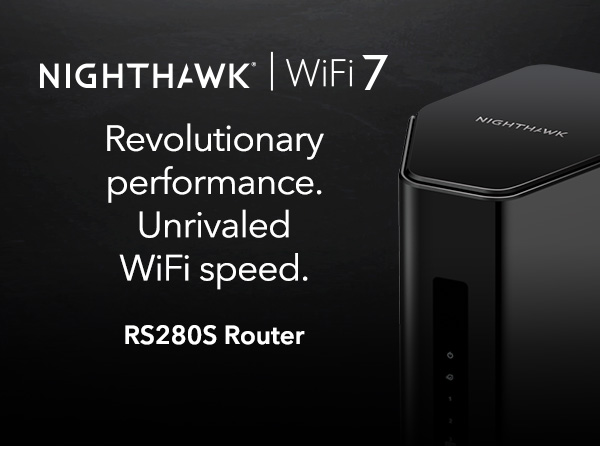
The NETGEAR Nighthawk RS280S WiFi 7 Tri-Band Router delivers cutting-edge wireless speeds up to 9.2 Gbps with tri-band 6 GHz support, covering up to 2,500 sq. ft. It features a 2.5 Gigabit Ethernet port for multi-gig wired connections and includes a 1-year subscription to NETGEAR Armor for advanced cybersecurity. Designed for high-performance gaming, streaming, and smart home setups, this router combines next-gen technology with robust security in a sleek, compact design.


| ASIN | B0DGPLBRDQ |
| Antenna Location | Business, Gaming, Home |
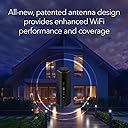
| Antenna Type | Internal |
| Best Sellers Rank | 344,660 in Computers & Accessories ( See Top 100 in Computers & Accessories ) 2,415 in Routers |
| Box Contents | One (1) 12V/3.5A power adapter, One (1) 2m Ethernet cable, One (1) WiFi 7 Tri-Band Router (RS280), Quick start guide |
| Brand Name | NETGEAR |
| Colour | Black |
| Compatible Devices | Gaming Console, Personal Computer, Security Camera, Smart Television, Smartphone |
| Connectivity Protocol | Wi-Fi, Ethernet |
| Connectivity Range | 2500 Square Feet |
| Connectivity Technology | Ethernet, Wi-Fi |
| Control Method | Touch |
| Coverage | 2500 square feet |
| Customer Reviews | 4.2 4.2 out of 5 stars (383) |
| Data Transfer Rate | 9.2 Gigabits Per Second |
| Frequency | 6 GHz |
| Frequency Band Class | Tri-Band |
| Has Internet Connectivity | Yes |
| Has Security Updates | Yes |
| Is Modem Compatible | Yes |
| Item Dimensions L x W x H | 15L x 10.2W x 24.9H centimetres |
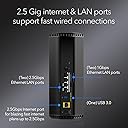
| LAN Port Bandwidth | 2500 Mbps |
| Manufacturer | NETGEAR |
| Manufacturer Part Number | RS280S-1CCNAS |
| Maximum Upstream Data Transfer Rate | 9200 Megabits Per Second |
| Model Name | RS280S-1CCNAS |
| Model Number | RS280S-1CCNAS |
| Number of Ports | 1 |
| Operating System | Proprietary Operating System |
| Other Special Features of the Product | Internet Security |
| Security Protocol | WPA2-PSK or WPA3 |
| UPC | 606449171310 |
| Unit Count | 1.0 count |
| Voltage | 12 Volts |
| Wi-Fi Generation | WiFi 7 |
| Wireless Compability | 802.11.be |
H**R
Exellent
B**N
I recently upgraded to the NETGEAR Nighthawk RS280S, and it has been a huge improvement over my old ISP-provided router. Setup was quick through the app and I was online within minutes. The speed difference is immediately noticeable. Iโm getting much higher download and upload throughput, lower latency, and far more consistent performance across all my devices. Streaming 4K video, gaming, large downloads, and multiple phones/tablets running at the same time no longer slow anything down. Coverage is excellent too. Signal strength is strong throughout my entire home, including areas where my old router used to struggle. The 5 GHz and 6 GHz bands handle heavy traffic really well, and devices stay connected without random drops. I also like the 2.5-gig port for faster wired connections and future-proofing. Everything feels responsive and stable, even with lots of devices connected at once. It just works, which is exactly what I wanted. Overall, this router delivers great performance, easy setup, and reliable coverage. Definitely worth the upgrade if you want faster Wi-Fi and better stability.
R**T
Incredible router for the price. Just note that if you want Wifi 7 anything, just due to the physics of how that wavelength works you should not expect it to penetrate any walls. I am currently using the 6e and I am genuinely impressed. My download speed is definitely impacted from wifi 6 but latency is much better. This guy has pretty awesome range for stuff like the 2.5 ghz bands and penetrates a lot more than my tp-link routers. The routers ip point access is fairly simple and you can set it up without an app by clicking bottom of the screen which is a plus. There isnt a bunch of visual clutter inside and it integrated instantly with my pfsense server. The shape is nicer since I wanted to use this in a rack with a 3d printed housing. It doesnt get hot from what I have noticed and is completely silent. I took a gander looking at all the one stars that were on this device and from what I have seen is most people just don't understand how a lot of these machines work or the capabilities of the bands they are using. Dont expect wifi 7 to go through walls ever. 6e will significantly struggle so if you need distance/walls, you should lower your settings for the network you are adding in the configs.
E**S
This review is for the Netgear RS280S (BE9200). Overall setup was easy through the iPhone app and took about 20 minutes. Runs strong and speed test confirms I am getting the full download and upload speeds I am paying for. The network is tri-band (2.4, 5, and 6 GHz) which will help keep things moving as more and more devices become connected. There is also only ONE network to select -- as opposed to the 2.4 or 5 options on my 7 year old Netgear that I replaced today. I have strong wifi through my house (basement, main floor, and upstairs) and all across my backyard. I was prompted to either accept the pre-programmed network name or given the option to change the network name and password to match my old network. Great option, as this allowed all devices to reconnect without a new logon (Ring, Nest, hue light bulbs, Alexa devices, Maytag Washer and Dryer, all phones, computer and TVs) all worked automatically without issue or having to log devices in. Overall very happy with this purchase.
M**T
Its been 15 years or so since I bought a Netgear Router, Figured Id give them another try, Nope, never again. This thing technically works but let me tell you some things you should know aside from its technical specs. 1) The app is heavily pushed, in fact if you dont already have some skill there isn't a way to get around it. But on initial connection if you type in 192.168.0.1 or 192.168.1.1 (this will cover almost all people) you can bypass the app FOR NOW. 2) you will at some point again get pushed to install the app on your phone unless you can see the little grey writing that says "I dont have a smart phone" This is called a dark pattern. It doesnt say "i dont want the app" or "id like to continue with advanced installation" it tries to demean you. This is how all the phone games with micro transactions work. 3) Updates MANDATORY theres no way i could find to skip them. 4) Painfully slow restart time for a router of this price and generation 5) Initial setup makes it seem as if registration is mandatory (which it might be for some features see another point below) 6) Required complex admin password. Do i own this router? if I want my password to be "password" or nothing thats my choice. 7) Geo-location tagging. One of the first things it does is determine your location, WHY?! just be a router! 8) I could not find anyway to see the routers settings without the App. the 192.168.1.1 trick no longer works after the very basic setup. It seems you MUST have an online account with them do change any of the setting in YOUR router. 9) there's more but this has taken enough of my life from me. You don't own this router. its theirs but you will pay for it upfront and possibly continue to pay with the information they farm from you. Why would anyone pay for this? just get the router for free from your internet company, its the same deal.
Trustpilot
2 weeks ago
3 weeks ago