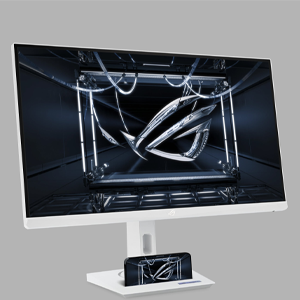
🎮 Dominate every frame with ASUS ROG Strix – where speed meets style.
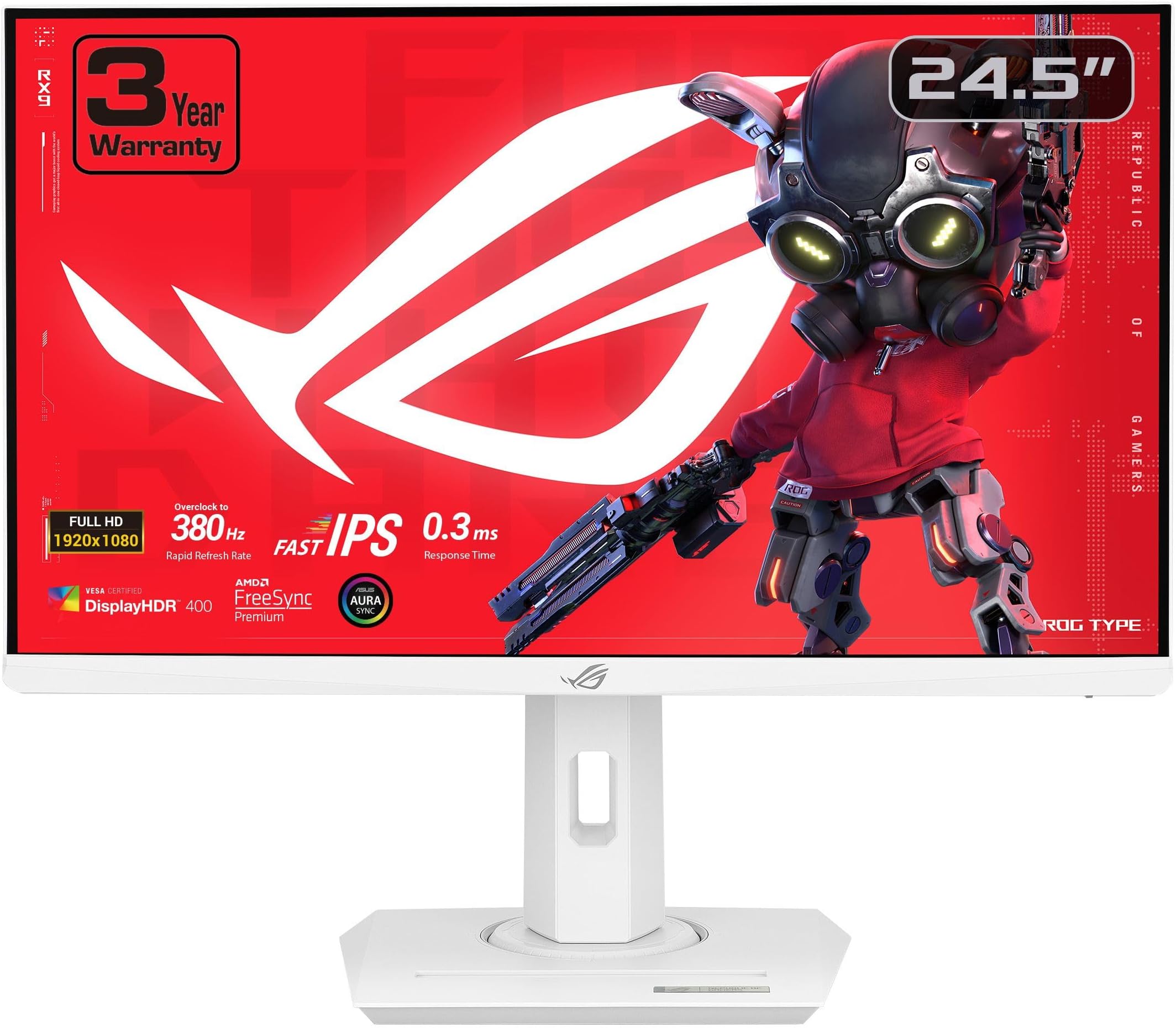
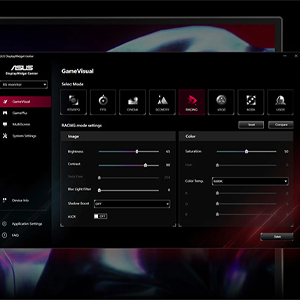
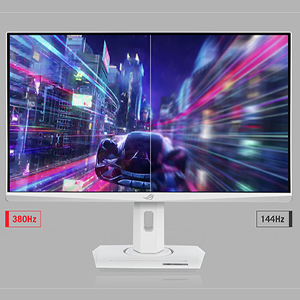
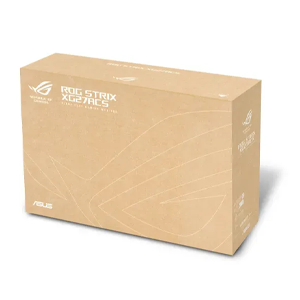
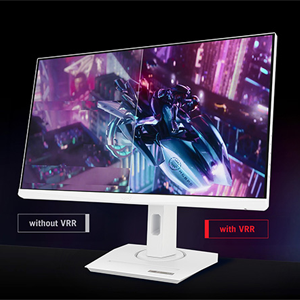
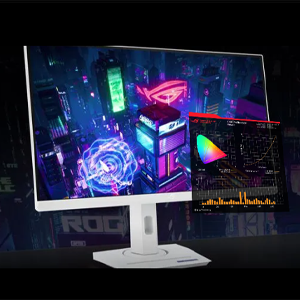
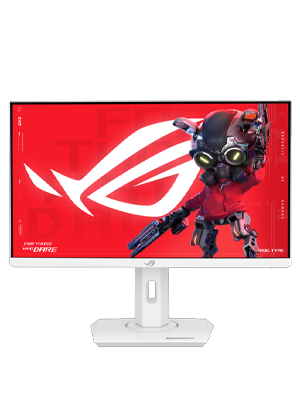
The ASUS ROG Strix 25” (24.5-inch viewable) Full HD gaming monitor delivers pro-grade performance with a blistering 380Hz refresh rate and ultra-fast 0.3ms response time thanks to Fast IPS technology. Featuring Extreme Low Motion Blur Sync combined with FreeSync Premium, it ensures tear-free, crystal-clear visuals. Its ergonomic design, customizable DisplayWidget interface, and Aura Sync RGB lighting make it a must-have for esports professionals and serious gamers seeking competitive edge and immersive style—all backed by a 3-year warranty and bonus Adobe Creative Cloud access.


| ASIN | B0D12GYW46 |
| Best Sellers Rank | #17,415 in Electronics ( See Top 100 in Electronics ) #492 in Computer Monitors |
| Brand | ASUS |
| Color | WHITE |
| Computer Memory Type | DDR5 RAM |
| Customer Reviews | 4.4 4.4 out of 5 stars (917) |
| Date First Available | November 8, 2024 |
| Item Dimensions LxWxH | 8.6 x 21.9 x 19.4 inches |
| Item Weight | 5.9 pounds |
| Item model number | XG259QNG-W |
| Manufacturer | ASUS |
| Max Screen Resolution | 1920 x 1080 Pixels |
| Number of Processors | 1 |
| Number of USB 3.0 Ports | 2 |
| Product Dimensions | 8.6 x 21.9 x 19.4 inches |
| Screen Resolution | 1920x1080 |
| Series | ASUS ROG Strix G16 Gaming Laptop |
| Standing screen display size | 24.5 Inches |
T**M
Great!
Silky smooth and high quality! Not a single dead pixel and black uniformity is the best I've seen on the multiple 24 inch monitors I tried before this one. IPS glow wise the asus tuf 24 inch was terrible and had a bright spot and the koorui was ok but not as good as this one. Asus is very good with hdr support too. The koorui's HDR I returned was awful and there was no settings to adjust it. This one works great with my switch 2 HDR wise. Also the OSD and settings destroy the koorui, that one was extremely barebones but this monitor has tons of settings to adjust.
B**.
Excellent Non-RTX4090 Gaming PC Monitor choice
Computer Spec: AMD 5700X CPU, AMD 7900XT GPU, 32GB RAM, 3840x1080 @144Hz Why buy this: - Play games in Ultrawide with two little side edge partitions for Discord and watching Twitch. It's so clean. - 1080p resolution; If you don't have a RTX4090 you can't drive an Odyssey G9 DQHD at anything more than ~40fps on High Settings in most AAA games. Whose paying $1500 to play at 40fps? - You need two monitors and like the idea of one big workspace. It's INCREDIBLY impressive when you sit down in front of this monitor. Why you shouldn't buy this: - You have a RTX4090, you should buy the Samsung Odyssey G9 - You can't afford it - You're ok with 60+FPS; get a single 27/32" 2K panel. It's a couple more pixels (~900k) so you'll lose some FPS compared to UWHD but that's the trade. Notes: - Wondering how you break up this monster into 2/4/8 windows? Windows Powertools FancyZones. It's free, made by MS, and works well. - When I bought this monitor I had a NVidia 3080, which had the juice to run UWHD at ~90fps. This specific monitor HATES G-sync on, massive blue ghosting around anything moving. Turn G-Sync off, get screen tearing. I sold my 3080 and bought an AMD7900XT, god's gift. No tearing with Freesync, no ghosting with Freesync on. Final Thoughts: You should get this monitor. It's an absolute delight and doesn't need a $4,000 rig to push130fps average in Cyberpunk 2.0 on Ultra with R/T Off. I mean, you still need a $2,000 rig but that's PC gaming.
D**D
Amazing monitor!
I love this monitor! I use it mainly for work and can have three full size pages up at the same time and be productive. It is a game changer, and I won't be going back to non-wide screen in the future.
J**.
The one to beat
Had this a few months and have really been impressed by the overall quality and at the time was wondering why I couldn't find reviews despite its list of top specs. Yes it has large plastic buttons to interface with on the back that feel a little cheap but there much better than joysticks that can break or even most dpads in my opinion. I was surprised to find very little backlight bleed for it being an IPS display. I was really set on OLED for the inky blacks but I couldn't really find much in the 24-27 range so I decided to give this a try and I'm glad I did. For reference I was coming from the Alienware 34 ultrawide which has been great and works well for less competitive games but its so wide you don't have a great FOV. Yes I do miss using it sometimes when playing story based games (just played the dead space remake) but I play more FPS so the trade offs of using the smaller IPS panel is worth it. The biggest annoyance which is fairly small is on boot up, the panel displays in a very large red box which port your connected to right in the middle of the screen which blocks the windows password log in, I haven't been able to figure out if that can be turned off. It does of course disappears soon after but its kinda weird its so prominent. p.s. I also tried the Samsung G4 which goes on pretty good sales but I personally didn't care for it, lots of backlight bleed
J**Z
Serious disappointment from ASUS
As an avid ASUS fan, it really pains me to have to write this review, but the ASUS ROG Strix XG49VQ is a mediocre product (at best) in a sea of otherwise stellar top-performance gaming monitors, peripherals, and devices from the ASUS Republic of Gamers brand. While my monitor did not have the noticeable physical defects that other reviewers reported having, I did notice a few big problems that are worthy of calling out: 1. This monitor is technically an HDR display, but it's on the lower end of the clinical definition of HDR, and you will notice some challenges in achieving your targeted brightness because the range just isn't there. This is an HDR4 display that masquerades as something more sophisticated, but most games today that really take advantage of HDR will benefit from HDR8 or HDR10. Given how dull the lows are and how blinding the brights are in HDR4, you're going to be better off playing without HDR on in this model. Finally, if you have HDR on, you can't adjust your GameDisplay settings - it has to be off to make those changes. 2. Low Resolution - This is a FHD vertical display (and think of it as two large 1080p monitors joined horizontally), which means that if you are used to gaming on 1440p or better, you're going to notice the downgrade. But given the size of this monitor at 49", you can actually see all of the pixels. This wouldn't be a huge deal, generally, but the monitor's rendering engine engages in some weird sharpening effects (that do not seem removable) that make the text look aliased, regardless of your AA settings. The SDR calibration of this device looks like an actual firmware or hardware implementation rather than something you can adjust. 3. Physical Imperfections. While my device did not have strict "defects," there was definitely LED backlight bleed that exacerbates some of the HDR dysfunction previously mentioned, and probably contributes to some of the SDR over-aliasing that renders games at 1080p really jagged. And other posters are correct that the plastic on this monitor feels cheap, rushed, and likely to break or chip with any typical wear-and-tear. 4. Non-Premium. ASUS is known for building gamer-centric devices, but there is a very spartan implementation for this monitor, with no AURA or LED lightning, and not even casing elements that are stylish or luxurious. Instead, just a plain, black monitor implementation. Also, there is an eye-sore of a promotion on the right side of the monitor's bezel "Designed and Made by ASUS in Taiwan" in silver lettering that is visible half-way across the room. Who wants to see that? By and large, this monitor is not a "bad" monitor - especially for people who have never experienced variable refreshrates (FreeSync 2 does work, but with NVIDIA cards expect a lot of flickering and incompatibility - so as of the writing of this review, it generally only applies to AMD cards), or for non-gamers looking for a productivity workspace - but the price-point at ~$900 really justified something better thought out and put together. I returned my monitor after just four days of use, when the physical imperfections, LED backlight bleed, HDR dysfunction, and SDR over-aliasing rendered the limitations of this glorified 1080p panel too much to bear. Best to save your money and go deeper for a 4K solution, or use one of ASUS' excellent 1440p 34" Curved Panels instead.
J**R
TL;DR/Key-points: This is a "super ultrawide" monitor. Dual 24-inch screen equivalency. Matte black finish over majority, gloss in areas you don't usually touch/look at. Thumb stick for menu navigation. 144Hz, 90% gamut. Not nauseating. HDMI and DP, cords included. Has power adapter and long cable. Comfortable curve. Adaptive-sync and Freesync supported, but not G-Sync. Full review Matte black finish over the vast majority of it, and the only gloss areas are in places you'll never touch. Screen has a very comfy curve and I haven't seen any glare at all. This thing has the usual ASUS tilt stick for the monitor settings menu which feels extremely natural, and is why I can't use any non-ASUS monitors unless they have it. Monitor comes with a lot of very helpful settings such as a few on-screen crosshairs for a big but ethically questionable advantage (as if that matters lol). The refresh rate is 144Hz so while the size may strain your neck a bit from looking around so much, your eyes will feel fine and it won't be nauseating unless you play at a low FoV. Some games don't work very well with a screen this wide due to improper game coding (I.E. stretching at the sides, compression in the middle), but games that are made right will look and feel GLORIOUS. Browsing the web can be a bit annoying for websites that have their content locked to the left- or right-hand sides, but sites that have centered content are a dream. The new mobile-like layouts will finally make sense to you. This monitor type is called a "super ultrawide", or a "doublewide" because it's the equivalent of two 24" screens joined together without the bezel. If you want the equivalent of two screens but don't want two monitors, or if you just want a lot of one-screen real estate, this is definitely the monitor for you. Keep in mind that the screen is almost 4 feet long and weighs like 50 pounds when considering it. The stand itself is about 2 feet wide and a foot long, so make sure to measure to see if you can fit it. Overall, it's a fantastic monitor and I can't see myself using anything smaller willingly. I don't like to give out 5-star reviews unless it's deserved, and this behemoth deserves a 5-star review.
E**.
BUENAS TARDES, LA PUBLICIDAD DE ESTE ARTICULO ES ENGAÑOSA, LA FECHA GARANTIZADA DE ENTREGA NO SE CUMPLE!
M**Y
This monitor is amazing. Crisp images, brilliant accurate color rendering. Fast response time. The wide 3840 X 1020 resolution is perfect for gaming especiallly for gaming where periferal view adds to the immersion and playablility in MMORPGS, Racing Games, Shooters ... you name it. The fit and fiinsh are excellent as is the way the rear of the monitor hides cable and connedtions for a clean quality look. 5 out of 5 stars for sure.
C**L
Really surprised by the awesomeness of that monitor! HDR mode is fantastic! I will test with a few games soon but swapping my 3 separate 3D monitors for this one is a sinch! More physical space on my desk. Great quality price! Great esthétique! So far used for work and it’s already worth it!
A**R
I was excited to add this monitor to my existing array of monitors (5 others), where this monitor was to replace an older monitor that was starting to fail. I loved the quality of this monitor, being 49", it's a heavy beast but I managed to carefully pull it from the well packaged enclosure and connect it to my system. The first thing I saw was a red dot, smack in the center of the display and compared to all other monitors, the display was very washed out. Instead of returning the unit I called their support line and they were able to talk me through reset of the unit. That worked to eliminate the red dot, and when I removed HDR from Windows and the unit, the image looks amazing. So don't despair, if you have the same issues, it's likely just a reset (slight config changes) away from working like you'd expect. I am a software developer, so having this wide canvas is something I very much appreciate and should come to enjoy over time.
Trustpilot
2 days ago
3 weeks ago