Buy anything from 5,000+ international stores. One checkout price. No surprise fees. Join 2M+ shoppers on Desertcart.
Desertcart purchases this item on your behalf and handles shipping, customs, and support to Italy.
🌡️ Upgrade your comfort game—because every room deserves its own vibe!
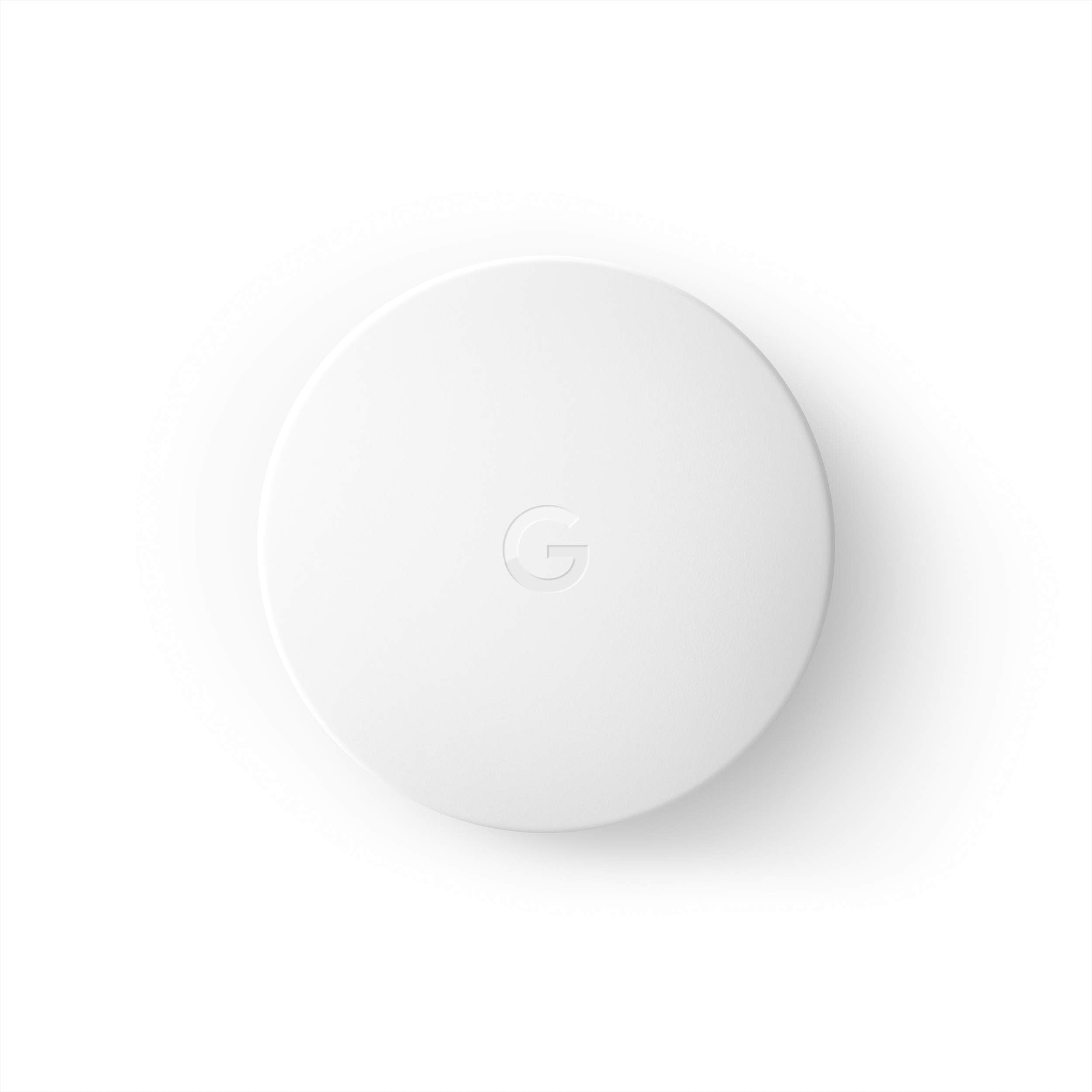
The Google Nest Temperature Sensor enhances your Nest thermostat by providing precise temperature readings from multiple rooms. With wireless Bluetooth connectivity, a 50-foot range, and a 2-year battery life, it allows you to customize and schedule room-specific temperatures via the Nest app. Compatible with Nest Learning Thermostat (3rd Gen) and Nest Thermostat E, it’s a sleek, easy-to-install addition that transforms your home into a truly smart environment.


| ASIN | B07DGWXCNN |
| Additional Features | Remote access and control via Nest app, integration with other Nest thermostats |
| Backlight | Yes |
| Best Sellers Rank | #24,122 in Tools & Home Improvement ( See Top 100 in Tools & Home Improvement ) #33 in Home Thermostat Accessories |
| Brand | |
| Brand Name | |
| Color | White |
| Connectivity Protocol | Bluetooth, Wi-Fi |
| Connectivity Technology | Bluetooth |
| Control Method | Voice |
| Control Type | Button Control |
| Controller Type | Google Assistant , nest |
| Customer Reviews | 4.6 out of 5 stars 16,659 Reviews |
| Display Type | led or lcd |
| Finish Types | Brass |
| Global Trade Identification Number | 00813917021378 |
| Included Components | 1-pack Nest Temperature Sensor Mounting screw Installation card 3-pack 3 Nest Temperature Sensors 3 Mounting Screws Installation Card |
| Item Dimensions D x W x H | 2"D x 4"W x 4"H |
| Item Weight | 0.1 Pounds |
| Manufacturer | |
| Material Type | Plastic |
| Model Name | Nest Sensor |
| Model Number | T5000SF |
| Mounting Type | Wall Mount, Surface Mount |
| Number of Batteries | 1 CR123A batteries required. (included) |
| Power Source | Battery Powered |
| Product Dimensions | 2"D x 4"W x 4"H |
| Product Style | 1 Pack |
| Shape | Round |
| Specific Uses For Product | HVAC |
| Temperature Control Type | Smart/Remote |
| UPC | 813917021378 |
| Unit Count | 1.0 Count |
| Voltage | 3 Volts |
D**D
Great Idea and it Works Great!
This add-on product for the Nest Thermostats is a really great idea, and while this is definitely not a replacement for a true split-zone cooling system, it certainly does help! I put this sensor in the upstairs hallway of my house (the thermostat is on the main level). In the summers it always stays warmer upstairs, so I can simply tell the Nest to use the upstairs sensor instead of the one inside the thermostat. This can be a little confusing sometimes because the display on the Nest itself will show you the temperature it's getting from the remote sensor, but doesn't indicate that's what it's doing, and it will no longer show you the temperature at the thermostat. The Nest app does show this extra detail. It was super easy to get this thing hooked up by using the Nest app on my phone to add the sensor. There is a way to set times to use the remote sensor and times to use the thermostat's sensor, but they are pre-set hours and there is no way to put in the hours you want. Because of this, I've found that I just leave it set to use the remote sensor all the time. I still give it 5-stars even with these couple minor things because it really does work and my upstairs will actually stay at the temperature I want, even if it means it's a degree or two cooler on the main level. I've been experiementing with closing a few vents on the main level and that is also helping to keep the entire house closer to the same temperature.
L**H
Works with Nest - Love
Excellent unit to connect with Google Nest Gen 2. App works great with easy to connect to Home with no wiring. Easy to control via Nest app on phone or tablet. Good value for the money when buy them in packs instead if single unit. Extra unit through out the home gave precisely temperature control and save on Heating cost.
E**.
Elevate Your Smart Home Comfort
The Google Nest Temperature Sensor has become an indispensable addition to my smart home setup, taking the comfort and control of my environment to new heights. This ingenious little device has impressed me with its accuracy, ease of use, and seamless integration with my Google Nest thermostat, creating the perfect climate in every room. First and foremost, the setup process was a breeze. The sensor paired effortlessly with my Google Nest thermostat through the Google Home app, and I could place it anywhere in my home without any complicated configurations. The app's user-friendly interface allowed me to monitor and manage the temperature readings from the sensor with just a few taps on my smartphone. The accuracy of the Google Nest Temperature Sensor is truly commendable. It consistently provides precise temperature readings, ensuring that my rooms are always at the desired comfort level. I no longer have to guess or manually adjust the thermostat based on one area's temperature; the sensor optimizes the climate throughout my home based on real-time data. The sensor's compact and sleek design allows it to blend seamlessly into any room decor. I appreciate the small size, as it discreetly fits on shelves, side tables, or even mounted on the wall. Its unobtrusive presence means I can enjoy the benefits of smart climate control without any unsightly distractions. The Google Nest Temperature Sensor plays a pivotal role in achieving personalized comfort in each room. By placing multiple sensors in different areas of my home, I can create specific temperature zones and prioritize the temperature adjustments accordingly. This ensures that the room I am in receives the optimal comfort level without affecting other areas unnecessarily. Integration with the Google Nest ecosystem is where the sensor truly shines. Alongside my Google Nest thermostat and other compatible devices, the temperature sensor adds another layer of intelligence to my smart home. It works seamlessly with routines and schedules, automating temperature adjustments based on my preferences and the presence of occupants, making it truly hands-free. The battery life of the sensor is remarkable. With its energy-efficient design, the sensor's batteries last for a considerable amount of time before needing replacement, providing reliable and continuous temperature monitoring. As a result of using the Google Nest Temperature Sensor, I've noticed a substantial reduction in energy consumption and heating costs. The targeted temperature adjustments and precise climate control have led to a more efficient HVAC system, resulting in tangible energy savings. In conclusion, the Google Nest Temperature Sensor is a game-changing addition to any smart home setup. Its accuracy, ease of use, and seamless integration with the Google Nest ecosystem make it an invaluable tool for achieving personalized comfort and energy efficiency. If you value smart climate control and want to optimize your home's temperature to your exact liking, the Google Nest Temperature Sensor is a must-have device that will elevate your smart home experience to new heights.
A**M
Works Well. Good choice for right temp in right area of your home.
I've had the Google Nest Temperature Sensor integrated into my smart home for a few months now, and it’s proven to be a useful tool for managing indoor comfort. It lets me keep track of and control temperatures in individual rooms, helping ensure the spaces we use most often stay at ideal conditions. The sensor is small, discreet, and was quick and easy to set up. What really stands out is how well it syncs with the Nest Learning Thermostat. It smartly adjusts the HVAC system based on the selected room's temperature, creating a much more comfortable and balanced environment. The long-lasting battery—up to two years—is also a major plus, reducing the need for regular upkeep. That said, I’m giving it four stars instead of five because there’s no built-in option to average data from multiple sensors. This means I have to choose a single sensor to drive the system at any given time, which isn’t ideal for homes with multiple temperature zones. Being able to blend readings from different areas would make the system far more effective. In summary, this sensor is a solid choice for those looking to fine-tune their home's climate control, though it could benefit from smarter multi-sensor capabilities.
A**Y
Convenient Temperature Control and Monitoring
1. **Delivery Delay:** To start, the delivery was a day behind schedule, which was a minor inconvenience. However, it's essential to note that this might vary depending on location and courier service. 2. **Ease of Setup:** Unboxing and assembling these sensors was a breeze. They are pretty self-explanatory, and I didn't encounter any major issues in this regard. 3. **Syncing Challenge:** One of the sensors initially struggled to sync with my Nest thermostat, taking a few attempts to get it right. However, persistence paid off, and eventually, it synced successfully on the third try. 4. **Great Quality:** These sensors are of excellent quality. They feel sturdy and well-made, which is reassuring. 5. **Sleek Design:** I appreciate the simple, sleek white design. While they come with the ability to mount on the wall, I opted to place them on dressers in different rooms. This allows me to monitor temperature variations throughout my house conveniently. 6. **Convenient Temperature Control:** The sensors have been particularly useful at night. I can set my thermostat to read from the sensor in my bedroom, ensuring a comfortable sleep environment. 7. **Battery Life:** I haven't encountered any battery issues so far, which is a plus. It's great to know that they are reliable in this aspect. In summary, the Google Nest Temperature Sensor 3 Count Pack has added convenience and control to my home's temperature management. While there was a minor hiccup during setup, the overall quality, sleek design, and functionality make them a valuable addition to any Nest ecosystem.
E**H
Must have for Nest Thermostat users with multiple temperature zones. . .
We have a split level townhome with wildly varying temperatures on different levels at different times each day and season. With these sensors, we can set schedules and adjust the thermostat according to the specific room we want to cool. Yes, it will still cool other rooms but it will determine when the desired temperature has been reached based on the sensor you choose. Example, during the day, we mostly stay downstairs, which remains cool due to the layout of the house and the stone tiles on that level. We can set the temperature according to that room and save energy through the day. As bedtime approaches, we can shift to the upstairs bedroom sensor, which is in a much warmer location, and begin to cool that room for the night. We can maintain a good sleeping temperature by monitoring that room as well. When we’re not using the guest rooms, we close them off and close the vents as well. When we are using them, we use their sensors to maintain a comfortable temperature for our guests because those rooms are smaller and heat up more quickly due to body temperature than our suite does. What to maintain the temperature in the baby’s room, put a sensor in there! Must have addition to the Nest thermostat. Also, unobtrusive and simple to add and install!
D**S
It helps the Nest thermostat move from WTF to OK it works some
The Nest thermostat is algorithmic; this means it needs to know certain conditions such as are you home and this translates into motion detection by the thermostat and the use of your smartphone location as in being home or not. If the Nest thermostat were three sided, if the sides also picked up motion detection, a lot would be solved when it comes to the thermostat knowing you are home. A lot would be solved too if the thermostat's away from home and being at home but hunkered down for the night data points were on the ball. Until then, get the remote sensor. The Nest thermostat is heavy on using its app on your smartphone to know if you are home AND it uses a sensor to know if you pass in front of it. If you have just one thermostat in a two-floor house, or if you have multiple thermostats but you either stay to the left or right of any one of them or you are downstairs during the day or upstairs at night, a lack of motion detection wins out over the use of your smartphone showing you are inside the geofence of your home. This sensor is for one thermostat with one of four preset time periods (morning, afternoon, evening, night) that are fixed. You can choose just one of the four to prioritize temperature wherever the sensor is placed away from the Nest thermostat it is linked to. So if you have one thermostat for a two-story house, having a sensor upstairs to prioritize a pre-set temp of say 67 degrees from 9 pm until 7 am is great. Or if you have a child’s room, you can place the sensor there and prioritize your heat setting. The whole point of the remote sensor is to bypass the thermostat’s detection or lack thereof of people passing by it to show it you are home so the sensor can tell the thermostat what temperature you want at what time where. Of course, if you have say a second floor Nest thermostat and you want the child’s room to be 70 then yes, the entire second floor is 70. However this beats the thermostat going into eco mode (which you can set up to 65 degrees anyway on the thermostat even without a remote sensor) and keeping the entire second floor cold. In general, the Nest thermostat is good except for geofencing. It is not bad but it is not good. If during the day you are on a floor where you do not pass by the thermostat, it most likely will figure you are not there and go into eco mode. The result is you are cold, the thermostat’s temp is in eco mode, and you are not happy. The remote sensor is something like Civil War technology. It works, kinda. It does not detect motion. It only detects temperature in the room it is in and does absolutely nothing unless the prioritized zone and time period are in place. If you are downstairs most of the day, who cares if the upstairs thermostat goes into eco mode. If you are asleep at 10 pm and the thermostat thinks you are away, it goes to eco mode and you are cold. Yes the thermostat learns somewhat. Yes, it uses geofencing. Yes, it recognizes motion. Add the three together and Google does not yet have it right. Using this remote sensor lets you get a reasonable temperature staying put on the dial for a specific time period regardless of the thermostat’s going off the rails with its algorithms. I have two sensors: one is for the second floor from 9 pm until 7 am so I have the heat at 70. That is what I like. For central air, I have the thermostat in the second floor hall near the return. On the first floor it gets really hot from 1 to 6 pm. So a sensor on the first floor, linked to the second floor central air thermostat, gives me the chance to prioritize the central air thermostat setting to 66 which keeps the first floor bearable when it is 98 degrees out. The ability to prioritize the temp on the first floor with a second floor thermostat is great. After that at 6 pm, I don’t care if the Nest thermostat is bouncing around trying to figure out who is home and what it is learning. The Nest thermostat is hit or miss; the remote sensor helps it get a few more hits than before. I recommend it.
E**E
A must for one zone systems
Works great for controlling other areas of home
Trustpilot
2 months ago
5 days ago