Buy anything from 5,000+ international stores. One checkout price. No surprise fees. Join 2M+ shoppers on Desertcart.
Desertcart purchases this item on your behalf and handles shipping, customs, and support to Italy.
🔥 Own the game with precision, speed, and style 🎮
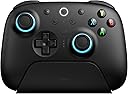
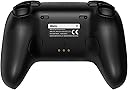
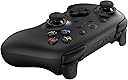
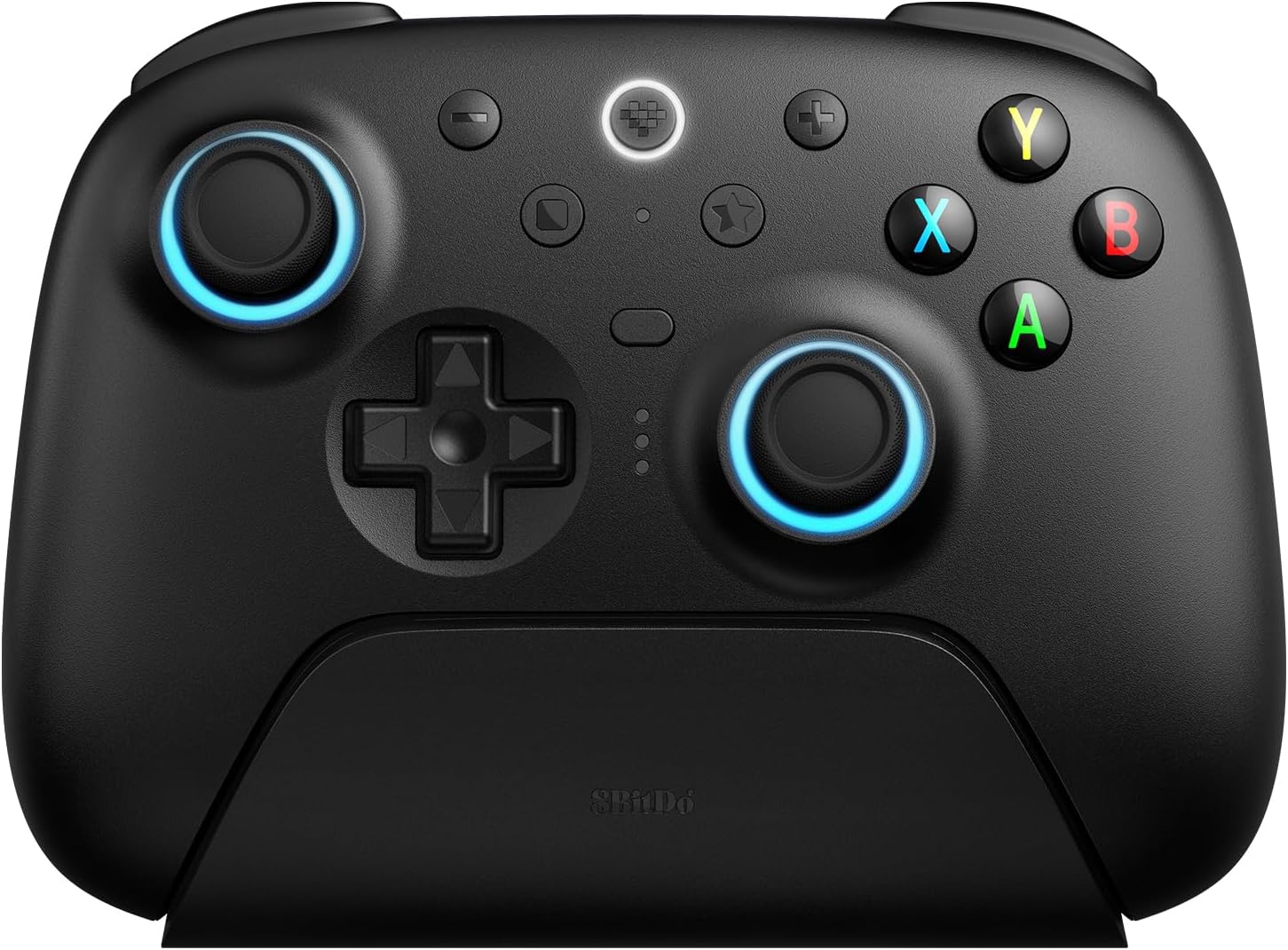
The 8BitDo Ultimate 2 Wireless Controller is a premium multi-platform gamepad featuring ultra-responsive 1000Hz polling, highly precise TMR joysticks, and customizable Hall Effect triggers. Its exclusive 8Speed 2.4G wireless technology delivers near-zero latency and a stable 10m range, while the RGB fire ring adds a customizable aesthetic edge. Designed for Windows, Apple, Steam, and Android, it includes a smart charging dock and advanced control options like back paddles and motion sensing, making it the ultimate choice for serious gamers seeking performance and versatility.


| ASIN | B0DR8V899R |
| Additional Features | Rumble, Wireless |
| Best Sellers Rank | #95 in Video Games ( See Top 100 in Video Games ) #1 in Mac Gamepads & Standard Controllers #3 in PC Gamepads & Standard Controllers |
| Brand Name | 8Bitdo |
| Button Quantity | 2 |
| Color | Black |
| Compatible Devices | Android, Windows |
| Connectivity Technology | USB |
| Controller Type | Gamepad |
| Customer Reviews | 4.3 4.3 out of 5 stars (5,182) |
| External Testing Certification | Anatel 03468-25-16532 |
| Hardware Platform | Smartphone, Tablet |
| Item Dimensions | 3.94 x 1.97 x 1.97 inches |
| Item Weight | 630 Grams |
| Manufacturer | 8BitDo |
| Manufacturer Part Number | 8Bit81HE02 |
| Model Name | RM |
| Model Number | 81HE-SG |
| Package Quantity | 1 |
| Power Source | Battery Powered |
| Warranty Description | 1 Year |
F**R
Top Tier Daily Driver PC Games Controller
I love this thing. 98% of it is impeccable. 8BitDo's naming convention is a little bit confusing, but this particular controller is pretty much JUST for PC, and it is a very solid choice for PC at that. Very smooth sticks, nice membrane buttons, L2 and R2 triggers that can be transformed from analogue triggers to digital clicky buttons, all good stuff. The dpad is different from 8bitdo's earlier revisions, with it being more 'tactile' than rubber membrane. I think the closest similarity to another product might be a PS Vita dpad, where it has an in between rubber dome of most dpads of the past and the clickiness of XBOX controllers. In theory, this should be amazing for precision platformers or Tetris type of games, as you will feel when you press a direction the way you meant to or accidentally press a wrong direction input. Could it feel fatiguing? I can't quite tell, but playing games for over 2 hours at a time would fatigue me anyway. The input latency is insanely good, like you can have the dock connected to the PC and will connect with 2.4ghz to its dock and it feels just about the same as connecting the controller through a wire. You *could* use the Ultimate 2 Bluetooth if you want, but that would be better for Switch/Switch2 as I think it has more latency (according to Gamepadla) which is fine for the Nintendo Consoles and is more in line with how those controllers and consoles work. If your main focus is PC, get this instead for the better input latency. I also appreciate how classy, understated, and not 'aggressively gamer' it looks, compared to other third party controllers. My only complaint is about the R1 and L1 bumpers, but this is more of a taste thing. I would have preferred a rubber membrane button for the bumpers, but if I wanted that then I would use the older model Ultimate C that I have. If you were to get only ONE gamepad for your PC, I can highly vouch for this one.
J**.
Premium PC Controller
The build quality is solid. The controller feels just slightly more smaller and narrow to a regular Xbox Controller, but it’s still comfortable to hold. The buttons, triggers, and d-pad feel good in use and are responsive. The connection is great and the charging dock being included is a nice touch for a controller at this price point. Admittedly I think the software is barebones and I don’t like that you can’t assign keyboard macros. I’m sure the extra buttons can be useful, but personally I don’t use them.
L**O
I prefer this over the Xbox Elite controller. Best controller I've ever used
Everything about it feels like an upgrade. The button, stick and trigger response feels right. The programmable macro switches on the back and underside are placed perfectly so I didn't have to be a contortionist to use them. And since we're on the subject, every single button and switch is programmable. You can send every function to wherever you want it to be. Another cool touch is that the wireless dongle is tucked away in the docking station. You have the choice to remove it and plug directly into your PC. But it's better to use the dock. Because everything is automatic. Place the controller in the dock and you're instantly charging. Remove it and it instantly connects wirelessly at 2.8ghz. It with the flick of a switch via Bluetooth. And of course you can plug it directly and use it wired. Another unique feature are the LED lights. You can change the colors but also how they behave. Evenb option to have every action show as a location on your stick ring colors. You have to see it to get it. As I said, best controller I've ever used. Well worth the price. About $90 in 2026.
J**0
Great value for its feature set, and I only returned it when the Steam controller released.
This truly is a great controller for Windows, and I'm only returning it because the steam controller became available within my return window for this one. I only have small gripes with the 8BitDo, and none of those things would have been a dealbreaker if the steam controller hadn't been available so soon. I'll start with gripes, since those are probably the most important things to consider with a controller that has so many things going for it. First, the extra inputs. Steam does not natively recognize the extra bumpers and back buttons and to my knowledge, the only way to assign them is by making a profile with the companion software. It wasn't as straightforward out of the box and actually deterred me from messing with it. Essentially, they were extra things to press that I would have paid the same money for to do without considering the friction in getting them to work in the first place. If it weren't clear by implication, my second issue was with the software; even then, it's pretty standard and less intrusive than I'm sure a lot of companion softwares tend to be. Really the only part I didn't like is that it seemed to take a lot of effort to create profiles (as far as mapping the extra buttons, for example) compared to how steam input handles it. If you don't care and don't want to buy a steam controller, this can be dismissed as I don't think it's something that truly holds the controller back. Otherwise, the software is convenient for tweaking things like haptics, which some feel are too intense out of the box. On to the good. For the price, this controller is an excellent value. TMR sticks that have incredible longevity and, theoretically, should never experience drift or otherwise malfunction like traditional sticks tend to. The extra inputs, provided you have the patience to configure it, are a big plus. The option to flip the triggers from full throw to short throw is welcome, too. The dock is also a strong selling point. The controller sits perfectly on the dock and connecting it to my PC from charging is completely friction-less; you pick it up and it connects within seconds, provided you're using the 2.4 ghz adapter. I can't speak for how it works when using Bluetooth, but even if it isn't as straightforward, it shouldn't be seen as a deterrent. The controller turns off and starts charging immediately when resting it back on the dock, and I never had trouble lining up the charging pins between the dock and controller. Just fits, no fiddling or second guessing. Performance-wise, I never had any issues with perceivable latency when couch gaming or at my desk. My PC is in a completely different room as the TV with the 2.4ghz adapter being about 40 feet and a wall between the PC and the couch. I tried to use Bluetooth with my nvidia shield but the Bluetooth experience with that device is middling at best. Not the fault of the controller at all. If you can't spring for the price tag on the steam controller and you want something that's multi-platform and doesn't solely rely on steam input to work, this is a great option. I only take the one star away for those few (arguably subjective) points that the steam controller solves for me.
C**V
Overall excellent controller, but with some room for maturity/improvements
Overall... pretty great! So far everything has 'just worked' out of the box with everything I have tried. My only comparison is with a 1st party xbox controller on PC via Bluetooth, and in every way this is a step above for a similar price tag. The buttons are snappier/firmer, the sticks are firm and springy with almost 0 bounce-back when you let off a stick, and (the main reason I bought it) no stick drift issues! Throw in the fact that this comes with a charging base, low-latency PC USB/WiFi adapter, trigger locks, etc... it would be kind of foolish to buy a MS Xbox controller for PC use. There is just no comparison. The negatives: Because of course no product is perfect. 1) The size and button layout is good for big hands with sausage fingers, but the angle of the handles is VERY narrow. I may 3D print something to let me hold it at a more natural angle. I have gotten use to it quickly, but would be more comfortable if the grips were angled out-ward more. Keep in mind, I liked the 'duke' controller size/feel which a lot of people hated for being too wide, and I feel that the standard xbox controller is a little narrow, so this may well be a 'me problem'... but still a problem. 2) The paddle triggers are extremely easy to accidentally hit. Mine aren't mapped to anything... but if I had a macro assigned to them... oh boy... I would constantly hit them on accident. Again, this is probably related to the narrow angle, so my grip is more around the finger tips where the padles are, instead of resting mid-finger in the blank space like on a traditional xbox controller. Kids with smaller frames may not have this issue. 3a) The software is functional... but leaves a lot to be desired, and isn't very straight-forward. Main thing to know is to create a profile, and assign it to a profile slot first, then switch to that profile on the controller.... THEN make you changes and customizations. Once you get past that, most things generally work like you would expect. 3b) There is no actual 'install' for the software (at least on PC). On the plus side, it is self-contained and doesn't need admin rights, making it pretty safe to run (which I appreciate). But on the negative side, it means you need to unzip the software somewhere you will remember, and browse to it to run every time you want to launch it. I would suggest un-zipping it somewhere, and then make a shortcut on your task bar or desktop if you plan to customize macros and profiles often. But if you are basic like me... run the software once, set up your profile, and then you should never really need the software ever again except for future firmware updates. It is kind of required for initial setup, but after that it is 100% optional and unnecessary. 4a) I'm not a fan of lights, and all of the lights are very bright. You can turn off the ring lights around the stick (honestly, I would pay $1 more to just not have those lights), but the ring light and profile light are still extremely bright, and pointed right at your face. Nothing some tape can't remedy... but a black-out mode where the lights turn off after a few seconds would be nice, or a way to turn down the brightness on the white lights, or move the lights to the front of the controller instead of directly facing the user on a future version... something... I hate having bright lights just on the edge of my vision, it is distracting, especially during tense dark moments when you want the room to be dark. 4b) For those who like all of the RGB nonsense, this leaves a lot to be desired. Clearly it is RGB addressable, but your options are extremely limited. You can have 2 colors chase each other statically, or have both sticks show the direction being pressed on one stick. You can't have the sticks behave independently, or get super creative with rainbow effects or anything really wild and crazy. As it is software controllable, maybe a future update will add this kind of stuff? But the way things sit now (Apr 2025), the options are just a gimmick afterthought. Again, none of my complaints are worth knocking a star off for. I love just being able to pick up the controller off the dock, and it turns on and connects and I can just play! No more need to press and hold the xbox button and accidentally trigger bigscreen mode in Steam, or the xbox interface when you are just trying to turn the controller on/off! It is almost as if this is how all controllers should 'just work'! Microsoft should take notes.
P**E
This controller is amazing!
I bought this to use with my Steamdeck. Connecting it was a breeze. The built in wireless receiver stays neatly plugged into the controller’s charging base and I keep that plugged into to my docking station. This charging base is super handy. It fits the controller perfectly and turns it off as soon as you place it on it. It also glows temporarily to let you know it’s charging. The controller feels great in hand and the buttons and sticks function perfectly. I love the trigger stops that allow you to adjust length of pull. The connection is flawless. Battery life is insanely good. The icing on the cake is that you can cycle through fun colors around the ring’s around thumb sticks. I highly recommend this product and I will be buying another to sit at my gaming PC.
J**R
A nice choice of PC gaming.
It's a very nice controller. It offers more buttons than typical xbox controller, and its comfortable in the hand. the should buttons are adjustable so you can choose a long or short throw on them. The dock is also a nice feature. You plugged it into your computer, and it gives you connectivity/charging. I think it was well worth the price.
B**.
Excellent controller with a few quirks for PC players.
After extensive researching, this is one of a handful of controllers I've found that supports direct input mode on PC. This protocol allows the gyro and extra buttons to be seen by the OS and bound to things like keyboard presses via Steam Input or other programs. This functionality is highly sought after, but for some reason controller manufacturers dont yet realize this. Holding the star and B buttons while powering on the controller in 2.4ghz mode enables direct input. I'm including this information because for some reason it is not in any of the manuals or information provided by the manufacturer. Pros: - Direct Input mode!!! This cannot be overstated enough. On PC the additional buttons and gyro functionality are very helpful for flightsim games. - Value: This controller provides excellent build quality, features, and a charging dock at a very reasonable price. - Onboard profile storage. Storing up to 3 profiles is great and they can be swapped to with a single button press. - Inputs feel great. Buttons have just the right amount of travel, they arent clicky, but arent excessively long either. Sticks are very smooth and accurate. Cons: - Powering on the controller via the power button seems to revert from direct input back to xinput. Most of the time if I just pick it up from the charger it auto-wakes into direct input mode, but sometimes still reverts to xinput here as well and needs a reboot. There needs to be a way to force the controller to stay in direct input mode. Perhaps this can be a setting in the Ultimate Software profile. - Auto power off. It shuts off after about 15 minutes of inactivity. For my use case, this is a bit annoying as I will regularly leave it inactive, but need to pick it up and have it ready on a moments notice. There is no way to disable the auto-power off, this should be a setting in the Ultimate Software as well. You can get the controller to stay on by plugging it in, but that defeats the purpose of a wireless controller. Feedback for 8BitDo if you read these reviews: - Thumbsticks: The thumbstick caps are removable, it would be amazing if there were longer thumbstick caps available for purchase. - Direct Input mode: This feature should be more evident in your marketing, and more supported by your software. Many PC users desperately want this functionality, and you have it. But the steps to take advantage of this functionality are nowhere in your manuals or documentation. I had to find it in a random reddit post. Also, it needs some work as the controller frequently reverts back to xinput mode. A firmware update addressing this would be very welcome. - Also a firmware update allowing users to disable the auto-shutoff feature would be great!
J**I
Good
Very comfortable, it has a very nice rumble, and the lights are customizable and can easily be turned off. Mapping the extra buttons is easy, and works well.
S**I
Love it! One of the best controllers I've used for PC
I initially bought the Ultimate 2C, and it was very good, but this one Ultimate 2 just feels much more premium, and it is. I'm very satisfied with the purchase, the ergonomics of the controller are excellent 👌.
D**L
La manette parfaite
c'est pas compliqué, c'est la meilleure manette que j'ai pu utiliser de ma vie. résistante, pas de drift au bout de 3 mois. agréable en main, personnalisable, performante, jolie. elle à tout. dock inclus, connexion instantanée, 2.4ghz, gâchettes switchables. aucun défaut.
B**Y
Explose la concurrence
J'ai changé de manette suite à une extinction complète après des années de dure labeur d'une nacon ultimate (200€) et je suis extrêmement content de cette 8bitdo (60€). Manette très réactive, parfaitement compatible avec mon pc qui l'a détecte aussitôt enlevé du socle de charge. Très qualitatives, ergonomique, impression de robustesse ... Sur le plan technique, c'est une des meilleures manette du marché avec un prix explosant toute concurrence (joystick tmr, gâchette hall effect/ lineaire...). Taille de manette unique plus petite qu'une manette élite ou PS5, peut être déplaisant pour certain, elle me convient parfaitement malgré de grandes mains. Les seuls points "négatif" (subjectifs) que je lui ai trouvé sont: - le software qui ne propose pas de personnalisation des paramètres joystick ( courbe d'accélération) -Le software qui ne propose pas de couleur constante, seuls des mods de couleurs variables sont personnalisables Si vous êtes un joueur plus occasionnel sa petite sœur ultimate 2c fait parfaitement l'affaire ,étant pour moi le meilleur rapport qualité-prix existant (il n'y a bien sûr pas les même caractéristiques).
D**L
Excelente compatibilidade e ótimo custo-benefício
O controle 8BitDo superou minhas expectativas. Utilizo para jogar Zelda Breath of the Wild no Cemu e a experiência é excelente. O controle tem um acabamento impecável, passa muita qualidade e é bem confortável, mesmo em longas sessões de jogo. Outro ponto muito positivo é a segurança e precisão dos joysticks com Hall Effect, que evitam drift e garantem maior durabilidade. Além disso, o controle conta com um software próprio, que permite realizar algumas configurações e ajustes. Observação: não é possível fazer bind substituindo teclas do teclado por botões do controle; o software permite apenas configurar binds entre os próprios botões do controle. Tirando esse detalhe, o controle é simplesmente maravilhoso. Ótima resposta dos botões, excelente compatibilidade e ótimo custo-benefício. Recomendo muito!
Trustpilot
2 weeks ago
3 weeks ago