Buy anything from 5,000+ international stores. One checkout price. No surprise fees. Join 2M+ shoppers on Desertcart.
Desertcart purchases this item on your behalf and handles shipping, customs, and support to Italy.
💡 Elevate your space with smart touch & voice—because your home deserves the future now!
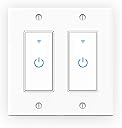
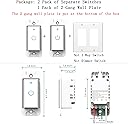
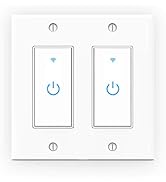
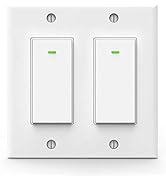
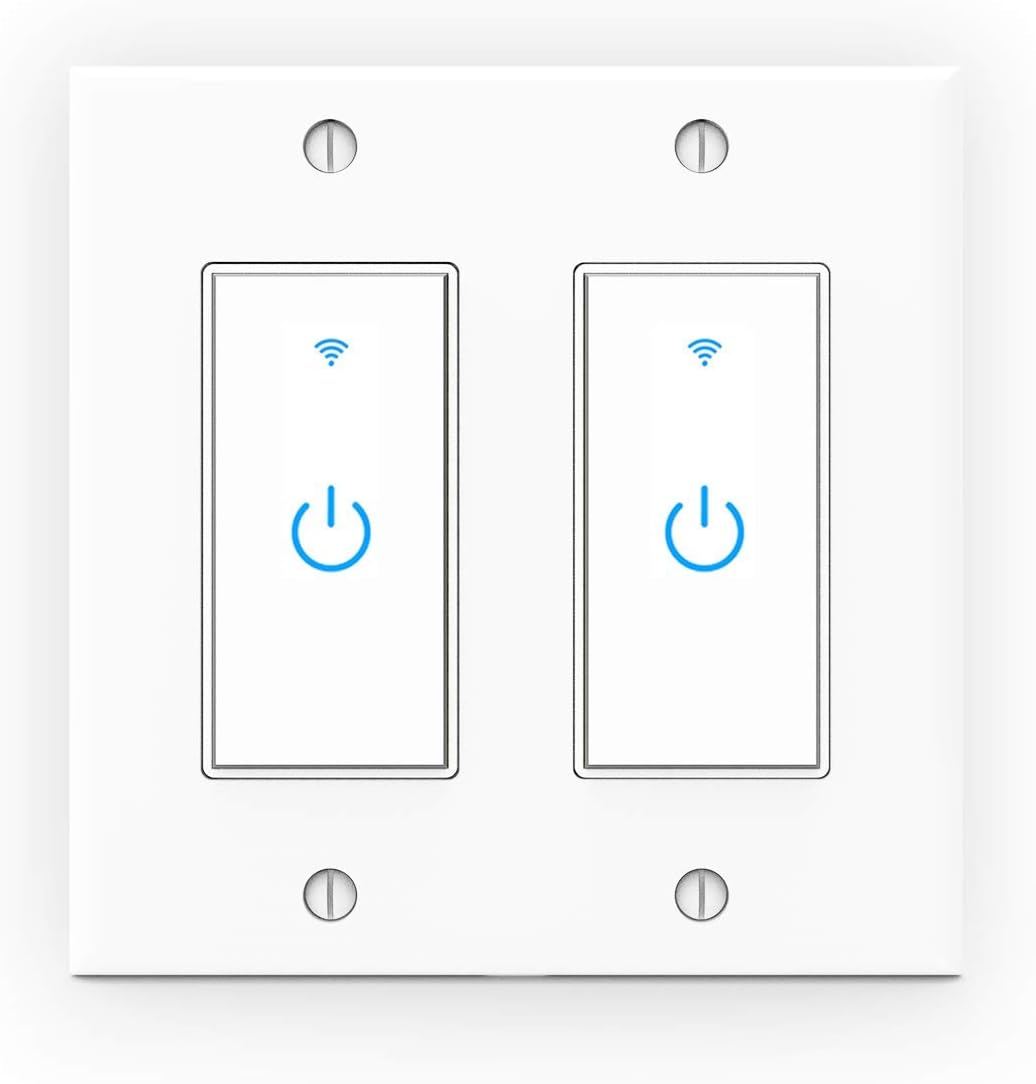
The Lesim WiFi Light Smart Switch 2 Gang offers 15A current capacity and 2.4GHz wireless connectivity, enabling seamless voice control through Alexa, Google Assistant, and IFTTT. Featuring a scratch-resistant capacitive glass panel, it supports remote operation and scheduling via the Smart Life app. Designed for single-pole circuits with neutral wire, this dual-switch unit modernizes your lighting with effortless installation and group control capabilities.


| ASIN | B07DG3LRJ6 |
| Actuator Type | Push Button |
| Best Sellers Rank | #48,825 in Tools & Home Improvement ( See Top 100 in Tools & Home Improvement ) #167 in Electrical Light Switches |
| Brand | Lesim |
| Brand Name | Lesim |
| Circuit Type | 1-way |
| Color | trans |
| Compatible Devices | Amazon Alexa (Echo/Dot/Tap), Google Assistant, SmartThings, IFTTT, Smart Life App-compatible devices |
| Connectivity Protocol | Wi-Fi |
| Connector Type | Wireless |
| Contact Material | Metal |
| Contact Type | Normally Open |
| Control Method | Voice |
| Control Type | Full Control |
| Controller Type | Amazon Alexa, Google Assistant, SmartThings, IFTTT |
| Current Rating | 15 Amps |
| Customer Reviews | 4.2 out of 5 stars 2,379 Reviews |
| International Protection Rating | IP802.11 |
| Manufacturer | Lesim |
| Material Type | Glass |
| Model | 602 |
| Mounting Type | Wall Mount |
| Number of Items | 2 |
| Number of Positions | 2 |
| Operating Voltage | 125 Volts |
| Operation Mode | Automatically,Off,Smart Switch |
| Part Number | 433085316 |
| Smart Home Compatibility | Smart Home Compatible |
| Specification Met | CE, ETL, FCC, RoHS |
| Switch Type | Touch Switch |
| Terminal | Spst |
| UPC | 705300850781 |
| Unit Count | 1 Count |
| Upper Temperature Rating | 75 Degrees Celsius |
| Wattage | 1650 watts |
J**S
Super Easy Setup and Attractive Backlight
I bought the two pack because I have a double-gang box at the front door. One switch controls the outside flood lights and the other an electrical outlet that turns a lamp on and off. I wanted to install them myself, but when I opened the electrical box and saw the dozens of wires, I decided that this was beyond my expertise (if it had been at another location in the house, I would have been able to do it). The electrician had no trouble installing them. He commented on how good looking they are and the fact that it's a touch sensitive switch with no moving parts. He connected both of them and we turned the electricity back on. They blinked just as the instructions said. I had previously installed and set up an account with Smart Life on my android phone. The switches were instantly recognized and I renamed them put in my router's password and finished the process. One reviewer complained that there were no instructions for Google Home or Alexa. This is NOT the fault of this manufacturer.... every smart Wi-Fi device that I've purchased leaves that setup instructions to Google or Alexa. I opened my Google Home account, allowed Home Life app complete access and the entire installation was completed in less than 30 minutes! The lights work great - I can control them by voice through Google Home, on my andoid phone, and by Internet on my laptop. I set schedules for them to come on at dusk and off at midnight. I especially like the blue backlights. It gives them a high-tech look. When the switch is turned on, the blue gets brighter. I would highly recommend these switches for anyone wanting to create a smart home through Wi-Fi. Though I used an electrician to install them, more simple electrical boxes have quite a few less wires than mine and can be installed by the user as long as you are comfortable with electrical connections. I always say, when in doubt, always have a professional do it.
C**J
Alexa, Turn On Bathroom Fan
I very rarely give any product five stars, much less ones from some no-name importer of nondescript Chinese products. But this dual WiFi wall switch deserves every star. I was easy to install, connected instantly to my WiFi and Alexa, and has worked flawlessly since installation. And, it looks good too! I have to admit I have a strange predilection for blue LEDs. The only issue with installation is that the switches are bulkier than normal switches so the electrical box gets a bit cramped. The switches use a generic smart home app from a company called Tuya. The app, which I already had been using for some smart wall socket switches (from yet another anonymous importer of Chinese goods) recognized my new switches without a problem. There are actually two apps from Tuya Smart that look slightly different with slightly different names, but seem to work the same way. Likewise with the Alexa skills: two different ones, but it doesn't seem to matter which one you use. Once connected I was able to ask Alexa to turn on/off my bathroom light, turn on/off my bathroom fan, or simply, turn on the bathroom. Just don't expect any kind of support from any kind of company: even a google search came up empty (if I remember correctly, I was pointed to some French company that doesn't seem to have any contact info). And Tuya is just a 3rd party app maker that multiple makers of smart home tech uses. Luckily, I haven't had the need for any support for these very reliable switches; but I was hoping for a larger print instruction manual (the print on those things are getting smaller at the same pace my aging eyes are failing me). So, I highly recommend this product.
O**K
Works very well
Okay... first I ordered the 2-gang version of this item in order to control both the bedroom light as well as the ceiling fan. The item arrived quicker than expected (about 16 hours from the time of the order... BRAVO Amazon!). That said, I am taking away one star simply because the instructions for installation and then for syncing the item to my network weren't exactly easy to follow. Now, having said that, I'll be the first to admit that when it comes to installing an electrical device of any kind (where I am the one having to play with wiring) I am not the brightest bulb in the box (pun intended). However, because I know that I don't know diddly about wiring, I must have very precise step-by-step (with pictures) instructions or I tend to be VERY overly cautious and thus end up reviewing multiple YouTube instructional videos to make sure that I have it down pat before I even pick up the screwdriver. Anyway... the installation itself took me approx. an hour. Then the registration, account setup and syncing took me another hour due to the fact that I was having trouble getting the switch to find and sync with my network. Well... eventually I won and the switch admitted defeat and now everything works as expected. I had no problems whatsoever linking my Alexa App to the product's app and then being able to use Alexa to turn on and off both the light and the ceiling fan. I'll be adding a routine via Alexa, which will now turn off the light, turn on the ceiling fan, adjust the volume to 4 and start my sleeping music after I give the command, "Alexa, Good night." I've included two photos (one with the lights on and the other with them off) so that you might see the difference and the brightness of the switch. Yes, there is always light coming from the switch and as far as I can tell, there is no way to turn this off. I would and will recommend this switch to family and friends who are looking to trade in their standard 2-gang switch for a "Smart" version. UPDATE (09/16/2021): Since the initial review, I have purchased a total of 5 more of these switches. All are installed and working well. One of the switches was a little more difficult to setup, but when I used the "ap mode" to setup the switch with the network, everything worked flawlessly. I can't recommend these enough. Great product!
D**R
Works great after some workthrough
I did not install this myself but that had nothing to do with the switch, just the way the wires in my house were set up. I had someone install for me. Works great but connecting to the wifi needed some troubleshooting. Since the switch only recognize 2.4 ghz signal, I had trouble getting it to connect since my wifi ran 2.4 and 5 ghz together. I ended up having to rename the 5ghz wifi which att helped me with. It was not difficult. By that time I had already added the Alexa skill for Smart Life. Once I could differentiate between the 2.4 and 5 signals, it was very easy getting it set up. Just connect your phone to the 2.4 wifi. Everything works great now and the lights look pretty cool. Having a push button rather than a switch is cool. So not a smooth process but now I know and anything else I add will be easier.
O**1
Works well with a surprise disappointment (Update: Major Disappointment)
It works well. Installation was straight forward but still pita. My disappointment is on/off blue led light on one of the two switches is dimmer than the other. I bought the two gang unit so they’re right next to each other and looks crappy with one being dimmer than the other. But I’m not going to bother to return as the installation was pita and don’t wanna mess with that wiring again. EDIT: 1 day later, one of them already broke. WIFI light is on but the app says offline. It is not connecting and light is stuck on. Can't even manually turn it off. The one next to it is fine. EDIT: 2 days later, wow the other one stopped working too. Both are offline and won’t even reset unless I power off and on the circuit board. Keeps happening every 6 hours. Absolutely trash worst product I’ve bought on Amazon.
ק**ה
Switches work great. Exactly what I needed for my Airbnb.
I use these for the outside lights for my Airbnb. I have them on a timer, and I can turn them on/off remotely with the app. The app allowed me to setup timers, scenes, and widgets for my Android phone. Installation in box Not knowing much of anything about electrical wiring, it took me a while to figure out how load/line/neutral all worked together. Once I figured that out, it was fairly straight forward connecting the wires to the wifi switch that is well marked. If you have all the wiring plugged in, and it still doesn't give you a blue light....switch the Load and Line wires in the wifi switch. That should power it. Wiring my second device took a lot less time. I would recommend getting someone who knows how home wiring works. Pairing with Wireless Network Here is the tricky part - The wifi switch does NOT automatically start up in "pairing" mode. Once you see you have a steady blue wifi logo light on the switch, you will need to press and hold the "center" power icon on the switch face until the blue wifi logo starts to flash. That is your cue to begin the pairing process with your wireless network through the app you downloaded from the app store. The instruction booklet tells you which app to install. You will need to be on the same 2G wireless network that you want your switch to be on. What happens if the power goes out? Will I lose all of my settings? Your switch should automatically reconnect to the wifi with no issues once power is restored. If it does not, just "re-pair" it to your network. Your settings will still be there. I have the wifi switch in a double-gang box with a normal switch. I was going to purchase the face plate that was designed for such an application from Amazon, but discovered that the twelve dollar price was way too steep. I opted for the Home Depot one for ninety-eight cents.
D**E
Not easy to install or pair
Needing a white (neutral) wire was the first challenge. Single pole light switches do not have a white wire attached to them. So for starters you need to reconfigure the white wire to attach to the wifi switch. Once i had it properly powered I could not get it to pair to my network. I tried many times and it would not recognize my wifi network. My friend noticed one of the Amazon pictures said the password couldn't use symbols. I had read somewhere that it couldn't use Chinese symbols. My wifi password has symbols. I wasn't about to change it and screw every other device in the house. I have a secondary network without symbols in the password. I used it and the paring went smoothly. What a ridiculous thing not to accept passwords with symbols. What modern password doesn't have symbols!! It paired with Alexa smoothly.
P**T
Easy to install and easy to use.
First of all, if you don't know much about electric installation, seek someone who does! That said, this was easy to install. After finding the neutral wire, I thought this would be easy. I removed the old switch and wired this in place, including the new neutral connections. The switch includes the trails and connectors you'll need to install it and the instructions are pretty clear (although I didn't need them). Once it was installed, pairing it to my phone was easy and I was pleased it integrated easily with IFTTT. I don't use Alexa or any other assistant, but I don't see why it wouldn't work perfectly. The app is easy to use. On top of that, the seller reached out to me to make sure it has all gone well and user support. Great switch and great seller. Highly recommended! If that wasn't enough, even my wife likes it! She says it's the one light in the house that's always on when she needs it.
R**N
Easy Installation and perfect for outside lights
Purchased these switches to replace the ones I had (they had been recalled). The installation was fairly simple. However these are bulky and you have to ensure that you have the space in the electrical box, especially if you have several wires and connectors in the box. Also, I was a bit concerned about the four connection screws on top of the switch which, once installed, were very close to the electrical box. I just put some electrical tape across the top four screws to prevent any potential contact to the electrical box. For the app and WIFI connection, it was a breeze, Make sure you install the correct app (Smart Life) first. Scanning the QR code from the instruction pamphlet will bring you automatically to the correct app for the installation. Once the app is installed you simply choose add device (in the app) and then you simply long touch (not press) the middle button of the switch until the WIFI flashes. Once this happens, the app will detect the switch and you proceed in choosing your router name and password. Just make sure you enter this information correctly (I made a typo mistake on my first try). The rest is up to your choice (turning on/off or choosing timer options) My primary reason for having these WIFI switches is the ability to use the sunset feature to turn the outside lights on. This is, by far, the most useful feature. While turning your lights on/off remotely with the phone or with Google Assistant is kind of cool, it's not something you would regularly use (unless the lights are somewhere inside the house where remote functions could be usefull - maybe by turning lights on/off for watching a movie). I would have thought that the sunset feature would have been in the timer funtions, however this was not the case. It took me a while to find that the sunset feature was in the SCENES option. For my use, I only needed the sunset feature to turn my lights on and a timer setting to turn them off at 11 PM, So far everything is working perfectly.
P**R
nice design
just installed the double gang switch. don't know the quality yet. the screwless plate design is quite nice, the pin holes ensure the two switches are nicely aligned. the cover plate is shiny; it looks very clean with the touch glass panel on the switches. unlike most of WIFI switches, the wires are not pre-installed and fixed with the body, rather external wires can be screwed on the contact points. however, if the wires are thick, the screw will not go deep, and will extrude and make it possible to touch electrical box, so must wrap the screws with electric tapes. Good product, hope it last.
T**B
Weak wi-fi signal, works well with Smart Life app
These are 2 separate wall switches and although single double wall plate is included, you can definitely install them at separate locations. INSTALLATION: It is pretty tight fit in the regular size box for single switch and if you have longer wires, you will have to make sure you can fit everything in there. Solution (if possible) install double size electrical box, but only expose one side of it and cover with single wall plate. Extra space inside, but looks of a single switch outside. SETUP: Smart Life app works well, but there is no option "Wall Switch" as indicated in instructions. From "Electrical" menu you have to select "Switch (Wi-Fi)" and then follow the steps. Once more little thing - after required reset of the switch, when the blue light is rapidly blinking (2 times per second), app does not indicate any change and "Next" button is greyed out, just tap it few times and it activates - takes you to the next page where it attempts to communicate with the switch and completes setup (took me about a minute). ISSUES: After setting up schedule based on time and weather (sunset/sunrise), I have noticed that the light outside disconnects after a random time (1-5 minutes usually). Wi-Fi light on the switch goes off too as seemingly it loses connection. I have installed it in a garage and my Wi-Fi router in upstairs (not directly above the garage). Seems like this switch does not have the strongest connectivity ability. To resolve this issue I had to purchase Wi-Fi repeater and install it closed to the switch. I am disappointed that it does not offer better range. Smart Life app that supports this hardware can be linked with Google Home and other prominent Home control apps, but for me it does perform all functions I need. I was concerned that I have to setup an account, give my email, setup password, give all kinds of permissions (location, connectivity, camera, bluetooth) to the app, but I guess this is just a regular business these days.
G**S
Great value
Excellent product. Prompt delivery. Easy to install. Good quality. Easy to integrate with Google Home. I have had experience with several ‘smart home’ products. This WiFi switch has set the bar for ease of installation and integration. Only one minor complaint. The ‘jumper’ wires that are included could be a heavier gauge in order to get secure connection to the terminal block on the switch.
S**Y
Tight Fit!
Super easy to connect with Alexa. Like how you can say Alexa turn <switch Name> on for x minutes. Looks great on the wall - modern look compared to standard light switches. It does fit into the existing electrical switch box but very tight. I purchased the double outlet and had to wire both switches at the same time. (I had to slide them both in together at the same time to fit. ). I added electric tape just in case since it was so tight and close to the back.
Trustpilot
1 week ago
1 day ago