Buy anything from 5,000+ international stores. One checkout price. No surprise fees. Join 2M+ shoppers on Desertcart.
Desertcart purchases this item on your behalf and handles shipping, customs, and support to Italy.
๐ค Speak Like a Pro, Anywhere, Anytime!
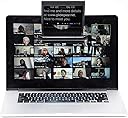
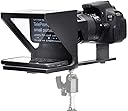
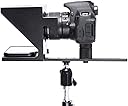
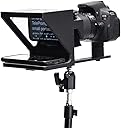
The Original Compact Personal Teleprompter is designed for professionals creating video content on-the-go. Weighing less than a pound and measuring just 6"x6"x6", it features durable aluminum construction and high-quality 70/30 BeamSplitter glass. Compatible with various smart devices and cameras, it ensures seamless video production without the need for a studio. With excellent customer support and a range of recommended apps, this teleprompter is perfect for instructors, journalists, and business professionals alike.
| ASIN | B07BF5T1BC |
| Audio Recording | No |
| Best Sellers Rank | #308 in Video Camera Supports & Stabilizers #379 in Professional Video Stabilizers |
| Brand | Little Prompter |
| Color | Black |
| Compatible Devices | Camera, Laptop |
| Customer Reviews | 4.1 out of 5 stars 246 Reviews |
| Folded Size | 6 inches (l) x 6 inches (w) x 6 inches (h) |
| Item Dimensions D x W x H | 5.91"D x 12.2"W x 6.3"H |
| Item Weight | 0.88 Pounds |
| Manufacturer | Little Prompter |
| Manufacturer Part Number | LP01 |
| Maximum Weight Recommendation | 10 Pounds |
| Media Type | Video |
| Model Number | LP-01 |
| Product Dimensions | 5.91"D x 12.2"W x 6.3"H |
| Screen Size | 6 Inches |
| UPC | 860472001710 |
| Unit Count | 1 Count |
| Video Capture Format | MP4 |
| Water Resistance Level | Water Resistant |
G**G
Exceptional Quality / Easy to Use
I could not be more satisfied with my Little Prompter purchase. Right out of the box, it slid perfectly over the camera lens on my iPad. I downloaded the Teleprompter Premium app onto my iPhone (fantastic app by the way) and used the app to import a document (just a paper previously written for a school project that was saved to my Pages app). The Teleprompter Premium app automatically converted my paper to a "script" for scrolling. I then toggled a button on the app to "mirror" the text, placed the iPhone face-up into the base of the Little Prompter, started my video with the Clips app already on my iPad, and started the scroll of my script. In literally minutes, I had turned a paper previously written for school into a video for publication on any social media platform. As an amateur with no teleprompter video experience, I was amazed at how fast I could turn something not written for video into a professionally delivered video presentation. I was impressed that I could do this without any other professional video "gear." Having achieved success with just an iPad and an iPhone, it is clear to me that the possibilities for the Little Prompter are many. It can easily fit over a laptop, iMac, or any computer device. For someone who desires to take this tool to its full potential, it comes equipped with a tripod attachment bar to connect and stabilize both the Little Prompter and a professional video camera on top of a tripod. As an aside, the Little Prompter came in high quality packaging that only increased my appreciation for the attention to detail that clearly went into creating this product. It is the same high-quality packaging "what's in the box" experience that I've had in opening a new Apple product (e.g., iPhone, iPad, iMac). I am very impressed with this product and excited to create video content in the many ways that this product has been smartly engineered to facilitate.
B**O
Little Prompter - Best Compact-Sized Personal Teleprompter For All Ages And Skill Levels
We provide outreach and community service support using volunteers ranging in age from early twenties to eighty and part of what we do includes providing educational and informational content. In the spirit of transparency and authenticity we would like to mention that while this review is based on a review copy of the product it in no way influenced our review. Our volunteers give of their time freely and so we needed something that anyone of any age or prior skill level could get up to speed with and be comfortable using with as short a learning curve as possible. We're pleased to say that the Little Prompter does just that. It's was easy to setup and even easier to use for all our team of volunteers, so much so that they felt they had picked up some valuable new skills in being able to use a piece of equipment that had never used before. The fact that you can practically "plug-and-play" makes it a winner in our opinion. It would be great if it was possible to fold it completely flat but because of its compact size it's still very easy to pack it, go anywhere, set it up and use it within minutes. We use it with Android and iPhone smartphones, with built-in laptop cameras, Logitech C920 webcams and teleprompter software. It's worth it and Dann the creator is a nice person who responds to questions promptly. There are other options out there on the market, but we haven't found any of them to be as comfortable for such a wide range of use cases, ages and skill levels. We confidently give it 5 stars and encourage you to invest in it.
A**R
Works with one important caveat
I bought this to use with a logitech c920 and it works fairly well. The one flaw worth mentioning is that the camera has to be tilted down, otherwise it picks up the edges of the teleprompter. There's almost no room to adjust the camera without this being an issue. The c920 has a 78 degree field of view, so if you're using a camera with a wider angle, this is definitely not for you. The creators claim they designed the product with this webcam in mind, but that really doesn't appear to be the case.
B**H
Lots of work to find a suitable setup
I regret this purchase. I donโt feel itโs worth this much money for a box and piece of glass. If it actually fit well on my monitor, had better grips besides just plastic covered screws, had a way to better mount an external webcam so it wouldnโt slip too high, or came with a stand, perhaps itโd be a better value. It took me several hours to figure out how I could make this work. I ended up putting it on a small selfie stick tripod I have with the included bar, then propping up and rubber banding the camera behind it. In the end, I probably should have just used the teleprompter apps with my phone camera. I still havenโt used this yet and the recommended app leaves a lot to be desired too despite its cost. I like the concept, but work needs to continue to make this adaptable to more scenarios. It worked decently on my laptop over my native webcam, so if you have that simple setup, go for it. Be prepared to have to deal with seeing the box in the video, though.
W**E
More people need to know about this: I LOVE its ease of use and flexibility.
I was thrilled to find this because I have wanted a teleprompter FOREVER, but have been intimidated about the tech of it AND the need to buy a fancy pants high end camera. I'm a business strategist for entrepreneurs and have done a bazillion FB lives over the past three years for my group with a webcam perched on top of my monitor with crib notes. I've gotten super comfortable with that set-up, but wanted to up my game to start a Youtube channel to reach more people. I knew a teleprompter was what I needed and was tickled when I found this-with all the fantastic reviews and the flexibility to use it in so many situations-so I can use it with my current filming set-up, but still have it work for me in a year when I actually graduate to using a DSLR. It's super easy to set up and use-important-because now that I have committed to Youtube, I don't want to spend months figuring it out. I have played with all kinds of configurations from having it and the webcam (and my ring light) mounted on a desktop tripod to a regular tripod to on top of my laptop, and finally, back to the set-up I am used to-with it and the webcam perched on top of my monitor screen. I actually didn't think I could have this last one because it's not one of the scenarios Dann goes over in his videos-but, yes, it DOES work. I have not seen ANYTHING else out there that has that ease of use and flexibility. And, as many others have mentioned, the customer service from this company is off the charts. I have reached out with a few questions about teleprompter apps and stuff and Dann has responded immediately. If you're hesitating on this: don't. It doesn't have a bazillion reviews (yet) because it's newer than some of the other prompters out there. But it's a gem.
B**.
Broke in 5 Minutes - Plastic Junk
I ignored all the reviews that claimed this was cheap plastic. Upon opening the box I was impressed with the packaging. I also valued the reviews that said it was compatible with the type of Logitech camera that I have. That is false. This is junk and because it is made of poorly designed plastic it broke in my hands when trying to get the logitech camera to fit. If this was better designed it would not have busted. And it should be made of metal or something stronger. I then tried to use the metal bracket and provided screws. They are also junk and quickly stripped. I wish I spent the extra money as my time is more valuable than what I saved. Stay away.
L**R
Too small, only need the software and not the product.
Too small. Awkward managing it with phone set in it. The software used with it provides the option of show teleprompter on the computer monitor which you have to have up anyway. So basically there is no need for this price of equipment.
J**R
Great way to see eye-to-eye for generation zoom
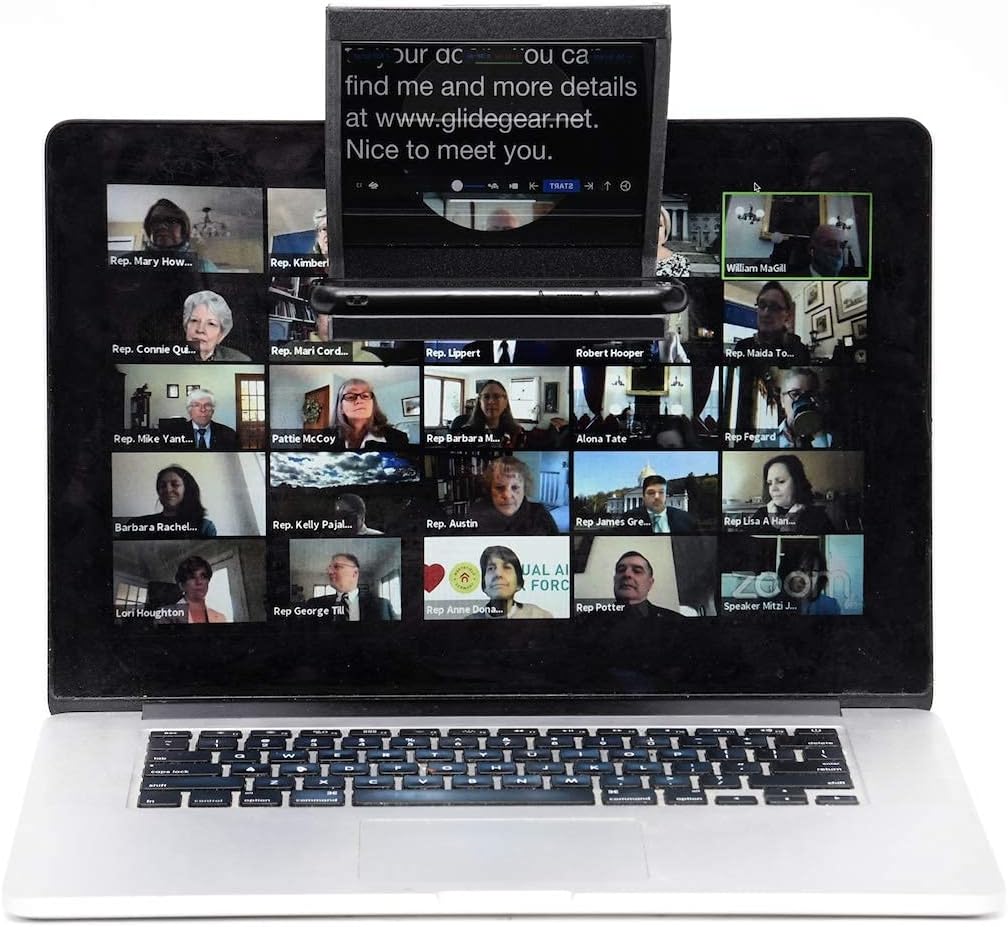
Fantastic way to make eye contact with people over zoom. Issue of course has always been that during video calls if you're looking at your friend on video, you can't be looking at the camera at the same time because your camera is not where your friend's image is. So right when you're totally visually focused onand feeling attuned to your friend's laugh or body language or tearful confession or whatever, on your friend's end you appear to not be making eye contact. It's a weird but subtle effect of media tech that had the cumulative effect of making people feel less of a connection when we live lives over the wire than in person. This helps make things feel more immediate. By using IOS software that allows your phone to be used as a second computer monitor, you can drag as caller's video feed onto the phone for use in the teleprompter. Put your webcam behind it and BAM! With a little sorcery, a hall of mirrors, and Some industrial light and magic, it feels more like you and your caller are both sitting face to face, and not refracted scrambled and delayed by all this hardware and that internet thing Al Gore once called a series of tubes. (this setup could be especially useful to psychotherapists practicing telehealth -- it would help remote clients feel more seen. Literally.) Great little product, I pop it into my monitor over the Logitech webcam that lives there, get ready for a call using the setup mentioned, and that's it. Seems well made. No frills. Does exactly what it intends to do Sound speed, camera rolling, action
Trustpilot
4 days ago
1 month ago