Buy anything from 5,000+ international stores. One checkout price. No surprise fees. Join 2M+ shoppers on Desertcart.
Desertcart purchases this item on your behalf and handles shipping, customs, and support to Italy.
🎮 Elevate your Xbox audio game—wireless freedom with zero compromise!
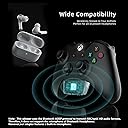
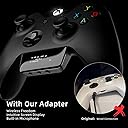
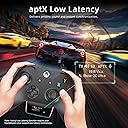
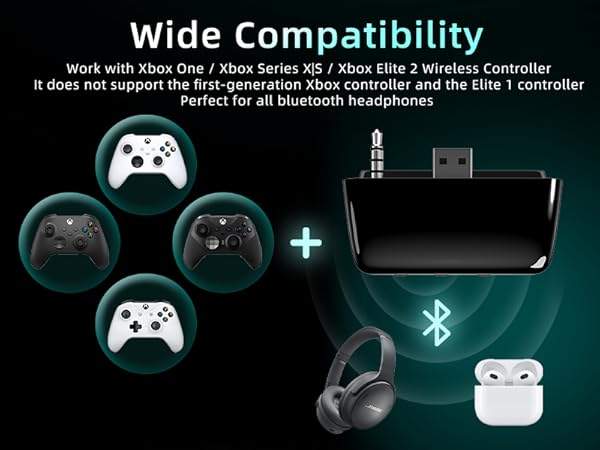
The YOCOWOCO Bluetooth 5.2 Wireless Audio Adapter transforms your Xbox One, Series X|S, and Elite 2 controllers into a cutting-edge wireless audio hub. Featuring an intuitive OLED display, aptX Low Latency codec for synchronized sound, and a built-in mic with mute control, it delivers premium gaming audio without the hassle of wires or battery charging. Powered directly by your controller, it ensures minimal energy consumption while supporting a wide range of Bluetooth headphones, making it an essential upgrade for any serious Xbox gamer.


| ASIN | B0DHCZX5ZC |
| Best Sellers Rank | 6,388 in Electronics & Photo ( See Top 100 in Electronics & Photo ) 101 in Audio & Video Adapters |
| Brand | YOCOWOCO |
| Brand Name | YOCOWOCO |
| Colour | Black |
| Compatible Devices | Xbox Controllers with 3.5mm Jack,Bluetooth Headphones |
| Compatible devices | Xbox Controllers with 3.5mm Jack,Bluetooth Headphones |
| Connector Type | Auxiliary |
| Connector type | Auxiliary |
| Country of Origin | China |
| Customer Reviews | 3.7 out of 5 stars 395 Reviews |
| Item Dimensions | 5.5 x 1.7 x 1.7 centimetres |
| Item Weight | 0.57 Ounces |
| Item dimensions L x W x H | 5.5 x 1.7 x 1.7 centimetres |
| Manufacturer | YOCOWOCO |
| Manufacturer Part Number | YO-BOX02-BK |
| Model Number | YO-BOX02-BK |
| Number of Items | 1 |
| Number of Ports | 1 |
| Package Quantity | 1 |
| Power Plug Type | No Plug |
| Product Finish Type | Glossy |
| Product Warranty | 24 months |
| Smart Home Compatibility | Not Smart Home Compatible |
| Specific Uses For Product | Headphones, Xbox |
| Specific uses for product | Headphones, Xbox |
| Unit Count | 1.0 count |
| Warranty Type | Limited |
R**L
Fantastic device, I wish it supported AAC codec for my AirPods tho.
Fantastic device to allow you to use Bluetooth wireless headsets with your Xbox. Very easy to fit and set up, and works brilliantly. I would have given this five stars easily, I know I’ve given it five stars but I almost didn’t because it doesn’t support the AAC codec, so if you’re using Apple AirPods - AirPods Max in my case, it doesn’t support your headphones with a low latency codec and you have to use the higher latency SDC codec - however, we ‘re talking milliseconds of latency so the average person probably wouldn’t even notice. The difference is so minimal, I’ve kept the device instead of returning it because everything else about it is absolutely brilliant. I have another similar device from a different manufacturer that supports AAC but doesn’t have the digital readout, so I swap and change the two as needed. If your headphones support AptX LL, then you will experience minimal latency through sound travelling from this device to your headphones. Note to AirPod users, your headphones don’t, so you’d be using the SDC codec with this device. If you need AAC, I’d suggest looking at the Skull & Co version of this device. As I said before tho, most people won’t even notice the extra few milliseconds of latency, so if you like the look of this and you’re using AirPods, you won’t be unhappy with your purchase - the sound quality is amazing, allowing you to make the most of your headphones, enjoying the 3D audio positioning of Dolby Atmos or Dolby DTS on your Xbox, so you can hear exactly where your enemies are coming from in your game. You don’t need to charge the unit, and it doesn’t take batteries - it’s powered by the controller it’s plugged into, and switches on when you turn on the controller, going into sleep mode when the controller’s off. I haven’t noticed any change in how long my controller batteries last since I started using this, the power it uses is minimal. The digital display is a great feature and allows you to see which device is currently connected and the audio codec being used. Connecting to your Bluetooth headphones is a doddle, taking less than a minute. It also shows an icon when the mic is muted. This device doesn’t support the onboard mics of Bluetooth headphones, but it solves this by having it’s own built-in mic that you can use for voice chat during your game - it works really well too, I was praised for its volume and clarity when playing Sea of Thieves yesterday. There’s a mute mic button for those times when you don’t want to be heard, but I’ve found I haven’t really needed to use it. This is a fantastic little device, and if it’s improved by adding support for the AAC codec for Apple users, I’ll start referring to this as an essential piece of kit for any Xbox gamer who’d like to use his or her expensive non-gaming headphones for gaming. It is excellent value for money for what it is and does, and I’ll happily recommend it to anyone who cares to listen. An easy two thumbs up👍🏼👍🏼 p.s. It’s not dusty in the photo I posted, that’s a reflection - it’s very shiny and reflective!
P**L
Brilliant
I was always forgetting I had earphones in and every time I got up to do something the xbox controller would go flying across the room. This has probably saved me money on a new controller and it has worked flawlessly every set of bluetooth earbuds I've tried
P**N
Don't recommend. Bad Item.
Brought this for my partners Xbox, it's ok, but could be better, has a lot of issues. Not build great and the connectivity is very bad. Disconeted my partner's headphones too many times. Not good for how much you spend.
G**R
Abit Disappointed
Not a bad purchase however dont like the fact your forced to use the mic on the adapter... its not a very good mic either... as far as connecting a headset through Bluetooth no problems just a shame it doesn't let you use mic through Bluetooth otherwise it would be a 5star.
M**N
Good
Easy to use , connects automatically when turned on , a little bit of noticeable latency but not enough to cause huge problems product. I use this everyday
M**D
Good bit of kit
Worked out of the box, had to do a couple of adjustments in the Xbox but other than that it works well. I use my buds pro 3 no problems
M**L
Good quality Bluetooth adapter
Good quality and fired no problem to Xbox controller
M**K
Poor
Massively disappointing device. What is the point in having an adapter that you can use with any set of Bluetooth headphones, only for it to use the inbuilt mic and have no way to switch to the "significantly" better mic on your headphones. If you want to listen only and use a poor quality built in mic, then this is great for you
G**O
Slight delay when using SBC, but still great
I ordered this one, because I wanted to use it with my Soundcore In Ear earphones with noice cancelling. As expected, there is a short delay, which is mostly noticed when shooting. I'm not going to replace the earphones because of that. Currently I'm playing Far Cry New Dawn and I can localize enemies very quick by their noises. The connection ist established very quick and reliable. I had only once a problem with reconnection when I went with my earphones too far away, but I solved this quick by removing this dongle and placed it back again. I definitely recommend this one!
A**R
Works great if you configure XBOX audio.
I really wanted to use a Soundcore Bluetooth headset with my XBOX so I decided to try this one as it had some great reviews and others who had problems. I was determined to make it work. The adapter requires no batteries and has a digital interface with a screen and easy to understand tactile buttons. As many of the reviews state, it paired effortlessly, but alas had very low sound. It didn't make sense to me that the adapter itself would cause the volume to change. So I spent maybe an hour checking my game settings, my headphone settings and finally the XBOX settings. The fix is in the XBox settings. You must adjust the volume settings hidden in the Xbox menus. First pair up your headphones/earbuds. The small adapter has a digital readout that shows it is paired, the microphone status and the volume level. Once paired, go to the Xbox menu "Games and Apps" - go to Apps - find the "Settings" app. Chose the Audio section. Once in there, you will see multiple choices. The trick is finding the right sub-category that has a hidden volume control. Once you see the volume control slider you are in the right place and can adjust it. My sound worked perfectly once I turned up the volume for the xbox. Before I adjusted this I had a very low volume and it only came out of one ear. Again that was an Xbox error not the adapter.
K**L
Top
Gute Qualität. Easy zum Verbinden. Hörgerät oder Kopfhörer
S**O
Excelente
Muy bueno sirve de maravilla
J**S
Trèss bon adaptateur!!
Vraiment très bonne objet pour pouvoir connecte : un casque n'importe le quel ou comme moi une enceinte portable si je regarde un film pour avoir le son autre que la télévision.
Trustpilot
1 week ago
2 weeks ago