🚀 Upgrade your rig with Timetec: Speed, cool, and reliability in one sleek package!
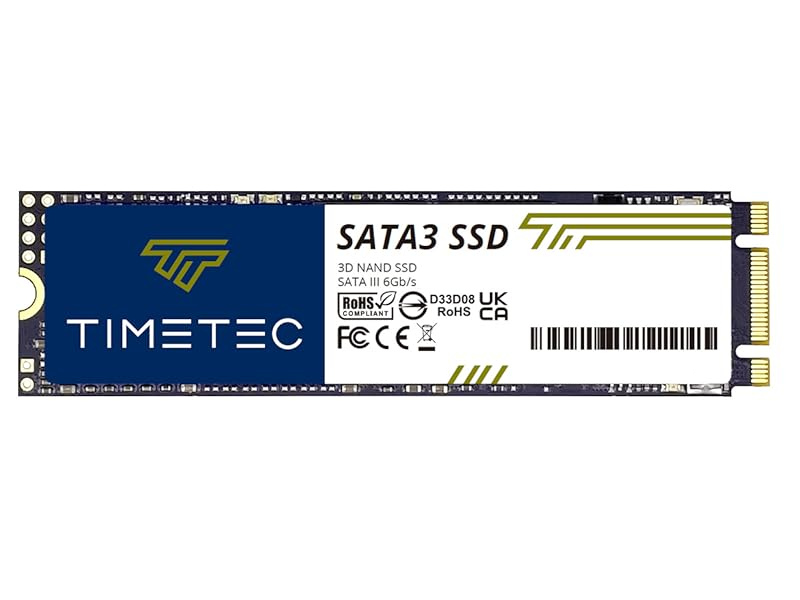
The Timetec 1TB PCIe 4.0 NVMe M.2 SSD combines cutting-edge 3D NAND TLC technology with a white heatsink for superior thermal control. Delivering blazing sequential read/write speeds up to 7,000/6,000 MB/s, it’s engineered for gamers and professionals demanding top-tier performance. With industry-leading durability metrics and broad compatibility including PS5 Pro and latest PC platforms, this SSD ensures a future-proof, reliable storage upgrade backed by a 5-year warranty.


| ASIN | B0CF4FHV8C |
| Best Sellers Rank | 18,762 in Computers & Accessories ( See Top 100 in Computers & Accessories ) 541 in Internal Solid State Drives |
| Brand | Timetec |
| Colour | SSD Heatsink |
| Customer Reviews | 4.4 4.4 out of 5 stars (5,644) |
| Date First Available | 19 Aug. 2023 |
| Item Weight | 50 g |
| Manufacturer | Timetec |
| Manufacturer Part Number | 3 |
| Material Type | Polycarbonate |
| Model Number | 3 |
| Number of Items | 1 |
| Package Dimensions | 14.2 x 9.91 x 2.11 cm; 50 g |
| Size | White Heatsink 1TB |
J**K
Works perfectly in a Synology 723+ NAS
Works perfectly in my Synology 723+ NAS. Doesn't flag as incompatible memory either so I'm a very happy customer. It runs at a speed of 2666MHz and was much better value for money than the official Synology RAM! Easy to install - just shutdown your NAS remove the 2 drives and then remove the existing 2GB stick by pushing the silver 'clips' outwards, slot the new RAM in at the same angle the old RAM came out and push it down into place.
S**N
Memory upgrade from Timetec
Product (Memory Modules) came as described and worked straight away. I now have a 12GB iMac instead of a 4GB one. The iMac itself is 15 years old and wanted to give it a little more speed and a little longer life. Hopefully now it will multi-task much quicker. Next job maybe change out the old hdd for a newer ssd! Thanks Timetec for supplying the memory and within 3 days of order.
K**N
Speeds up a 2011 imac
Delivery and packaging all spot on. Easy to install in a mid 2011 iMac and I am a complete beginner at it - youtube tutorials a plenty. The 4GB in it since purchase was no where near enough to operate effectively and had been seizing up more and more. I got a completely new set of 16gb RAM which apparently is the recommended maximum for this model. Once I hoovered out the thick layer of dust from inside the RAM tray and forcefully clicked the new units in place all was well. I restarted and now I have a great iMac again. True, it is still a legacy computer and I can only get High Sierra as latest iOS and unable to access latest apps, but considering I was facing a £1300-£1500 bill for a like for like iMac which I can't really afford, I have upcycled a machine destined for the knacker's yard. As a guide, the iMac was previously struggling to run most things well and was very slow. It didn't help that I was trying to run things like Garageband, Cubase AI, Lightroom, as well as email etc. It now runs very smoothly, much much faster, and can handle Cubase and Garageband well, plus Word, Excel. Very pleased.
A**N
Revived iMac, but a bit stiff at installation.
The initial installation was a bit stiff and memories I received looked a bit thicker than Apple mounted memories. I have installed memories before, but these were a bit tough to fit in with fingers without having marks, so I had to press by a metal rid and screwed the rid back to fit them in. Once installed, these memories work fine as a treat and performance is as good as expected. As I use many graphic softwares and having many tunes and books, iMac has once became slow, but adding memories revived. It especially solved the issue that iBooks used to take too long to load all books. Recommendable if you were strong enough or know how to fit them in.
A**R
Great product
Works wonders on the imac
K**Y
Boosting a old iMac’s performance
I bought this for a mid-2011 iMac that needed a little oomph. I’d been contemplating buying a new computer because I was starting to feel the grind waiting for programs to unfreeze, Chrome is such a RAM hog, switching tabs, especially if audio was playing would result in stuttering and weird buzzing, the worrying kind. Waiting for programs to respond was starting to become a regular thing so I definitely felt the difference going from 4GB to 12GB. Installation was easy, hardest thing to do was getting the iMac to lay face down safely to get access to the panel. Three screws and it came off easily. Super dusty down there. To be expected since I’ve had the thing for nearly 10 years. Blasted it with compressed air to clean it out. Getting the RAM in wasn’t too bad. It does take a bit of force before they clicked in, almost to the point of thinking it might break but it was fine. Plenty of videos online if you’re worried about installation. I’m not a heavy user in terms of programs (a little Clip Studio here and there) but for a habitual tab opener like me, it’s saved me from buying a new computer for the moment. There are cheaper versions online and I may be paying extra for the Mac compatible sticker but the reassurance is nice.
N**N
Improved my Macbook performance immediately
I ordered these memory cards in a desperate attempt to improve the incredibly sluggish performance of my MacBook Pro (early 2011 model). I had enquired into upgrading the memory by an authorised Mac repair shop a couple of years ago and was quoted about £170 and thought it wasn't worth it so left it. I saw the guidance on how to upgrade memory on the official Apple website (Google 'upgrading MacBook Pro RAM', and find the link to the Apple support pages titled 'MacBook Pro - how to remove or install memory - Apple Support'), and it seemed as simple as unscrewing the bottom casing, removing the old memory cards and replacing with the new ones, so I thought I'd give it a try. It's really important to use the right memory cards for your laptop, and the Apple support pages will tell you which you need for yours - I just Googled the name of the one I needed and found my way here. These arrived promptly, and were well packaged. You'll need a small screwdriver to unscrew the bottom casing, and as other reviews have said, be careful in remembering which screws go where as they are not all the same length (3 are long and the rest short). I gave the inside of the casing a good wipe with a dry cloth as it was dusty, and the replacement of the memory cards was as simple as the Apple support pages described: they're small parts so just employ common sense and be gentle in the removal of the old cards and replacing with the new, but it literally was a 5-minute job. Screwing the case back on was a little fiddly as a couple of the screws wouldn't get into the right position, but got there in the end. I found a magnetic screwdriver useful in removing the screws, maybe not so useful in replacing the screws as they would change the positioning of the screws. No big deal, it all got done. As for the result, I have a much faster MacBook which opens applications with ease (including MS Office which I dreaded opening as it took so long), and just performs better. Well worth spending £35 and about 10 minutes to get some more life out of a pretty solid MacBook. I only just replaced the memory yesterday so can't comment on the longevity of the product, but so far I'm pleased and would recommend this product.
J**S
Good memory upgrade for when you've got multiple apps/tabs open
Works perfect with iMac 17.1 late 2015.
H**N
Başarılı bir ürün
A**D
I had an unusual need. I wanted to use software on several different computers and wanted the data files to move with the software (in a non-networked environment). I have been using a USB flash drive for this purpose for several years. Flash storage would get slower and slower as the thumb drive was used. It also slowed the software down due to the transfer speed of the thumb drives. I then purchased this external SSD what was USB 3 connected and installed the software and data drives. What an amazing difference this made. The higher transfer speeds were immediately obvious and pleased me greatly. This SSD was well made, felt solid, had good quality cable, and was a convenient size. The SSD has a female USB-C interface. A patch cable (good quality) was supplied with a male USB-C on one end and a regular USB-A on the other. A connector to convert USB-A to USB=C was also supplied. I am running this on Windows 10 where it installed immediately without issue. This SSD appears as another disk drive to my system. When I was done using the Flash drive, I would right-click and select EJECT before removing the thumb drive. With this SSD, no EJECT appears when I right-click the drive icon in Windows Explorer. However, I found an EJECT in the task bar from Windows 10 that worked just fine. My one suggestion would be have documentation with the SSD that talks about how to safely remove it from your system. This was an excellent purchase, a tremendous value for the money, and I would certainly buy this again.
B**N
Although my PC is on PCI 3, this is PCI 4. Nevertheless the boot up times have improved slightly but the application load times have significantly improved, specially Flight Sim Game when compared to the 2.5 inch SATA III SSD. Thanks to the heatsink, the drive does not get warm.
E**I
Passt für Mac (Intel) von 2022. (wenn es nach dem Einbau hängt, dann einfach Option+R Tasten zusammen gedrückt halten, dann läufts). Damals war Ram für Mac unbezahlbar. Nachdem ich unsere Büro Macs von 8 auf 64 Gb aufgerüstet habe, wird auch im Schnitt 48-52 GB genutzt (und das nur Office Apps ein paar Browser Fester, Messenger und PDF Tools.), dafür läiuft der Mac spürbar schneller anders als beim Windows, nach Aufrüstung.
P**R
Ok
Trustpilot
1 month ago
2 weeks ago