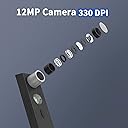
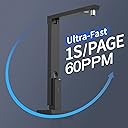
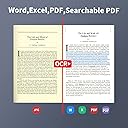
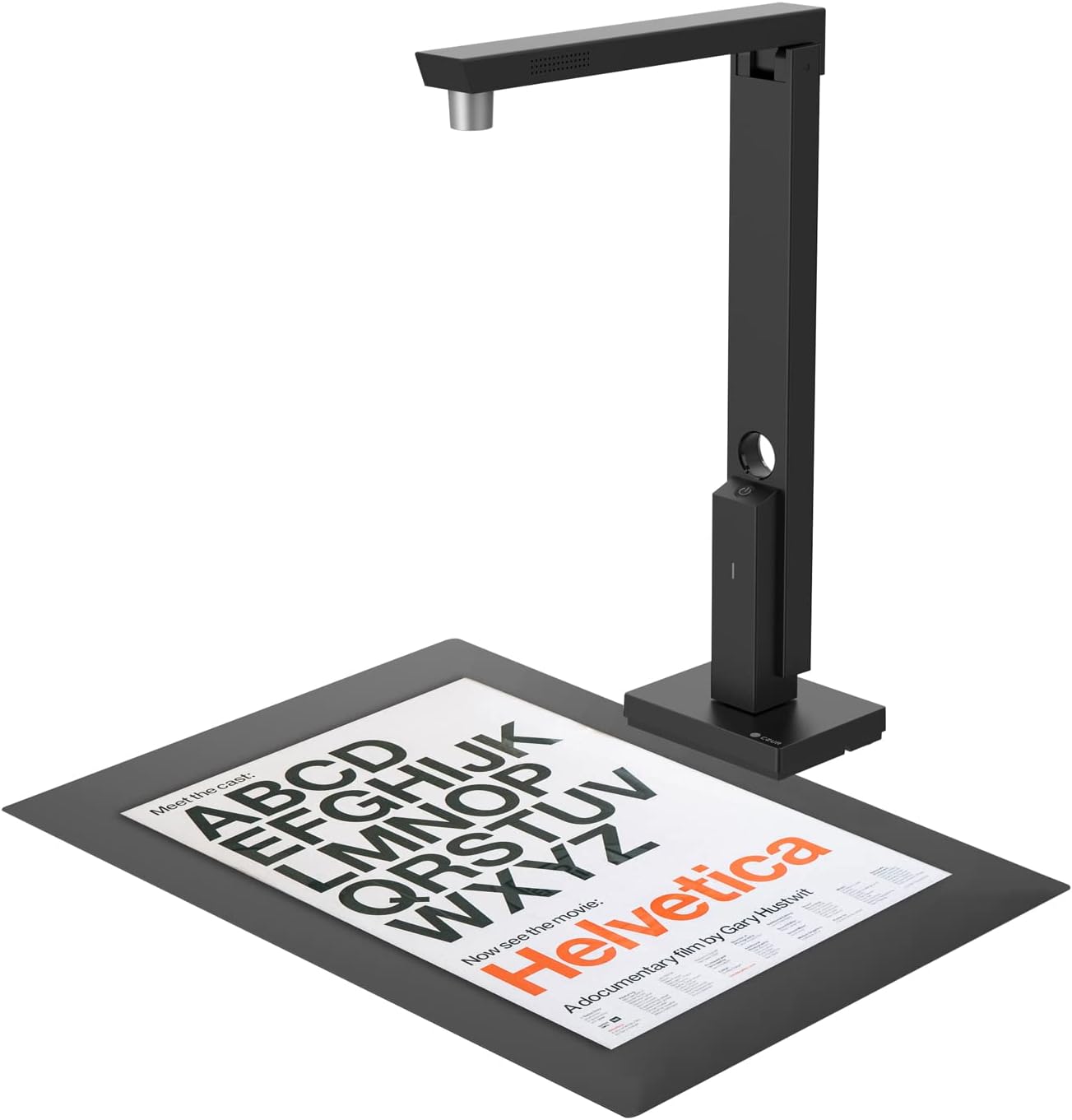
CZUR Lens Pro is a document scanner/camera, weighing at only 0.427 kg (0.94 lbs). It is really light and portable. It also works with all kinds of computer and laptops, including both MacOS and Windows. With 12 Megapixels, OCR, Multi-target Scanning & more, this is a nice document scanner you can get! Review: Love the photo quality - but will take some getting used to - I have some rather strong emotions after testing this product out. A mix of like and dislike items, but overall, I'd buy it again. What I like - Sleek look, smart design, comes with everything to make it run including a CD/DVD (assuming you have one - many computer don't and it took me a while to dig one out). Great lighting that can capture most any image quickly and easily. I tested it with pictures of my laptop keyboard, and my laptop sits on a stand at about a 25 degree angle. I found the image clear. I then took a medicine bottle and stuck it on top of the keyboard so that an item could be seen even closer to the camera. I found that image clear. I attached both of them. Even with the elevation of the surface of the medicine bottle, the vendor imagery on the lid is easily read as well as the keyboard itself. That's a hard test to pass, and it did so with flying colors. I can see using this to rapidly scan pages of notes or books, and it should work great. What I disliked - After digging for a CD, the CD contents did not have the Mac installation software, but gave me a link to go find the software. I literally had to find a CD/DVD drive to get a link - that made no sense to me (my computer laptop does not have a built-in CD/DVD). Once on the website, it asked me what product I had. It did not state how to find out, and the various types of Czur scanner products were shown in silhouette only. I guessed right that it was the Czur Lens, and then downloaded the mandatory and optional software packages and loaded them. Opening the Lens software was easy, but it wanted a serial number that exists on the bottom of the camera itself. To read the serial number, I had to disconnect the camera from the computer. The letters and numbers were small and I did need a magnifying glass to read and enter them properly. Once into the system, the interface was not exactly intuitive. Some odd buttons exist. The welcome screen asks you to select between "Scanner" and "Visual Presenter," for example. Now, a nice feature is that all the image editing software Is built into the scanner functions, so another good feature. Plus it can export to Word (OCR), Excel (OCR), Searchable PDF, PDF, TIFF, and TXT. That's quite a great set of options - and should help transcribe large amounts of text rapidly. So overall, it's an awesome product in terms of what it does. It's not the cleanest interface, and the installation does require a CD/DVD . . . but only to get a single web link where you find the software. The look is clean, the lighting is nice, but you do have to disconnect it to read the serial number when loading the software (the name of the product is on the same tag on the bottom of the scanner, in case you don't do well with the silhouette choices). Despite the install challenges, I think it's a top notch product and am giving five stars. Just expect a few minor frustrations as you figure out how to load it. Review: A Compact and Portable Document Scanning Solution - The CZUR Lens1200 Pro has proven to be a dependable tool for digitizing documents on the go. Its 12-megapixel camera captures images with clarity, making text and details easy to read. The scanning process is quick, taking about a second per page, which is efficient for handling multiple documents. Setting up the scanner was fairly easy. It connects and is powered via USB, and the accompanying software is user-friendly, offering features like Optical Character Recognition (OCR) that converts scanned images into editable text. This function supports over 180 languages, which is beneficial for diverse documentation needs. The scanner's design is compact and foldable, making it convenient to transport and store. It's compatible with both Mac and Windows systems, providing flexibility across different platforms. The build quality appears durable, and the device has functioned consistently during use. This mobile scanner offers a combination of quick scanning, clear image capture, and effective software tools making it a practical choice for those needing to digitize documents efficiently on the go.


| ASIN | B0BTHKRC51 |
| Best Sellers Rank | #159,724 in Computers ( See Top 100 in Computers ) #275 in Document Scanners |
| Brand | CZUR |
| Connection Type | USB |
| Connectivity technology | USB |
| Customer Reviews | 4.4 out of 5 stars 9 Reviews |
| Light Source Type | LED |
| Manufacturer | CZUR |
| Media Type | Business Card, Paper |
| Minimum System Requirements | Windows 7 |
| Model Name | Lens1200 Pro |
| Model name | Lens1200 Pro |
| Optical Sensor Technology | CMOS |
| Optical sensor technology | CMOS |
| Resolution | 1200 |
| Scanner Type | Document |
| Scanner type | Document |
D**E
Love the photo quality - but will take some getting used to
I have some rather strong emotions after testing this product out. A mix of like and dislike items, but overall, I'd buy it again. What I like - Sleek look, smart design, comes with everything to make it run including a CD/DVD (assuming you have one - many computer don't and it took me a while to dig one out). Great lighting that can capture most any image quickly and easily. I tested it with pictures of my laptop keyboard, and my laptop sits on a stand at about a 25 degree angle. I found the image clear. I then took a medicine bottle and stuck it on top of the keyboard so that an item could be seen even closer to the camera. I found that image clear. I attached both of them. Even with the elevation of the surface of the medicine bottle, the vendor imagery on the lid is easily read as well as the keyboard itself. That's a hard test to pass, and it did so with flying colors. I can see using this to rapidly scan pages of notes or books, and it should work great. What I disliked - After digging for a CD, the CD contents did not have the Mac installation software, but gave me a link to go find the software. I literally had to find a CD/DVD drive to get a link - that made no sense to me (my computer laptop does not have a built-in CD/DVD). Once on the website, it asked me what product I had. It did not state how to find out, and the various types of Czur scanner products were shown in silhouette only. I guessed right that it was the Czur Lens, and then downloaded the mandatory and optional software packages and loaded them. Opening the Lens software was easy, but it wanted a serial number that exists on the bottom of the camera itself. To read the serial number, I had to disconnect the camera from the computer. The letters and numbers were small and I did need a magnifying glass to read and enter them properly. Once into the system, the interface was not exactly intuitive. Some odd buttons exist. The welcome screen asks you to select between "Scanner" and "Visual Presenter," for example. Now, a nice feature is that all the image editing software Is built into the scanner functions, so another good feature. Plus it can export to Word (OCR), Excel (OCR), Searchable PDF, PDF, TIFF, and TXT. That's quite a great set of options - and should help transcribe large amounts of text rapidly. So overall, it's an awesome product in terms of what it does. It's not the cleanest interface, and the installation does require a CD/DVD . . . but only to get a single web link where you find the software. The look is clean, the lighting is nice, but you do have to disconnect it to read the serial number when loading the software (the name of the product is on the same tag on the bottom of the scanner, in case you don't do well with the silhouette choices). Despite the install challenges, I think it's a top notch product and am giving five stars. Just expect a few minor frustrations as you figure out how to load it.
E**L
A Compact and Portable Document Scanning Solution
The CZUR Lens1200 Pro has proven to be a dependable tool for digitizing documents on the go. Its 12-megapixel camera captures images with clarity, making text and details easy to read. The scanning process is quick, taking about a second per page, which is efficient for handling multiple documents. Setting up the scanner was fairly easy. It connects and is powered via USB, and the accompanying software is user-friendly, offering features like Optical Character Recognition (OCR) that converts scanned images into editable text. This function supports over 180 languages, which is beneficial for diverse documentation needs. The scanner's design is compact and foldable, making it convenient to transport and store. It's compatible with both Mac and Windows systems, providing flexibility across different platforms. The build quality appears durable, and the device has functioned consistently during use. This mobile scanner offers a combination of quick scanning, clear image capture, and effective software tools making it a practical choice for those needing to digitize documents efficiently on the go.
M**2
Easy to setup, good quality camera
This scanner is impressively easy to set up and use, making it simple to quickly digitize documents. The whole process is smooth: unroll the mat, open the camera arm, plug it into my computer, open the software, and I’m ready to go. It does come on CD, but if you don't have that, you can grab the software from the company website. Just search "CZUR Lens 1200 Pro Software" in a search engine and you'll find it. Anyway, It’s faster than any traditional scanner I’ve used for this purpose, and there’s no need to line up each page precisely—if it’s on the mat, it’ll capture it well. I do love how compactly the camera folds down, making it super portable. However, it would’ve been nice if it came with a storage pouch to keep everything together when not in use. The scanner itself is well-designed, with a solid but not overly heavy base and some basic cable management. Overall, this is a decent portable scanner with room for a few small improvements. It does the job well enough for me, and is especially useful for quick document digitization.
M**L
Great document scanner
Great scanner A lot of features It's super compact and portable The OCR function didn't work with my handwriting (manuscript or cursive) but Adobe couldn't pick it up either Other typed documents were scanned perfectly Software was easy to install and offers tutorials (which are needed due to so many features) Would highly recommend this scanner
R**O
CZUR Lens1200 Pro Document Scanner
This review is for the CZUR Lens1200 Pro Document Scanner. The scanner comes in a compact cardboard box, well padded and protected. It includes: the scanner a black neoprene scanning surface pad that can be rolled up a USB-A to USB-C cable an installer CD a small quickstart insert that contains some key info. The camera as a piece of hardware is cleanly designed, with a weighted, but not overly heavy base, with basic cable management built in. It also folds into a very compact footprint. Unfortunately it includes no means of storage other than the cardboard box it shipped in. It should not be difficult to improvise your own, but a simple carry pouch would have been helpful. To get it working as a scanner, I initially went to the CZUR website to download software for my Mac, but the site was not behaving, giving me a hard time with the links to the mac installer, so I inserted the CD (I may be among the last persons on earth with a CD drive). Unfortunately, there are no Mac installers on the CD, so it was back to the website for me, where I had to use my keyboard to navigate the downloads page and coax the download for the mac. The download was painfully slow, averaging only 5-600k per second. The 846mb download failed several times and took the better part of 30 minutes and several re-attempts before I had the full dmg file. While It was downloading, I connected the camera to my Mac. it powered up instantly and was recognized as a USB device in my System Information overview, as well as a webcam with mic in Facetime. However, I could not get Image Capture to see it, so I needed to wait for CZUR's proprietary software to download completely before I could test it as a scanner. Once I finally got the software downloaded, I began with the install process which included a ToS and privacy statement which I had to agree to in order to proceed. Some of the key points that gave me pause: "What personal data we collect and how we use them 1. Network Request The software includes the function to communicate with the Internet. The software will send specific information from your computer to CZUR's cloud server to enable specific functions. The information usually includes information such as your IP address, operation system version, device ID, firmware version, and your regional and OS language settings.… What personal data we collect and how we use them 1. Network Request The software includes the function to communicate with the Internet. The software will send specific information from your computer to CZUR's cloud server to enable specific functions. The information usually includes information such as your IP address, operation system version, device ID, firmware version, and your regional and OS language settings. 3. Submission of Unsatisfactory Images This feature allows you to submit images with bad processing results during the scanning to the after-sales staff to help improve the scanning function of the software. CZUR will collect your email address you input to contact you and the following files will be uploaded to CZUR's cloud server via the Internet: (1) Original scanned images, original images with laser lines, and the processed images. (2) Calibration parameter files of scanner. (3) Log files of the software. * Legal basis for collecting and processing personal data CZUR legal basis for collecting and using the personal data described in this Data Protection Policy depends on the personal data we collect and the specific context in which we collect the information: CZUR needs to perform a contract with you. You have given CZUR permission to do so by accepting this Privacy Statement. Processing your personal data is CZUR legitimate interests. CZUR needs to comply with your local law. * Retention of personal data CZUR will retain your personal information only for the necessary amount of time for the purposes set out in this Data Protection Policy. CZUR will retain and use your information to the extent necessary to comply with our legal obligations, resolve disputes, and enforce our policies. These statement tell me that the scanner is a cloud device, and my level of control over it is at the discretion of CZUR. Once I agreed to the terms, a disc image mounted, and I could copy the CZUR lens software to my Application folder. the application is about 1.67gigs. Once I booted the software, I was prompted for a serial number at the bottom of the scanner. It was a pain to read, and after a few misreads, I got it entered and the software then prompted me for an email address where I was prompted to enter where i purchased the scanner, since I purchased this from Amazon, and vendors are not allowed to contact us via email, I was perturbed by. Luckily, I saw a very faint "skip" button at the top of the window which allowed me to proceed. Once in the software, i found the settings which are VERY spartan. I could only change the serial number, choose one image format: jpeg, and the quality, low, medium or best. After bumbling around a bit for a few minutes, I was able to work out the UI without having to refer to the website. I tried manual as well as autoscanning functions. I scanned a color document that had glossy black text which did not fare well under the glare of the built-in LED. There was no way to lower the intensity or turn off the LED so I was stuck with the glossy image. I also scanned about 30 or so receipts, the auto scan feature helped to speed this along, but it was not as fast as my dedicated document scanner with a roll feeder. I also had to struggle a bit to keep the docs flat. Image correction was competent, but not perfect, necessitating the need to get a bit more meticulous with flattening documents before you lay them down. I also attempted to scan a book, the book was illustrated and again, the glossy pages were a major problem because of the inability to adjust the brightness of the LED. Large hot spots appeared on all pages. Another flaw with this scanner is that the camera is at a fixed focal length and distance. so larger documents and books are not candidates for this tool. That being said, once you manage to download the software and set it up, it's not a bad document scanner and among the better ones I have tested in this price range. It should suffice for occasional plain B&W letter or A4 sized text documents. However, do not purchase this if you are looking to scan in volume, or for books with glossy pages and illustrations. Also understand the legal contract you are entering into in using this device. It contains what should be unnecessary privacy language for a local piece of hardware you should fully own. It is entirely dependent on proprietary software and cannot talk to other document apps. CZUR can decide to terminate support for the device, and brick it if they so choose. I'd normally give a device with this performance 3 stars, but because of it's technical limitations, unnecessary privacy terms, and closed proprietary nature that ultimately generates more ewaste, I feel obligated to give it only 2 stars.
Trustpilot
1 week ago
2 weeks ago