Buy anything from 5,000+ international stores. One checkout price. No surprise fees. Join 2M+ shoppers on Desertcart.
Desertcart purchases this item on your behalf and handles shipping, customs, and support to Italy.
🚀 Elevate your mobile workspace with style and power — never miss a beat on the go!
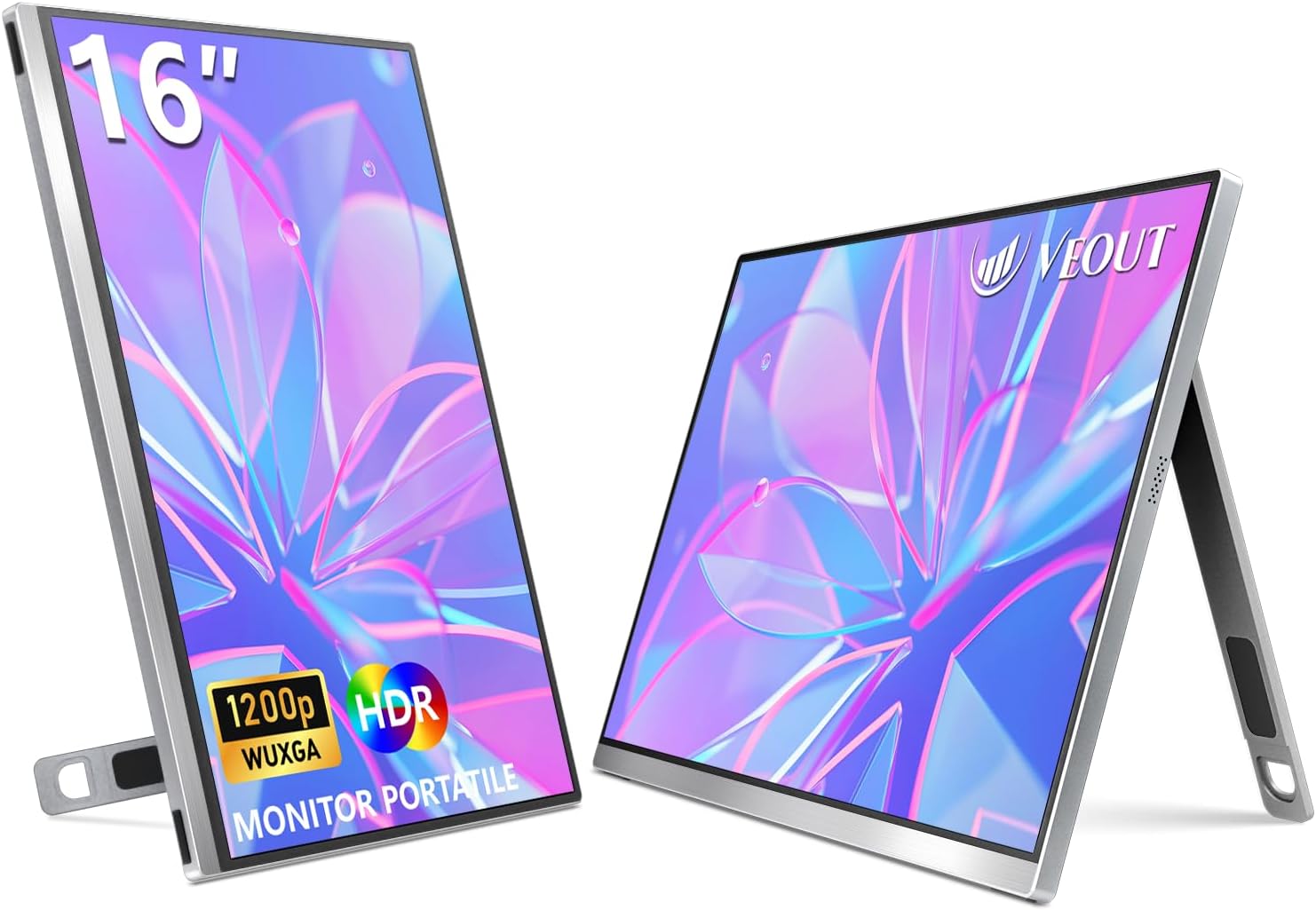
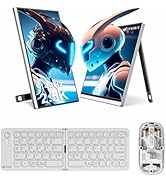
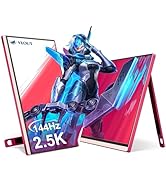
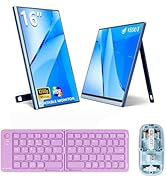
The Veout 16-inch portable monitor features a 1920x1200 IPS display with a 16:10 aspect ratio, offering 11% more screen content than standard 15.6" models. Weighing only 1.58 lbs and just 0.36 inches thick, its sleek aluminum design includes an adjustable stand supporting portrait mode. With dual USB-C and Mini HDMI ports, it supports universal plug-and-play compatibility across laptops, smartphones, and gaming consoles. Enhanced with HDR, 100% sRGB color gamut, and eye-care technologies, it’s ideal for professionals and gamers seeking vibrant visuals and comfortable long-term use. Certified globally and backed by lifetime warranty, it’s a premium travel companion for productivity and entertainment.


| ASIN | B0D95P2LB5 |
| Adaptive Sync | FreeSync |
| Additional Features | Anti Glare Screen, Built-In Speakers, Eye Care, High Dynamic Range, Portable |
| Aspect Ratio | 16:10 |
| Best Sellers Rank | #13,431 in Electronics ( See Top 100 in Electronics ) #395 in Computer Monitors |
| Brand | Veout |
| Brightness | 300 Candela |
| Built-In Media | 1 x 16'' Portable Monitor, 1 x Mini-HDMI to HDMI Cable, 1 x USB-C to USB-A Cable, 1 x USB-C to USB-C Cable |
| Color | V1-Silver |
| Compatible Devices | Desktop, Mini PC, Gaming Console, PS4/5, Switch 1/2, Laptop, MacBook Pro, iMac, Mac Mini, Multiple Computing Devices, Gaming Consoles, Multimedia Devices, Smartphone with Full-function Type-C Port |
| Connectivity Technology | USB |
| Contrast Ratio | 1200:1 |
| Customer Reviews | 4.3 out of 5 stars 646 Reviews |
| Display Resolution Maximum | 1920 x 1200 Pixels |
| Display Technology | LCD |
| Display Type | LCD |
| Hardware Connectivity | HDMI |
| Has Color Screen | Yes |
| Image Contrast Ratio | 1200:1 |
| Item Dimensions D x W x H | 9.4"D x 13.9"W x 0.3"H |
| Item Weight | 1.58 Pounds |
| Manufacturer | Veout |
| Model Name | V1-Silver |
| Model Number | V1-Silvery |
| Mounting Type | Desk Mount |
| Native Resolution | 1920x1200 |
| Number of Component Outputs | 1 |
| Picture Quality Enhancement Technology | HDR |
| Pixel Pitch | 0.182 |
| Refresh Rate | 60 Hz |
| Resolution | UXGA Wide |
| Response Time | 1 Milliseconds |
| Screen Finish | Matte |
| Screen Size | 16 Inches |
| Screen Surface Description | Matte |
| Shape | Rectangular |
| Specific Uses For Product | Laptop/ Destop, MacBook Pro/ iMac / MAC Mini, Professional / Video / Gaming / IT Code / Finance |
| Total Number of HDMI Ports | 1 |
| Total USB 3.0 Ports | 2 |
| Total Usb Ports | 2 |
| Unit Count | 1.0 Count |
| Viewing Angle | 178 Degrees |
S**B
Outstanding quality and clarity. Great value
Was so impressed by this purchase. The monitor works very well and screen is even more clear than my laptop. I like the deep blacks that crystallizes the clarity. The quality is really outstanding. I've used it for about 4 weeks now and use it as an extended display. You can put your power cord in this monitor and when you hook up your laptop or Chromebook it feeds back and keeps your laptop Chromebook or tablet charged. Or you can just put your charger, if need be, into your laptop or Chromebook and it powers the monitor. Also the monitor does not seem to draw down my battery on my Chromebook much at all when I do not have a power cord plugged into either. Again the quality is outstanding the fit and finish are very nice and the stand that folds up in the back works by friction and just stays where you put it. Very nice. Unbelievable value and quality for the money.
L**O
Great for Travel
Two monitors are extremely useful to me when I work remotely. This monitor has (so far) performed very well. It fits in a laptop sleeve, is very lightweight & is a nice quality screen. Seems a bit delicate, time will tell. The last one I bought from a different manufacturer, barely lasted 3 months, so I’m being very careful with this. Very easy to use - it’s compatible with any laptop that has a USB-C port. Good value for the money.
M**R
I guess the reviews were real after all.
At first, I thought the reviews for this monitor were not authentic since they conveniently all mentioned the same thing. I decided to take a risk anyways and to my surprise it's legit and works as intended. Here's what I noticed after owning it for 2 days now. Pros The monitor is surprisingly light It really does work with just one cable which is great. Make sure you plug the cable into the screen all the way. It has a matt screen so no reflections
A**.
Decent little thing - very portable - works with Mac’s- with another connection
I bought this as a 3rd screen for work purposes. I am using it for displaying Slack app. I am giving it 4 stars for a few reasons- 1.) the good: it does what I needed it for, the screen has decent resolution. 2.) the less than positive: because I am using a MacBook with this- and Mac’s don’t like more than one extended screen- I do have issues with the screens remaining on if I maximizing a window on any of the 3 screens. I was super frustrated but found a practical workaround. I keep windows minimized but drag the edges to basically be full screen. And that resolved that . 3.) the annoyance part: I don’t love that I need to have two cords coming out of this to connect successfully. And I really do not like the optics or aesthetics of the cords coming out from the top when in horizontal mode. Would be much better product if the ports were also an option on the longer sides. Ancillary facts: the monitors is very lightweight- it can easily be knocked down. The stand does work- but still at risk for easily wipe outs. I got this during prime days - so price was right for a quality screen. Would likely not buy again just based on the cords I have to look at- CRINGE.
A**R
Kickstand seems sturdy for both portrait & landscape view
TL;DR: nice! It does what you'd think. I'm very pleased with the kickstand, which is the main reason I bought it. It is steady in both horizontal and vertical orientations. ************************************************** EDIT: I'm updating my review about a week later. I've used this monitor most days since receiving it and continue to be happy with. I've used it almost exclusively in the vertical set up and really like the kickstand. I can even adjust the tilt angle of the monitor by not extending the kickstand all the way. I knew, in theory, that that's how you would do that, but I'm pleased to report that it actually works! I was a skeptical about the strength/sturdiness of kickstand before I got used to it. Also, there is a way to adjust brightness! In my original review, I noted that I wasn't sure and if there was a way, I hadn't figured it out. Well, now I have! It's the same rocker as the sound, you just have to switch it from sound to brightness. How do you do that, exactly? Great question. I honestly just fiddled with it until it did what I wanted it to. I think you sort of gently use the rocker to activate it, don't adjust the brightness, and then activate it again to adjust brightness. Like I said, I just kind of fiddled with it and that worked--you just have to know that's the right rocker. I wish that there were to separate rockers or that the menu button was the way to access volume and brightness, rather than just input, but it does work. Frankly, I'm not sure why a portable monitor would need sound output, but sure, whatever. ********************************** Original review below. Full disclosure: I've spent about 5 minutes with this monitor, so far. If I continue to use it and find that my review changes, I'll come back and edit it. That out of the way, so far, so good! I had a KYY portable monitor that I've been using for the last several months. It was awesome, except for the fact that the stand was just a folded up protective sleeve. That mostly worked when I was using the monitor horizontally, though not always: it did sometimes fall, even in landscape mode. Using it vertically (in portrait mode) become more and more of a hassle, presumably as the case got floppier with use. I was trying to use it vertically yesterday and got so frustrated with it falling backwards that I decided to just use it horizontally, despite the fact that I was working on a document, which is way better in portrait mode. That frustration led me back to Amazon, looking for a monitor with a built-in kickstand that could be used both ways. I found this bad boy and immediately...added to cart? Nah. Immediately started looking for something cheaper and with a more well-known brand. My last portable monitor was like $50 (albeit on sale). I was not interested in buying a $120 monitor that I wasn't even convinced was a decent brand. I admit to liking the color options from the jump. I got close to buying a used: good condition Asus monitor with 360 kickstand, before realizing that it only had one USB-C port. The way I've been using my KYY monitor was to plug my laptop charger (USB-C) into one port on the monitor, then using a C-C cord to connect the monitor to my laptop. This set up allowed me to charge my laptop through the monitor. (My laptop only has one USB-C port, so I couldn't use a USB-C charger and the monitor at the same time. My laptop came with the round pin kind of charger, initially, but I lost it and have been using a usb-c charger for years now. Way more convenient.) This was likely a slower rate than charging my laptop, directly, but that's no problem for me: I only use the portable monitor when plugged in. Using the previous portable monitor with the laptop and no charger drained my battery too quickly. I only bother to break out the portable monitor when I'm really getting down to business. When I realized that wasn't going to suit my particular use case, I looked back at this one. I looked online for in-depth reviews. One of the electronics-centric online mags I like recommended it, so I looked again. The black version was on sale for $80...and the other colors had a clippable $40 off coupon, resulting in a total price of $80. Before realizing that, I was not going to let a pretty color sway me. Upon seeing it was all the same, I immediately picked the red/pink color. If you can't see from the images, they call it pink but the body of the monitor is red. The only pink on it is the bottom bezel, which is pleasant. It does add a fun splash of extra color that coordinates nicely with the red. Plus, my university's colors are red and black and I need the monitor pretty much exclusively for working on my thesis at the library, or absolutely anywhere other than my office. My only complain is that it doesn't seem to have a way to change the brightness. Since I've just gotten it, that might be me not having figured it out yet. The frame feels really sturdy. I kept my other monitor in a padded laptop case for 15.6" laptops and swapped it out for this one. It fits nicely. I definitely would put it in something for storage and carrying it around.
A**F
Great product very satisfied
Super light, great display quality, easy to just plug and play (I used with laptop) Can adjust brightness and volume as well. Highly recommended for road warriors who need to work on the go.
A**S
Mixed Feelings
This seems like a really nice monitor and the price was good. It worked instantly with my laptop so I know if functions well, but it was my intent to hook it up to my work desktop. I am having a heck of a time getting it to work and still am not successful. The instructions are non existent given that it's plug and play. After a tutorial video, you can attach it in one of two ways - usbc to usbc (which my only usbc port does not support video), or usba to usbc AND HDMI too mini HDMI. My desktop does not have an HDMI port. It has 2 Display Ports, both of which are used. I tried to convert the usbc to a usb with a $9 something that said it would support video, but it didn't. Now I've spent about $30 more to convert the mini hdmi to an hdmi, but a longer hdmi cord, and an adapter to go from hdmi to usb. (All cables that come with it are only 3 ft long!). I'm hopeful and skeptical at the same time that this will work. I feel that in the end, I'm going to spend more money trying to get this monitor to work than I spent on the monitor itself. And all I wanted was to have the live webcam of the Monterey Bay Jellyfish tank beside me while I worked.
C**8
Great monitor! But not touchscreen
Great monitor!!! I use it every day. Portable and durable. I got a sleeve to protect mine. Liked it so much I bought another. Gave it 4 star for not being touchscreen.
D**A
カッチリした作りの良いモニター
3年ぶりにモバイルモニターを更新しました。 今まで使っていたのが16:9だったため、縦が長くなったことで同じサイズでも大きく感じます。 明るさ、発色は良好で、リフレッシュレート60Hzも特に気になりません。 筐体と同じ素材と思われるスタンドはやや安定性に欠けるもののカッチリした作りで、留めたい角度でちゃんと保持してくれます。 本体の剛性感もあり長く使えそうです。 何より筐体の色が良い。 惜しい点はメニューボタンが操作しづらい事。 明るさ、音量の調整は左右にスライドするだけなので簡単ですが、メインメニューを開くには押し込む必要があり、これが非常にやり辛かったです。 また個体差かもしれませんが、外箱や液晶面にシールを剥がした様な跡と粘着が残っており、これらを清掃する必要がありました。 気になる方は気になるかもしれません。 他にも細かい部分で目に付く点はありますが、値段を考えてもとても満足出来る製品でした。
A**V
Finally a usable portable monitor!
Finally a usable portable display. I tried many others. Including 2k and 4k. Good brightness, good clarity, works great with a Mac (unlike many others) The aspect ratio is also perfect. Works with a singe usb-c cable, everything is as advertised. Especially for this price... Context: I use it mostly for coding, no idea about games and color accuracy.
A**Z
Fiyat performans
Tam bir fiyat performans cihazı
M**O
Colori brillanti molto bello
Bello bello ottimi materiali bei colori super consigliato.
J**N
Totally worth it.
Ok I've just set this up to replace my MSI that cost twice as much, this one looks nicer and feels better quality with the metal frame, it's brighter and just generally lovely. 5/5 would buy again if I needed a third monitor for some insane reason. I agree that it would be nice if it came with a neoprene case, but really for the price it's a minor quibble.
Trustpilot
2 months ago
2 months ago