Buy anything from 5,000+ international stores. One checkout price. No surprise fees. Join 2M+ shoppers on Desertcart.
Desertcart purchases this item on your behalf and handles shipping, customs, and support to Italy.
🎮 Capture Every Frame, Stream Like a Pro, Shine in Style!
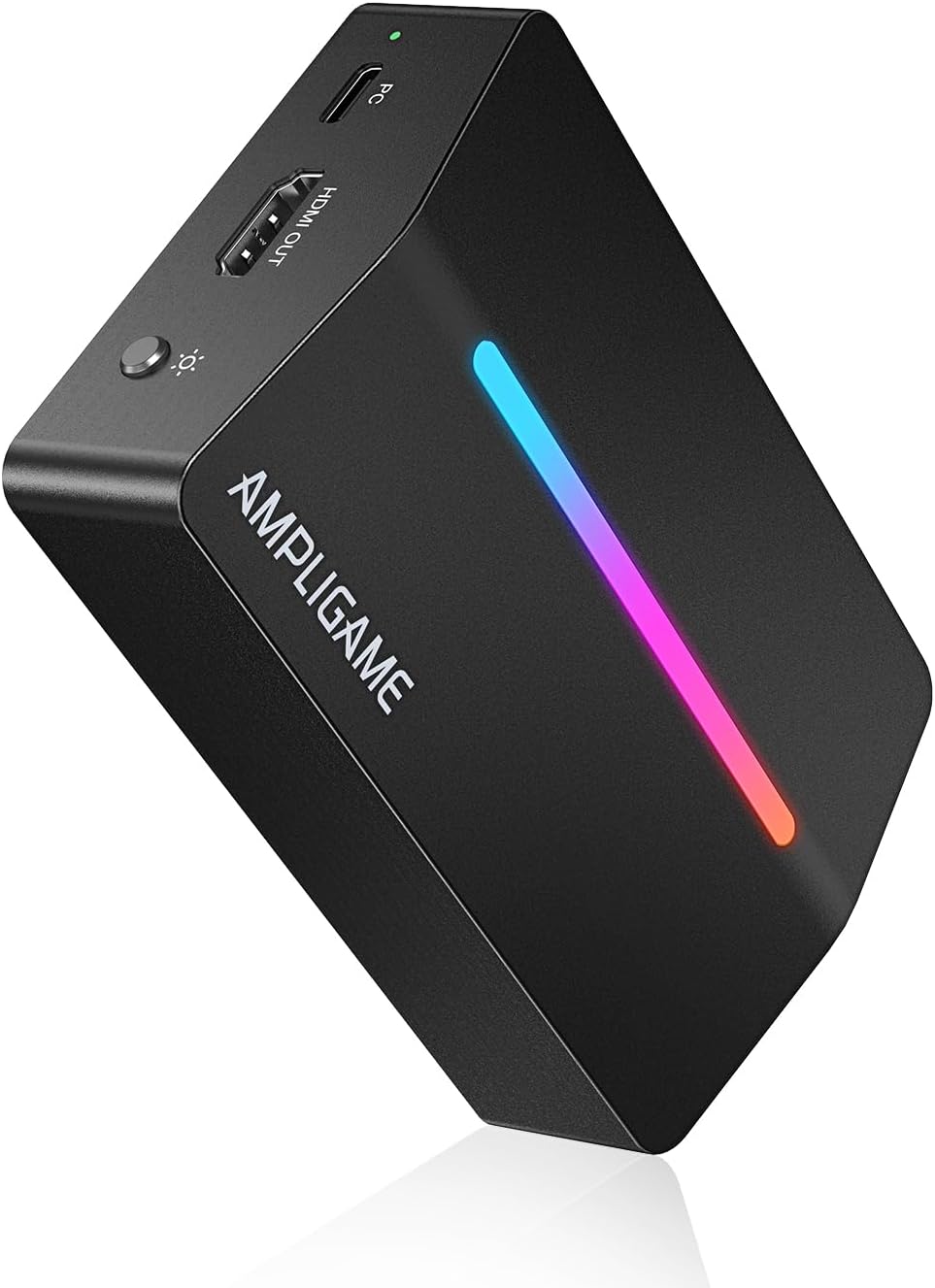
The Fifine AmpliGame Video Capture Card V3 delivers crisp 1080p60 video capture with 4K30 HDMI passthrough, USB 3.0 plug-and-play ease, and customizable RGB lighting. Compatible with major consoles and PC platforms, it’s a budget-friendly powerhouse designed for gamers and streamers seeking professional-grade quality without the premium price tag.


| ASIN | B0D9JDSMYN |
| AV Output | HDMI |
| Antenna Location | Gaming, Image Capture, Live Streaming, Video Recording |
| Best Sellers Rank | #9 in Internal TV Tuner & Video Capture Cards |
| Brand | AmpliGame |
| Built-In Media | 3.3ft (1m) USB Cable*1, User's Manual*1, Video Capture Card*1 |
| Compatible Devices | Laptop, PS4/PS5, Personal Computer, Switch, XBOX |
| Customer Reviews | 4.0 4.0 out of 5 stars (240) |
| Hardware Interface | HDMI, USB 3.0 Type A |
| Item Dimensions | 4.24 x 2.8 x 1.21 inches |
| Item Weight | 3.36 ounces |
| Manufacturer | AMPLIGAME |
| Mfr Part Number | V3 |
| Minimum System Requirements | USB 3.0 port and HDMI input/output |
| Model Name | V3 |
| Model Number | V3 |
| Operating System | Mac OS, Windows |
| Other Special Features of the Product | 1080p@60fps Capture Resolution, 4K@30fps Output Resolution, Applied in Gaming/Streaming/OBS, RGB Lighting, USB Plug-and-Play |
| Platform | Mac, PlayStation, TV Plug & Play, Windows, Xbox |
| Tuner Type | ATSC, DVB-T |
| UPC | 850058839387 |
| Video Capture Resolution | 1080p |
| Warranty Description | 1 Year |
J**Y
Ditch AverMedia, Elgato, etc. This is the perfect budget solution.
I bought this specifically to livestream Splatoon 3 to my mutual friends who enjoy the game. A few things to note: Pros - Design wise it looks decent enough. I didn't buy the device for the look so much as the price point. - Sound-wise it is purportedly crisp. The first thing I did with it was pop it open and get to work streaming in a server with friends, they immediately said it looked and sounded crisp. - Visual quality seems to be 1:1 save for spare moments where it lags behind for a few moments in OBS camera. - Works perfectly fine, cheaper than expensive alternatives and way better for the cost. - Plug and play, so you don't need to install 90 drivers just to use one device. Cons - It definitely could do without the light bar. It looks cool, but it's annoying after a while being so bright in the dark of my room. - If you run this directly into Discord it flattens the picture quality, you have to use a separate software like OBS to run it through a virtual camera output before it looks anywhere near clear. - The port layout could do with a bit of work, the power cable is a bit close to the hdmi port on one side. Ultimately I reccommend this especially if you don't want to throw money at a large company selling exactly the same product for ten times the price.
T**)
Easy to Recommend Capture Card for Gamers and Content Creators
I did a full product review on my YouTube channel, but to summarize... This video capture card is super easy to install. It's perfect for streaming from console to PC due to the 120Hz HDMI passthrough. The price is certainly right, but the resulting capture quality is less sharp than the Elgato HD60X. That said, it's far cheaper. If you're on a budget, and who isn't, this AmpliGame capture card is an easy recommendation. (Works with any system with HMDI output, requires USB-C for high-speed capture, the form factor is well thought out. The RGB CANNOT be turned off... that's what electrical tape is for ;)
D**E
Unstable unreliable bad audio
Worked for all of 2 days and then just stopped connecting to my pc completely. Has to be a usb port issue. Audio was a bit choppy and it also because horrible video when set to 60fps. It wasn’t the pc because I literally just bought it and the cheap capture card I still have and the el gato connected without issue. Do yourself a favor and either get the el gato neo or the hd60(i got hd60) if you plan on streaming/recording consistently. If you’re using it for a hobby then I guess it would be ok with lower quality settings. This was a waste of time and money
R**3
Good buy (needs more then one hdmi to connect to pc)
i was very hesitant when buying this seeing the reveiws, but i gave it a chance anyway because i only wanted this so i can show my ps5 screen to my friends. It is indeed 1080p and at 60 fps, although you do have to go through a step or two to actually get it working i used youtube and figured it out pretty quickly. My only real problem with it is how sensitive it is, you can barely touch it without the audio cutting out and the obs screen freezing so you have to go into obs deactivate the device and reactivate it and usually fixes the problem and i also sometimes have to restart my pc to get any audio, other then that it is a great entry device for someone who doesnt want to buy a elgato because its too expensive or whatever. Also you will need your own hdmi cables youll obvioslly have the one that comes from your console but you will need another one to connect to the back of the device into your graphics card and you can use a hdmi to display port if you only have one hdmi port on the back of your gpu. Overall great buy and i do recommend for entry level streamers or content creators on a budget
M**R
Excellent Capture Card – Great Quality & Easy to Use!
I’ve been using the AmpliGame V3 Capture Card for a few weeks now, and I’m honestly impressed by the performance and value it offers. Setup was super simple – just plug and play. No drivers, no hassle. It worked flawlessly right out of the box with my PC and Nintendo Switch. The video quality is fantastic – crisp 1080p at 60fps with zero lag or stuttering during gameplay or recording. I’ve used it for both streaming and recording content for YouTube, and the results have been smooth and professional-looking. Audio sync is spot on, which is something I’ve had issues with in other cards. The build quality is solid too – compact but durable, and it doesn’t overheat even during longer sessions. It’s also compatible with OBS and Streamlabs, which made it easy to integrate into my existing setup. If you’re looking for a reliable, affordable capture card that delivers top-tier performance without breaking the bank, the AmpliGame V3 is 100% worth it. Highly recommend!
S**R
Decent option for gamers and content creators
The Fifine AmpliGame Video Capture Card is a decent option for gamers and content creators looking for an affordable way to stream or record gameplay. It offers 1080p resolution at 60FPS, which is suitable for casual streaming and recording needs. The setup is fairly straightforward, with plug-and-play functionality that works well with most devices. In terms of performance, the card provides low-latency pass-through, making it useful for live streaming. However, it may struggle with more demanding setups, and the image quality isn’t as sharp as some higher-end alternatives. While it works well for most standard uses, users looking for 4K capture or advanced encoding features might need to consider other options. Overall, the Fifine AmpliGame Video Capture Card is a budget-friendly choice that delivers acceptable performance for beginners or casual streamers. It’s not the most powerful capture card on the market, but it gets the job done for those with basic recording and streaming needs.
J**E
At first it work perfectly fine everything worked great the first three times using, now for some reason nothing works, I couldn’t even connect to my console from my computer, nothing shows up. I shouldve invested in a higher quality version.. I thought this would’ve been great considering this company makes a lot of streaming stuff and it’s great, but this product is defective..
I**3
Excellent entry-level capture card, tested it on MacBook, Steam Deck, and PlayStation 5 it performed flawlessly everywhere. According to other reviews mentioning a black screen, most likely on the PS5 you need to disable the piracy protection feature in the settings for it to work correctly. The device looks great, and you can turn off the RGB lighting if you want. Highly recommend it for purchase!
Trustpilot
2 months ago
2 months ago