Buy anything from 5,000+ international stores. One checkout price. No surprise fees. Join 2M+ shoppers on Desertcart.
Desertcart purchases this item on your behalf and handles shipping, customs, and support to Italy.
🎨 Elevate your digital art game—where precision meets portability!
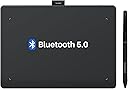
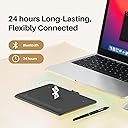
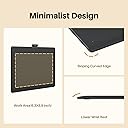
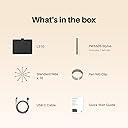
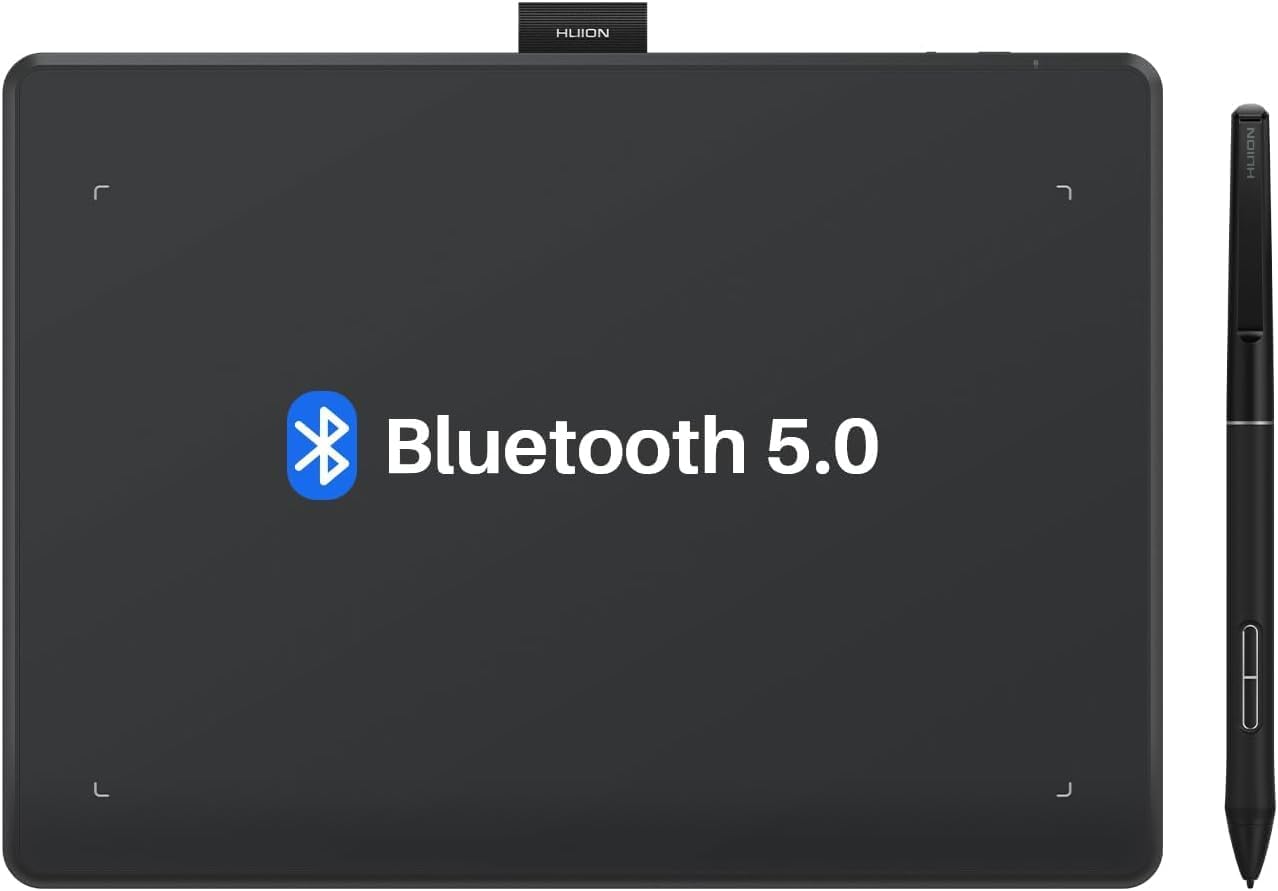
The HUION Inspiroy Frego S is a compact, wireless drawing tablet with a 6.3 x 3.9 inch active area, 8192 levels of pen pressure sensitivity, and up to 24 hours of battery life. Designed for professionals and creatives on the go, it offers Bluetooth and USB-C connectivity, a slim ergonomic pen with programmable buttons, and broad compatibility across Windows, Mac, Linux, Android, and iOS platforms.


| ASIN | B0D6FXHX7P |
| Active Surface Area | 155.89 cm² |
| Best Sellers Rank | 26,106 in Computers & Accessories ( See Top 100 in Computers & Accessories ) 63 in Graphic Tablets |
| Box Contents | Stylus |
| Brand Name | HUION |
| Colour | Black |
| Compatible Devices | Tablet, Laptop, Smartphone, Desktop (possible) |
| Country of Origin | China |
| Customer Reviews | 4.3 4.3 out of 5 stars (242) |
| Display Type | LCD |
| Item Dimensions L x W | 16L x 16W centimetres |
| Item Weight | 350 Grams |
| Manufacturer | HUION |
| Manufacturer Part Number | cd309a38-c58c-4ad0-a07b-3c493ec71a63 |
| Model Name | Inspiroy Frego S |
| Model Number | cd309a38-c58c-4ad0-a07b-3c493ec71a63 |
| Native Resolution | 8192 levels |
| Network Connectivity Technology | Bluetooth |
| Operating System | Windows 7 or later(Wired) Windows 10 or later 64bit(Wired&Bluetooth) macOS 10.12 (Wired)macOS 10.13 or later(Wired&Bluetooth)Android 6.0 or later(Bluetooth)ChromeOS 88 or later(Wired&Bluetooth)Linux |
| Pressure Sensitivity | 8192 Levels |
| Product Features | Wireless Bluetooth Connectivity, Without Shortcut Keys, PenTech 3. |
| Screen Size | 9.5 Inches |
| Specific Uses For Product | Teaching |
| Target Audience | Teacher |
| Unit Count | 1.0 count |
C**H
Very impressed
This is a review for the Inspiroy Dial 2. I have to say this tablet has really impressed me, I do have a Huion Kamvas Pro 16 screen tablet but I like wireless non screen tablets for when I want to sit back and relax when I draw. The pen is the first thing that really impressed me, the 3rd generation pen is on par with Wacom now, the nib has almost no travel so feels far better to draw with over the second generation pen on my Kamvas Pro. Both types of nib feel great but I really love the felt nibs these feel better than the felt nibs did on my old Wacon Intuos Pro. The tablet has a larger working area than the Intuos pro medium which costs twice as much but the physical size still remains compact, The surface has a good amount of tooth but not too rough. The keys and dials are both very nice to use and feel good quality. Battery life is in line with what was stated, roughly 18 hours. If i had anything negative to say it would just be 2 very minor things. I think the feet are a little small and don't grip the desk as much I would like but it's not a big problem, also the Bluetooth connection button is where you would hold the tablet if resting it in your lap so it can be accidentally pressed resulting in the tablet losing connection and you having to re-pair it. I have a Bluetooth 5.1 dongle plugged in to the front usb ports of my desktop and have not had any issues with connection. I can't speak to how it works with Android or Ibis paint on the Ipad because I only wanted it for my desktop PC. A little bit of advice for these types of tablets as a whole, a lot of them have a 16 x 10 apect ratio so if you are using a 16 x 9 display you should go in to the driver, click on working area and set it to aspect ratio instead of full screen. This will mean a very small area at the top and bottom of the tablet becomes unusable but the shape you draw on your tablet will not be slightly distorted. Overall a great tablet at a very fair price, my Intuos pro medium cost me about double what this did. I would pick this any day.
J**T
Huion graphics tablet
This tablet is bob on. Well made and very responsive. Well priced and easy to use.
A**N
5 Star
Great product , does as expected , completely satisfied
P**N
Unable to customize dials (UPDATE - Sorted)
On the face of it, the tablet appears well-made and generally works well. However, I have been unable to customize the dials leaving me with two dials that do the same thing. Have had a lot of communication with Huion support, but no solution found, despite now trying three different drivers from them. I am using a MacBook Air. It's become so frustrating that I will probably return it. UPDATE: Huion finally sent me a message clarifying how to customize the dials. It's not how it's explained in the instructions! Attached video from Huion explains how to do it. Basically, don't click the "Dial Settings" button.
S**K
Great affordable large tablet
I'm a beginner and didn't want to spend a fortune on the mainstream version. Happy to find that it's brilliant, check to make sure it fits your space as it's quite large (personally wouldn't want a smaller one as it makes it difficult to draw from your shoulder). Once software is installed it's just plug and play, I choose to use it wired rather wireless. It's perfectly sensitive and can be adjusted, depends a lot on the type of brushes being used. There are a choice of nibs for the pens, and different sized pens, I prefer the bigger one that came with the device. There is a more paper feel nib available, I prefer the smooth black nib but both are nice in their own way. 0 signs of any scratching on the surface after prolonged use.
H**H
Do not buy this!
I bought this tablet 33 days ago, at first the driver had a problem and after testing several drivers, I was finally able to get a fairly decent performance from it, I put it in my desk drawer for a few weeks, and a few days ago I noticed that the upper sensitive screen The inside is separated and slightly inflated! It's really strange, think that I had used it for 2 hours and it broke by itself!!! And now the interesting thing is that Amazon does not refund it because of the 4-day delay, the company has not accepted to refund it until now!
J**R
Good new pretty
I’m happy new
C**O
Plasticky
I LOVE the bluetooth functionality, don't get me wrong! But my goodness, the pen is so plasticky and the feel and sound that drawing makes just makes me cringe! I wish they sold felt pen nibs for this tablet.
A**T
Works great in linux. Works as expected with one caveat, the keyboard part can only register one keypress at a time. If you're just working then that's fine but my feeble attempts to use it as a sort of gaming pad as well were ruined. Hitting w+a to strafe simply won't work. Still, that's a niche issue that we really shouldn't hold against the device.
C**N
A good quality item, with a good discount too. Very quick delivery.. It performs well and is much cheaper than similar items . I am very happy with this tablet
D**E
Ho acquistatao questa tavoletta grafica per utilizzarla con un programma di modellazione 3D professionale, dal momento che possedevo già un'altra tavoletta grafica di più piccole dimensioni ma di una marca più conosciuta e costosa. inizialmente ero un po' restio per via, appunto, del "nome" meno conosciuto ma con mia grande sorpresa posso dire, senza pericolo di smentita, che questa tavoletta grafica è a dir poco PERFETTA. perfetta in tutto: spessore, peso, collegamento bluetooth, autonomia della batteria, portabilità (entra comodamente in uno zainetto di medie dimensioni), qualità della penna, che può vantare una punta stabile senza oscillazioni fastidiose, superficie non liscia ma non ruvida, oserei dire "vellutata" e precisione. Insomma, da utilizzatore abituale di tavolette grafiche da un po' di anni ormai (ho provato anche tavolette con schermo), non posso che parlare bene di questa tavoletta che, se l'avessi saputo prima, avrei comprato già tempo fa, senza spendere soldi ulteriori per altre tavolette grafiche di marca più conosciuta ma di qualità, secondo me, inferiori a questa.
F**.
Sembra buona, mio figlio è entusiasta
A**A
Hatte vorher ein Wacom Intuos Pro 2017 und habe dieses durch das Huion Frego M ersetzt. Die Verarbeitungsqualität ist super, dafür das alles Plastik ist. Einzig die Seitenfuge zwischen Oberseite und Unterboden lässt sich beim Zusammendrücken etwas bewegen, ist aber rein optisch und stört nicht. Das Frego ist leichter und das Gefühl der Zeichenfläche gefällt mir deutlich mehr. Auch der Zeichenbreich ist minimal größer als beim Intuos. Ein gelungenes Designfeature ist die abfallende Unterkante. Dadurch kann man die Hand bequem ablegen und nichts stört. Allgeimein ist das Tablet ziemlich flach, im positiven Sinne. Ansonsten funktioniert alles wie erwartet. Einzig der Cursor ist bei mir paar mal plötzlich weggesprungen und ich musste den Stift anheben und wieder ansetzten, damit dieser sich wieder fängt. Liegt eventuell am Treiber oder mein Programm und Windows Ink bzw. WinTab bereiten Kompatibilitätsprobleme. Hat mich aber nicht extrem gestört. Bis jetzt scheint aber auch keiner ein derartiges "Problem" gehabt zu haben. Der mitgelieferte Stift ist der PW550S (Slim Variante) und fühlt sich hochwertig an (hochwertiger als mein Intuos Stift). Dazu habe ich mir noch einen PW550 (dicke Variante) nachbestellt, da dieser mich an meinen alten Intuos erinnert :) Der Huion Treiber ist schnell installiert und benutzerfreundlich. Geräteausrichtung, Stiftempfindlichkeit, Größe des Zeichenbereiches oder auch Stifttastenbelegungen etc lassen sich leicht einstellen. Ändert man die Grundeinstellungen, so muss der Huiontreiber aktiv bleiben, ansonsten werden die Einstellungen wieder auf Standard gesetzt bis man den Treiber erneut startet. Es gibts keinen Onboardspeicher soweit ich das weiß. Subjektiv gefällt mir der Treiber sehr. Es sind wenige Hintergrunddienste aktiv und beim Beenden des Haupttreibers werden diese mit beendet. Bei Wacom waren dutzende Hintergrunddienste aktiv, auch nach beenden des Treibers, die den Taskmanager "vollmüllen". Natürlich hatte ich da nie Probleme mit und die Systemauslastugn war nicht der Rede wert, aber den Huiontreiber finde ich cleaner. Kleiner Tipp: Der Zeichenbereich ist auf 16:10 eingestellt, die meisten Monitore haben aber ein Seitenverhältnis von 16:9. Dadurch wird beim Zeichnen alles leicht "verzerrt"und nicht 1:1 dargestellt. Im Treiber kann man das umstellen (siehe letztes Bild). Wenn man auf der Suche nach einem Grafiktablett ist, braucht man gar nicht weiter überlegen: Für unter 100€ unschlagbar. Hätte ich die Wahl, würde ich das Frego wieder kaufen ;)
Trustpilot
1 month ago
2 months ago