We remain fully operational. Our teams are working around the clock to ensure your deliveries continue safely.

DOWNLOAD THE APP


Copyright © 2025 Desertcart Holdings Limited
DOWNLOAD THE APP
Buy anything from 5,000+ international stores. One checkout price. No surprise fees. Join 2M+ shoppers on Desertcart.
Desertcart purchases this item on your behalf and handles shipping, customs, and support to Italy.
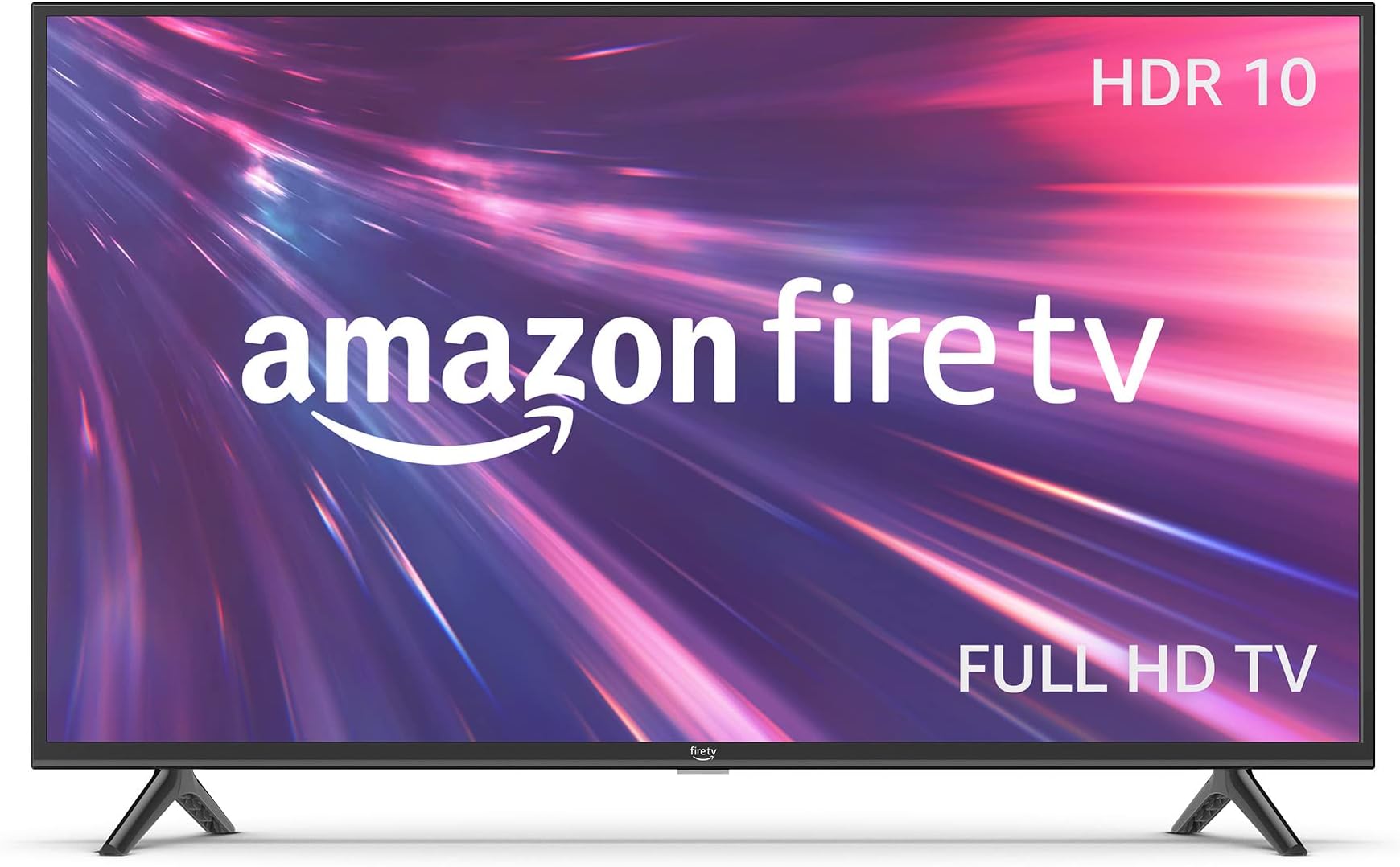
🔥 Elevate your living room vibes with Fire TV’s smart, sleek, and seriously connected 40-inch powerhouse!
The Fire TV 40" 2-Series is a Full HD smart TV featuring 1080p resolution with HDR10 and HLG support, Dolby Digital Plus audio, and a 60Hz refresh rate. It includes 2 HDMI 1.4 ports plus 1 HDMI ARC for versatile connectivity, an Alexa Voice Remote for voice control, and Bluetooth 5.0 for private listening. Stream over 1.8 million movies and TV episodes from top apps, enjoy live and free TV without cable, and sync content seamlessly across Fire TV devices. Lightweight and energy-efficient, it offers a modern entertainment hub with smart home integration and accessibility features, backed by a 1-year warranty.
| Resolution | 1920 x 1080 |
| Display Resolution | Full HD |
| High Dynamic Range (HDR) format | HDR10, HLG |
| Backlight type | Direct LED |
| Refresh rate | 60 Hz |
| Screen size | 40” |
| Viewable display size | 39.5” |
| HDMI ports | 2 HDMI 1.4 + 1 HDMI ARC |
| Ethernet | 1 Ethernet port |
| USB | 1 USB 2.0 port |
| IR device control with included Fire TV Alexa Voice Remote | The included Fire TV Alexa Voice Remote can control certain functions, such as power and volume, on a wide range of compatible IR-enabled devices, soundbars, and A/V receivers. Note: Certain functions may not be available on some IR-enabled devices. |
| Voice support | Yes, with Fire TV Alexa Voice Remote (included) or the free Fire TV app (available for download on Fire OS, Android, and iOS). |
| Audio support | Dolby Digital Plus with passthrough of Dolby-encoded audio |
| Audio power | 8W + 8W |
| OS | Fire TV OS |
| Product size without stand (WxHxD) | 35.6” x 20.5” x 3.4” |
| Weight (without stand) | 12.8 lb |
| Bezel size (mm) | 11.7mm |
| Front finish | Black Plastic |
| Distance between TV legs | 31.4” |
| SKU Number | HD40N200A |
| VESA Wall Mount Standard | 200 mm x 100mm |
| Accessibility features | VoiceView screen reader enables access to the vast majority of Fire TV features for users who are blind or visually impaired. Screen magnifier enables viewers to zoom in and out, and pan around the screen. Text Banner consolidates onscreen text into a compact, customizable banner that appears on the screen. Watch videos and TV shows with closed captioning displayed. Use Audio Description for verbal descriptions of what is happening on the screen, including physical actions, facial expressions and scene changes. Captions and audio descriptions are not available for all content. Fire TV 2-Series, Fire TV 4-Series, Fire TV Omni Series, and Fire TV Omni QLED Series support audio streaming for select compatible Bluetooth hearing aids and devices for a private listening experience. You can also listen to Fire TV with compatible Bluetooth headphones. Learn more about accessibility for Fire TV. Note: “Hearing aids” refers to compatible Bluetooth hearing devices such as traditional hearing aids, cochlear implants, and bone conduction hearing devices. |
| Content availability | Certain apps and services are subject to change or withdrawal at any time, may not be available in all areas and languages, and may require separate subscriptions. |
| Connectivity | Wifi or Ethernet |
| Digital Optical Audio Output | 1 Digital Optical Audio Port |
| Warranty and service | 1-year limited warranty and service included. Optional 3-Year and 4-Year Extended Warranty available for U.S. customers sold separately. Use of Fire TV is subject to the terms found here. |
| Included in the Box | Fire TV 2-Series 40”, Fire TV Alexa Voice Remote, power cord, 2 AAA batteries, 4 screws, TV stand (2 legs), Quick Start Guide (PDF / Accessible HTML) |
| Software security updates | Learn more about these software security updates. If you already own a Fire TV, visit Manage Your Content and Devices for information specific to your device. |
| Size | 38.2 x 157.7 x 17.1 mm |
| Weight | 51 g (without batteries) |
| Batteries | 2 AAA required (included) |
| Technology | Bluetooth 5.0 |
| Compatibility | Amazon Fire TV 2-Series, Amazon Fire TV 4-Series, Amazon Fire TV Omni Series, Amazon Fire TV Omni QLED Series, Fire TV Cube (3rd Gen) |
W**R
Good for the price - - but please read review
Once again an additional to my review Feb 2026 - Well if you read below I had some troubles and it got bad real bad - volume changes at random - at times we were watching 1 channel and hearing 2 - So I solved it - The problems I was having was the remote not the TV - and yes I had tried new batteries in the remote many times- However since I have 3 fire tvs I have 3 remotes so finally “dah” I tried a different remote!!! All this bs was the remote not the TV - I bumped it up to a 5 - why after over a year of BS - Well it’s a good TV - Been a week and no issues with the other remote- So maybe the remote was bad from the get go ? Or did we get some water on it ? Well I am one remote short now - but We do not watch 3 TVs at the same time either- Hope this helps - Additional comment added Jan 9 2026 - I think I am being unfair a bit in the review below as we have 2 other fire tvs and they do not seem to have the same issue- We actually bought 3 fire tvs - 2 reasons the price was good - and we trusted the brand name - Let’s go with the positives picture is great - the TVs are very light weight- and the sound is good. Also I monitor power on all our devices- the tv draws less power for its size! I have not compared this to the 100’s of TVs out there - but its power consumption for its size is lower than other brands we have. That’s a win. So why not a 5 star? Here are the complaints we have - which are relatively minor but annoying. From switching from channel to channel- the volume changes considerably. Our other brand tvs do not seem to do this. Occasionally the tv goes dark - the fix is turn it off and on again- this has happened rarely, but happens. I am not sure if it’s the remote or tv but while adjusting the volume up it keeps going to 100%. I cannot get it to go back down until it reaches 100% - this also happens rarely but happens - maybe we got a lemon not sure. Hope this helps-
J**L
Dec 2025 update. I'm happy !!
UPDATE: I kept trying to connect my BT earbuds and finally one of them did but with a different ID than on my old TV. One earbud still won't pair. And that echo listing finaly went away although it was never installed so there was no way that I could remove it. A speaker I ordered arrived and it paired immediately so IDK what the problem was. The sound seems fuzzy at times but that is probably my hearing which is why I use earbuds and now the speaker. My comments now are that I use it only with firestick and it is slow toload in when I fist turn the TV on. Maybe I need a new firestick. So now I am satisfied with the purchase ; I love the large screen and the clear almost 3D look of the shows I watch. I also really appreciate the monthly payment plan. I'm so annioyed !!! The TV has been good although a bit slow and sometimes the screen goes dark. I have to change the volume for different streamers or shows and sometimes it sounds tinny but it could be my allergy affected hearing. I've been using BT earbuds that make the dialogue more clear. Yesterday I turned it on and I had been signed out of hulu and I noticed some other changes; we did not have any electrical or internet interruptions to cause it. It didn't respond well to the remote, jumped around, didn't work the same. I needed earbuds but they didn't connect and in BT settings none of my previous paired earbuds were listed anymore. I tried to reconnect three buds and nothing worked; only a strange echoshow5 212 showing up that I'd never heard of. So i had to spend over an hour searchin for answers beginning with what the heck is this and how do I get rid of it? I read something that I thought was an answer so when that echo thing showed up (and it took a couple minutes each time I tried to pair the buds when before they connected immediately) and I told Alexa to pair. Got a message that Alexa was not able to do it, so more searching online and more confusion and dozens of options and instructions and reference to things i've never heard of. I just want my normal remote to turn on and off and change channels and volume...how do I get it back? I don't have my old remote anymore or I'd try to go back to using that. I have a month to return this tv and probably will unless I or someone can help me. I didn't select echo on any list, didn't see any option to get it, it just took over my TV and I do NOT want it so I can use bluetooth again. HELP !!! I've u;nplugged, restarted, tried pairing multiple times . i do not want to do a factory reset and have to start over setting up my channels an shows. So just now I went to BT again, the echoshow thing came up but there is no way to remove it so I clicked it and it said it was pairing and then a window popped up saying pairing was not successful. HOW DO I GET RID OF THIS?
J**P
Was FRUSTRATED- Now HAPPY
Editing my review from two stars to 5 stars. Very impressive that Amazon actually reads these reviews and seriously cares about how we like their products. Since I posted the original review a very nice, very knowledgeable, tech support lady called me to work my problem of Apps not loading or playing on my FireTV. Basically it boiled down to my new TV needing a software update. I absolutely thought this TV was plug and play, but it wasn't. Just like with any new device I guess everything needs a software update to work properly. The wonderful tech support lady was on the phone with me over an hour, she step by step walked me through everything. We updated all the software and now my FireTV works PERFECT! All my news Apps and weather apps load without a problem. The TV is no longer sluggish. It's all fast and Perfect! So, the next FireTV I order, and there will be more because this is an excellent value for the price, I will know to update the software before logging in or loading any apps! Thank you Amazon for truly caring about your customers 😊 Seriously hate this TV. It's been a HUGE source of frustration for 3 weeks, ever since I hung it on my wall. The picture is great. Sound is great. Remote is great, but the operating system is awful. It WILL NOT load certain Apps, mainly Fox News and Fox Weather and other Apps are sluggish. I know it's not a problem with the App because when I tested them on our living room TV (different brand with Roku hooked up) at the same time, they load perfectly, so I know it's just this TV. I LOVE Amazon and really wanted to love this TV, but I just don't. Daily I have to end up clearing my caches for all the Apps and unplugging the TV for one minute to reset the TV, if I want to watch either of those two Apps. Super frustrating. I still have about another week to return this TV, but I'm concerned if I order another one will I have the exact same problem? If anyone at Amazon Tech support has any ideas why just these two Apps will not load please reach out to me!
Trustpilot
1 month ago
3 weeks ago