Buy anything from 5,000+ international stores. One checkout price. No surprise fees. Join 2M+ shoppers on Desertcart.
Desertcart purchases this item on your behalf and handles shipping, customs, and support to Italy.
📸 Backup Brilliance Meets Speed & Style
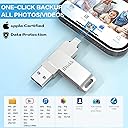
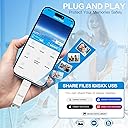
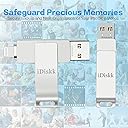
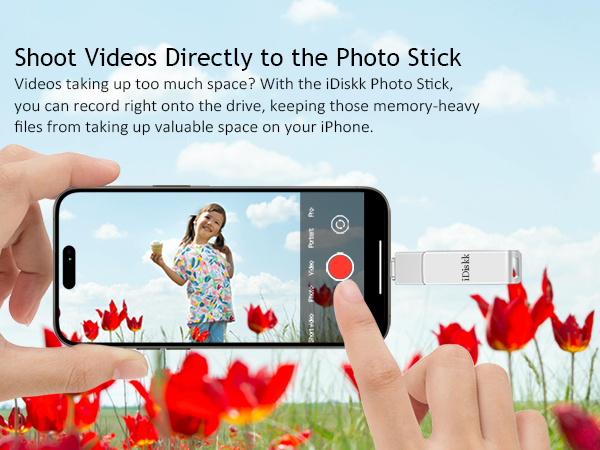
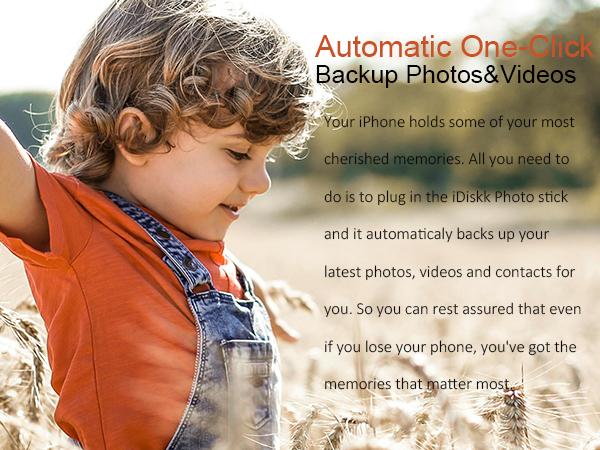
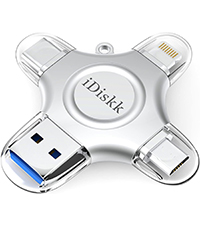
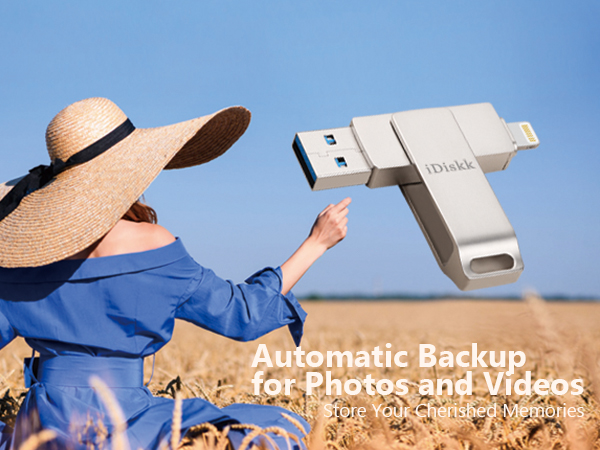
The iDiskk Photo Storage Flash Drive offers a whopping 931GB of external storage with MFi-certified Lightning connectivity, ensuring seamless compatibility with iPhone, iPad, MacBook, and PC. Featuring USB 3.0 technology, it delivers blazing-fast transfer speeds—moving HD movies in about 20 seconds. Its intuitive iDiskk app enables automatic photo and video backups, while supporting direct media playback on the go. With encrypted privacy protection and a 24-month warranty, it’s the ultimate must-have for professionals who demand reliable, stylish, and efficient mobile storage.


| ASIN | B0D3HQW8G4 |
| Additional Features | Easy to use, Lightweight, Mfi certified photo stick 1tb, One-click backup flash drive 1tb |
| Best Sellers Rank | #147 in USB Flash Drives |
| Brand | iDiskk |
| Color | Silver |
| Compatible Devices | Apple iPhone, iPad, iPad Pro, Mac/PC |
| Compatible Phone Models | iPhone 14 Pro Max, iPhone 14 Pro, iPhone 14 Plus, iPhone 14, iPhone SE (3rd), iPhone 13 Pro Max, iPhone13 Pro, iPhone13, iPhone13Mini, iPhone 12 Pro Max, iPhone 12 Pro, iPhone 12, iPhone 12Mini, iPhone 11 Pro Max, iPhone 11 Pro, iPhone 11, iPhone SE (2nd), iPhone XR, iPhone XS Max, iPhone XS, iPhone X, iPhone 8 Plus, iPhone 8, iPhone 7 Plus, iPhone 7, iPhone SE (1st), iPhone 6S Plus, iPhone 6S, iP… |
| Connectivity Technology | USB |
| Customer Reviews | 4.3 out of 5 stars 11,100 Reviews |
| Flash Memory Type | CompactFlash |
| Hardware Connectivity Technology | Lightning |
| Hardware Interface | USB 3.0 |
| Item Dimensions D x W x H | 2.36"D x 0.55"W x 0.35"H |
| Manufacturer | iDiskk |
| Memory Storage Capacity | 931 GB |
| Mfr Part Number | iDiskk-U006-1024GB |
| Model Name | iDiskk-U006 |
| Model Number | iDiskk-U006-931GB |
| Read Speed | 100 Megabytes Per Second |
| Special Feature | Easy to use, Lightweight, Mfi certified photo stick 1tb, One-click backup flash drive 1tb |
| Warranty Description | 2 years warranty |
| Write Speed | 48x |
J**D
Confident Memories Are Backed Up
AMAZING! Don't pass this up. Bought for my iPhone 13 Pro to backup pics and vids. It comes with an extremely intuitive app that makes backing up a breeze. Can't recommend enough. Pros: 22k pictures went fast and only drained the battery a little bit. App works wonderfully, even when stopping and starting again. Cons: Videos take a long time! Because you can't plug the phone in, you either have to pause to charge, or put phone on a mag charger and go without phone. It is taking about 1 hour per 100 videos to backup, and I have 3300. It eats the battery fast! It's going to be a while. Still, I feel confidence that my memories are backed up.
V**O
10 de 10
Me encantó y obviamente 100 % recomendado la uso para un iPhone 8 plus que obviamente mantiene sin memoria disponible, me cambio la vida la verdad
D**.
Cool little gadget
I'm not familiar with thumb drives but I wanted something to transfer my pictures from my phone and free up storage on my phone. I like that this is dual ended but I don't like that the end is unprotected. It stays in a pocket of my purse but it's still venerable to dirt and dust none the less. I found it easy to transfer pictures from my iPad to it and I was able to access all the items on the drive AND my iPad. I read a review on the iDiskk app that said the person's pictures were deleted and it was a mess - I haven't experienced that. My phone case is too thick to use the drive with the case so I have to take the phone out of the case but that's a small inconvenience. I like the ability to have pictures at my fingertips, pop in the drive and show or print them no matter where I am. I'm not limited anymore, I can transfer pictures anywhere. So far, so good!
C**S
A life saver!
My wife carries so many pictures and videos on her phone that would barely work. This little device was the answer. I told her if she fills a Terabyte, she has a problem and needs help. Very easy to use, plug and play. Just follow the prompts
J**Y
Free up space from “photo overload” on your cell !
This shiny silver device worked well once the user become familiar with the software. Photos load fast and transfer quickly to the drive; once transferred to the drive, they can be erased from one’s iPhone to free up space. The device is sleek and manipulates well after use, to protect the ports. The instructions are in English, are fairly understandable unlike others from overseas.
T**N
Ripped off in terms of wasted time and effort... being retuned at whole foods on sunday!!
this does not work... piece of junk... all idiskk apps are no good.. instructions are lame and amazon product posting is inadequate.. the apple ios is not comptable with ios 26.3.1... these people know the product is defective but they are still trying to sell this thing to unsuspecting consumers at an inflated price when they know there are problems!! this is junk and sandisk i-Xpand lightning was the first warning shot recently that millions of legacy iphone users are are being driven off a cliff in terms of support and compatibility as sandisk i-Xpand lightning went, so goes all the rest of these suppliers trying offload defective inventory... amazon needs to intervene and clean this up!! from ms copilot: Your iDiskk Lightning flash drive not being recognized by the iDiskk Pro / iDiskk Max app is almost always caused by one of three things: app deprecation, iOS compatibility changes, or hardware/firmware issues specific to Lightning accessories. The pattern matches exactly what’s happening with SanDisk iXpand and other Lightning-based drives right now. --- What’s actually happening 1) iDiskk changed apps — and older drives no longer work reliably iDiskk’s own support page states that their Lightning drives require the iDiskk Max app to function on iOS devices. citeturn0web_search_orchestrator0WebPages0 But many older iDiskk drives were originally paired with iDiskk Pro or iDiskk Player, and those apps have not been updated for modern iOS versions (16–18). When the app falls out of sync with Apple’s accessory security requirements, the drive simply won’t mount. This is the same failure mode you saw with SanDisk iXpand. --- 2) iOS 16–18 tightened Lightning accessory security Apple’s newer iOS builds require Lightning storage devices to respond to updated authentication checks. If the firmware inside the drive is older, the phone will: • Not show the “Accessory Connected” popup • Not hand off control to the app • Not mount the drive in Files This results in the exact symptom you’re seeing: the app opens but shows no drive detected. --- 3) Some iDiskk Lightning models are no longer supported iDiskk quietly retired several Lightning-only models around 2022–2023. Their support list now focuses on newer 4‑in‑1 MFi-certified drives that include USB‑C, USB‑A, and Lightning. citeturn0web_search_orchestrator0WebPages4 Older single‑Lightning models often fail on modern iPhones even though they still work on older iOS devices. --- How to confirm the cause These checks will tell you which failure you’re dealing with: • Does the drive work on a computer (USB‑A side)? If yes → the drive isn’t dead; it’s an iOS/app compatibility issue. • Does it work on an older iPhone/iPad (iOS 14–15)? If yes → your current iOS version dropped support. • Does the iDiskk Max app show any permission prompts? If not → iOS is blocking the accessory handshake. --- What you can realistically do Try these (they sometimes work): • Delete iDiskk Pro, install iDiskk Max (the only app iDiskk still documents). • Remove your case and reinsert the drive firmly. • Restart iPhone → plug in drive → open app immediately. • Test on another Lightning device if available. What will not work: • Using the Files app (Lightning drives never appear there). • Using adapters or extenders. • Expecting iDiskk Pro to be updated — it’s effectively abandoned. --- If you want a Lightning drive that still works in 2026 Here are the currently supported iDiskk models (from the shopping results you triggered): shoppingturn0shopping_assistant0products0 This is one of the few Lightning drives still MFi-certified and actively supported on iOS 12.1–17+. It uses the newer iDiskk Player app, not the old Pro app. --- What I need from you Which exact iDiskk model do you have? If you can tell me the model number or describe the connectors (Lightning-only vs 4‑in‑1), I can tell you definitively whether your unit is still supported or permanently incompatible with modern iOS.
T**K
warning for PC owners editing iPhone video files imported via this flash drive to your PC
For the last few years, I have been editing video on my PC from shows I attend. Eventually, I arrived at the iPhone as a necessity as it can handle 'loud' concert audio with minimal to nonexistent clipping or distortion. The 'rub' is getting the files from the iPhone to my PC. More often than not, these files are HUGE as I often let the phone record the whole show. In order to get the video files off my phone, I had to use a cable to attach the phone to my PC USB, which often took a long time, sometimes hours because if the download failed, I would have to reboot both the iPhone and PC and start the download again. For a show, this sometimes took hours of rebooting and restarting the download. So I discovered this, a flash drive w/ an iPhone/USB jacks I bought the 265gb. Initially, out of the box, the instructions seemed pretty straight forward. You have to download an app, a pop up opens to go to the App store the first time you plug the flash to your phone. After download, I tried transferring one 1.3gb file. In the app, you chose the file you want to transfer, then 'copy' it. Moving it to my destination, my PC, I select the PC and paste it. It took a few minutes, but so far so good for the file to download. The issue came when I tried to run the file that I transferred over from the iPhone. Even though it still reads as a .MOV or MP4, it won't play the VIDEO in the microsoft video player or Windows media player, you just hear the audio, but it will play in the VLC player. From what I gathered, Microsoft removed the HEVC video extension from Windows 10. My PC's w/ older operating systems can play this file with the regular windows players but my newer PC w/ Windows 10 will not. Turns out you have to buy the codec from the Microsoft store for $0.99 to play the video on your PC w/ anything other than a VLC player. For video editing, I had to also shell out $5.99 to get the codec in order for my editing software to recognise the file :P. Again, the older version of my video editing software was able to play this file, but my upgraded newer software will not play it at all. So that's the warning. Even though moving the file from my iPhone to the drive was pretty straight forward after you install the app. Somewhere along the lines, the file gets changed to a different file requiring an HVEC video extension to play. My editing software can handle the files I download directly (by cable) from my iPhone to my PC, but the same file that I transferred using this flash drive has been converted and you will need to get the HVEC extension (unless you've downloaded the VLC player, which will play it) *** Extra Extra Warning, there's a limit to the size of file you can upload to the drive. I was able to move a 1.3gb file in my above review, but when I tried to upload larger video files to the flash drive, I got a warning that the file was too large. I haven't found anything to say what the max file you can upload, but it kind of defeats the purpose of getting the 256gb flash drive when you can't move large files (nowadays, files are HUGE) if you are limited by the file size you can upload. The video I was able to upload onto the flash was 23 minutes long. I was unable to upload a 30 minute file video :P Dropped my rating from 4 stars to 3 stars. It still works fairly well as a flash drive to pull smaller files off your iPhone (though the conversion of a video file is annoying), but now I have an over priced iPhone flash drive that won't do what I hoped it would do when I purchased it....back to the hours of trying to download from my iPhone via cable :(
L**E
Nice
Super
I**A
Excelente herramienta cuando uno está de viaje y fácil de usar
Muy fácil de usar!
J**Y
Easy to use and transfer data
I’m very happy with the customer service team at IDiskk. This product really easy to use. I loved it. Unfortunately, I used it for two days. Its no longer working, and all my photos still on the USB. I can not return to Amazon, because all my photos still on it. So I contacted the customer service at iDiskk. Right away they send me a video how to remove TF card from the USB so I can retrieved my photos. They offered me a refund if I reorder a 2nd USB, because my 1st USB totally damage after removed the TF card. I ordered my 2nd USB. I contacted them with my order#, right away I received a refund. Hopefully my 2nd USB will last. For now I’m really happy with the product.
R**Y
Qick and Easy
The storage unit worked first time.
S**T
Flash drive does not work under water.
Love these! Easy to use! Packs heaps of storage
A**N
This was a good investment as a powerful, yet pocket size device X
What was really great about this product was that I could do multiple data transfers, within a reasonable amount of time, so as long as you group them (file to file format), moving what is stored on your device FILES to this DEVICE/FILE DESTINATION, and read the pamphlet included first which I always do, as I’ve heard people don’t always do this?! , then encounter problems/say it doesn’t work etc. Great engineering and innovative product design, however my only suggestion would be to allow more Gigabytes at a lower market rate, like I wish this had at least 50-100G for the price, (I’m a student so saving a buck or two would’ve been nice!).
Trustpilot
3 weeks ago
2 months ago