


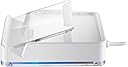
ATEN CS533 USB to Bluetooth KM Switch Tap
Product ID: 62198807
📱Bluetooth Device Access
⌨️USB Keyboard Support
🖱️USB Mouse Compatibility
🔄 Switch It Up: Your Devices, Your Way!
The Aten CS533 USB to Bluetooth KM Switch Tap allows you to effortlessly use your USB keyboard and mouse with your PC, smartphone, or tablet. With no software required, you can quickly switch between devices using a hotkey, making it the ideal solution for multitasking professionals.
| ASIN | B0094FN81K |
| Actuator Type | Push Button |
| Brand | ATEN |
| Circuit Type | 3-way |
| Connectivity Protocol | Bluetooth |
| Connector Type | usb |
| Connector type | usb |
| Contact Material | Copper |
| Contact Type | Normally Open |
| Contact type | Normally Open |
| Control Method | Touch |
| Controller Type | Amazon Alexa, Google Assistant |
| Customer Reviews | 3.4 out of 5 stars 25 Reviews |
| Global Trade Identification Number | 00672792003264 |
| International Protection Rating | IP54 |
| Item Dimensions | 9.2 x 7.8 x 2.5 centimetres |
| Item Weight | 0.26 Pounds |
| Manufacturer | Aten |
| Manufacturer Part Number | CS533 |
| Material | Metal |
| Model Number | CS533 |
| Mounting Type | Surface Mount |
| Number of Items | 1 |
| Number of Positions | 3 |
| Operation Mode | ON-OFF |
| Operation mode | ON-OFF |
| Switch Type | Push Button |
| Switch type | Push Button |
| Terminal | USB |
| UPC | 151903573631 163120437863 079531735392 021111274050 088020835956 617407439748 088021296107 716898643105 072090504409 672792003264 |
| Unit Count | 1.0 count |
T**N
Fantastic piece of kit! Exceeded my (high) expections.
What a FANTASTIC piece of kit - I can now control all my devices using my favourite ergonomic keyboard and mouse! :) My devices are: - Win 7 Pro 64-bit PC (USB) - Win 8.1 Pro 32-bit tablet (bluetooth 1) - Android 4.4 smartphone (bluetooth 2) Works flawlessly! Tip: When connecting to Win 8.1 via bluetooth I had to close the configuration window on the tablet quickly as the device search slowed down the mouse cursor, though I believe this to be a Windows 8.1 limitation. Just ordered another one to use at work! Highly recommended.
_**_
Not just for iPhone/Androids...
Bought this a couple of months ago to see if it would solve my "PC+Laptop share a keyboard" scenario and it works a treat. I have the USB connection direct to my linux PC and bluetooth connected to my Lenovo windows 7 and 8 laptop. I could use a proper KVM but too many wires, incompatible video connectors and no real need for video switching mean this works for me. The only other potential solution I could find was a pricey Logitec keyboard with multi-host bluetooth, but no mouse support. Looses a star because it's a bit of a faff to pair (you have to be quick with the 8-digit code) and my MS mouse jumped all over the place (USB or BT connection), but other mice have worked fine.
P**L
Absolutely useless
I bought this product so that I could use my Corsair K65 USB keyboard and Perixx MX-2000 USB mouse with my newly acquired Linx 7 Windows 8.1 tablet via Bluetooth so that I could charge the tablet whilst not constrained to the touchscreen. I did not want to buy a separate Bluetooth keyboard and Bluetooth mouse, especially when this product exists. However, let me list the problems that I've experienced in the past 90 minutes: 1. The keyboard is not recognised AT ALL when plugged into the Tap, neither with USB nor Bluetooth. None of the Alt+F hotkeys worked. A spare keyboard works, but when I can plug the keyboard into the tablet via the OTG cable and it works straight away, I don't see that this is a keyboard issue. 2. The mouse allows for left and right movement only and gradually makes it's way up the screen, but never up or down. 3. Bluetooth pairing with the tablet dropped out and I had to do a factory reset on the Tap to get it recognised by the tablet again. 4. Using a different USB mouse for testing did work, however the amount of lag I was seeing was unacceptable. The delay was such that to click a button you had to gradually move the mouse, overshoot the button and move it back again. I honestly felt like a 100 year old trying to interact with Windows (no offense meant). I have done a firmware update but this appears to have made no difference. I have worked in IT support for over 10 years and consider myself very patient when it comes to troubleshooting hardware like this - more often than not persistence pays off. But not in this case. Bear this in mind when considering the product. If you have a keyboard and mouse that works (you won't know before the purchase), and you don't mind big input delays with the mouse, go for it. If you just want to use it with your iPhone and again with a "compatible" USB keyboard then I dare say it would be sufficient for your needs. I'm requesting a full refund as I have no confidence that a replacement will address all of the problems that I have discovered with the unit.
J**E
Couldn't get it to work
I found this quite an odd little device and it struck me as the answer to a question that nobody's asked - how can I use my keyboard and mouse with both my PC and my phone at the same time?Well,I guess the obvious answer is,why would you want to? However,assuming that,as you are on this page, you do want to this is relatively easy to set up,although you do seem to end up with even more wires trailing across your desk.First of all,your PC needs to have Bluetooth,if it has then disconnect the keyboard and mouse from your PC and connect them to the Aten,then connect the Aten to your PC,all using usb ports.Once everything is connected and your PC has downloaded the drivers for the Aten,switch on your phone and enable Bluetooth and it should connect to the Aten.Unfortunately,this is where it all went wrong.Despite a dozen attempts the phone would not connect.Firstly,you tap to connect and after a short wait you are given a pin number to use (which is different every time you try),you then wait about a minute,all the time trying not to forget the pin number,before a screen appears on the phone to allow you to type in the pin number and you then wait for it to connect,which in my case it didn't,so I can't really say any more than that. If it does connect you can then use your keyboard and mouse with your phone or pad and switch between that and your PC by simply tapping one of three hotkeys.The only people I can imagine wanting to do that enough to pay the not inconsiderable sum this device costs would be reps,but I am happy to be corrected on that. Leaving aside the fact that I couldn't get it to connect to the phone,everyone I have asked or offered the device to has questioned the point of it,so I think this has quite a small target market.Again,assuming that as you're reading this review that includes you it might be better to try out the device first to make sure it will connect to your phone,because although the instructions say it works with iphone and ipad or any smartphone or tablet it certainly wouldn't via either of our computers and my wife's Nokia smart phone.
K**N
Great little device for making portable devices more useful at home.
I use this in combination with a Motorola Lapdock, and my mobile Sony Xperia Z3+. The combination is great, and makes a perfect little portable computer. I've also used it with a Cinema Display and an Dell Venue 8 pro at home for som off hours work. It does not support any non standard keys, but all the normal keys work.
M**H
Three Stars
A little fiddly with wonky software and unreasonable defaults
G**S
Five Stars
Brilliant as bluetooth KVM (without the video)
J**S
Works just fine. Hooked a aten kvm switch on te usb-kabel ...
Works just fine. Hooked a aten kvm switch on te usb-kabel of the CS533. Works perfectly together. On the 2 bleutooth connections, a tablet and a small desktop pc is connected. It took a while before the pairing succeeded but it's working fine now. It would be perfect if 4,5 or even more bluetooth devices could be hooked up. So I gave 4 stars and not 5.
Trustpilot
1 month ago
2 weeks ago