Desertcart purchases this item on your behalf and handles shipping, customs, and support to Italy.
๐จ Unleash your inner artistโno limits, just pure creative flow!
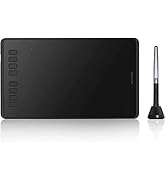
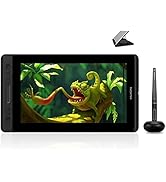
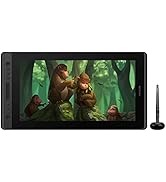
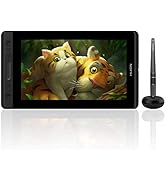
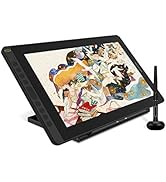
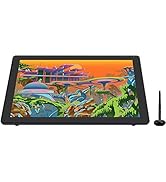
The HUION Kamvas Slate 10 is a 10.1-inch standalone drawing tablet powered by Android 12, featuring a full-laminated 1920x1200 IPS screen with anti-glare film. It offers 4096 levels of stylus pressure sensitivity with tilt support, an 8-core CPU, 8GB RAM, and 128GB storage expandable up to 512GB. Equipped with a rechargeable pen, dual cameras, and a 6000mAh battery, itโs designed for artists and designers seeking a portable, high-performance digital canvas without the need for a computer.


| ASIN | B0C6DSZD73 |
| Active Surface Area | 10 square inches |
| Additional Features | Rear Facing Camera, Headphone Jack, Anti-Glare Film, Front Facing Camera, Stylus |
| Best Sellers Rank | #36,004 in Computers ( See Top 100 in Computers ) #115 in Graphic Tablets |
| Brand | HUION |
| Built-In Media | Stylus pen, leather case holder, USB-C charging cable, power adapter, pre-installed HUION Note drawing and note-taking software |
| Color | Black |
| Compatible Devices | Tablet |
| Connectivity Technology | Bluetooth, WiFi 2.4G&5GHz |
| Connectivity technology | Bluetooth, WiFi 2.4G&5GHz |
| Country of Origin | China |
| Customer Reviews | 4.2 out of 5 stars 430 Reviews |
| Display Type | LCD |
| External Testing Certification | Nรฃo aplicรกvel |
| Item Dimensions L x W | 24.3L x 16.1W centimeters |
| Item Weight | 575 Grams |
| Manufacturer | HUION |
| Mfr Part Number | KT1001 |
| Model Name | Kamvas Slate 10 |
| Model Number | KT1001 |
| Model name | Kamvas Slate 10 |
| Native Resolution | 4096 lpi |
| Operating System | Android |
| Operating system | Android |
| Pressure Sensitivity | 4096 Levels |
| Pressure sensitivity | 4096 Levels |
| Screen Size | 10 Inches |
| Special features | Rear Facing Camera, Headphone Jack, Anti-Glare Film, Front Facing Camera, Stylus |
| Specific Uses For Product | Drawing, Painting, Note-taking |
| Target Audience | Artists and Designers |
| Warranty Description | 1 year warranty |
M**R
Excellent
Excellent Product
A**D
Perfect ๐
Perfect ๐
A**S
Perfecta para viajar
Me encanta, muy fรกcil de cargar tus aplicaciones y llevar a dรณnde quieras seguir editando tus creaciones
M**E
Where have you been all my life?!!!
I have a Wacom cintiq that I purchased years ago for my art projects. 2 years ago I had another baby and my ability to use it with my PC vanished. The only time my toddler will let me have a little sit down time to doodle is when she's napping! Well, she had a medical condition as a newborn that required she sleep on my chest, upright, for the first 9 months. So she became dependent sleeping on me. And that's still going on. So while nap time gives me the distraction free time to use a drawing tablet, it does not give me the placement option to use one connected to a PC. Enter Huion Kamvas Slate 13. And let me just say: ๐ญ I love it! It has allowed me to go back into arts that I've been pulled away from for years. The battery life is amazing. I use it for about 1-1.5 hours per day and. Charge it about once a week (but it's usually to about 40% by then.) the pen is smooth. I love that it came with CSP pre-installed. I basically use it ONLY for art, even though there are tons of other features. The accessories it comes with are also great. The touch protection glove could have added protection on the ring finger tip portion, but it doesn't happen often when I'm touching it (and honestly it's better than the one I got for my Wacom.) the case/cover is excellent! I love that it has the little pen slot. The pen has an amazing charge. The accuracy of the nib is good. I've never had to calibrate it and I've used it every day for over a month. I noticed a few other reviews with issues in this department so I was a little anxious, but mine works perfectly. I also purchased a separate keypad to use for keyboard shortcut buttons and a zoom in knob etc. However, I found it's completely unnecessary because I can do everything I need with touch screen functions. And there's a small pop out keyboard (on screen) if I need to use a shift/Ctrl button. I tried the keypad with it and it works, but I'll probably use it with my Wacom instead (because my setup has the keyboard so far away it was really inconvenient to even use the undo feature, and the one I have is compatible with Wacom.) If you're wondering between this one and one of the others in the same price bracket, I have had great success with this tablet and I highly recommend. I can't say for the other brands as I did not purchase to try them out, but I know Huion has been a top name brand for a while and I'm so thankful for this product!
K**ๆง
ๅฎไพกใงใใณไปใใฎ่ฏใใฟใใฌใใ
ๆฌใ่ชญใใ่ปฝใ็ตตใๆใใใซไฝฟ็จใใฆใใพใใๅ้กใใใพใใ
M**Y
good for a tablet
a decent tablet but i still have notiible glare and the performance gets jittery when using the art apps. not bad but noticible
E**L
A good intermediate or beginner tablet thats not too expensive
So far everything has been good. The tablet was easy to set up. It has good durability but obviously don't drop it (i already did once and its alright). It only took a moment to link it to my phone. The stylus works well though after a few days of using it I've noticed it wont draw or will be choppy (it keeps reading my palm, i think that's the problem) Initially the pressure sensitivity worked well. Im not sure whether or not thats from my art app (ibis paint x) or the actual tablet. I got it on sale and for the price I paid i would say it's worth the money. Definitely wait for a sale before you buy though. Its not the highest quality tablet but it works. The left side of the tablet gets warm quickly but i haven't had to turn it off due to heat yet.
Trustpilot
2 weeks ago
1 month ago