![J-Tech Digital HDMI EDID Emulator HDCP Manager 4K60Hz Auto Downscaling, 8 EDID Modes & Custom EDID Settings, Power by USB C or HDMI, Supports CEC On/Off [JTECH-EDIDM4K]](https://m.media-amazon.com/images/I/71BkyHKQTOL._AC_SL3840_.jpg)

Buy anything from 5,000+ international stores. One checkout price. No surprise fees. Join 2M+ shoppers on Desertcart.
Desertcart purchases this item on your behalf and handles shipping, customs, and support to Italy.
⚙️ Master your AV handshake with J-Tech’s sleek 4K EDID emulator — because buffering is so last decade!
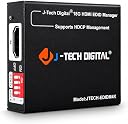
The J-Tech Digital HDMI EDID Emulator HDCP Manager is a compact, professional-grade device designed to resolve HDCP and EDID compatibility issues. Supporting up to 4K@60Hz resolution with HDMI 2.0 and HDCP 2.2 compliance, it offers 8 preset EDID modes plus custom upload via USB-C. Powered flexibly by HDMI or USB-C, it includes a CEC toggle switch for enhanced control and comes with free lifetime technical support, making it an essential tool for seamless AV integration in conference rooms and professional setups.


| ASIN | B0CYMST9XD |
| Best Sellers Rank | #48,083 in Industrial & Scientific ( See Top 100 in Industrial & Scientific ) #3 in Video Wall Controllers |
| Brand | J-Tech Digital |
| Compatible Devices | TV, Gaming Console, PC, Laptop |
| Connector Type | HDMI, USB Type C |
| Customer Reviews | 3.4 3.4 out of 5 stars (27) |
| Finish | Hdmi |
| Input Voltage | 5 Volts (DC) |
| Item Dimensions | 2.37 x 2.12 x 0.7 inches |
| Manufacturer | J-TECH DIGITAL |
| Model Number | JTECH-EDIDM4K |
| Nominal Power | 15 Watts |
| Number of Items | 1 |
| Number of Ports | 1 |
| Package Quantity | 1 |
| Power Plug Type | No Plug |
| UPC | 810058921819 |
| Unit Count | 1.0 Count |
A**.
Fixed our HDCP / EDID Issue
After some extensive troubleshooting and buying a different device that only handled EDID and did not correct my video display problem, I ordered this device and was almost immediately able to correct the issue I was experiencing. It just took a couple of minutes to try a couple different resolution settings, and then everything worked as I had hoped. Long story short, we were having an issue where our Zone 2 video display in our bedroom would only show video if the Zone 1 display (living room) was turned on, with everything being switched through a Denon receiver. By adding this device, it allowed me to correct the HDCP handshake issue, and resolve the problem. Thank you!
N**R
False advertizing.
It's a straight rip off if you're looking for a custom edid emulator. If you're just looking for something to force 1080p60, this will do that, but it won't do anything else. It's easy to flash, but the instructions are clearly outdated, wrong partition name for example. For custom edid's I tried 720p 120hz, 1080p60 hz, etc, nothing works. It's always the default vga mode fallback. For $50 bucks it's quite the rip off. I've got two other devices that have edid emulators and they work just fine, but they're not simple pass through devices either. I needed this to work, I'm one ticked off customer.
B**B
Solved My HDR Blinking Issue in an AVR + Projector Setup
I’m using this J-Tech Digital EDID Emulator (JTECH-EDIDM4K) in a home theater setup with: PS5 RTX 3090 PC Denon AVR (HDMI 2.1 capable) Epson Pro Cinema 4050 projector (HDMI port 1) My issue was persistent HDR blinking (every 20–40 seconds) whenever HDR and 10-bit color were enabled. SDR worked fine. The moment HDR turned on, the screen would periodically go black and re-handshake. After extensive testing, I isolated the issue to HDMI repeater behavior through the AVR when HDR + HDCP 2.3 were active. What Finally Worked The stable configuration that completely resolved the issue: Devices → Denon AVR → J-Tech EDID → Projector Key settings: Denon input set to 8K Enhanced HDCP forced to 2.3 All Denon video processing OFF (no scaling, no conversion, no HDMI Control/CEC) EDID positioned between AVR and projector (not before the AVR) Windows/NVIDIA set to 10-bit HDR (YCbCr, limited range) Result: PS5 outputs full HDR flawlessly PC outputs full 10-bit HDR flawlessly No blinking No renegotiation Completely stable signal
C**O
Fixes legacy hardware
Arrived in great shape and definetly solved my "no audio from HD DVD" issue. If you have legacy devices struggling this edid emmulator can get you back online
F**T
Blurry Text with 4K60Hz, can't get it to work with a KVM.
First of all, it is very blurry text at 4K60Hz. Unusable. Also, I had hoped to use it with a KVM, which didn't work at all. I was trying to keep my laptop thinking it was connected, so I could switch between PC and Laptop. It seems to disconnect. With a KVM I need to switch inputs on the monitor and then back to the KVM connected input in order for it to recognize the laptop. So I thought an EDID emulator would work to keep the Laptop thinking it was connected even though the KVM was switched out to my PC. This above wouldn't work at all. All I get from Laptop to this Device to Monitor is a black screen, regardless what I have it set at. User support is trying to give instructions on creating a user defined EDID, but support keeps revising what to do, and what they are saying doesn't make sense. Regardless, even if I could get it to work with a KVM, it is useless because the screen is horribly blurry going through it without the KVM anyway. I will say support has been responsive, but useless.
H**R
Appears to be a versitile tool
I ordered this to troubleshoot a video output problem from a computer. While it didn't fix the problem, it eliminated the claim from tech support that this would correct it, suggesting the video circuit is in failure. Whether I will need it again in the future remains to be seen, so I view it as a I would any other diagnostic tool.
J**Y
Saved me $4,000 and tons of headache.
There are not many EDID box that work with HDMI 2.0b and also allow custom EDID to be written back to this. I have two rooms with LG OLED and Nvidia Geforce and the Yamaha receviers were HDMI 2.0 while the Nvidia was HDMI 2.1 40GBPS. The reciver is $2K per and its not being replaced but the computer would freak out over years with the second HDMI>Yahama> OLED. Since it was the same TV Windows would work but everytime I would turn it on it would go south. Captured my Yamaha EDID with Toasty. Hooked up computer to yamaha but removed the yamaha from the TV. This allowed the Yamaha EDID to only be present. I captured that only. Wrote it to the box and saved $4K. Years of issues as not many EDID box allow HDMI 2.0 plus writting the custom EDID. This is a 10/10 product when used with the custom EDID. The customer EDID does even need properity software to write just drop the txtx file. You will need software for the EDID but not software to write to the EDID.
J**K
Didnt work. DOA. Nice concept though.
Didnt work. DOA. Nice concept though. NO INSTRUCTIONS ON HOW TO UPLOAD THE USER DEFINED FILE. NO INSTRUCTIONS ON HOW TO MAKE ONE, NOR IS ONE PROVIDED. SCAM.
Trustpilot
2 weeks ago
3 days ago