Buy anything from 5,000+ international stores. One checkout price. No surprise fees. Join 2M+ shoppers on Desertcart.
Desertcart purchases this item on your behalf and handles shipping, customs, and support to Italy.
๐ช Unlock the future of gate controlโsmart, secure, and always connected.
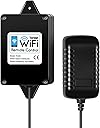
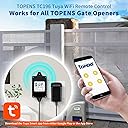
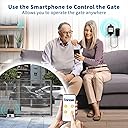
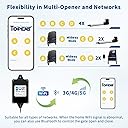
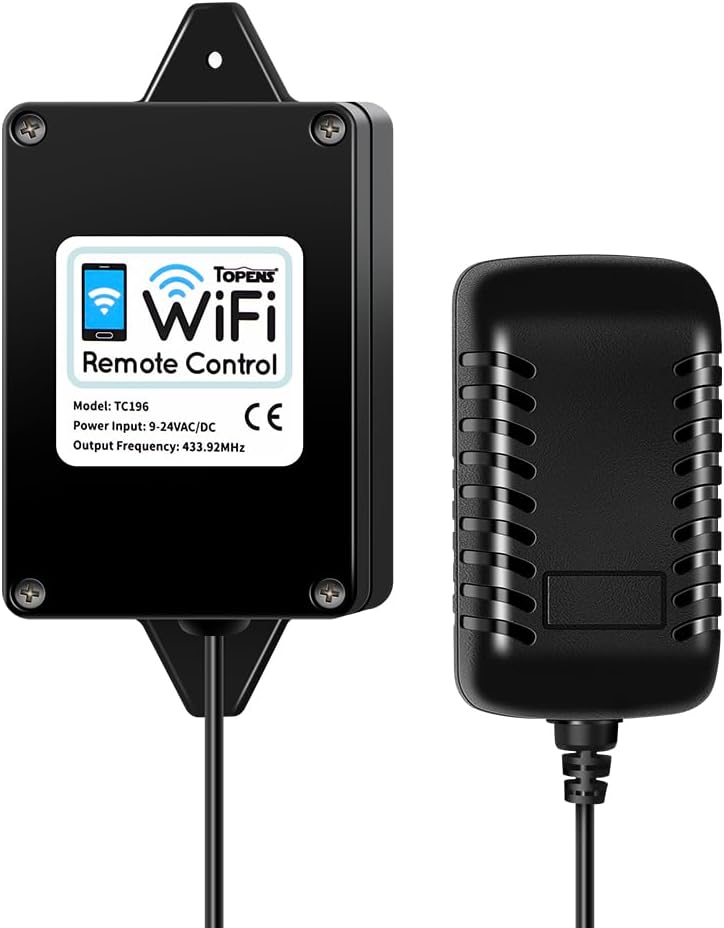
The TOPENS TC196 is a smart WiFi and Bluetooth remote controller designed for automatic swing and sliding gate openers. Compatible with iOS and Android via the Tuya Smart app, it enables remote gate operation from anywhere with 2.4GHz WiFi or Bluetooth fallback. Supporting multi-user access and easy programming, it integrates with all TOPENS gate openers and select third-party systems (with ERM12). Its IP55 rating ensures durability in outdoor environments, making it a reliable upgrade for modern smart homes.


| ASIN | B0CGR6XX62 |
| Best Sellers Rank | #270,657 in Home Improvement ( See Top 100 in Home Improvement ) #376 in Gate Hardware |
| Brand | TOPENS |
| Brand Name | TOPENS |
| Button Quantity | 4 |
| Colour | Black |
| Compatible Devices | Garage Door, Gate Opener |
| Connectivity Technology | Bluetooth, Wi-Fi |
| Controller Type | WiFi & Bluetooth |
| Customer Reviews | 4.2 out of 5 stars 290 Reviews |
| Manufacturer | TOPENS |
| Manufacturer Part Number | TC196 |
| Max Number of Supported Devices | 40 |
| Maximum Number of Supported Devices | 40 |
| Maximum Range | 750 Feet |
| Model Name | TC196 |
| Model Number | TC196 |
| Network Connectivity Technology | Bluetooth, Wi-Fi |
| Product Features | Smart Control, WiFi & Bluetooth Security |
| Smart Home Compatibility | Not Smart Home Compatible |
| Special Feature | Smart Control, WiFi & Bluetooth Security |
| UPC | 738060011147 |
| Unit Count | 1 Count |
L**A
Easy to setup
The Topens WiFi remote control is easy to install and setup just follow the instructions which is clear. First time itโs successfully connected to the internet but failed to connect with the gate control board , I tried to delete the device several times, finally I setup successfully although the device far way from the the gate. Itโs convenient for my family numbers. Good product.
E**N
RESOLVED ISSUE: GOOD PRODUCT "Constantly Troubleshooting"
Original 2 Star review: (UPDATED TO 5 STAR BELOW) Using this device has me crossing my fingers each time I go to open the gate. I have the box plugged in the house on the same wall that my gate opener is on. The total distance between antennas is less than 30ft, and WIFI signal for the device plugin location shows Good in the app. I need to open and close it in the morning to take out the trash cans, and most of the time it is unresponsive when I try and close it. So I completely close the app, unplug the unit from the wall, reinitialize the device and then try again. Sometimes it works and other times I have pulled the pin on the gate just to be able to close and tie the gate shut with some string so I wasn't late to work. Pretty worthless, but would be fantastic if it was reliable. Will be waiting on tech-support to help with a solution and update how they handle it. UPDATED REVIEW: 5 STARS TECH SUPPORT HANDLED ME VERY WELL WITH MULTIPLE EMAILS SUGGESTING SOLUTIONS.... RESOLUTION WAS THAT MY ASUS ROUTER HAD DONE A AUTO-FIRMWARE UPDATE AND KNOCKED OFF MY GARAGE WIFI MESH NODE, IT WAS NOT CONNECTING TO THE RIGHT ROUTER AND CAUSED THE INTERMITTANT ISSUE. I NOTICED THAT MY PHONE WAS GRABBING MY NEIGHBORS WIFI DESPITE BEING WITHIN 60 FT OF MY GARAGE NODE. ONCE THE MESH NODE WAS REINITALIZED, THE CONNECTION WAS STABLE AND HAVEN'T HAD ANY ISSUE AND SINCE FIXED, I HAVE RELOCATED THE DEVICE FURTHER AWAY IN A HIDDEN PLACE AND WORKS PERFECT. NOW THAT IT IS WORKING, I HAVE SET UP 2 'SMART SCENES' FOR USE ON MY ANDROID AUTO. ITS NOW A ONE BUTTON PRESS ACROSS MY PHONE, CAR, MOTORCYCLE FOR GATE OPENING SCENARIOS. -FIRST IS SINGLE PRESS OPEN, WHICH WILL STAY OPEN TILL PRESSED AGAIN (NORMAL OPERATION) -SECOND IS A SINGLE PRESS, BUT OPENS THE GATE, DELAYS 20SEC AND THEN CLOSES THE GATE. SO I CAN DRIVE WHATEVER VEHICLE OUT AND NOT HAVE TO USE A OPTICAL OR GROUND LOOP SENSOR. VERY HANDY TOOL AND NO KEYPAD NEEDED. I WILL TRY SHARING THE CODE VIA THE APP NEXT TO SEE IF FAMILY CAN OPERATE THE GATE TOO.
R**.
Works great
Installed yesterday, works perfect, gate is 450 feet from the device and it opens the gate, clear directions
G**N
Does work with my GTO controller board.
Bought this for my GTO gate opener as TOPENS claimed it was compatible with most other manufacturers' gate openers. Provided that you also buy the universal TOPENS ERM12 receiver. They are 100% correct. My GTO motherboard has an "exit" or " cycle" relay contact, I connected the brown wire from the receiver to the "cycle" - and I can now open, close and stop my gate from anywhere in the world using my smartphone. Had I used the "exit" contact, it l just opens the gate. Here is how to do do this if you dont have a TOPENS gate controller. I am assuming you have a knowledge of how your gate controller works. Otherwise, get someone who does, to help. Setup the WiFi remote TC196 as per the instructions. These are pretty poor. So here is a quick version of what I did. Download the TUYA Smart app and install on your smartphone. You have to give away some personal information in order to do this. Next, make sure you are in your WIFi range , remove the front cover of the TC196, power it up , and then press the small button in the TC196 until the blue led flashes . At this point, provided Bluetooth on your phone is active, you should be able to add the TC196 device on your app. Now install the ERM12 receiver in or near to your gate controller box. For my particular GTO controller, the black wire goes to common, red goes to +ve battery (I had to splice into positive as there was no handily available + V rail). YMMV. The ERM brown wire then goes to either the "exit" or "cycle" normally open relay contact. Then put it all together, power up all your devices. You did remember to turn off your gate controller when installing the ERM12 didnt you...? Then press the Learn button on the ERM12 and open the app on your smartphone. Press button "A" (and/or B, C,D ) on your phone two or three times in fairly quick succession. The instructions say twice with 4 seconds, but that didnt work for me. The ERM12 will flash 3 times when the button is acknowledged. Otherwise wait a bit and try again with a different number of presses at different intervals. Why only 4 stars? There are a few downsides, not really critical, but you should know them before buying: The TC196 must be installed within range of your WiFi AND also within range of the ERM12 receiver in your gate controller. You also need power. It is possible to use the power from the Gate Controller motherboard for the TC196, but then you have to cut the power adapter off. Kiss your warranty goodbye. The instructions are badly written, but this is fairly standard,. For example, its not clear that anything else than 2.4 GHZ WiFi works, I didnt do enough experimentation - but 2,4GHz is what I tried firstly and it worked. You must have room in your Gate controller for the ERM12 remote receiver. It is not waterproof, and looks pretty cheaply made. You could always make a waterproof housing for your ERM12, but the wires are very short and will likely need to be extended/spliced to reach your gate controller motherboard if you do this. I have an ancient US made GTO controller, with tons of space inside the enclosure box. Some newer models dont even have a control box enclosure anymore, Everything is in the actuator enclosure instead, YMMV. This is why you need to understand what you have for hardware and how it works, Drilled a hole in my controller enclosure to allow the antenna to stick out. Sealed the hole with silicon sealant. The TC196 "looks" waterproof , but I wouldn't want to risk it. I installed it in an existing waterproof housing located within range of 2.4 GHz WiFi and the 433 MHz ERM12 receiver in the control board enclosure. Ideally, you need a camera to let you know the current state of the gate (open, closed, moving) -particularly if you choose the "cycle" relay contact. Otherwise just use "exit" . This has nothing to do with TOPENS, of course, but worth mentioning.
M**R
Very convenient item.
The Topens TC196 was easy to set up. It sure is nice to be able to open our gate remotely for deliveries and kids.
Trustpilot
4 days ago
2 weeks ago