🔥 Elevate your entertainment game with 4K brilliance and Alexa at your command!
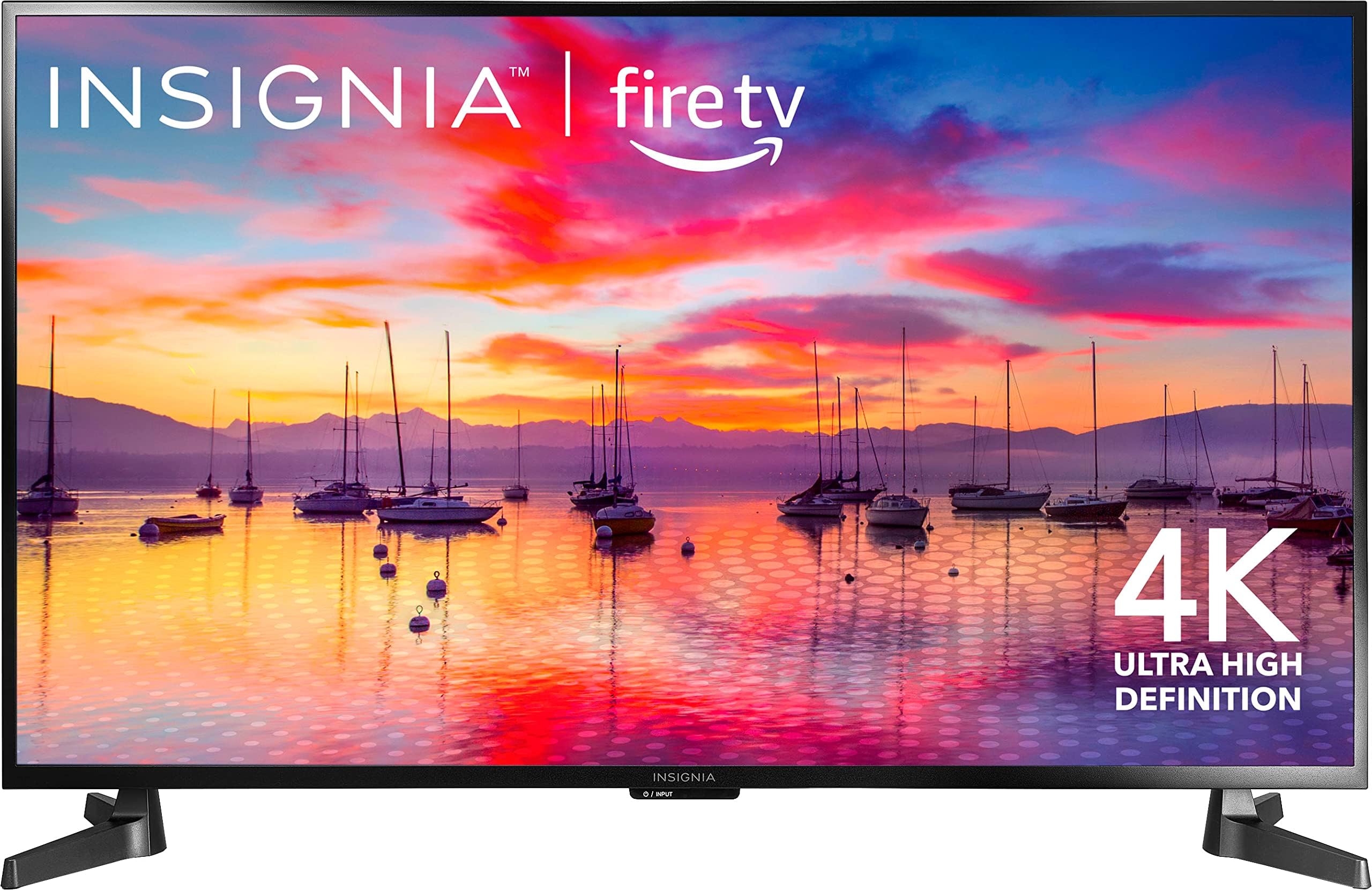
The INSIGNIA 43" Class F30 Series LED 4K UHD Smart Fire TV delivers breathtaking HDR10 4K resolution with a 43-inch LED display, enhanced by DTS Studio Sound for immersive audio. Featuring Alexa voice remote for effortless control, it offers access to over a million streaming titles across top apps. With versatile connectivity including 3 HDMI ports, USB, and Wi-Fi, plus parental controls and wall-mount compatibility, it’s a smart, stylish centerpiece for any modern living space.


| ASIN | B0CMDJ8TK3 |
| Additional Features | Apple Airplay |
| Aspect Ratio | 16:9 |
| Audio Input | Coaxial, HDMI, Optical, USB |
| Audio Output Mode | Stereo, Surround (possible) |
| Base Depth | 10 Inches |
| Brand | INSIGNIA |
| Built-In Media | Remote, Stand, TV |
| Color | Black |
| Connectivity Technology | HDMI, USB, Wi-Fi |
| Connector Type | USB, HDMI |
| Control Method | Voice |
| Controller Type | Voice Control |
| Display Backlight Configuration | Direct LED |
| Display Backlight Setting | Custom, Dynamic, Energy Saving, Movie, Standard |
| Display Backlight Technology | LED |
| Display Language Options | English |
| Display Size Class | 43 Inches |
| Display Technology | LED |
| HDR Format Supported | HDR10 |
| Hardware Interface | 3.5mm Audio, Composite Video, Ethernet, HDMI, USB |
| Integrated Surround Sound Format | DTS Studio |
| Internet Applications | Apple TV+, Disney+, Hulu, Netflix, Prime Video |
| Item Dimensions D x W x H | 10"D x 38.07"W x 24.09"H |
| Item Height | 24.09 inches |
| Line Voltage | 110 VAC 60 Hz |
| Manufacturer | Insignia |
| Model Name | F30 Series |
| Model Series | F30 |
| Model Year | 2022 |
| Mounting Type | Wall Mount |
| Number of Audio Channels | 2.1 |
| Number of Component Inputs | 3 |
| Number of Component Outputs | 3 |
| Parental Control Technology | Built-in device controls |
| Picture Quality Enhancement Technology | HDR10 |
| Refresh Rate | 60 Hz |
| Remote Required Battery Size | AA |
| Resolution | 4K |
| Screen Finish | Flat |
| Screen Mirroring Technology | Miracast |
| Screen Size | 43 Inches |
| Signal Format | Digital (HDMI, USB, Streaming) |
| Speaker Description | DTS Studio Sound |
| Total Number of HDMI Ports | 3 |
| Total USB 3.0 Ports | 1 |
| Total Usb Ports | 3 |
| Tuner Type | ATSC |
| UPC | 600603304705 |
| VESA Mount Standard | 200 x 200 mm |
| Video Encoding | HEVC |
| Viewing Angle | 175 Degrees |
| Warranty Type | Limited |
| Wireless Technology | Wi-Fi |
C**N
Good tv for the price
Overall, it’s not a bad TV for how much money it cost. As for the clarity of the picture. It’s really nice and clear and sharp. The size of the TV I got fit perfectly for my knees and it’s pretty sturdy. Asked for the price honestly it’s an amazing cheap 4K TV that does the job and at the same time you get a really amazing picture. As for connecting everything up it’s pretty easy to go through and you will not have any problems getting stuck setting it up at all (my seven-year-old helped me set it up because he wanted to learn how to do something so I walked him through on how to set up a TV so if my kid can do it so can you. This TV does come with a lot of features and some hidden ones if you know where to look like if you go into the settings part for the TV you can make the sound and picture quality even more enhanced. Also for people who are having problems when you get this TV when you try to open up the Apple TV app it won’t let you login or might be giving you some other type of error the best way to fix it is this. If you have already downloaded the app on the TV and it’s giving you errors and you’ve already done the delete option and reinstall and that doesn’t work or even doing the unplugging TV option and it still doesn’t work Here is a different way around it. You will need to reset the TV back to factory settings and when it comes to downloading the Apple TV app if there is a one week free trial available take it because you can always cancel it in your Amazon app. It will allow you to download the app and then it will give you a QR code to scan on the screen scan it then enter in your information if it asked for it, but it will load up and then you can click on the login for yourself. If you already have this app then you be able to login and watch the Apple TV very simple and easy a notification will show up telling you that you have two subscriptions for Apple TV. Just click the cancel button to deny the one week trial. Also make sure that you log into your Amazon account and cancel the one week subscription that’s if you already have a subscription to Apple TV if you don’t have a subscription then keep it and enjoy. If this is your first time setting up the TV after taking it out of the box then just download the Apple TV app and if it offers you the one week free trial just click on it and accept. You can always cancel it in your Amazon account after you finish downloading it. You will see a QR code on your TV scan it finish setting it up and like before if you have an account already with Apple TV just cancel the one week trial and it will automatically take your existing Apple TV subscription. If you don’t have the subscription already, then you have no problems Just click play and enjoy.
J**.
Great TV good value
Very very happy with this TV no issues easy setup nice sound good picture quality and the price is very reasonable what else can I say? I'm not spending a fortune on an entertainment center so this fit the bill perfectly
S**N
Very nice, especially the price
Just gotten my 43" for one day now and I'm impressed. First of all the package came without a scratch on it ( uncertain of who expedited it here but UPS is terrible for package damage ) . The set-up is easy and basic , taking it out of the box I noticed it was very well packed inside opposed to others I've had before. Nice picture for a 60hz refresh rate . PROS: Nice picture for a 60 hz refresh rate / pic in pic / user friendly remote that doesn't take long to get use to / I also watch broadcast TV and this TV unlike some I've had has the channel guide in two forums , along with a feature that's new to me is that it freezes live broadcast TV / Smart TV of course along with Alexa , which I've had with my firestick but now just one remote instead of two / fairly light and not much heavier than a 32" TV ( My floor is solid thus the light TV doesn't wobble walking past it but if your floor moves or if the TV may be prone to be lightly bumped I would recommended you have a TV tether to prevent it from tipping over / like all TV's it has full picture adjustment or automatic . CONS : NO RCA outputs for audio or video , instead you need a sound jack that converts to RCA's for your older school sound systems. but It is up to date with fiber optic , HDMI , and sound bar using the audio jack and or HDMI / the worst thing for me is it has NO AUDIO ADJUSTMENTS at all except for the CC option possibly because this TV just has your basic sound , nothing special but okay. All and all it's really is nice and priced cheaper than most 32"TV 's , the only thing I would change is adding RCA's for multiple older school components that some people still choose to use rather than throwing a perfectly good device away . I'm very happy with my purchase and if you get one and enjoy watching movies or suffer from poor hearing I would definitely recommend a sound bar or sound system . I had my Sony Bravia for 16 years and it had just a few grays lines thus my new purchase . This new TV has high reviews everywhere and I'm hoping the cheap price doesn't afflict the longevity of it performing properly. I would have gave it a five star if it had more RCA and audio features . Satisfied with my purchase 😁 UPDATE: Definitely get a adjustable soundbar , this literally has NO sound control of no kind besides mute ......my phone sounds better 😞 . Still a great buy if you have a sound system , it's capable of digital hook up and 3.5 mm jack that you can convert to RCA's if needed .
M**D
cheap basic 4k fire tv
I bought 2 of these as cheap replacements for my old Seiki 39" 4k tvs that I use as monitors for my desktop. These are physically bigger and barely fit in my workspace. Obviously these aren't meant as monitors. They boot up slow, and even when changing options, still takes a good 2 minutes from off before it shows any input from HDMI1. The stands on the outsides might be great for tv tables, but suck for a desk. All the 'smart' features provided by Amazon Fire are useless to me because they use the whole screen, where I can run pretty much all of that in a window while doing other work. Because they are so cheap, they are still great value (what you get vs what you pay) whether used as a small(ish) tv or as a large(ish) monitor. Pros: + 4k + hdr + 3x hdmi + ota firmware updates + ethernet (also has wifi) + usb for powering other devices + analog and digital audio output + acceptable speakers + acceptable picture quality defaults Cons/improvements: - as a TV: no component - as a monitor: super slow boot up, defaults to 'home' screen rather than last used input - as a monitor: requires lengthy setup process before can show display from any inputs - only single USB2 port, and only low-power Either: % end stands for tv stability instead of center stand for versatility
D**G
Fire TV is fire!
My mom is in a nursing home. She had to look at the ceiling at a small lcd TV. It hurt her neck so I bought her this TV. Its so light yet good quality and price that I could place it on a metal framed dresser (with cloth drawers). She absolutely loves it. Its big where she doesn't need glasses and is at eye level. The picture is nice and clear and she can hook her cable or just upgraded to internet in her room to stream her favorite shows. Has plenty of apps and is user friendly. Good value too! Very happy with this fire tv
M**L
Fire TV, works great, picture is good
Works great. Wanted a fire tv and this one has worked flawlessly. remote is easy to use. Installed this on a wall very easily with the purchase of an additional bracket. color and such seems great, but I don't have anything to compare to. The only con is the energy saver/screen saver. When you pause a show, and are gone for too long, the whole tv shuts off. You're able to adjust how long you have before it does this, but you can't shut it off completely. It's easy enough to just turn it back on and get back to your show, but I feel as though I'm rushing against the clock.
N**M
Good quality
This product exceeded my expectations in both quality and performance. The build feels sturdy, and the functionality is exactly as described. It arrived on time, well-packaged, and in perfect condition. I’ve tested it thoroughly, and it performs consistently without any issues. The design is user-friendly and clearly made with attention to detail. Overall, it offers excellent value for the price. I would highly recommend this product to anyone seeking reliability and quality in this category.
D**1
So far great TV
I got it yesterday. Bought it through Amazon for pick up same day at my local Best Buy. Really great option by the way as I have been trying to time delivery for when I’m home so it doesn’t sit out in the cold or my landlady doesn’t have to deal with it for me! So this is a GREAT option. It was ready for pick up just 2 hours after placing my order. The box is big and awkward to carry but there are 2 opened flaps on the box that make it a bit easier. I’m 5’2”, and 129lbs and I carried it by myself up 2 flights of stairs. Not bad. Setting up is fairly easy. IF you have the right tool. Listen! I’m a girl. I do have tools but my FAVORITE tool is an electric screwdriver. They are great! But guess what? Impossible to use to screw the legs in the tv because they don’t fit on the small thing. So that was a problem. Thanks to my landlord who had a regular screwdriver. Lucky me, it was not magnetic so yeeey huge fight to get those screws in. Oh also bring a flashlight. Hahah so hard to see in there. Oh well after the screws are in, which too so much longer than I expected, everything else is smooth sailing. Turn it on, connect it to your WiFi and this bad boy does all the rest. It will ask you to log in on your Amazon account and then it’s even better and easier. Especially if you already have a fire tv or fire tv, it will restore all your preferences and everything on the new device. And it’s quick too. The image is crisp and the sound is great. And Alexa can do everything for you. I was away from the remote and the sound was too loud. I just had to say Alexa turn tv volume down. Bam! She can also turn it on, off, search for stuff play pause everything. Good Alexa!!!!! I’ve had for a day so let’s see how it holds up but so far it’s great
Trustpilot
1 month ago
2 weeks ago