We remain fully operational. Our teams are working around the clock to ensure your deliveries continue safely.

DOWNLOAD THE APP


Copyright © 2025 Desertcart Holdings Limited
DOWNLOAD THE APP


🚀 Double your screens, double your productivity!
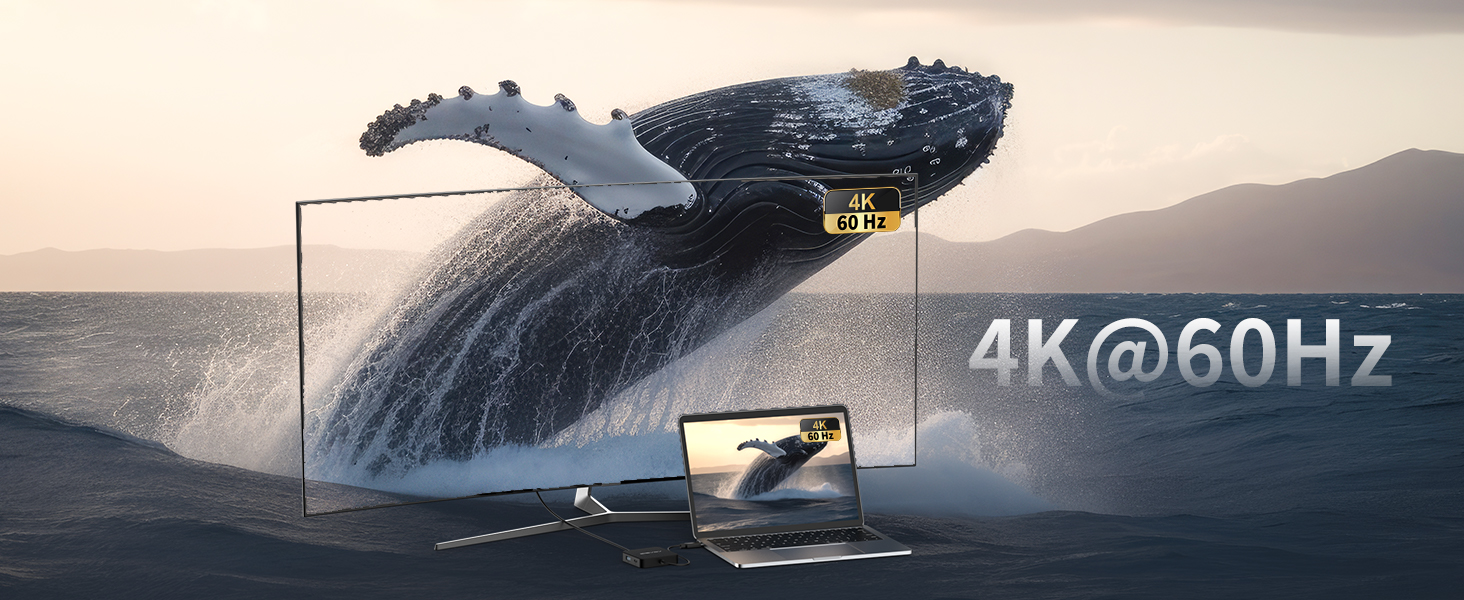
The ANYOYO Dual 4K 60Hz HDMI Docking Station is a sleek 6-in-1 USB-C hub designed for professionals craving expanded connectivity. Featuring dual 4K HDMI outputs at 60Hz, 100W fast charging, and ultra-fast USB 3.0 ports, it effortlessly powers and connects your MacBook, Windows laptop, or tablet. Its 2ft extended cable offers flexible placement, making it the ultimate productivity booster for modern workspaces.




| ASIN | B0CBR99R1P |
| Best Sellers Rank | 7,285 in Computers & Accessories ( See Top 100 in Computers & Accessories ) 134 in USB Hubs |
| Brand Name | ANYOYO |
| Colour | Black (6 in 1 hub, 2*4K60) |
| Compatible Devices | Desktops, Laptops, Smartphones, Tablets |
| Country of Origin | China |
| Customer Reviews | 3.9 3.9 out of 5 stars (227) |
| Data Transfer Rate | 5 Gigabytes Per Second |
| Enclosure Material | Plastic |
| Hardware Interface | HDMI, USB 3.0, USB Type C |
| Item Dimensions L x W x H | 6.1L x 6.1W x 1.3H centimetres |
| Item Weight | 40 Grams |
| Manufacturer | ANYOYO |
| Model Number | 6-IN-1(Dual 4K60) |
| Number of Ports | 6 |
| Operating System | macOS |
| Product Features | 100W USB-C PD charging Adapter, 5 Gbps Transfer Speed USB C Dock(2A+C), 6 IN 1 USB C Docking Station 2 HDMI, USB C HUB With Dual 4K60 HDMI, USB C to Dual HDMI |
| Product Warranty | 1 year warranty |
| Total USB Ports | 3 |
A**.
stunning USB-C video hub
This USB-C HUB adapter is really stunning, I have tested it with my laptop (HP 840 G4, Win 10 Pro) and 2 monitors, and it worked immediately nice and smooth (please see video attached as well). It is mabe by a solid metal, and there is no need to install any additional software.
D**N
Fantastic companion for your USB C laptop
I am really impressed with this USB C hub, and its something that I will be keeping with my laptop. One of the big issues with modern laptops is that as they get smaller, there is less and less room for all those USB ports. Fortunately devices like this 6 in 1 USB hub exist so I can get some of my connectivity back. The first thing I really like is that it has a decent length cable. At 60cm/2ft there is enough cable to get the hub positioned out of the way so the area around the laptop is useful. It also gives you enough wiggle room that you can reposition slightly without everything else moving. The ports are extremely useful too. One USB C, and two USB 3 connections should cover most things you need to connect, such as an external hard drive and USB dongle for a mouse. There is also a port for power delivery, so you can charge your laptop through USB C while using it. My laptop charges much quicker through USB C so it works out better for me having this option. There are also dual HDMI ports, which is nice to have. I sometimes use my laptop with external monitors, so being able to use the hub to add up to two more displays is something I find extremely useful. I was concerned about the spacing between the HDMI ports, but I plugged in two HDMI cables into the hub and they fit without issue. Overall, this is a really useful hub to have to make the most of your USB C ports, expand your displays and connect additional devices, and it does all this with decent length cable. It feels like it should be my laptops new best friend.
S**E
Very compact and great price
Summary Dual independent displays is a very good feature. Use I always use dual extended desktop mode to enable me to see three independent displays (inc the laptop screen); this product is perfect for that purpose. I also like separate USB-C PD and data connections on the device as I often use a separate PD compliant power supply, but still need a USB-C data connection. All this connects via the single USB-C plug into my laptop (note that your laptop will need to support the appropriate thunderbolt-type USB-C connections to support this connectivity. I only use it at dual 1080p so cannot comment on the 4k claim. Size and weight Very compact device that has one permanent cable exiting to a USB-C plug. It is very light and if I was needing for traveling, I would be more than happy to carry it around in my laptop bag. Power The device states that it supports 100W PD input and can supply 90W to your laptop, therefore by my rough calculations, it uses around 10W for its own power needs and to me this is not excessive as it has to power the high speed chips within it. Value for money I have paid much more than this for similar devices, so currently at £36, I think this is a bargain.
P**R
Will not drive three separate screens on OSX
This unit is actually pretty great and does work as advertised BUT... it wasn't clear (at least to me) that the advertisment did not include it driving two "distinct" external monitors. Hear me out. So your laptop's screen is screen A and your first external monitor (plugged into the HDMI on this) is screen B. You'd think that plugging your second external monitor in would make it screen C right? Wrong. It's screen B again. So on OSX this unit will drive two external monitors - as long as they're showing exactly the same thing. And don't imagine you can get round the screen C problem by trying to plug screen C into the USBC socket on this because that doesn't work either. I'm not sure exctly what the use-case for this is but it's not the use-case I have. That aside all of the other ports do what they say they do. But if you want two external displays (that show different things) on OSX then as far as I know you'll need two cables going to your laptop. A distinctly first world problem but a problem nonetheless.
D**I
No very good product
With Macbook pro doesn't work, with surface 9 pro working only one monitor the second doesn't, with xps dell working fine, but I don't need, so poor product
T**G
Stable, good variety of ports, no issues with latency. Would recommend.
I found this hub to offer pretty good value overall. I’m a bit disappointed by the plastic case but it does look nice and stylish and it seems pretty durable. The ports all seem to work well and I love having the 2 HDMI ports. It’s got a couple of USB-A3.0 for my high performance devices and a USB-C3.0. It has an excellent 60cm cable length which is brilliant and very useful, and the PD port can charge my laptop while in use. During testing it does get a little warm but this didn’t affect its performance at all and this is quite usual. Transfer rates seem stable and I didn’t experience any latency whilst gaming. I’m pretty happy with it overall. It’s easy to use and performs well. In my opinion its price is a little bit on the high side however the seller does have different options to suit most needs. I hope you find my review helpful.
C**O
Only 4 USB ports
Be aware, this device has only 4 USB ports, & 2 of the USB-C, which is not what we wanted at all. So, will have to go out tomorrow & buy what we need, from a not-very-local shop. Disappointing, as it is not clear from the description.
A**E
Ich habe die Docking Station mit zwei HDMI-Ausgängen für mein Homeoffice eingerichtet. Angeschlossen sind ein Laptop und zwei externe Monitore – beide laufen in 4K bei 60 Hz. Die Einrichtung war unkompliziert: Plug & Play ohne zusätzliche Treiber. ⚙️ Technische Details: Anschlüsse: 2× HDMI (4K @ 60 Hz), USB-C, mehrere USB-A-Ports, Ethernet, SD-/MicroSD-Kartenleser. Kompatibilität: Funktioniert mit Windows, macOS, Linux und Chrome OS. Stromversorgung: Unterstützt Power Delivery bis zu 100 W – mein Laptop bleibt während der Arbeit geladen. 🧠 Anwendung in der Praxis: Im täglichen Gebrauch zeigt sich die Docking Station als zuverlässiges Bindeglied zwischen Laptop und Peripherie. Die Bildqualität auf beiden Monitoren ist gestochen scharf, und es gibt keine Verzögerungen oder Aussetzer. Auch bei Videokonferenzen oder grafikintensiven Anwendungen bleibt die Performance konstant. ✅ Fazit: Die Docking Station mit Dual 4K 60 Hz HDMI ist eine hervorragende Wahl für alle, die ihr Homeoffice mit zwei hochauflösenden Monitoren betreiben möchten. Sie bietet eine stabile Verbindung, einfache Handhabung und erweitert die Anschlussmöglichkeiten des Laptops erheblich.
A**E
La uso 8 ore al giorno da mesi, semplice, qualità eccezionale, non scalda e non ha mai dato problemi. Ogni tanto occasionalmente non rileva un monitor, ma non è colpa del contatto, piuttosto del PC perché non lo fa con tutti i PC. Il cavo USB-C è abbastanza solido, non è facile da rompere
T**D
Likes: - Small size and weight - Met my needs - Charging port Could improve: - Small size and weight - Not the best for Mac OS (could be my lack of Mac OS knowledge) Been using this on my twin daughter’s setup for a month or so now and it does everything we need it to do so can’t give it anything less than 5 stars. They’re running a MacBook Air 13.6” M2 with an HP 27” IPS monitor. The Anyoyo USB-C dock/hub is the perfect device to connect everything together. We currently are using a makeshift portable table for a desk so real estate is a priority. In comes the Anyoyo dock at just 2.5” x 2.5” with dual HDMI, dual USB-A, USB-C, and a PD USB-C connections. We haven’t used the PD USB-C port but it’s good to know what we can charge our MacBook Air using this dock. Nothing extravagant but does everything we need and all for under $50. My CalDigit TS3 is over $200. I know I listed the small size and weight of the Anyoyo dock as a “Pro”, but it’s a nightmare with cable management. The cables will dictate where the dock will be. If the HDMI cable wants to curl up, so will the dock. Nothing that some Velcro, zip ties, or two-sided tape can’t fix but it takes a little work to get this dock to stay in place. Also, due to the size, all 4 sides have ports. If you connect a monitor, keyboard, and mouse, and you’ll have a starfish of cables. Larger docks usually have most of the cable connections in the back of the dock. The Anyoyo dock is also only able to extend the Mac OS image to one other monitor. If you plug in two monitors, it will only mirror the image on the two monitors. I’m a Windows guy so I’m not sure if this is a Mac OS limitation or an issue with the dock. So I can’t minus any points for this one. All in all, I can’t say that the Anyoyo dock will replace my CalDigit or my Dell docks at work but it’s perfect for my daughter’s setup. Does everything we need at a budget friendly price. Can’t ask for anything more.
M**O
Dopo una mail da parte del venditore che si è scusato per l’accaduto ha risolto il problema spiegandomi che l’apparecchio funziona solo per duplicare schermo ABC su Windows Mentre su Mac solo lo schermo ABB
M**N
It felt quite light and a bit cheaply built (which I understand given the price), but seemed to work great so that was fine .. but then 5 months later it suddenly died .. Like completely not working anymore .. Waste of money
Trustpilot
1 month ago
3 days ago