

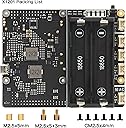
X1201
Product ID: 601528538
Details
- Amperage5 A
- Battery Cell CompositionLithium Ion
- BrandGeekworm
- Colorblack
- Voltage5 volts
⚡5.1V 5A max output
🔋Multi-layer battery protection
🪶Ultra-thin low-profile design
Desertcart purchases this item on your behalf and handles shipping, customs, and support to Italy.
🔌 Power your Pi like a pro—never miss a beat with Geekworm X1201!
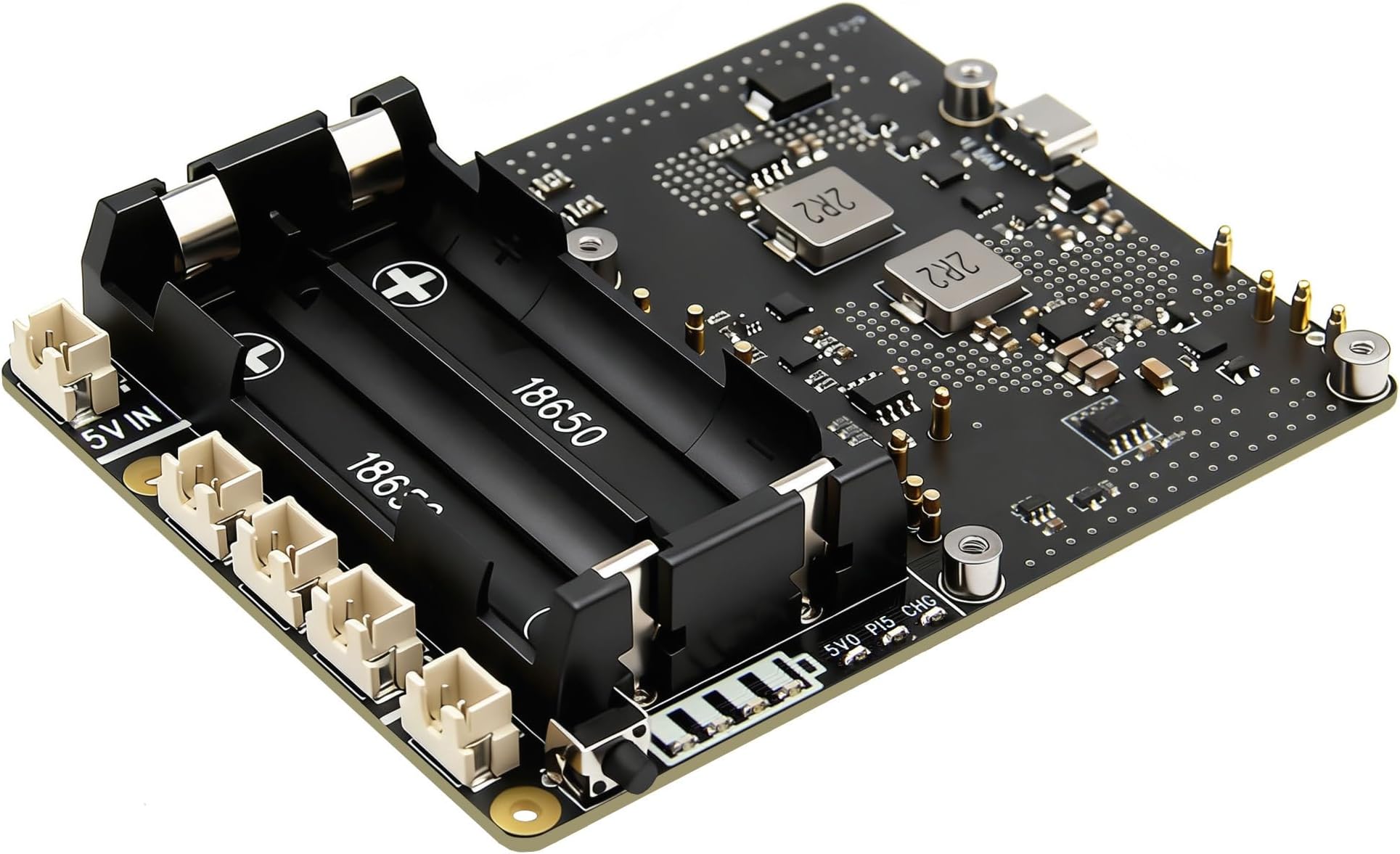
The Geekworm X1201 is an ultra-thin 5V UPS expansion board tailored for Raspberry Pi 5 models, delivering up to 5.1V at 5A power backup. It features intelligent power management including auto power-on and safe shutdown, multi-layer battery protection, and a sleek design that fits seamlessly under your Pi for easy stacking with other accessories. Powered via USB-C, it ensures stable, uninterrupted operation for portable and stationary Pi projects alike.


| ASIN | B0CRYXZV23 |
| Amperage | 5 A |
| Battery Cell Composition | Lithium Ion |
| Battery Cell Type | Lithium Ion |
| Best Sellers Rank | #305 in Computer Uninterruptible Power Supply Units |
| Brand | Geekworm |
| Built-In Media | 1x X1201 5V UPS Shield with accessories |
| Color | black |
| Connector Type | USB Type-C, 18650 battery, 5V Power output, External power button |
| Customer Reviews | 4.5 out of 5 stars 18 Reviews |
| Form Factor | Rack |
| Item Dimensions | 4.13 x 3.35 x 0.59 inches |
| Item Weight | 69 g |
| Manufacturer | Geekworm |
| Maximum Power | 25 watts |
| Mfr Part Number | TB-2024-03 |
| Model Number | X1201 |
| Number of Items | 1 |
| Number of Outlets | 1 |
| Output Current | 5 A |
| Output Voltage | 5.1 volts_of_direct_current |
| Output Wattage | 25 watts |
| Power Plug Type | No Plug |
| Runtime | 8 hours and 30 minutes |
| Voltage | 5 volts |
| Warranty Description | 3 months |
| Wattage | 25 watts |
S**.
#1 X1201 for style & low profile
As a Raspberry Pi enthusiast. This is one thing that makes my projects sing! Works like a charm & peace of mind to boot! Setup is easy, and Battery life is something I don't have to worry about! You can't go wrong!
A**Y
A great way to build low-profile portable Raspberry Pi devices
This little board opens up new vistas for portable Raspberry Pi 5 devices. I used mine to create a high performance VPN travel router by adding an M.2 E Key HAT to the Pi and a couple of external antennas. I used the Geekworm X1201 metal enclosure for this form factor. However, I did have to make a couple of extra holes in the case for the antennas. Being battery-powered, the device can be used to give you and your companions secure wifi in coffee shops, or while travelling, or in outdoor locations or anywhere a power source isn't easily available. With two 3300mAh rechargeable batteries, the board delivers around 4 hours of use in this particular use case. Although it powers the Pi and its M.2 HAT successfully, it's a little limited in terms of its ability to power external devices though.
J**R
Good product not very good instructions
So far so good, but the instructions could use clarification. Below are the issues I ran into and how I fixed them. Knocking off a star for that. (Hopfully they will update the instructions soon) I used sudo apt-get install for a couple additional dependencies during step 2.1. "sudo apt-get install i2c-tools" "sudo apt-get install python3-smbus" The reason for I2c-tools is I wasn't able to use i2cdetect in section 2.9. I needed to have i2ctools to do so. The reason for python3-smbus is I got an error in 3.1 saying no module named smbus. By installing python3-smbus the script ran correctly. In section 3.1 I used the command: "cd x120x" prior to running python3.bat.py. The reason is the scripts I downloaded earlier in section 2.7 are in the the folder "x120x" rather than the default folder I was in after rebooting in step 2.8. Otherwise everything seems to be working great.
K**S
low voltage warning
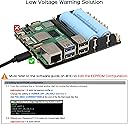
on rpi 5 gives low voltage warning, even when a 5 am power supply is used. Unsure if there is an update to resolve this. Also automated software does not function properly
B**H
works very well, just one little flaw
i ordered this for my son, and this is his review: "The battery shield does as it is suppose to and keeps the pi5 powered on, (and with the condition that you did the instructions in the software section of the product and made the changes needed.) however, i did noticed that once it triggers an under-voltage spike, it doesnt go away, and i have had remove the power icon from the system tray so it does constantly show that there was a under-voltage spike and not that the current system IS under-voltage."
X**Z
Really good UPS board, has a couple things (of course)....
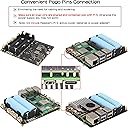
I bought this to keep my RPi 5 powered in my motor home across power cycles (ignition off, no generator, no shore power, house batteries going dead, seasonal shutdown, etc.) so that it remains running for short losses (fueling, rest stops, etc.) and can ensure an orderly shutdown to prevent file system corruption and other data losses. My original plan was a "dumb" UPS and a home-spun set of relays and supporting circuitry to monitor and report power loss to the UPS and to disconnect power at shutdown. I found the X1201 and it boasted the set of features that I need. I have it installed and ran through my use cases and it is perfect. The only feature I may want to add is a way to turn the UPS off when its capacity reaches a set value (like 20% e.g.) - this would be done by the RPI after it becomes ready for its shutdown. This would be to "guarantee" a power reserve when power to the UPS is restored and the Pi boots. There are some issues, however. Foremost is the method used to connect the X1201 to the RPi 5. They use special pins that are spring loaded and press on to the bottom of the RPi 5 board where the header is soldered. This is not a reliable connection as I have found, it is the first thing to check if the board is not working. The product description needs to call out the battery specs and not rely on the user combing through the product manual to find the "spec". We need to know "capless" and the length, there are variations. Ideally, the product page would make several suggestions for batteries. I found batteries that work, but it takes a lot of effort to install them, and, fortunately, more effort to remove them. You really need to read the product manual at suptronics dot com, there is a link to it from the product page's manual page. The suptronics manual will tell you how to configure everything and provides a github link for Python code that illustrates how to control the X1201 device. IMHO - these links should have been provided in the box with the X1201.
Trustpilot
3 weeks ago
2 weeks ago