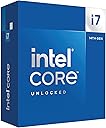
🚀 Power your play and productivity with the unlocked Intel i7-14700K — where speed meets smarts!
The Intel® Core™ i7-14700K is a cutting-edge unlocked desktop processor featuring 20 cores (8 performance and 12 efficiency), 28 threads, and up to 5.6 GHz Turbo Boost Max 3.0. Compatible with Intel 600 and 700 series motherboards, it supports both DDR4 and DDR5 memory, delivering exceptional gaming and multitasking performance with integrated UHD Graphics 770. Ideal for professionals and gamers seeking future-ready power and versatility.


| ASIN | B0CGJ41C9W |
| Best Sellers Rank | #12 in Computer CPU Processors |
| Brand | Intel |
| Built-In Media | Item |
| CPU Manufacturer | Intel |
| CPU Model | Core i7 |
| CPU Socket | LGA 771 |
| CPU Speed | 5.6 GHz |
| Cache Memory Installed Size | 33 GB |
| Customer Reviews | 4.6 out of 5 stars 1,291 Reviews |
| Global Trade Identification Number | 00735858546928, 05032037278485, 05032037278492 |
| Item Dimensions L x W | 4.57"L x 1.73"W |
| Item Weight | 80 g |
| Manufacturer | Intel |
| Mfr Part Number | BX8071514700K |
| Model Number | BX8071514700K |
| Number of Items | 1 |
| Platform | Windows 11 |
| Processor Brand | Intel |
| Processor Core Count | 20 |
| Processor Count | 1 |
| Processor Number of Concurrent Threads | 28 |
| Processor Series | Core i7 |
| Processor Socket | LGA 771 |
| Processor Speed | 5.6 GHz |
| Secondary Cache | 33 MB |
| UPC | 735858546928 |
| Unit Count | 1 Count |
| Warranty Description | 3 year |
| Wattage | 125 watts |
I**K
Great CPU for everything
Amazing CPU for both gaming and streaming or editing or heck even playing multiple games at once switched from a 12700k & was already a instant improvement on frames and just overall performance currently have it paired with a 5070ti & 64GB of ddr4 so it’s a cheap upgrade if you are already on ddr4+lga1700 pretty okay temperatures while gaming & very stable at default settings but makes for great compatibility for ddr4 or 5 if wanted a simple upgrade in the future & simple to cool with a $40 air cooler peerless assassin digital 120
N**T
Gaming with intel
Great cpu it works good for gaming. onboard graphics really look nice combined with a gpu. This cpu works best in a well ventilated room with AC ! I know intel has overheating problems, however with a proper cpu cooler and as long as you have air conditioning in the room it works great. This cpu will overheat in a closed room with no air conditioning . Other than that it’s very stable and fast on boot up . I play major games and edit and record video on it. So far I’ve had no issues again as long as your air conditioner works your fine . I recommend a 360mm AIO water cooler .
C**S
how many extra frames this thing will squeeze out
I don’t game, so I can’t tell you how many extra frames this thing will squeeze out of whatever people are shooting at this week. What I can tell you is that the Intel Core i7-14700K is a beast for real desktop work. I run video editing, 3D scanning, 3D printing software, photo work, and enough browser tabs to qualify as a bad habit. With 20 cores, 8 P-cores and 12 E-cores, it just keeps moving. Yes, it runs hot when you really lean on it, and if you let the motherboard feed it 253 watts, you had better bring a serious cooler. But that is the price of having this much horsepower sitting under the desk. For everyday work it barely notices what I’m doing, and when I hit it with a heavy workload, it gets up and goes. If you only browse the web and check email, this is ridiculous overkill. If you edit, render, scan, encode, multitask, or simply enjoy knowing your computer is waiting on you instead of the other way around, good times. :-)
F**E
Excellent gaming CPU
I bought this CPU as an incremental upgrade to my i7-12700k , which will go into another more modest build. I really didn't think the i7-14700k would be significantly faster than the i7-12700k, but in some games there's a 10-15 FPS uplift. I don't know if that's the revised P cores doing the work or if it's the extra E-cores. The IMC on the i7-14700k is noticeably better as well. I can run four sticks of DDR5-5600 M/T at 5400 M/T (with tighter timings) which was a pipe dream with the 12700k (which topped at 4800 M/T with the same four sticks of RAM). With that said, it's going to be easier just to buy a two stick kit with the capacity you need instead of dilly-dallying around the BIOS trying to get four sticks of RAM to play nice on LGA 1700. Now is the upgrade worth it if you already have an Alder Lake i7? Probably not, but I was already putting together another mid-range build for someone else and this was an excuse to upgrade. But overall, I'm impressed. This CPU even holds it own again the newer Ultra 7 265k in gaming but will lose out to the higher end AMD X3D CPUs. The downsides here are that this thing has a massive power draw, and needs a beefy cooling solution. I have a 360mm AIO CPU cooler which cools it down nicely (60C-70C in typical gaming loads, topping out in the low 80's when benchmarking) but realistically, you're going to want at least a quality 240mm AIO or a god-tier air cooler. There's also the issue of the 13th and 14th gen CPUs failing prematurely. I have the latest BIOS for my motherboard that in theory should mitigate that problem, and so far I haven't had any issues at all.
D**R
Incredible CPU
Incredible CPU, no complaints. Highly durable, power consumption reasonable. Very stable, easy installation although it’s the same as any other CPU. My thermals have never exceeded 70C, although I have an incredible cooler. The integrated graphics were good to play only the simplest of games, but BIOS and OS setup went very smoothly.
A**S
Super fast
Still works fast no issues
C**H
i7-14700K is a significant improvement from i9-12900K
I decided the difference between the i7 and the i9 didn't justify the price difference, considering I was already getting about 1/3 more performance than my 12th generation i9. I wanted plenty of motherboard resources so I also bought the MSI MEG Z790 ACE, 32 GB of Kingston Fury 6400MT/s DDR5 and a 2TB Samsung 990 NVMe drive. Cooling had been a slight issue with the 12th generation i9, even with a 360mm AIO cooler, so I went custom loop. Along the way I found a GPU water cooler on sale and decided to install a lot of cooling. The Thermaltake 900 tower can take two 560mm radiators, but I wanted some disks, so I went for a 560x140 and a 280x140, both 45mm thick and backed by 6 fans. Four more fans feed air into the case and there's till plenty of clear space for more air to be dragged in. So what's the result? The processor runs at 85C worst case, and only two cores at that temperature. The fast DDR5 does make a significant difference. I initially ran it at 6GT/s then turned it up to 6.2 and finally 6.4. The last change is a 3.5% change in DDR5 speed and that gave me a 2.4% increase in system speed. I kept my old RTX3070 which used to run over 80C and now runs at 62C worst case. So despite more performance the system runs a lot cooler. I mostly run X-Plane 12, which runs the GPU and CPU very hard, continuously. After several hours the cooling water reached 36C and the worst core temperature was 85C. The processor just works. No stability issues with the standard settings on the MSI Z690 motherboard. There are three standard memory tuning options for 6.0, 6.2, and 6.4 GT/s and all work. This will do for me for a few years.
M**E
It crashes easily under load - not overclocked, not being "torture tested", nothing...
UPDATE: Intel's RMA process is incredibly smooth: go to the website, open a ticket, describe how you tested, upload receipt. Then call customer service to get the ticket acted upon (and receive an RMA number). All working now, and works well. (original review) This CPU is in a linux box - good power supply, decent motherboard, fast memory, good cooling, etc. It is running Intel's stock settings: power limited to 253w for the first 90 seconds, then throttled to 125w thereafter; amps limited to 300; thermal throttle setpoint at 85C (stock would be 100C), etc. Very conservative. It is unstable under load - it is easy to crash the machine. I first encountered this when testing it with mprime (a torture test - prime95 for linux: computing FFTs with AVX would reliably crash it). Wasn't too worried at the time - I don't compute many FFTs, and I was still working through the BIOS (the default BIOS settings seemed designed to fry the CPU). And it was delightfully quick for day to day use. Fast forward a month or two, I've now got the BIOS tuned down to sensibly conservative settings, and I've still found that much of the code that I *do* need to run will also reliably crash it within ten minutes (for example: running "zstd -T0 -17" on a few large files). Even if AVX, hyperthreading, and everything except basic turbo boost is turned off in the BIOS. Even after the CPUs have throttled back to 4500+3800 MHz. Even when the cores are all 15% idle and the hottest core is running at 50 degrees celsius. Even when the entire program fits in cache. It stops crashing when turbo boost is disabled and the maximum speed is limited to 3.5Ghz. Apparently many of these are defective. It doesn't help that most motherboards come with insane default settings (so you don't know whether it is the CPU, the motherboard or the memory unless you can swap out parts). Mine's going to get RMA'd to Intel. Maybe they can find me one that works.
A**M
Asegúrense hacer “Under Volt”
Excelente CPU si armas tu PC desde 0.
B**S
Out of the box? Hot. Tuned? Not.
The i7-14700K is a beast right out of the box, but it runs hot. In our build, stock settings pushed Cinebench multi-core temps up to 90 °C, and the system was clearly working overtime to keep things cool. The performance was solid around 28,600 points, but it was not power efficient. After undervolting, the difference was night and day. Temps dropped to 71 °C under the same Cinebench load, with barely any loss in score (28,450). We also saw similar results in 3DMarkCPU temps dropped from 87 °C to 70 °C, and the score only dipped slightly. Even single-core performance held steady, but temps still improved from 72 °C down to 64 °C. What stood out most was how much quieter and smoother the system ran. Undervolting didn’t just help with temps, it brought balance. It gave us full power when we needed it, without feeling like the system was under stress. additionally, to support the 14700K properly, we used the Thermalright LGA1700-BCF contact frame in place of the stock bracket. It gave us more even mounting pressure and helped reduce CPU temps by a few degrees while avoiding the common warping issues with LGA1700 sockets. Cooling was handled by the Thermalright Frozen Warframe S360 AIO The 14700K is great, but it’s aggressive on voltage by default. If you care about thermals, fan noise, or just want your system to last longer, **undervolting is a no-brainer**. In our build, it made all the difference — better efficiency, same power, less heat. Wouldn’t run this CPU any other way.
F**N
great buy
both worked perfect as intended. recommend
H**I
性能に関してはさすが、発熱は相当
8年前のゲーミングPCから買い替え。 Corei7 6700からなので当然ですが非常に高い性能で満足しています。 CINE BENCH R23では31,000超え。(画像は全てベンチマーク中) ただし、かなり発熱しますね。 360mmラジエーターの簡易水冷でもMAX100℃になることがあり、サーマルスロットリングでクロック数が4.6GHz近くまで落ちます。 マザボの初期設定では電力制限かかっておらず、253Wの最大値に。 ゲーム中で80℃超えるのはさすがに…、ということで200Wに制限。 するとMAX75~80℃まで抑えられ、4.5GHz前後に。 これでも十分なのでしばらくはこれでいこうと思います。
V**R
Made in US and assembly in Veitnam
Core i7 14700k I was afraid the item to be made in Israel which willl leave me to return But my core came made in US and assembled in Veitnam Recommend to buy from the same seller
Trustpilot
1 month ago
2 weeks ago