Buy anything from 5,000+ international stores. One checkout price. No surprise fees. Join 2M+ shoppers on Desertcart.
Desertcart purchases this item on your behalf and handles shipping, customs, and support to Italy.
🖨️ Compact. Fast. Brilliant. Your desk’s new MVP.
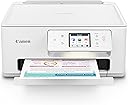
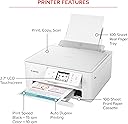
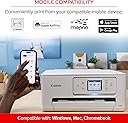
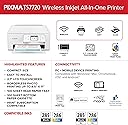
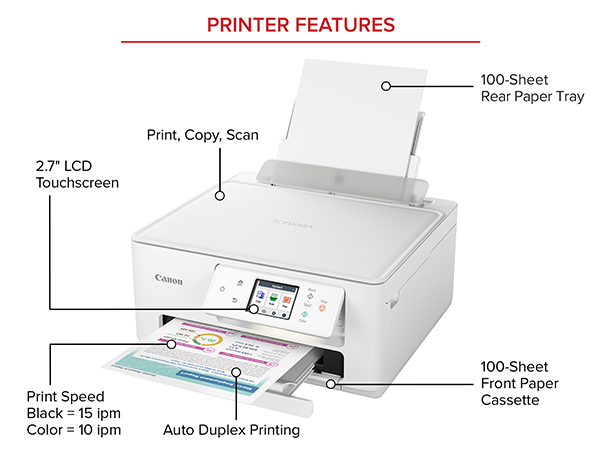
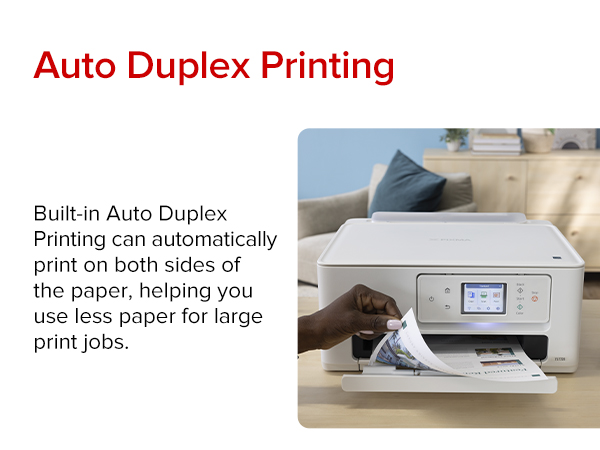
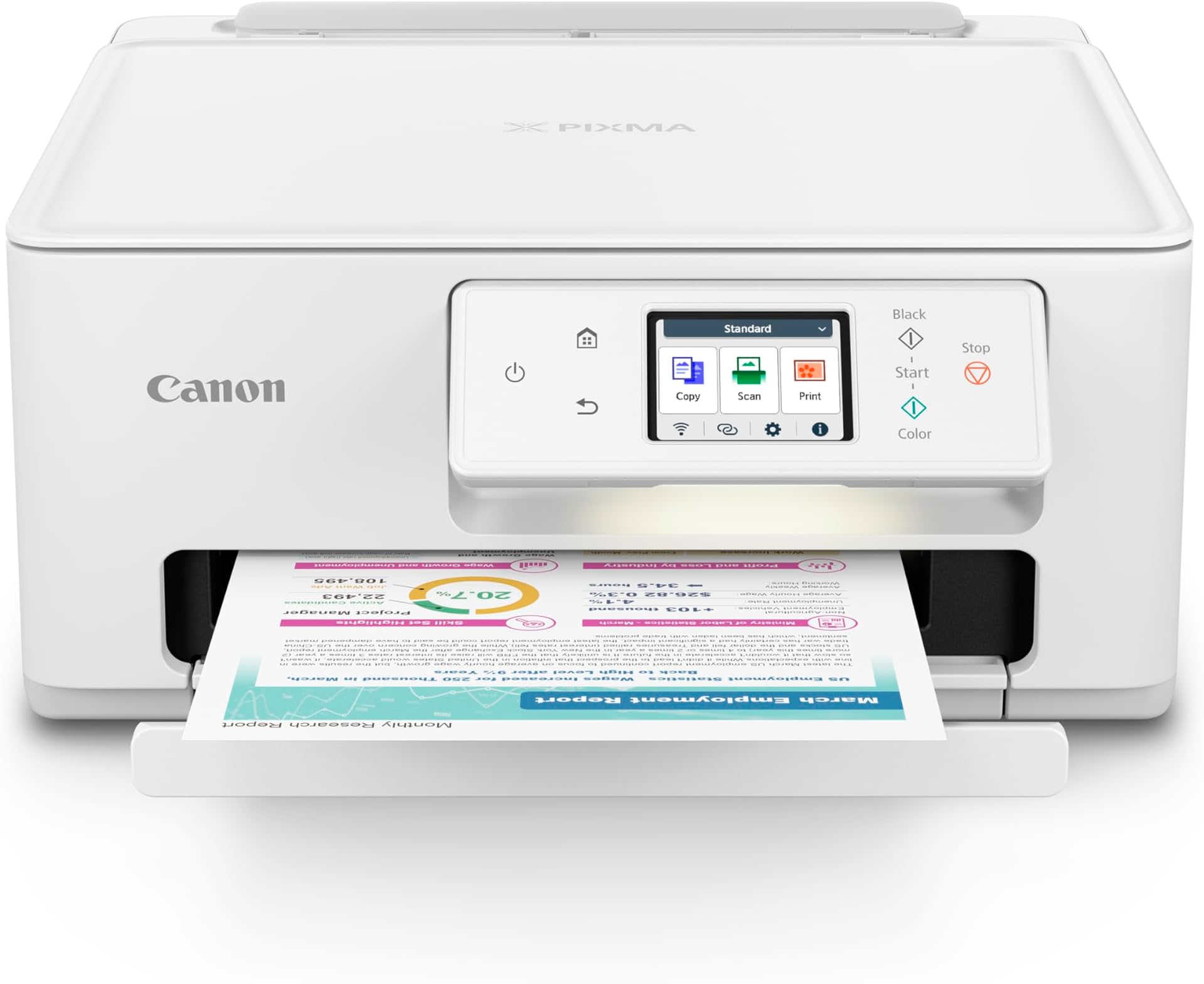
The Canon PIXMA TS7720 is a compact wireless all-in-one inkjet printer designed for home and small office use. It delivers fast print speeds of up to 15 black-and-white and 10 color pages per minute, featuring a 2-cartridge hybrid ink system for sharp text and vivid photos. With automatic duplex printing, a 2.7” touchscreen, and versatile media handling, it offers seamless wireless and USB connectivity for effortless printing, copying, and scanning. Perfect for professionals seeking high-quality output in a stylish, space-saving design.


| ASIN | B0CHL9W21G |
| Additional Printer Functions | Copy, Scan |
| B&W Pages per Minute | 15.0 |
| Best Sellers Rank | #7,363 in Office Products ( See Top 100 in Office Products ) #39 in Inkjet Computer Printers |
| Brand | Canon |
| Built-In Media | Documentation, Ink: 1 PG-285 Black and 1 CL-286 Color Cartridges, PIXMA TS7720, Power Cord |
| Color | White |
| Color Pages per Minute | 10.0 |
| Compatible Cartridge | PG-285 Pigment Black Ink CL-286 Color Ink |
| Compatible Devices | Smartphones |
| Connectivity Technology | USB, Wi-Fi |
| Control Method | Touch |
| Controller Type | iOS |
| Customer Reviews | 4.1 out of 5 stars 950 Reviews |
| Display Type | LCD |
| Dual-sided printing | Yes |
| Duplex | Automatic |
| Hardware Interface | USB |
| Ink Color | White |
| Item Dimensions D x W x H | 13.8"D x 14.8"W x 6.7"H |
| Item Type Name | Inkjet Printer |
| Item Weight | 13.8 Pounds |
| Manufacturer | Canon |
| Maximum Copy Resolution Black and White | Up to 1200 x 1200 dpi |
| Maximum Copy Resolution Color | Up to 1200 x 1200 dpi |
| Maximum Copy Speed Black and White | 15 ppm |
| Maximum Media Size | 8.5 x 11 inch |
| Maximum Print Resolution Black and White | Up to 1200 x 1200 dpi |
| Maximum Sheet Capacity | 100 |
| Maximum print Resolution Color | Up to 1200 x 1200 dpi |
| Model Name | PIXMA TS7720 |
| Model Number | 6256C002 |
| Model Series | PIXMA |
| Number of Trays | 2 |
| Other Special Features of the Product | Auto-Duplex, Borderless Printing, Energy Star, Touch Screen |
| Output sheet capacity | 200 |
| Paper Size | Rear Tray: LTR, Legal, A4, A5, B5, 4” x 6”, 5” x 7”, 7” x 10”, 8” x 10”, Square 3.5” x 3.5”, 5” x 5” Custom Size: 2.2” - 8.5” / Length: 5” - 14” Cassette: LTR, A4, A5, B5 |
| Power Consumption | 22 Watts |
| Print media | Envelopes, Glossy photo paper, High-resolution paper, Paper (plain) |
| Printer Connectivity Type | USB, Wi-Fi |
| Printer Output Type | Color |
| Printer Type | Inkjet |
| Printing Technology | Inkjet |
| Processor Count | 1 |
| Resolution | 1200 x 1200 |
| Scanner Type | Flatbed |
| Special Feature | Auto-Duplex , Borderless Printing , Energy Star, Touch Screen |
| Specific Uses For Product | Home, Office |
| Total Usb Ports | 1 |
| UPC | 013803359978 |
| Unit Count | 1.0 Count |
| Warranty Description | 1 year |
| Warranty Type | Limited |
| Wattage | 22 watts |
C**O
TS7720 Great Home Wireless All-In-One Printer
This TS7720 is a great choice for home printing or home office use. Versatile in it's choices for printed media allowed by its front and rear input sources. Seems a little slow on the startup while it's 'getting ready' to print the first page, but once it's printing it seems to move along at a good pace. The printer is fair to good at printing smaller photos, and is just 'OK' with larger 8X10 size prints. The flat bed scanner has no auto-feed input tray so is typical for a 'single-page-at-a-time' scanner. Scan quality is good enough to scan-in Black and white or color documents and photos. The included software is adequate for home use for both printing and scanning. Just be aware this is not a professional quality photo printer/scanner/copier but is adequate for home use. Can't comment yet on the ink usage as I haven't had it long enough to observe its usage over time. Installation is not as simple as the Canon marketing hype would have you believe. It was not just plug-and-play, at least for my setup and installation, which is wireless with Windows 8.1 and Xfinity router. Unpacking is fairly straightforward, just remove it from the box and take off a couple pieces of orange shipping tape. Then the single page instruction sheet gets you started with setup, loading paper and print cartridges, and a link for downloading the setup software and drivers. I'd recommend downloading the TS7720 user manual first - in my case I needed it. I tried using the 'fully automated' Canon installation/setup but it couldn't find the TS7720. After reading the user manual, and learning how to use the TS7720s touch-screen control panel, I first followed the steps to connect the TS7720 to the router. Selecting my router out of the list of all my neighbors’ routers was easy but keying in my router's password was no easy task on the miniature touch screen control panel. Once I got the TS7720 connected to the router, I restarted the Canon setup software and it found the TS7720. After that, the installation went fairly easy - just follow the steps displayed on your computer screen. I also downloaded and did the setup on my wife’s computer so she has full printer/scanner functionality. The Canon installation/setup software easily ‘found’ the TS7720 since I had already connected the TS7720 to my router. One last observation... The TS7720 default setting is to timeout and shut down (power off) after 240 minutes (4 hours). With that configuration, it shuts down every time it has 4 hours of non-use and you have to manually turn it back on each time before you use it. Very aggravating, especially if the TS7720 is in a different room or different floor of the house. After reading the manual I found the solution. If you open the Printers page on your computer, right click on the TS7720 and chose Preferences. Then click on the Maintenance Tab. Then click on the Maintenances and Preferences button. Then click on the Auto Power button. This brings up the Auto Power Settings. 'Enable' Auto Power On. You can also change the Auto Power Off setting here too, if you want it to time out sooner that the default 4 hours, or not time out at all. Now, any time a computer tries to send something, the TS7720 will turn itself on. Once you make this choice it makes the changes in the TS7720 so from now on, it works for any computer that might be using the TS7720.
D**N
Works flawlessly! Very easy to set up.
This is a great printer! Works flawlessly. Canon is a great brand. Price is nice!
F**5
Great printer but with a couple cons.
So far best canon printer I’ve had pros—large display screen that most compact printers don’t come with anymore. Prints twice as fast as my last Canon. Mostly very easy set up. Cons—connecting to my iPhone and iPad was tough, not like my old canon that communicated automatically, it takes some time to figure it out, but once done it works well Black and white and color not as vivid as my last canon that had 5 separate ink tanks. I don’t know if it’s the trial ink tanks that came with the printer but the color on printed letter paper is not good. Bottom receiving tray does not slide out automatically like my last canon—when your going to print you have to pull it out manually —-contrary to some reviews the printer does start up when printing from iPhone or iPad but the tray still needs to be pulled out manually or paper will fall out on floor. —————————————————————————————————— Overall the pros outweigh the cons and the large display is awesome
A**R
I give up
I bought this mainly because I print out garden images (plain paper) for inspiration and (so I've read) Canon is best for pics by far. My old hp printer no longer provided correct colors/crisp images. I need to see the tones of color, crisp images to study why that design works so well and try to ID specific plants and I wanted to upgrade to the best I could afford (no $600 printers for me!) Easy setup they said. Auto reconnect if WIFI is interrupted they said. Still fiddling with this printer. Confused on setting it up. JUST TELL ME WHAT TO DO, STEP BY STEP. I don't want a dozen options to download! Do I need that, whatever it is? Hell, I don't know - they aren't explained. Apparently you're just supposed to know. 3/4 of the time, it indicates printer not available at all (muted out of the printer option screen on my phone). Then it may work (takes a couple of minutes to wake up, clatter around, before printing). How to set up your default printing? Good luck figuring that out. Mine still switches automatically to special glossy photo paper, 4x6, despite my changing it each and every time. Nothing in manual on how to change/save defaults. All pics so far are muted in color, hazy. A LOT worse than my old printer! Opted for the Canon Ink program. I got an email I'm enrolled. Am I, really? Not sure because within 3 days of setup, I'm out of ink (the regular cartridges that came with the printer), and no indication I'm being mailed new ink. Yes, this is an ink hog. Or else the over the counter ink cartridges hold very little ink. Normally I'd use a color cartridge every 4 months or so. The good news: prints out black and white text beautifully - crisp. Wish that's what I needed. A waste of my money. Unhappy camper. Update 3 months later: won't connect or print anything. Funny that it stopped working on page 4 of a 5 page job (they printed great, it just stopped). Previously the problems were hit or miss -- different versions of the printer would appear, then disappear. I'm buying another brand, can't handle this aggravation.
G**G
Its a good deal for the price and features
I searched around quite a bit before choosing this brand/model. I had a few issues setting it up but they all got worked out. It stays connected thru wifi so I can print from any computer in the house. The ink cartridges last and the cost is reasonable for household printing needs. I like the scanner and copy features. I dislike the fact that the scanner powers down after a few hours of non use and you must physically go to it to hit the power button. The rear feed tray seems flimsy and poorly engineered, guide pieces don't lock in place to hold the paper straight. There does not seem to be a "paper setting" for labels there is for photos, card stock, iron transfers and many others. I find this enervating as I use my computer for printing labels for letters and shipping.
D**O
Quality for a good price.
This is the perfect printer for someone,such as myself,who doesn't use it everyday. It's nice to have for those times when you wish you had a printer and you don't have to make a trip into town to go to Staples.
P**O
Reliable, easy printer I’ve bought more than once!
I’ve purchased this Canon PIXMA a few times now, first for our old house and now our new house, and it’s been consistently good. Setup is straightforward, the wireless connection works without constant resets, and it prints crisp text as well as colorful photos. The scanner/copier functions are easy to use, and the footprint is compact enough for a home office or dorm. Ink cartridges are reasonably priced for the quality you get, and the app integration makes printing from laptops simple. Each unit I’ve bought has been dependable right out of the box which is why I’ve gone back to this model instead of trying something new. If you want a reliable all-in-one for home or small office, this model is a safe bet.
M**N
Good Print Quality, Bad Connectivity
The printer has excellent print quality, and generally uses ink economically. However, we've experienced a huge problem with it connecting wirelessly to our computer. Very often it won't establish a connection and we have to go through an elaborate procedure to compel it to print. We have not had this problem with any other printer using our wireless signal.
S**A
Mala calidad
No vale la pena, la tinta que trae se acaba en un abrir y cerrar de ojos. Y el costo de la tinta es de 94 dólares, más costoso que la propia impresora, si por mi fuera tirara la impresora
Trustpilot
4 days ago
1 month ago