Buy anything from 5,000+ international stores. One checkout price. No surprise fees. Join 2M+ shoppers on Desertcart.
Desertcart purchases this item on your behalf and handles shipping, customs, and support to Italy.
❄️ Stay Cool, Work Smart — Own Your Productivity Zone
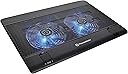
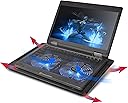
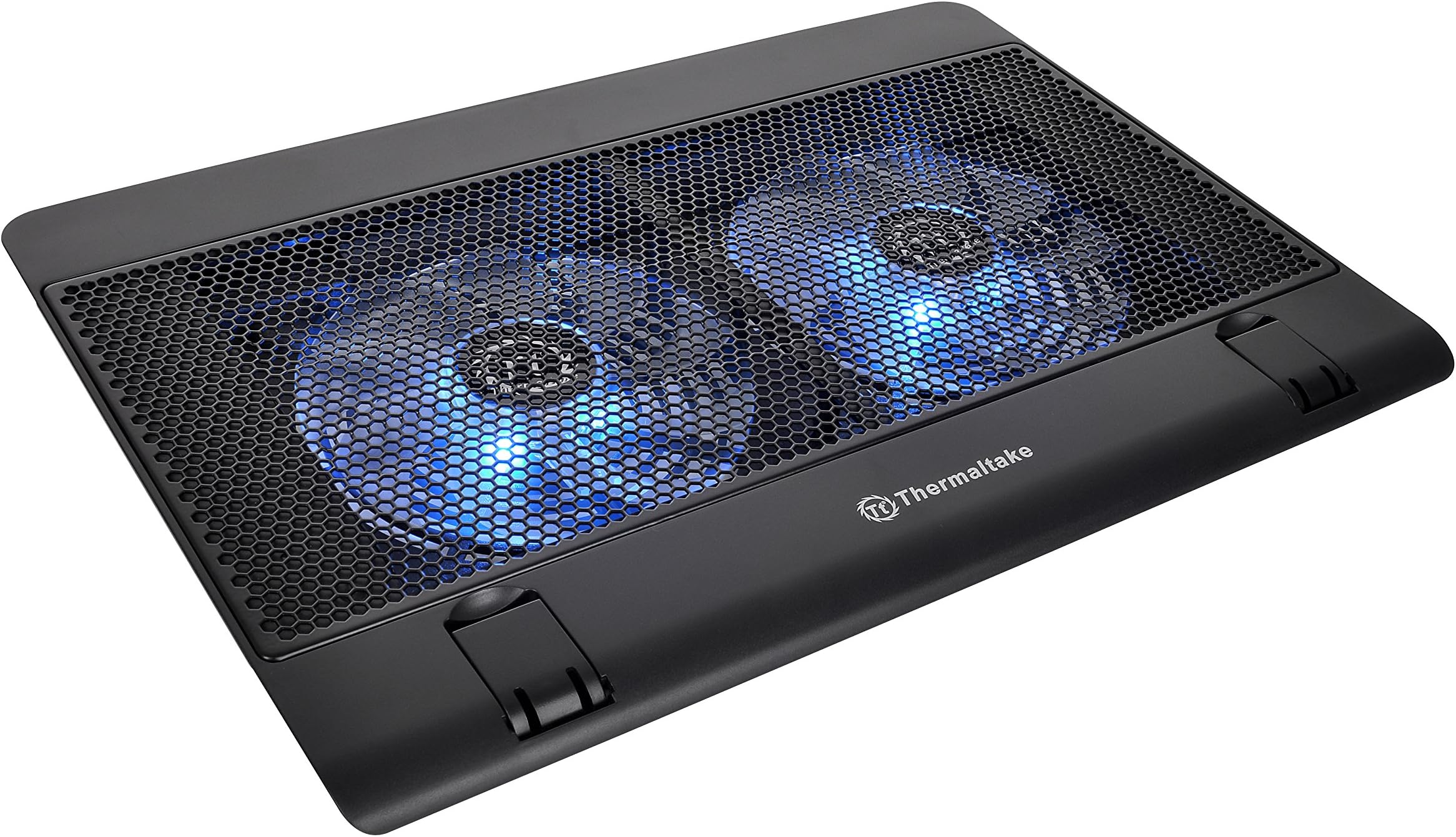
The Thermaltake Massive 14 is a sleek, steel-mesh laptop cooling pad designed for 10" to 17" laptops. Featuring dual 140mm blue LED fans running up to 1200 RPM, it maximizes airflow while minimizing noise with a hexagonal mesh design. Adjustable fan speeds and LED controls let you tailor cooling and aesthetics, while three ergonomic height settings ensure comfort during long work sessions. Dual USB 2.0 ports provide extra connectivity, and secure laptop levers keep your device stable. Perfect for professionals seeking efficient cooling and ergonomic support in one stylish package.
| ASIN | B00FPR8FLY |
| Best Sellers Rank | #35,462 in Computers & Accessories ( See Top 100 in Computers & Accessories ) #186 in Laptop Cooling Pads |
| Brand | Thermaltake |
| Built-In Media | unkonwn |
| Color | Black |
| Cooling Method | Air |
| Customer Reviews | 4.1 out of 5 stars 742 Reviews |
| Enclosure Material | Steel |
| Global Trade Identification Number | 00841163051559 |
| Item Dimensions L x W x H | 15.04"L x 10.32"W x 1.03"H |
| Item Weight | 2.01 Pounds |
| Manufacturer | Thermaltake |
| Material | Steel |
| Mfr Part Number | CL-N001-PL14BU-A |
| Model Number | CL-N001-PL14BU-A |
| Number of Fans | 2 |
| Product Dimensions | 15.04"L x 10.32"W x 1.03"H |
| UPC | 021112168747 163121469658 841163051559 788425899941 780746537434 191042515260 132018282380 803982740779 809392596210 172304264508 |
| Unit Count | 1.0 Count |
| Warranty Description | Comes with Manufacturer Warranty. |
D**2
Works as expected, good laptop cooler
Based on expectations and price I have given a 5 star rating. This is the also the first time I have purchased a laptop cooling pad so I have nothing to compare it to. I read a lot of reviews, so while I'm not that impressed with this I doubt I'd really be much happier with the other cooling pads I viewed online. One of the primary reasons I purchased this cooling pad was a switch to turn off the lights which for whatever reason most of the others did not have. So that alone eliminated most of the competing products. Although really with the laptop on top of the cooling pad you won't notice the lights at all unless in a very dark room. A second factor was trying to guess which fan layout would likely to best cool my specific laptop (15" Overpowered laptop) based on the location of the bottom vents of the laptop. Chances are it doesn't make a huge difference, but I'd still keep that in mind when checking out different coolers. It fits the Overpowered 15" chassis near perfectly. There is just a little bit extending on the sides, which means a bulkier 15" laptop may hang over some. The Overpowered chassis is relatively compact with somewhat small bezels. The fans are louder than I'd like at the lowest speed, but again I have nothing to compare to. For the price I can't really complain as higher quality fans probably would have cost more. At the lowest speed the fans are audible for sure, but if you don't mind a little noise it isn't a big deal. Noise increases a good amount as you increase fan speed, but it never gets all that loud. The fans don't push much air at any setting which was expected based on the reviews of this cooling pad as well as just about every other one. Unfortunately I haven't really watching temps, but I'd guess it averages about 7 degrees cooler which helps a good amount but it would be nice if it did a little more. I got the cooler as I run the laptop basically all day with several virtual machines. Although it is a gaming laptop I haven't done much gaming on it yet, so I have no idea if it might make a bigger difference when pushing the system with demanding games. The included USB cable is a bit long, but that is understandably necessary to support different locations of USB ports on laptops. I bought a 6 inch USB cable to keep from having a cable dangling so that was an added expense. So without having personal experience with other cooling pads, I don't feel I have any reason to take any stars away. I'm not unhappy at all with my purchase aside from wishing it was more silent, but if I was buying a second cooling pad I'd definitely take another look at other options before just buying a second one of these. If keeping my requirement of no lighting (or a switch to disable it like this has) there really aren't many alternatives though. Most likely I made the right choice buying this cooling pad over the others on Amazon.
J**E
This path actually cools my ROG.
My laptop is a Asus ROG, and it gets hot. In fact so hot is unconfortable to play on top of it. The cooler/Nvidia card is on left side, right over the WASD keys, so its like imposible not to have your hand there. If you look online you will relace the GPUs get way hotter than the CPUs. that is, over 80 degrees Celcius. Its normal, but you can feel the heat. So these pads are a must if you are oging to play, or use your PC other than facebook. This is the FIRST path that actually works! its powerfull enough to get some serious air into the sistem. you need to set it to MAX, and always have the path lifted, not flat. It is as loud as any other vent in the market so dont believe the Super quiet stuff. If you want it silent turn down the vents to minimum, but also the airflow is decreased so, it wont work as good. however the "noice" is not a problem. If you are looking for an actual path that gets the job done... buy this one.
T**.
Excellent Cooling, Slight Tick, Safety Arms
I’ve been using the dual 14” Thermaltake Steel Mesh Fan Cooling System for a few months now and it’s held up well. The only issue I’ve had since day one is a slight wobbling sound that is barely audible unless the fan is on more than 4-6 hours. It’s not as quiet as I expected it to be, but it’s definitely more quiet than most cooling pads out there. Thermaltake is a very reputable and respectful brand and I’ve used their products for over 15 years. The little arms that jut up when needed keeps your laptop from sliding off and is definitely a plus for those sitting in bed and when the laptop and pad are at an angle on a desk or on a desktop pad. To finalize here are the pros and cons for the cooling pad: PROS: - Extremely Durable and lightweight - Easy cord storage - Little arms to keep laptop in place - Quieter than most pads - Keeps device cool with large dual fan system CONS: - Slight ticking sound from off balanced fan. *Ordered another brand that had same issue, but returned and kept Thermaltake due to brand loyalty and quality of product* YOU DO GET WHAT YOU PAY FOR, SO SPEND A LITTLE EXTRA AND GET YOURSELF A NICE COOLING PAD AND YOU WON’T BE DISAPPOINTED WITH THIS ONE!
H**X
Lights Out!
After a very extensive search for a laptop cooling pad, I finally found the one. One key feature I was looking for was no lights or at least a way to disable them. This model has a switch on the side just for turning the LEDs on or off. The fans themselves are fine; noise level is reasonable and they do the job. Build quality and price are great.
C**T
Terrible bumper design.
This is a very capable and effective cooling pad. I use it for both my MSI GE66 Raider and if you know the MSI machines, they run hot! This pad keeps it nice and cool and the clscreaming fans from kicking on as much when it's being heavily used. I also use it for my 2025 Zenbook Duo keeping it nice and cool. The BIG con of this cooling pad is the bumpers to hold the computer on it. They just put so far that it makes typing extremely painful since they dig into the wrist at certain angles and cannot be adjusted. Having those be adjustable would make this perfect hense the 3 stars. I would have made 4 stars but the pain from the bumpers can't be ignored. Other than that, great took!
B**S
Thermaltake, I'm not angry at you. I'm disappointed in you.
When searching for a laptop cooling pad I focused on the brands I'm familiar with that know PC cooling. This product from Thermaltake checked all the boxes - on paper that is. However, the Thermaltake Massive 12 is a disappointment. The good: It's all plastic of course, but it feels well built and high quality. It's lightweight and thin enough to be comfortable on your lap. The fan speed is adjustable. Really I think you'd only want to use it to adjust the noise level. No one ever said "My laptop has too much cooling - I want less." The bad (and plenty of it): Let's start with the fan speed adjustment. This is not a big deal to me but some may find it to be. The LEDs are built into the fan and get the same power source as the fans. When you turn down the fan speed, you turn down the brightness of the LEDs. Again, doesn't bother me, but something to make note of if the LEDs are your thing. Every decent cooling product out there - whether it's for PC or laptop - uses fans to pull the heat out and away from the machine. This one... They decided to push air INTO the laptop. It's even right there in the last product photo (which I should've paid more attention to). It shows the air flow coming up and into the laptop with the hope of pushing hot air out. But it just doesn't work that way. The fans should run in reverse to pull the hot air out. Another questionable design decision is the open bottom of the cooling pad. It brings cool air in to push up into the laptop but this really only works if the cooler is on a flat surface like a desk. If you want to use this on your lap, a lot of the air flow is going to be blocked. All in all - I wanted to love this laptop cooler but really - it just doesn't do what it's supposed to do. It doesn't cool my laptop, which still runs hot because it's not pulling hot air out, it's just pushing air in and hoping hot air moves out. I debated on my overall star rating - First I gave it 3 because it looks good and feels good. But then I changed it to a 2 because yeah, it is well made but it doesn't really cool. After more thought I gave it 1 start because I bought this to do one thing - cool my laptop. It doesn't do that and everything else is irrelevant at this point.
J**K
A little noisy at full speed but keeps things cool
Using this to cool a 16" Alienware laptop with a high-end Intel and a 4080 discrete graphics card. Use it mostly for video editing but play maybe 1 game on it. When I edit I switch the laptop into "Performance Mode" to get the most out of the graphics card and the CPU. It gets HOT, fast! This cooler seems to keep everything below critical temps, and so far, all the components are happy. I would have liked a separate power supply however, because it does use up one of your USB A ports. If you don't HAVE USB A (looking at you, Apple) then you'll need an A-to-C adapter to power this, or another USB powered hub it can plug in to. I'd also note that the actual "cooling" grate is in the center and goes 98% of the way to the left and right edges, but it has a 2" or so border at top and bottom of the surface that is solid so NOT cooling. My laptop gets hottest on the top 3" (above the keyboard) likely due to the GPU, so I can't use the pop-out retention clips at the bottom of the cooler, I have to slide my laptop down so the hottest part is over the cooling holes. Something to keep in mind if your laptop, like mind, gets hottest along the top edge.
M**.
Name is Everything
I just recently purchased my first gaming laptop. My preference of course is desktop, but with growing up and traveling more, a laptop was a good idea. However, I always knew they got really hot, especially with today's gaming technology. I did a lot of research on pad coolers, and came across this one from Thermaltake. This thing is everything I was looking for. Well built, pushes the perfect amount of air, quiet, and has a relatively small footprint considering the support for up to 17" laptops. My 16" ROG Zephyrus fits perfectly with some room on each side, and all five fans are targeting the right areas. The lights are one color, blue. This is fine as I really didn't care for the lights or RGB offered by others. The pad has three levels which is very nice, and a stopper so your laptop doesn't slide off. I'm seeing about a 10-12C drop using this which is more than acceptable in my opinion. The only downside is the switch. It's on the backside, and it's a dial that controls both the fan speed and LED brightness. You can't actually turn the lights off. Other than that, this one is perfect for me. Thermaltake never dissapoints!
L**A
Good item
Works well, easy to set up. Not too loud. Id say perfect for the price
L**E
Buen producto.
Acaba de llegarme, primero en cuanto a la entrega, el paquete llegó en buen estado, la caja de embalaje estaba muy golpeada y los colchones de aire no inmovilizaron el paquete, por lo que pudo haberse dañado el producto, espero no haya sucedido. En cuanto al producto me quedé asombrado. Es un poco grueso, esperaba fuera un poco más delgado. Sin embargo en cuanto a la funcionalidad, cabe perfectamente una laptop de 17.3". Hice pruebas con bases de datos y me dio una temperatura aproximadamente de 45°C en CPU. Al probar con Fortnite, sin ventilador me dio una temperatura de 69°C CPU y 64°C dGPU, con el ventilador a toda potencia bajo en CPU a 68°C y en dGPU a 50°c. Una vez terminado de jugar y con la computadora en suspensión el ventilador sigue funcionando y enfría a temperatura ambiente en 5 minutos. El material se ve bastante resistente, me gustó el led aunque no se aprecia tanto, pero es un buen detalle. Lo único que no se ve resistente es el cable de USB sin embargo eso se podría reemplazar fácilmente. Sí buscas algo no tan caro pero tampoco tan barato recomiendo mucho este modelo.
G**N
Simple and effective cooling solution
Fairly quiet and cools PC well. Wireless mouse works as normal via the USB port. PC still gets warm, but is no longer ‘hot’ when running dual 4k screens with CAD.
C**C
Mal producto.
El producto no cumple su propósito: reducir suficientemente el calor de una laptop. En la descripción se indicaba que su diseño podía bajar la temperatura de la laptop gamer, pero tiene un desempeño despreciable.
A**Y
Normal
Few degrees less
Trustpilot
1 day ago
2 weeks ago