We remain fully operational. Our teams are working around the clock to ensure your deliveries continue safely.

DOWNLOAD THE APP


Customer Services
Copyright © 2025 Desertcart Holdings Limited
DOWNLOAD THE APP
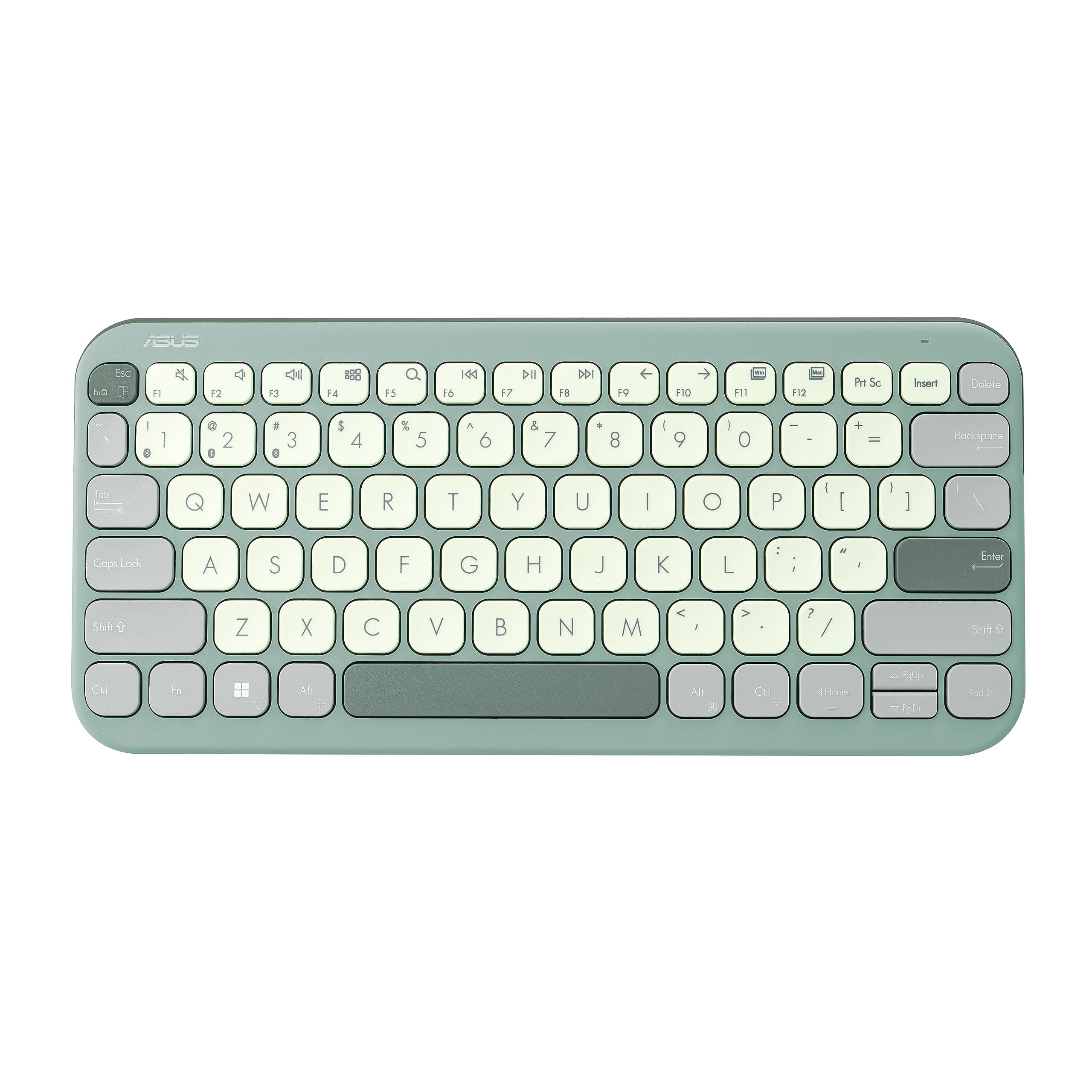



⌨️ Elevate your workspace with silent, stylish, and smart typing!
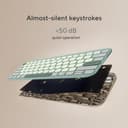
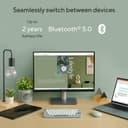
The ASUS Marshmallow KW100 Keyboard in Green Tea Latte blends premium scissor-switch keys with a slim, portable design. Supporting Bluetooth connectivity for up to 3 devices, it offers a quiet typing experience with 1.6mm key travel and adjustable stands. Compatible across major OS platforms, it boasts a 10-million keystroke lifespan, UV-coated keys, and up to 2 years of battery life—perfect for professionals seeking style, durability, and seamless multitasking.


| ASIN | B0CFF1XMT4 |
| Antenna Location | Business, Education, Everyday Use, Multimedia, Personal |
| Best Sellers Rank | #2,260 in Electronics ( See Top 100 in Electronics ) #14 in Keyboards |
| Brand | ASUS |
| Brand Name | ASUS |
| Button Quantity | 104 |
| Colour | Green Tea Latte |
| Compatible Devices | Laptop |
| Connectivity Technology | Bluetooth |
| Country of Origin | China |
| Customer Reviews | 4.2 out of 5 stars 584 Reviews |
| Enclosure Material | Plastic |
| Generation | 3rd Generation |
| Hand Orientation | Ambidextrous |
| Importer Contact Information | ASUS INDIA PRIVATE LIMITED, 402, Supreme chambers, 17/18, Shah Industrial Estate, Veera Desai Road, Andheri (West), Mumbai 400053, India |
| Item Dimensions L x W x H | 28.2L x 13W x 18.4H Centimeters |
| Item Type Name | Keyboard |
| Item Weight Unit of Measure | 375 Grams |
| Keyboard Description | Multimedia |
| Keyboard Layout | QWERTY |
| Manufacturer | ASUS, G.TECH TECHNOLOGY LTD. NO.8, JINYUAN 1ST ROAD, TANGJIAWAN TOWN, HIGH-TECH ZONE, ZHUHUA CITY, GUANGDONG, CHINA |
| Manufacturer Contact Information | G.TECH TECHNOLOGY LTD. NO.8, JINYUAN 1ST ROAD, TANGJIAWAN TOWN, HIGH-TECH ZONE, ZHUHUA CITY, GUANGDONG, CHINA |
| Model Name | Marshmallow Keyboard KW100 |
| Model Number | KW100 (Green Tea Latte) |
| Number of Keys | 3 |
| Packer Contact Information | G.TECH TECHNOLOGY LTD. NO.8, JINYUAN 1ST ROAD, TANGJIAWAN TOWN, HIGH-TECH ZONE, ZHUHUA CITY, GUANGDONG, CHINA |
| Power Source | Battery Powered |
| Product Features | Integrated Stand, Lightweight, Portable |
| Recommended Uses For Product | Business, Education, Everyday Use, Multimedia, Personal |
| Special Feature | Integrated Stand, Lightweight, Portable |
| Switch Type | Scissor-Switch |
| Unit Count | 1 Count |
| Warranty Description | 1 year warranty provided by the manufacturer from date of purchase |
P**T
PS
I earlier used Targus Wireless keyboard due to cheaper prices, didn't even last 1 year and felt hard to type. This one instantly felt much value for money with an extra thousand rupees. The keyboard feels pleasant to type and the looks are brilliant. It almost gives me a typing experience of Apple Magic Keyboard, but more silent than the Apple one. The build quality feels premium like a > 5k price keyboard as I have also used Logitech Mechanical Mini in past but that one lasted ~5 years and I wanted to kind of now like the membrane type keyboard. Connectivity was smooth, just took 30s to do first time with the MacBook. Its weight is also sufficient enough as it does not move even when you type faster and bit heavier. I am currently using it with MacBook and an Android tablet, the device compatibility and switching experience is great. I'd recommend it to whoever wants to go with the membrane keyboard. Many thanks to Asus for bringing quality product at very affordable prices!
A**N
Great choice for sleek and functional keyboards, especially for tablets.
Amazing keyboard. Would 100% recommend. Don't buy the pebble, buy this and save your money.
M**R
there is no dual connectivity
the keyboard is good just like what i wanted, but if had dual connectivity then it would have been great, this keyboard has only Bluetooth connectivity. the keyboard is light weight and just the perfect size to carry around.
S**L
Must buy if you are looking for budget friendly Mac layout low profile keyboards
Reasons why I chose this keyboard: 1. Mac layout - Easy to use if you are accustomed to the mac style keyboard layout. 2. Too much hand movement while using navigation keys - It is compact, same size as mac keyboards. Therefore, very little hand movement. I was using a full size keyboard earlier. 3. Mac cmd and alt signs on the keys - I get confused when there are shortcuts with those signs. It is easy to understand those shortcuts as the signs are given on the keyboard. 4. Separate shapes for up/down and left/right keys - Since the size is different you can understand which one is what just by feeling them, without looking at them while typing. 5. Perfect shape for my small hands - Again one of the reasons I chose this because I don't like moving my hands too much while typing. 6. Value for money - All my requirements met at 2k :) Things I didn't expect and I liked: 1. Ergonomics - The keyboard is slightly tilted and you can adjust the height as well. Two levels are available. I used MX Keys before and I still feel at home with Asus Marshmallow. 2. Good build quality - Honestly I feel it same as Logitech MX Keys build quality wise which costs around 4 times more than this. 3. All functionalities I needed are available - Dedicated media keys. Windows/Mac layout switch. Things I miss: 1. Capslock led light - I usually press the caps lock by mistake and there is no way I can understand from the keyboard that it is on. 2. Odd placement of the fn key - Although I haven't felt it so far, but the fn key could have been placed on the right side of the space bar or the leftmost part (where ctrl key is present, same as Mac). This is just my personal preference. 3. Dark color option is not available - Only trendy looking colors are available. Professional subtle colors like gray can be added :)
A**I
Don't buy it
Not worth the money feels like 100 rs thing. I have used it in very carfeful way. In just 9 months of the purchase it's not working, it takes me hours to connect the bluetooth, not worth it at all.
P**P
Great keyboard, smooth keys
just got this keyboard. Moved from logitech 480 (which was quite bad to use). This keyboard is smooth - very similar to tpying on a macbook. Loving it already
A**R
Awful waketime
I really like the design and the typing experience of this keyboard. But one thing that has been annoying me for past 6 months since i bought it is its wake time. So - You click on it to wake it up, it takes atleast 2 seconds to do it. And then only it will detect the future input, not the one you clicked to wake it. But that was not the case with Logitech 380 (but logi keyboard has bad key placement that you cant type in those round keys) Sometimes if you keep clicking on it to wake, it wont detect any of the keys at all, because it seems like the wake timer (2 sec approx) keep resetting after every key stroke. So if you press 7-8 keys simultaneously to start working on it, it wont detect any. You have to wait till it actually wakes up, and then you can start typing. I was quite okay with such delay, but sometimes it annoys that it cant be fixed. Few good things about it - 1. No software needed. (unlike logitech keyboard, who need a software + they will track every key stroke of yours. Dont know if they even send that data to their cloud.) 2. Key spacing and key travel very good. 3. Quite silent if typing comfortably. 4. Battery lasts long. 6 months and still running. 5. Good design. Asus also sells similar color mouse to complete your set. 6. Works well on macbook and ipad. 7. Has inbuilt keys to switch between windows and mac key bindings. Cons 1. Cant customize shortcuts on the keyboard with any utility as there is none, but personally i dont care. 2. Delay in wake up time explained in the start of the review.
A**A
Worth every penny.
One of the best keyboard i have ever purchased, worth every penny.
Trustpilot
3 weeks ago
1 month ago